
Clients & Ventures

Product/systems design that turns AI tech into business results






















Contact Us
Contact form or information will go here.
Project Detail

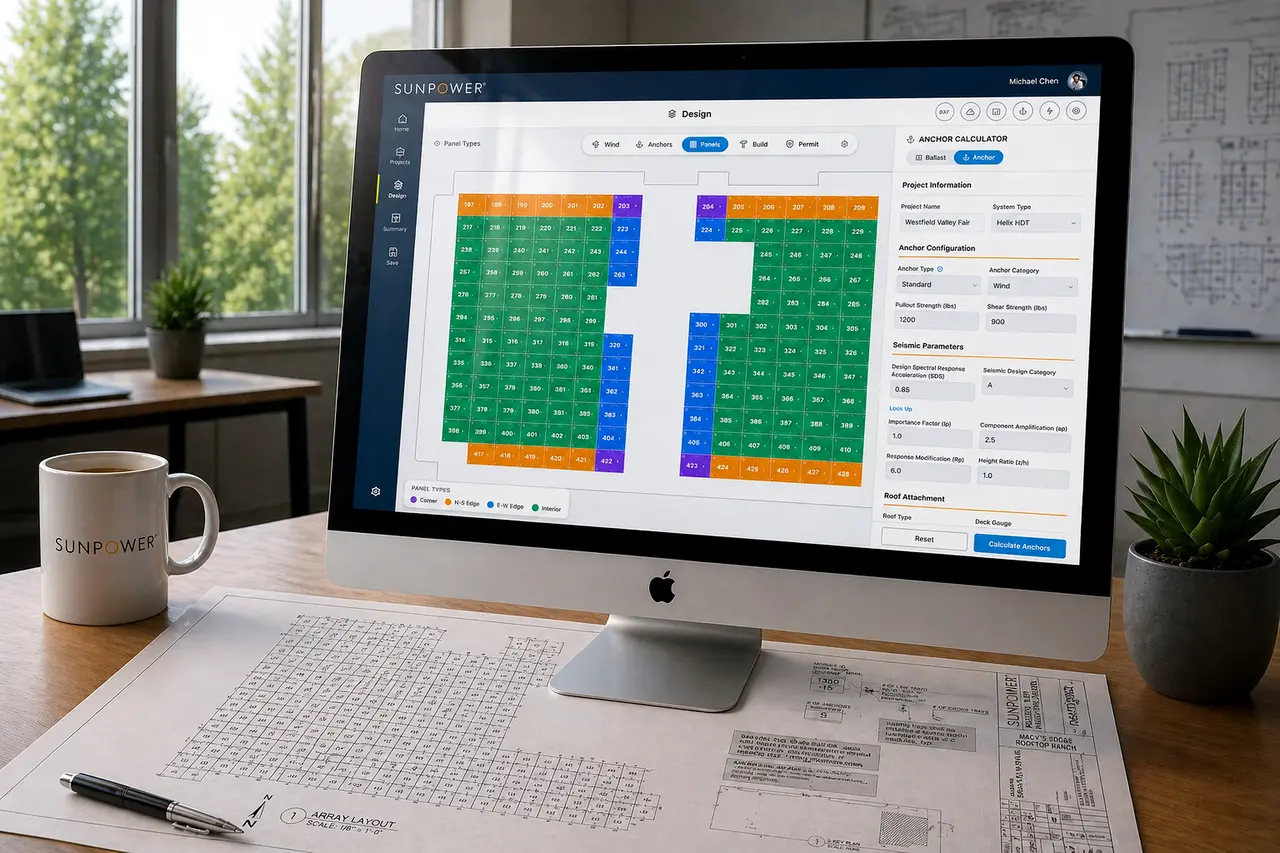

Helix Calculator
Summary

A CAD-like commercial solar design tool that helped dealers create accurate rooftop layouts in minutes instead of days.
Commercial solar design depended on engineering support, static drawings, spreadsheets, and slow back-and-forth cycles that delayed proposals and limited dealer autonomy.
I designed a CAD-like web tool that turned roof layouts, wind zones, anchors, ballast rules, panel logic, outputs, and BOM generation into one guided commercial design workflow.
Outcome
Helix reduced dependency on engineering and accelerated commercial proposals.
Helix helped convert commercial rooftop design from a specialist-driven process into a dealer-accessible workflow. Dealers could create and revise large commercial layouts faster, while engineers received cleaner inputs and fewer low-value escalations.
Estimated impact based on project context:
- Commercial layouts reduced from hours or days to 10–25 minutes
- Revisions reduced to under 5 minutes
- Engineering escalations reduced by 40–60 percent
- Time-to-quote reduced by 25–40 percent
- Dealer autonomy increased
- Proposal inputs became more consistent
The project proved that CAD-like complexity could become usable web software when engineering rules were translated into thoughtful interaction design. It remains one of my clearest examples of design engineering applied to a technical, operational domain.
The Problem
Commercial solar design was too slow for modern dealer-led sales.
Commercial dealers needed to design large rooftop solar arrays quickly, but the workflow depended on engineering expertise, manual CAD work, spreadsheets, and repeated clarification cycles.
Every commercial roof introduced technical complexity: geometry, obstructions, wind zones, anchors, ballast, panel types, production assumptions, and code-driven constraints.
Dealers needed speed and clarity. Engineers needed accuracy and rule enforcement. The existing workflow forced both groups into slow back-and-forth communication.
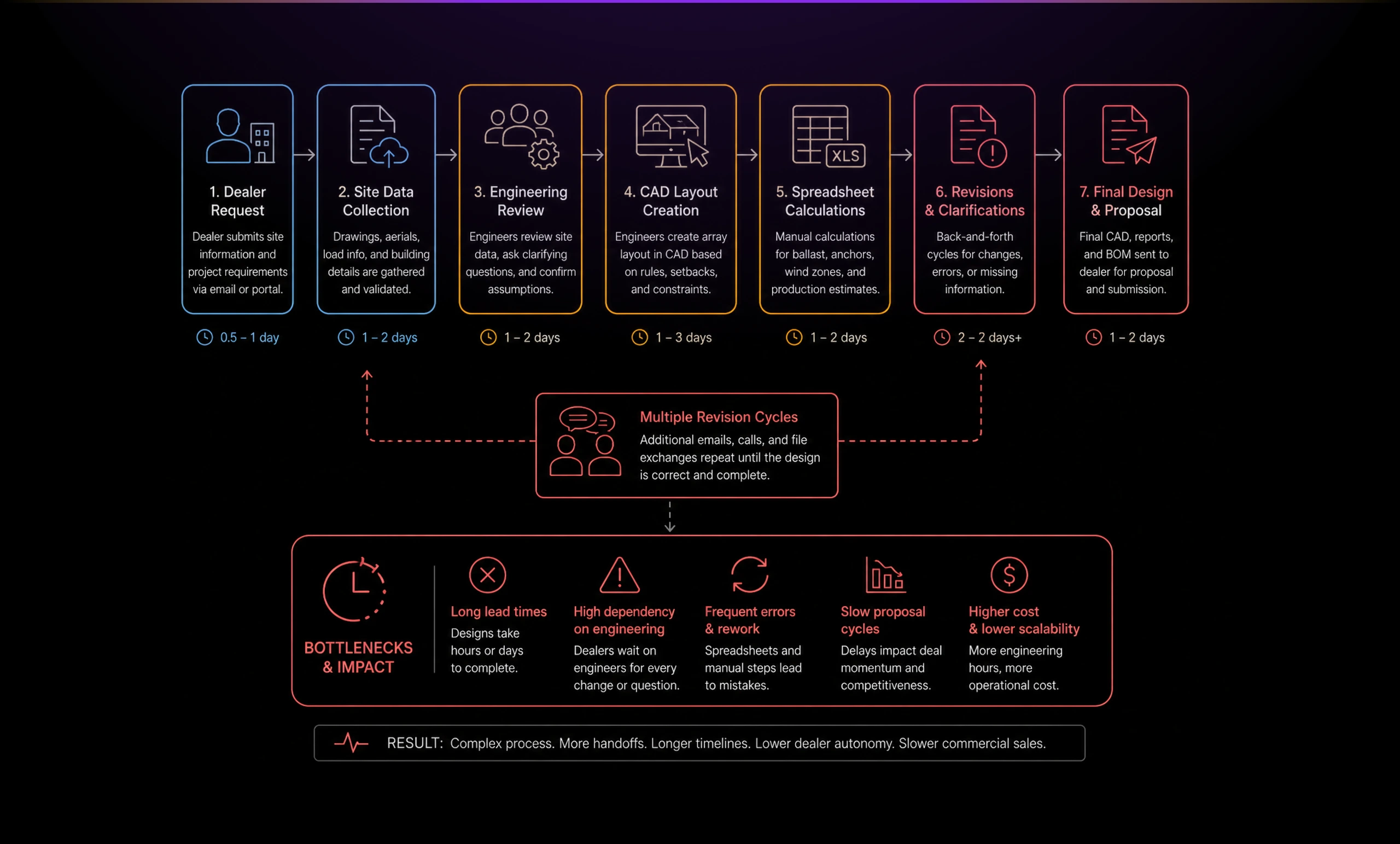
The business problem was bigger than drawing panels on a roof. Slow design cycles delayed proposals, increased engineering escalations, and made commercial solar harder to sell at scale.
Solution
Designing a CAD-like workspace for commercial solar.
I designed Helix as a commercial solar design workspace, not a generic calculator.
The goal was to give dealers enough power to create credible commercial layouts without exposing them to unnecessary engineering complexity. The interface needed to feel visual, direct, and fast while still respecting the rules that made the design valid.
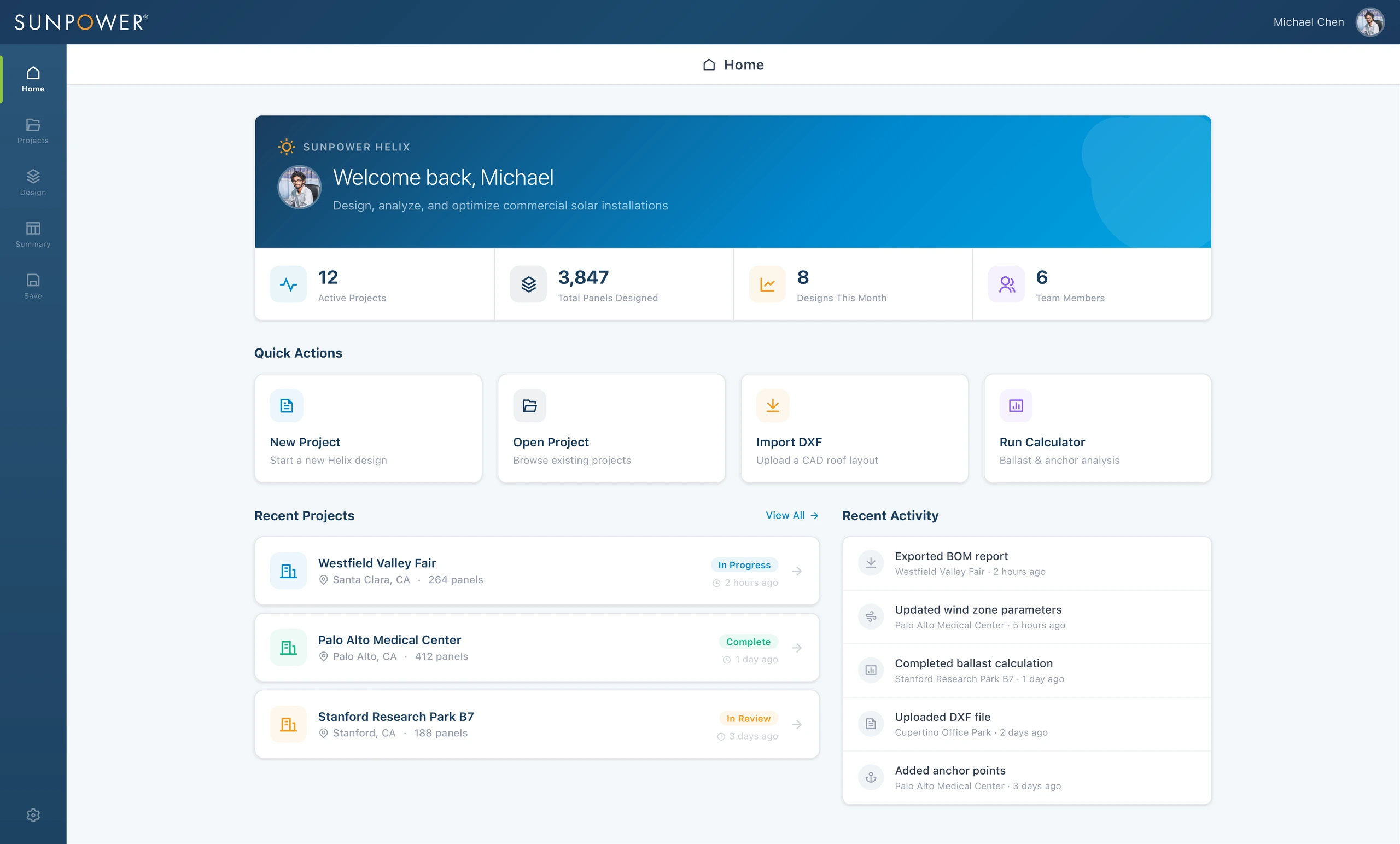
The dashboard gave dealers a clear starting point for active projects, recent activity, design imports, and calculator access. It framed Helix as a full design environment rather than a one-off utility.
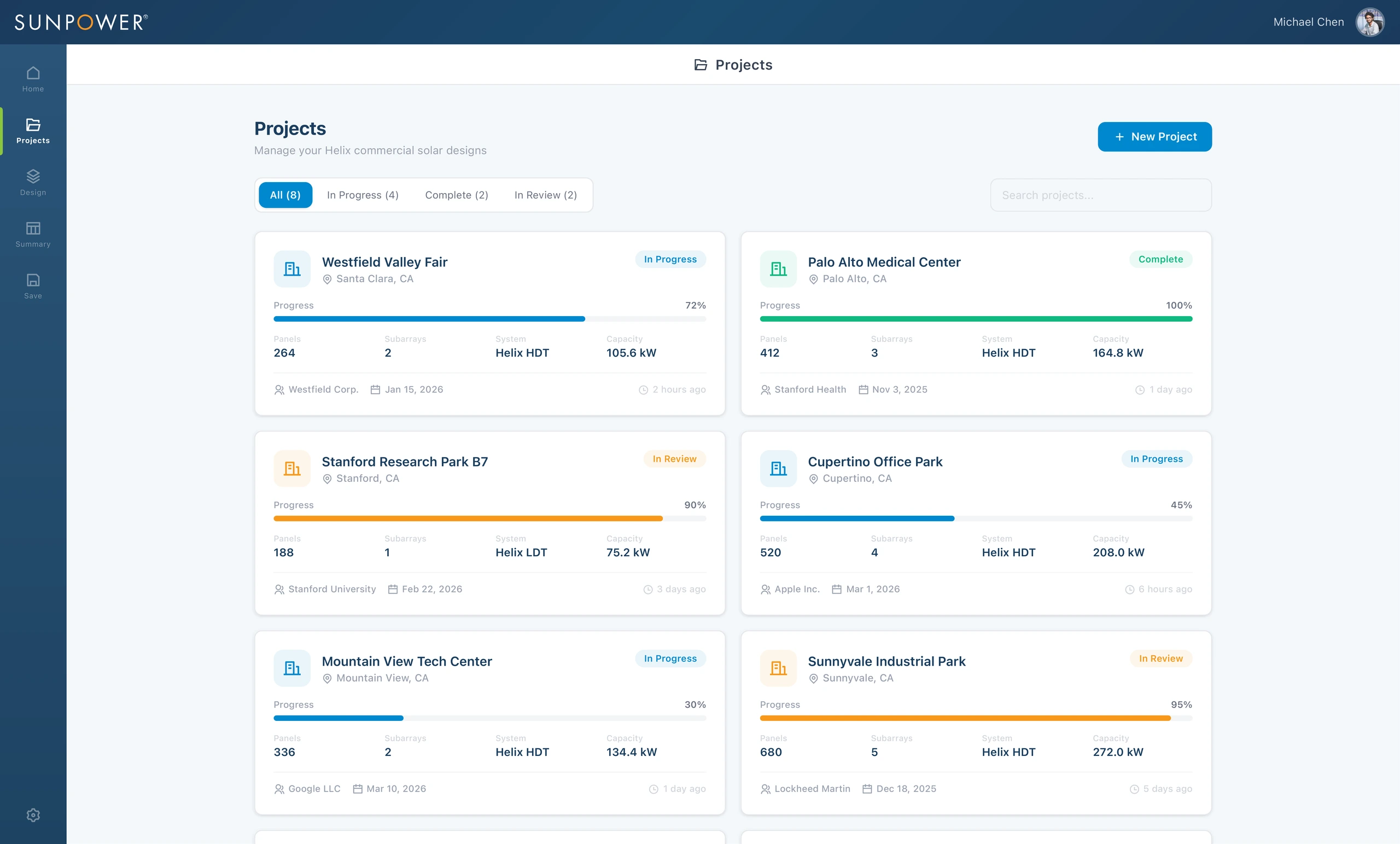
Project cards helped dealers and internal teams understand where each design stood. Status, progress, capacity, panel count, system type, and client context were visible before entering the canvas.
Turning roof data into a visual design canvas
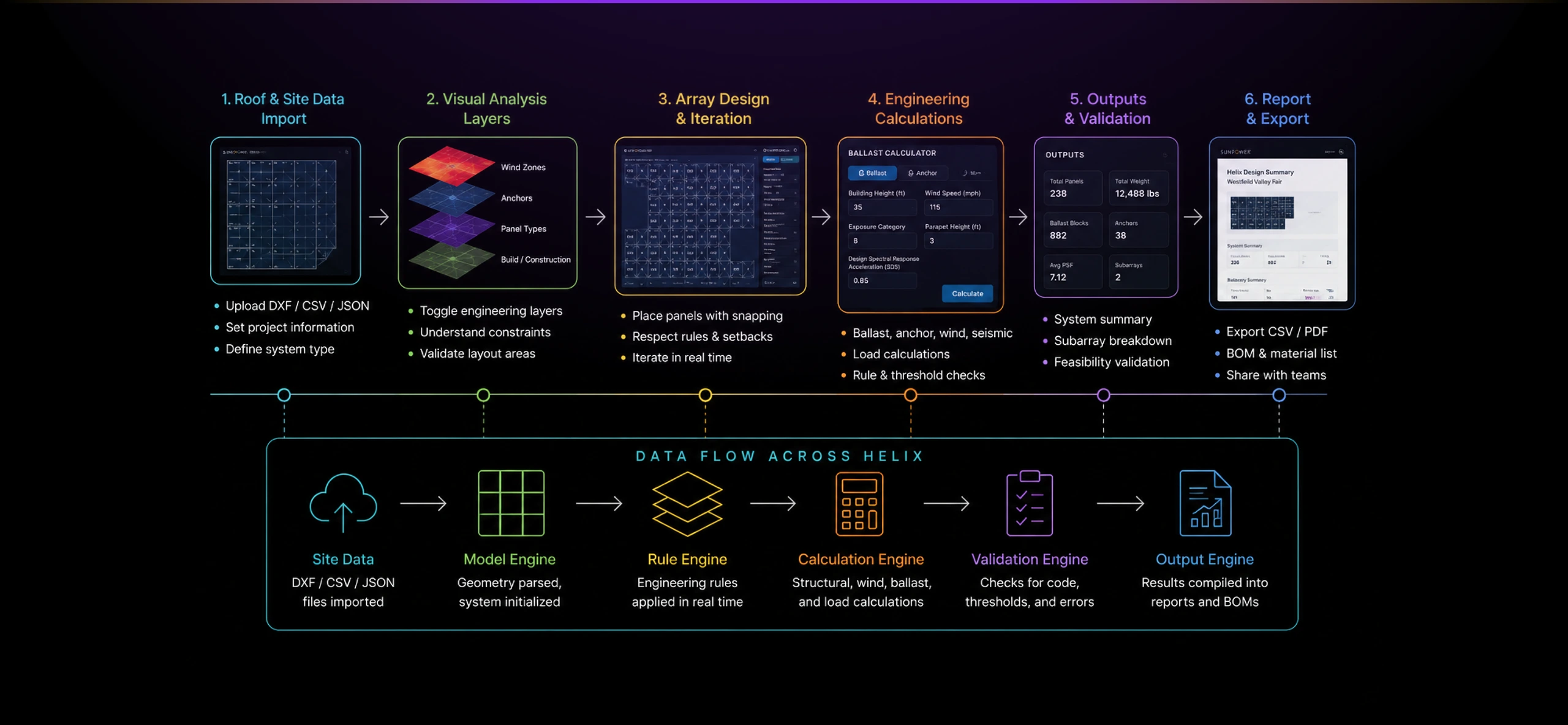
The core design challenge was translation. I had to convert engineering logic into interface behavior: zones, panels, anchors, ballast, warnings, summaries, and output states.
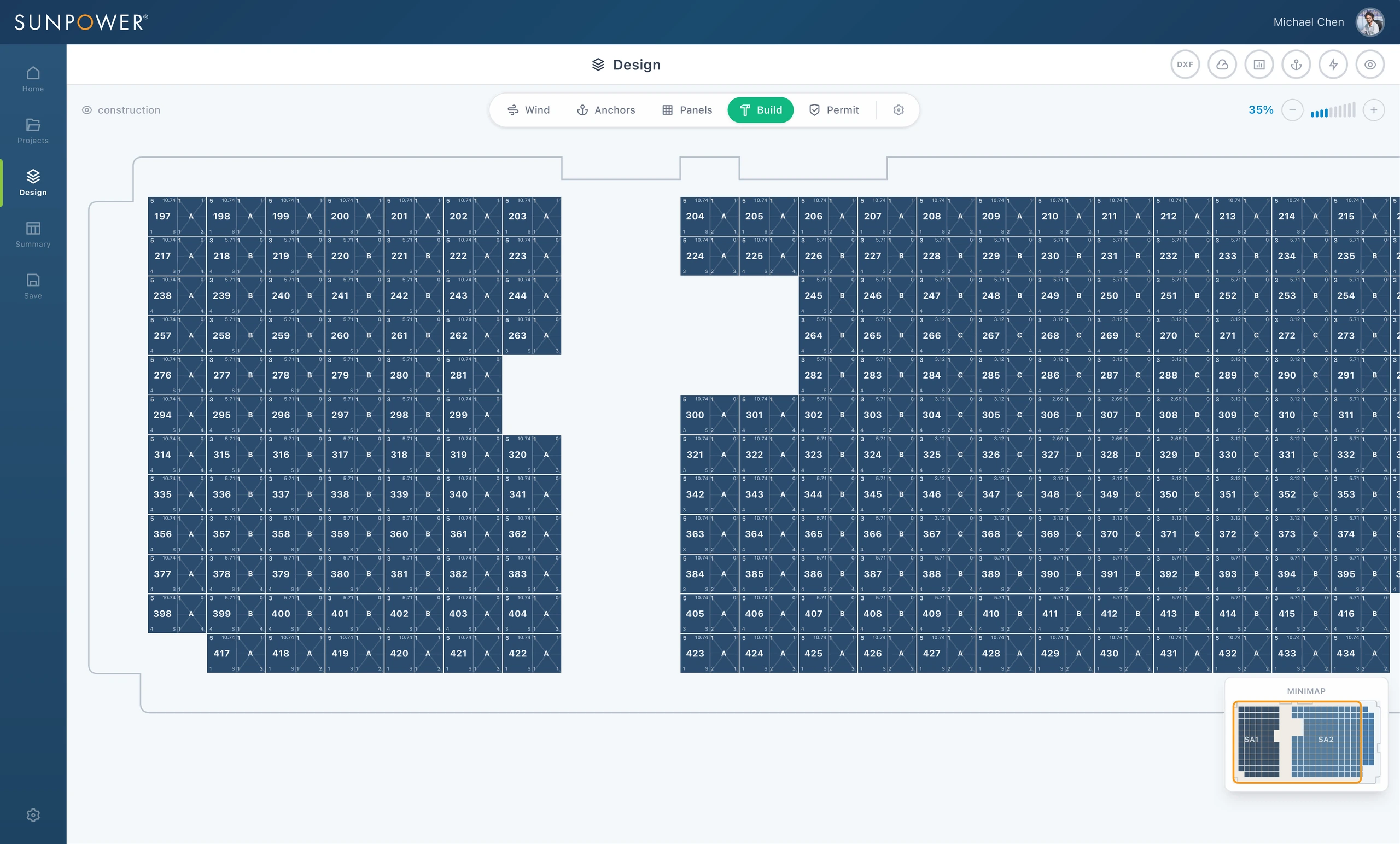
The canvas became the center of the experience. Dealers could load system data, inspect the roof layout, switch between analysis modes, and progressively understand what the design required.
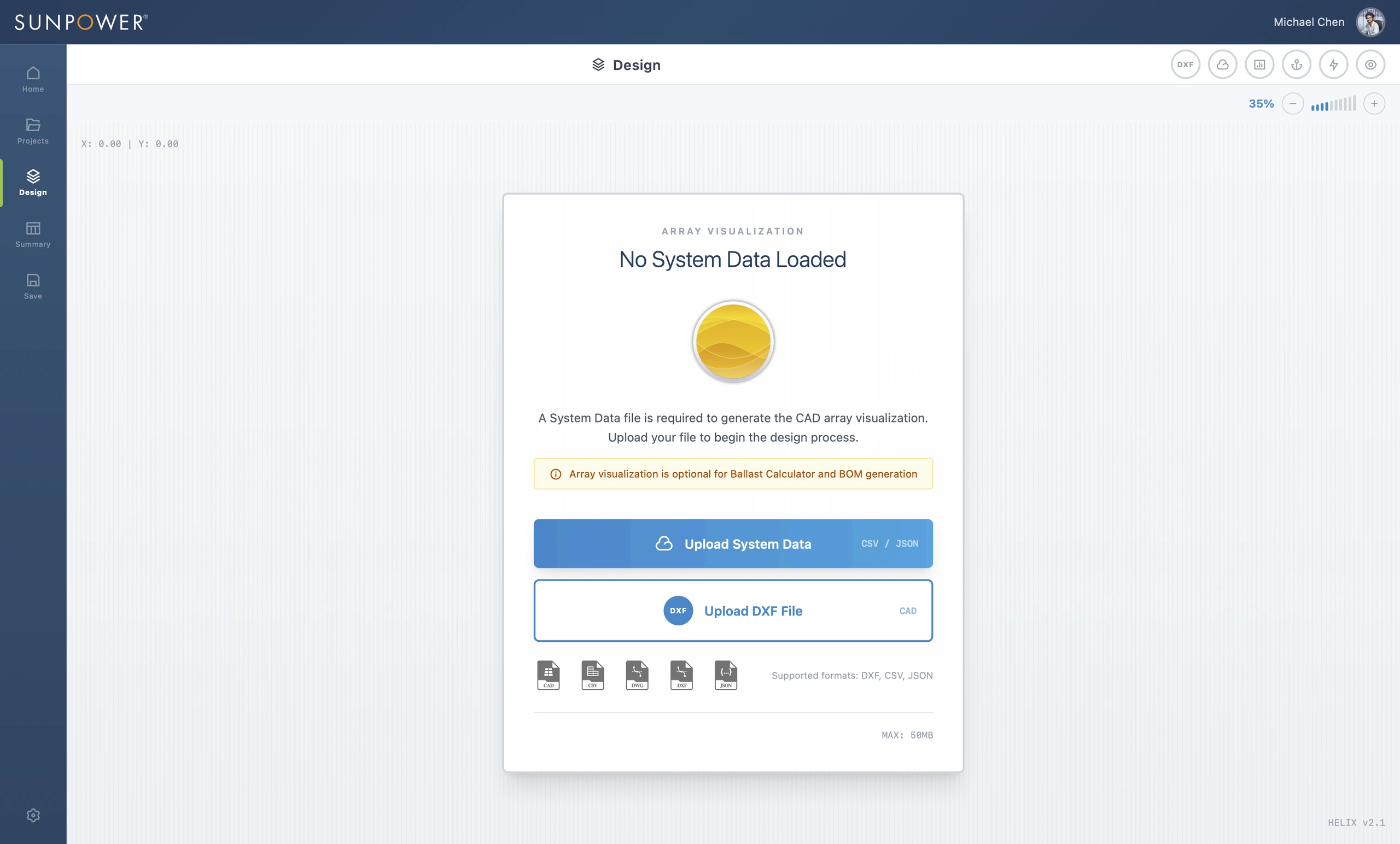
This import step mattered because Helix needed to work with real project data, not abstract mock layouts. DXF, CSV, and JSON import options allowed the design workflow to start from structured site information.
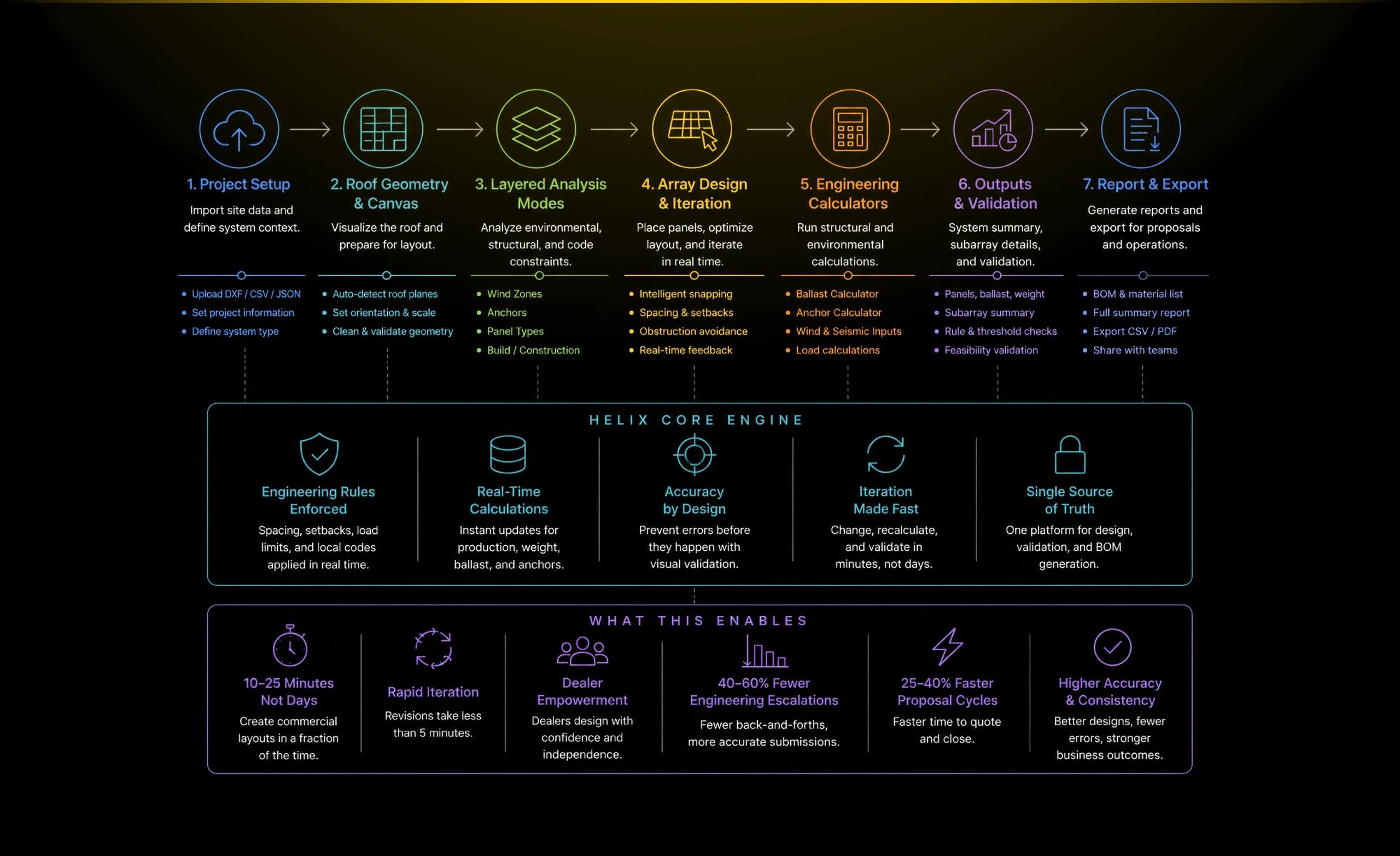
Making invisible engineering constraints visible
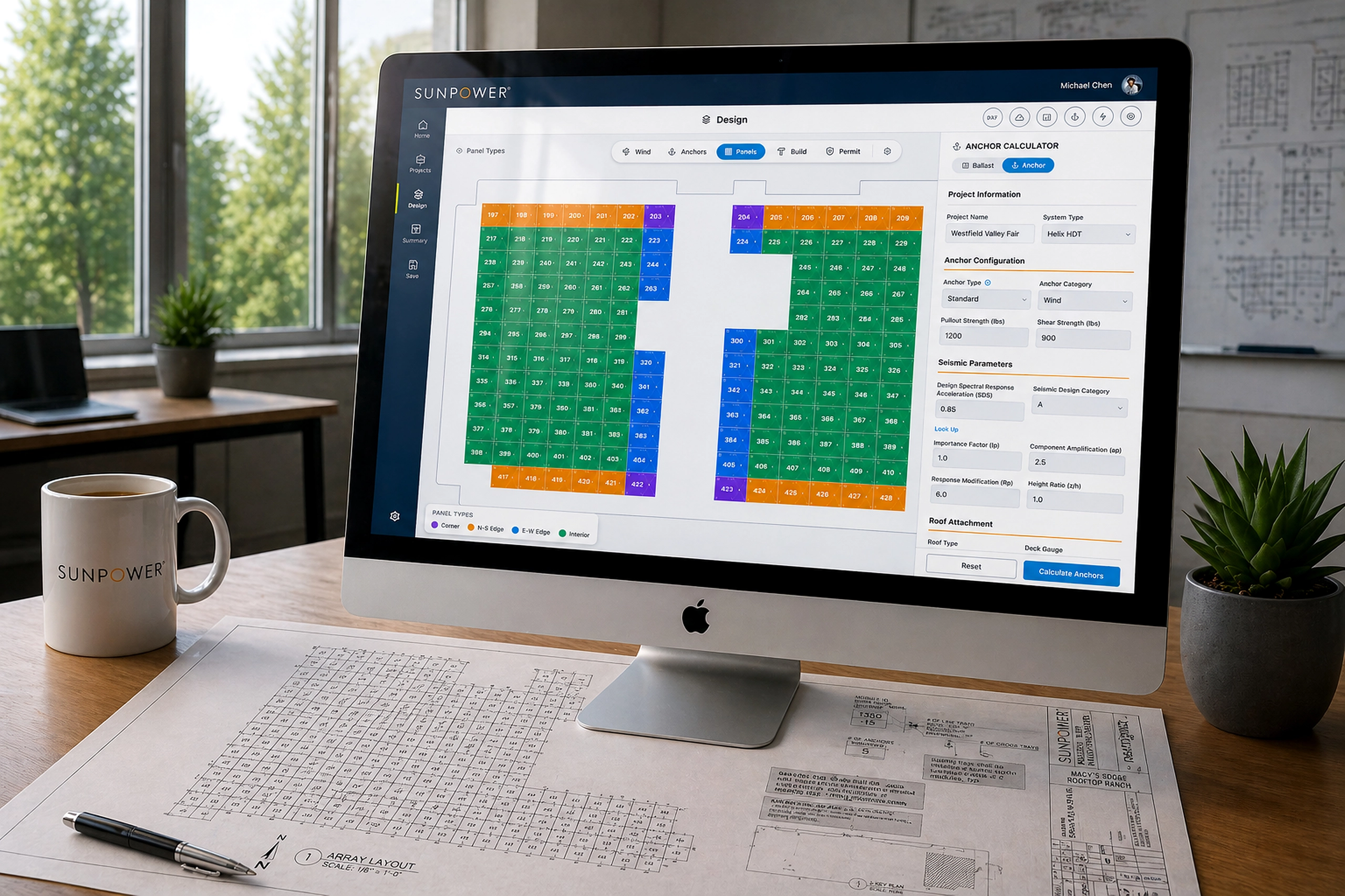
Helix exposed technical constraints as visual layers. Instead of forcing dealers to interpret spreadsheets or wait for engineering interpretation, the product showed rules directly on the roof.
Wind analysis, anchor requirements, panel types, ballast conditions, and permit-related logic became selectable modes in the same workspace.
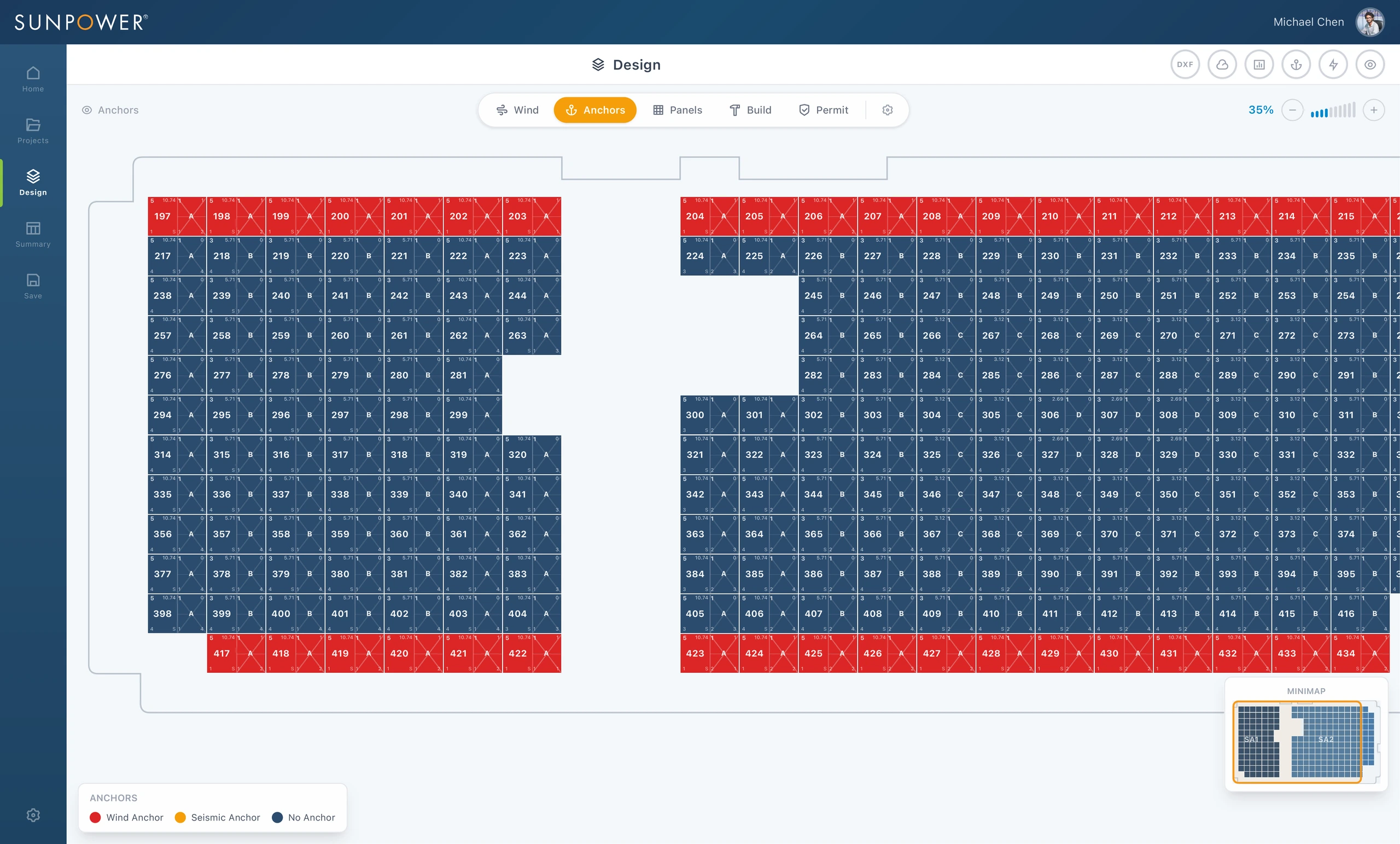
The wind layer made environmental constraints visible across the rooftop. Dealers could immediately see how roof position affected design decisions instead of waiting for engineering review.
The anchor layer helped translate structural requirements into placement logic. This reduced guesswork and made engineering assumptions easier to understand during layout creation.
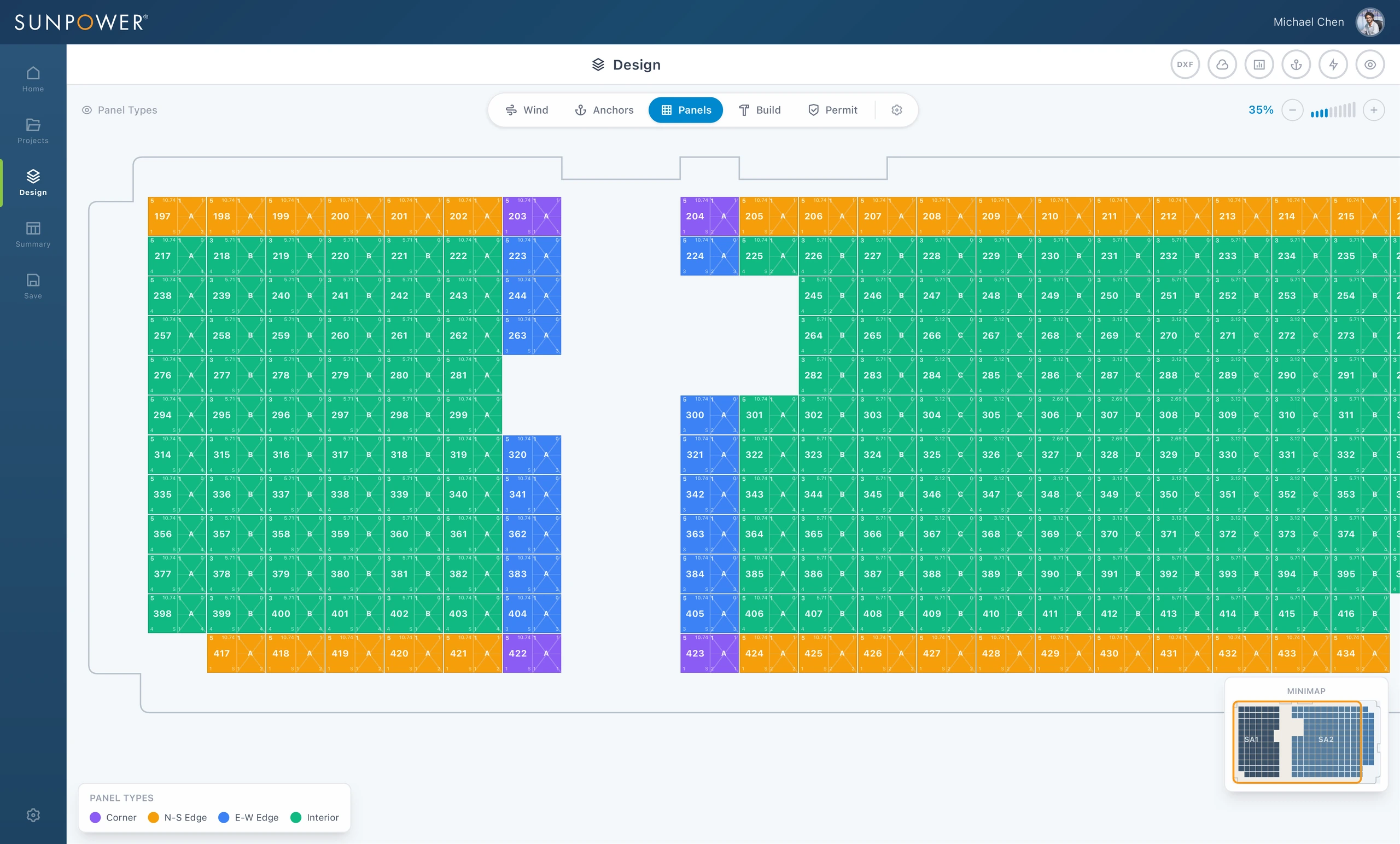
Panel classifications gave dealers a visual way to understand corner, edge, and interior conditions. The interface taught the rules through the layout itself.
Connecting visual layout decisions to engineering calculations
The tool was not just a drawing surface. It needed to produce useful technical outputs.
I designed calculator panels and output summaries that connected site inputs to feasibility, safety, material quantities, and commercial ordering requirements.
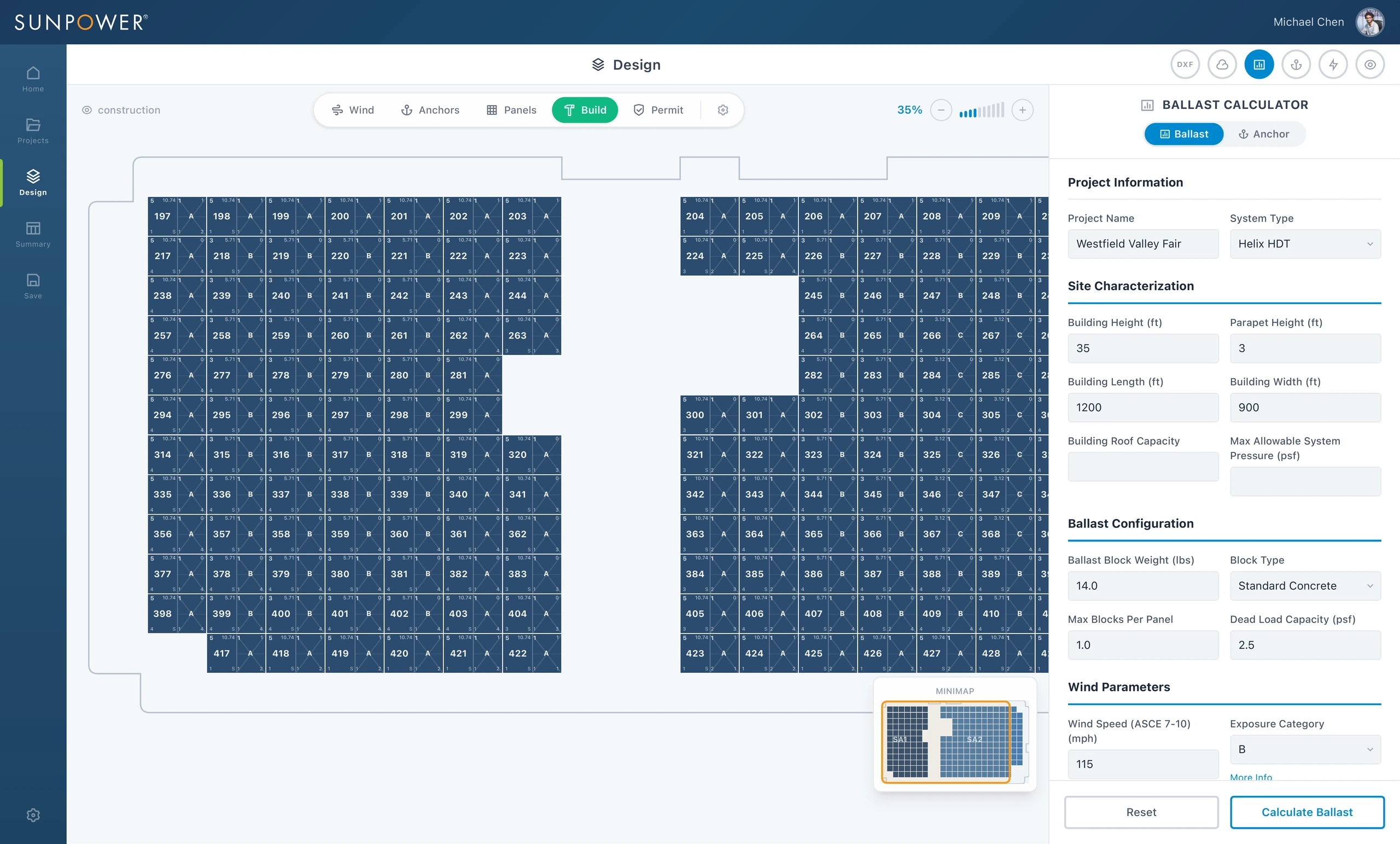
The calculator panel made structural inputs part of the workflow: building dimensions, parapet height, wind speed, exposure category, block type, and ballast constraints. Dealers could calculate without leaving the design context.
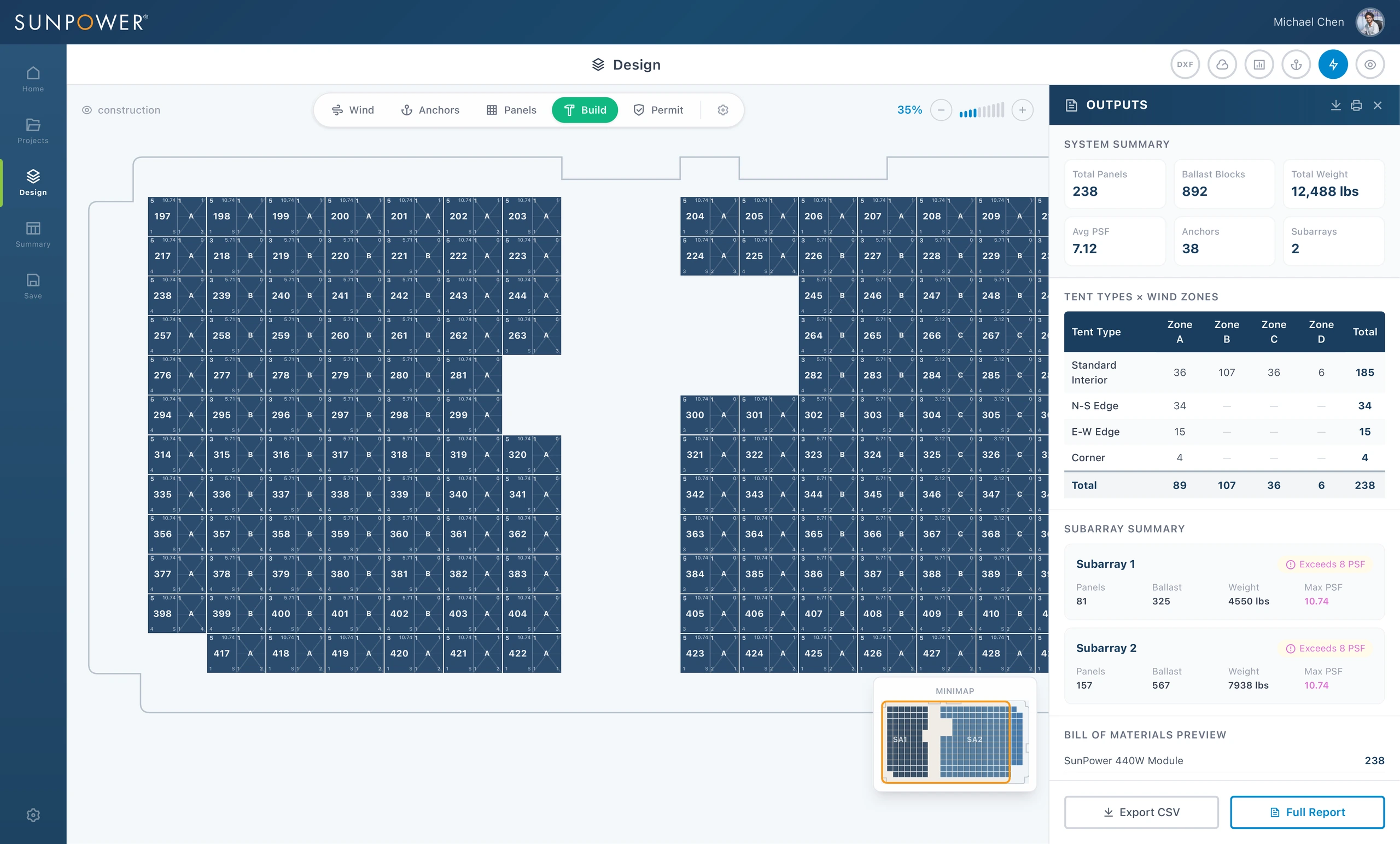
The outputs panel transformed design activity into actionable information: total panels, ballast blocks, total weight, anchors, subarray counts, wind-zone breakdowns, and BOM preview.
Packaging the design into a usable report
The final step was making the output portable. Dealers and internal teams needed a summary they could review, export, print, or share.
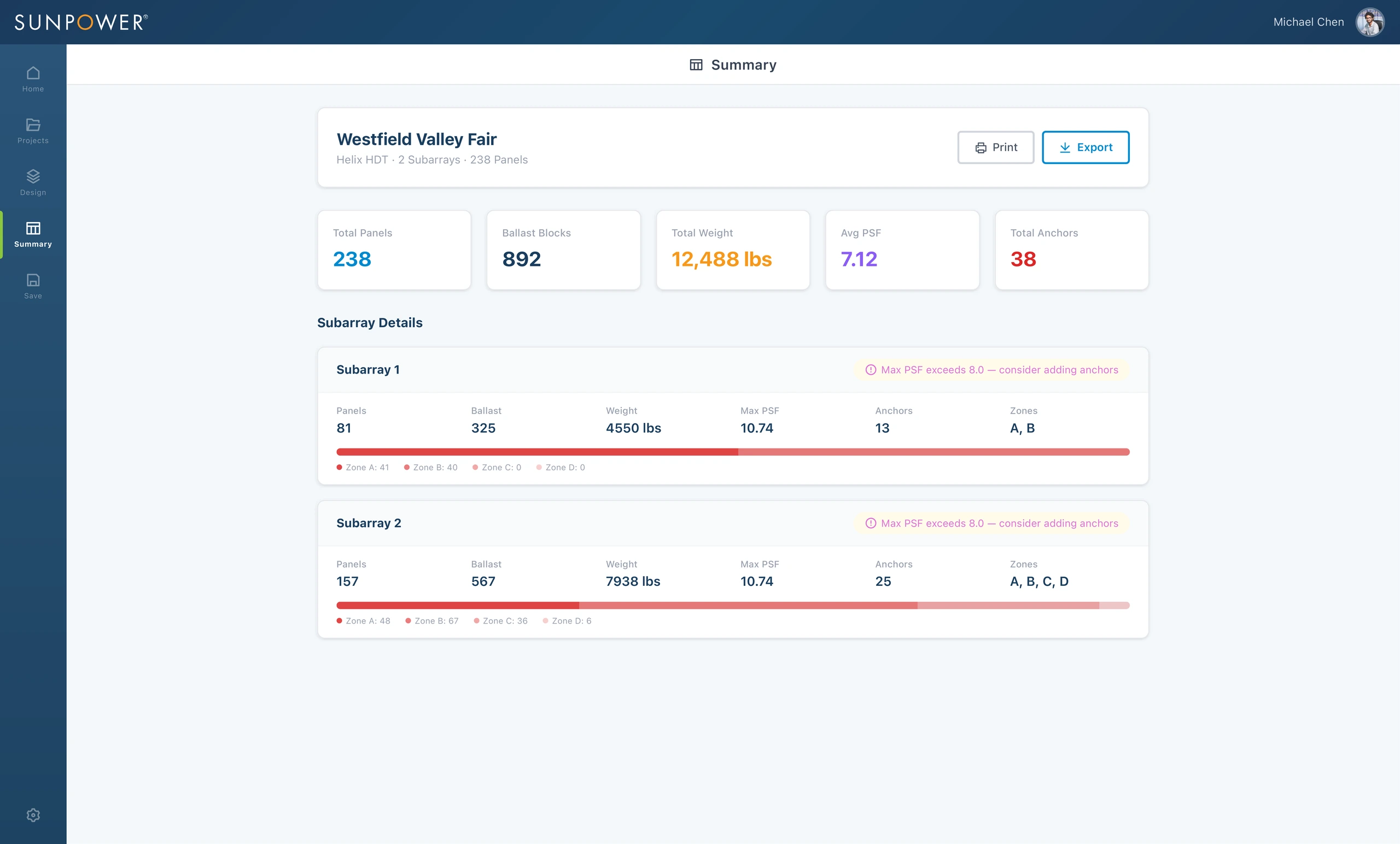
The summary report turned a complex design session into a clean project artifact. It gave teams a shared reference for panel count, ballast, weight, PSF, anchors, zones, and warnings.
Related Projects
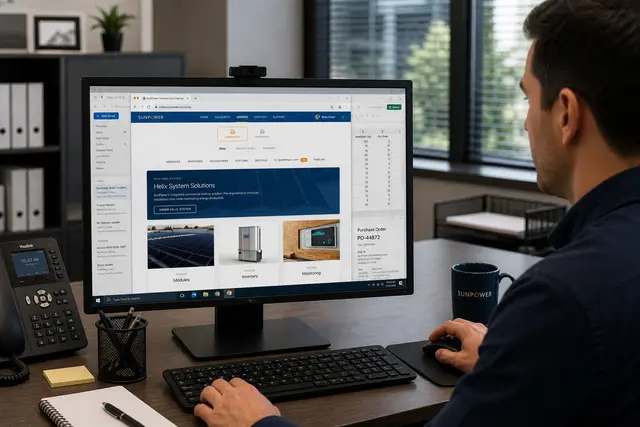
Commercial Ordering System
A redesigned commercial ordering workflow that turned complex solar BOMs into faster, reusable de...
Energy & Climate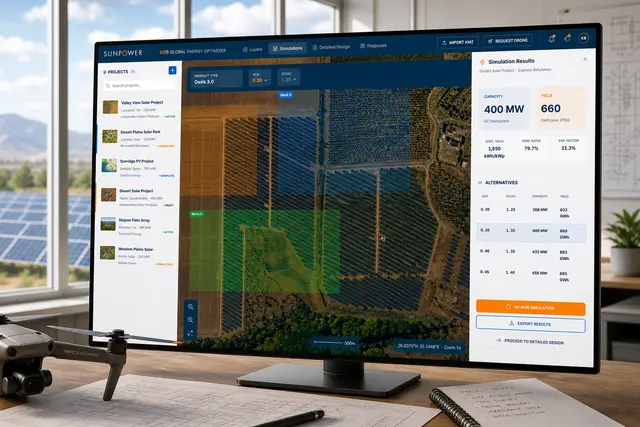
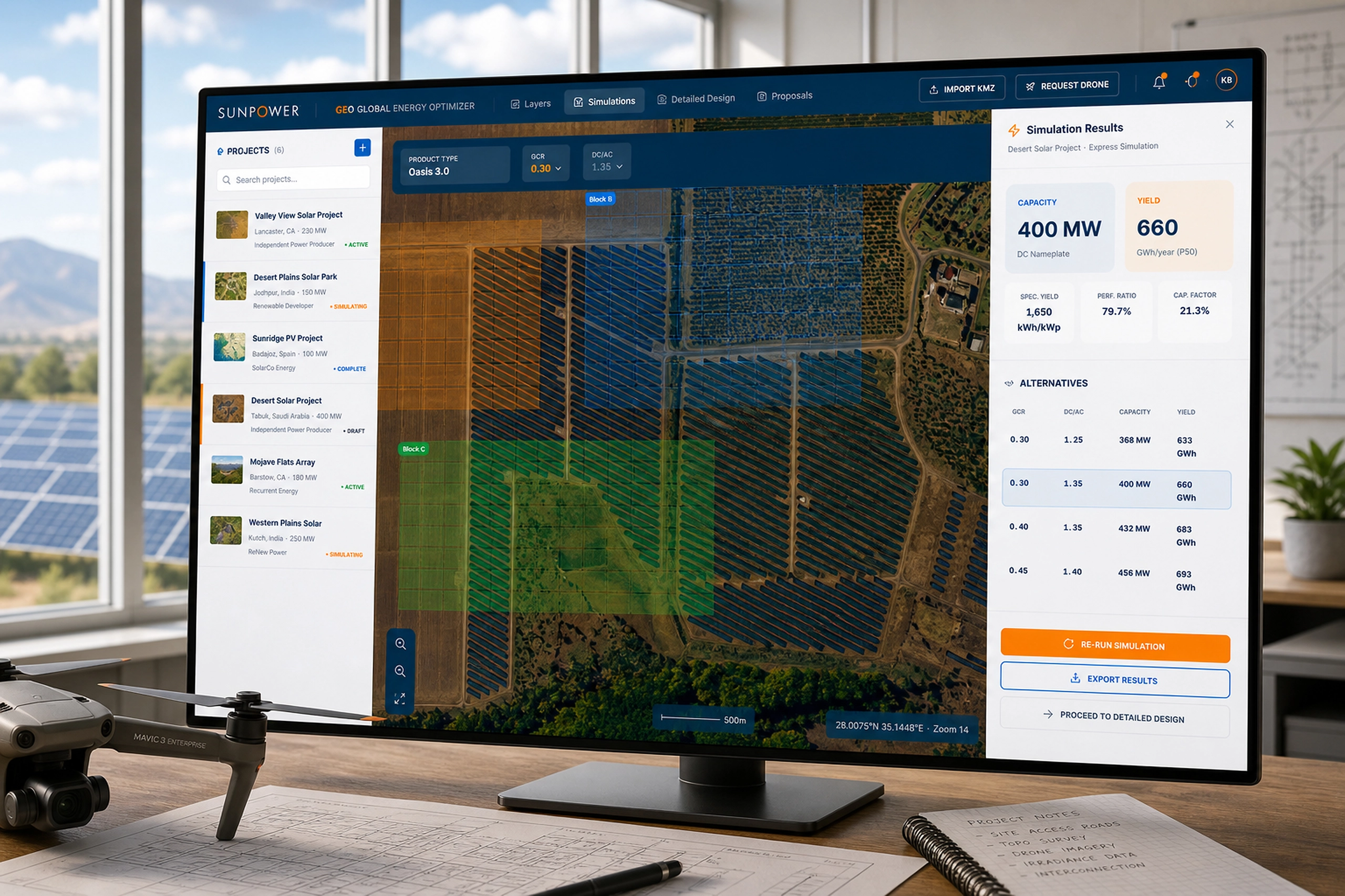
GEO – Global Energy Optimizer
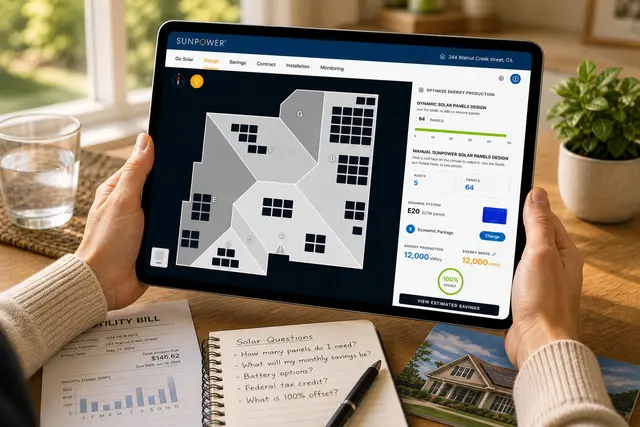
A geospatial solar planning platform for defining sites, simulating layouts, optimizing system pa...
Energy & Climate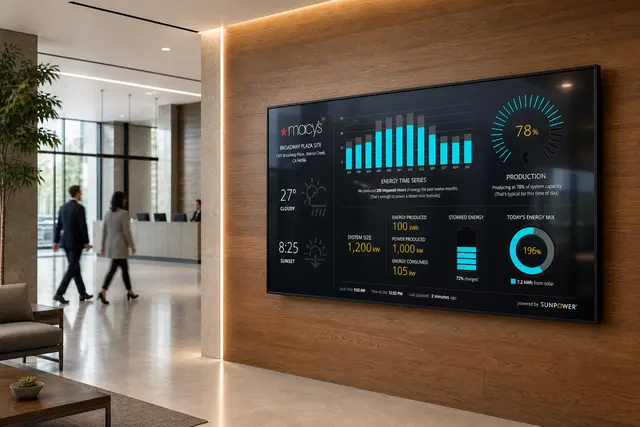
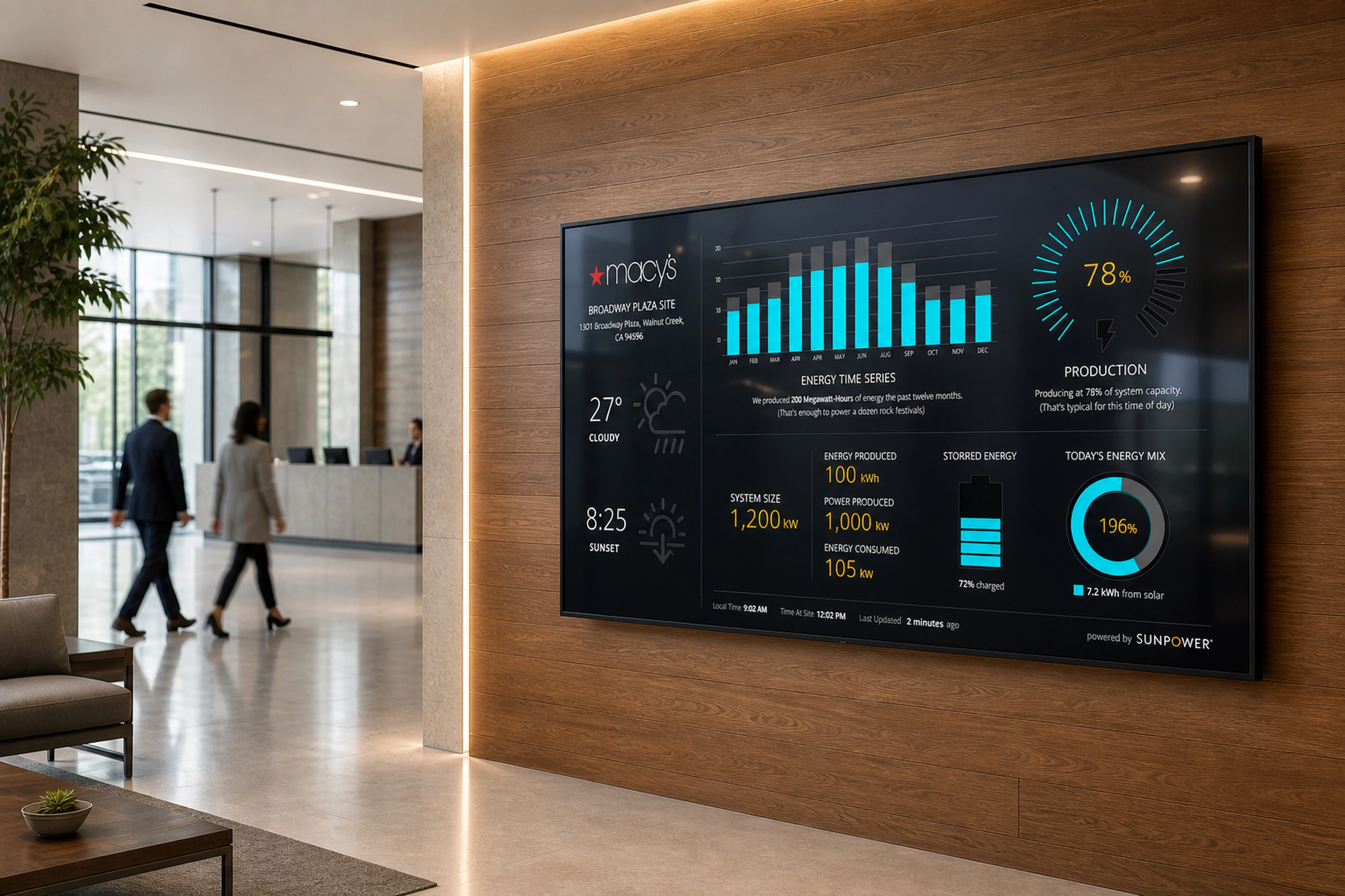
Energy Monitoring Kiosk
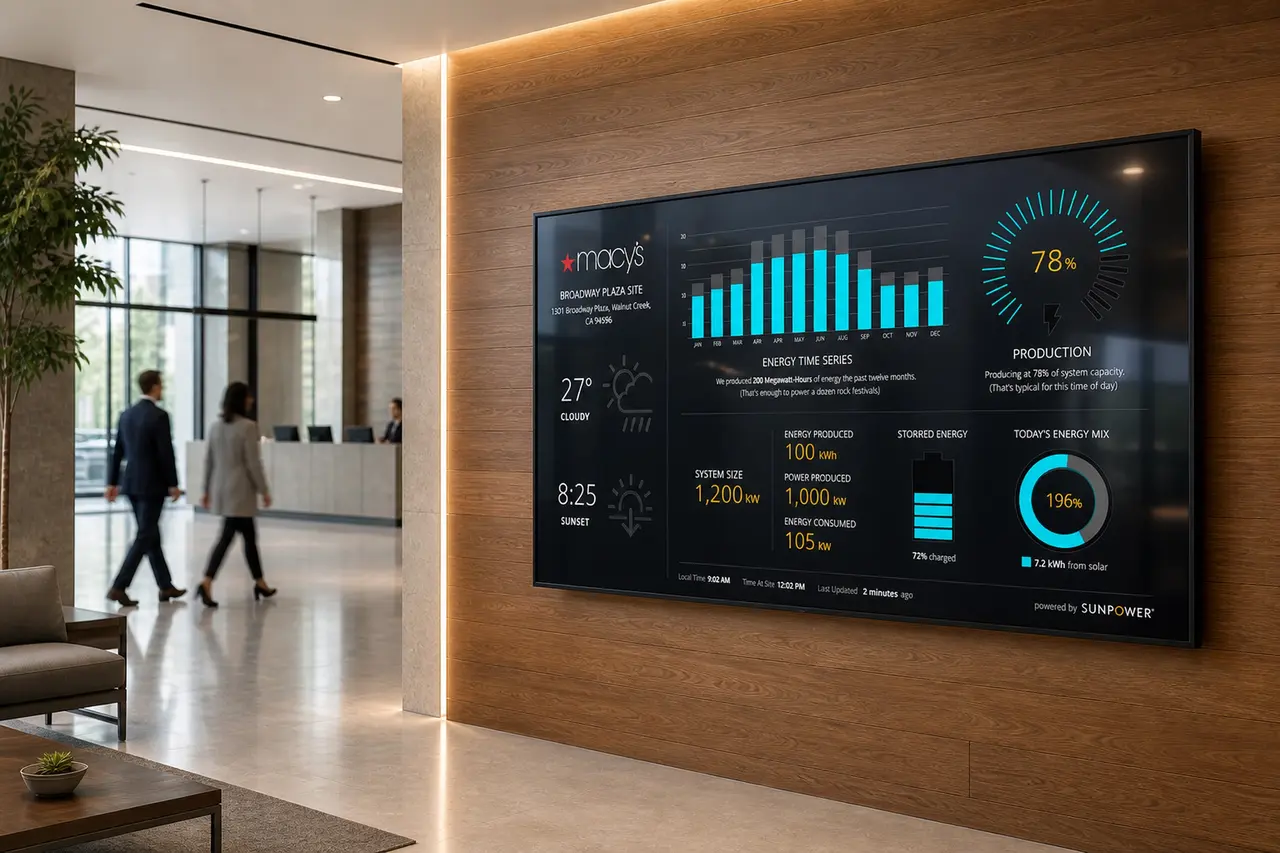
A lobby-scale energy dashboard that helped commercial clients visualize solar production, system ...
Energy & Climate