
Clients & Ventures

Product/systems design that turns AI tech into business results














Contact Us
Contact form or information will go here.
Project Detail


Learner Launch
Summary

A student-facing app that turned learning plans into clear, motivating daily actions.
Flexible learning only works if students understand what to do next. Learners needed a calm, age-appropriate interface that translated parent plans into clear daily focus, without exposing the full complexity of scheduling and resource management.
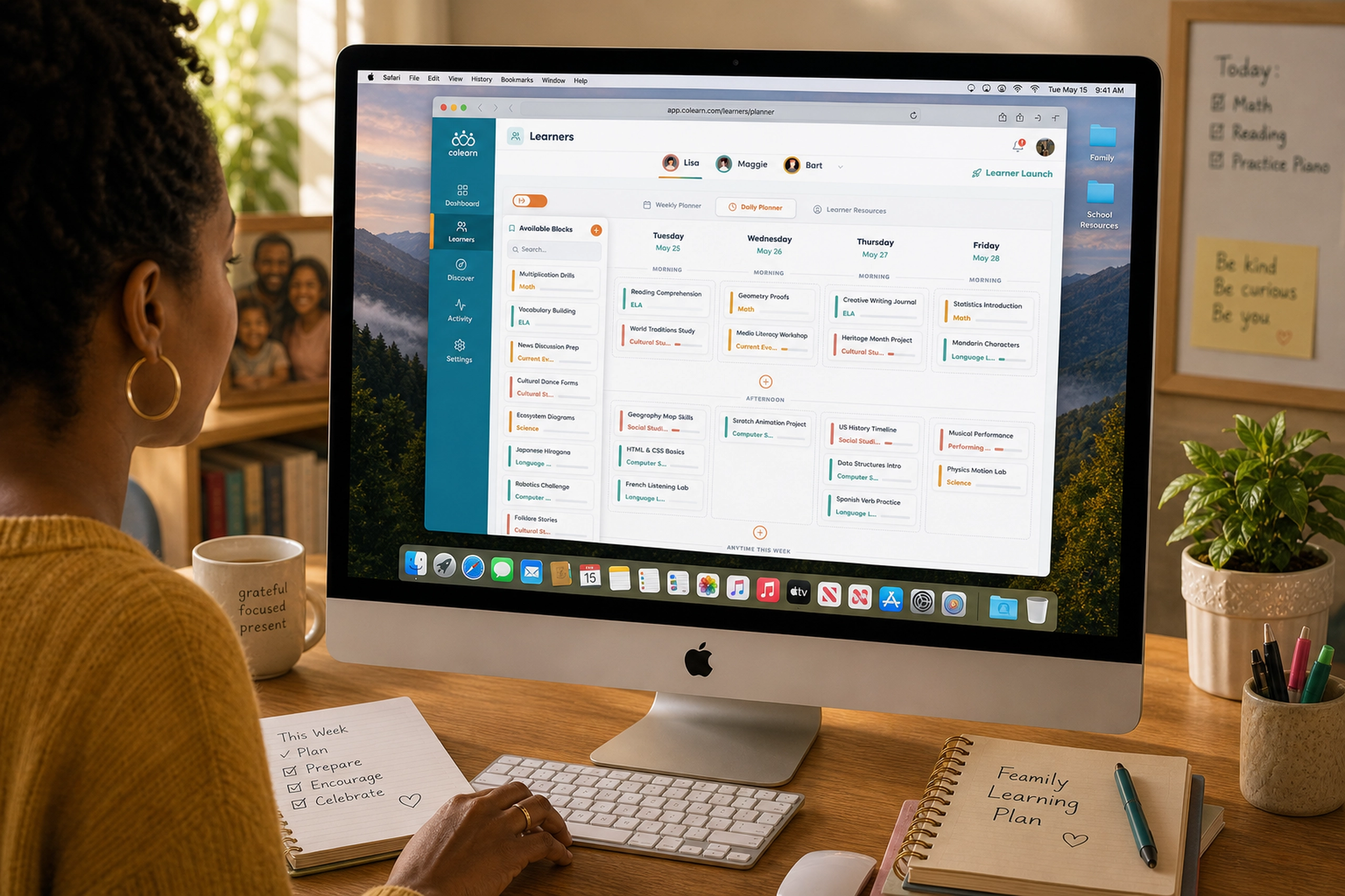
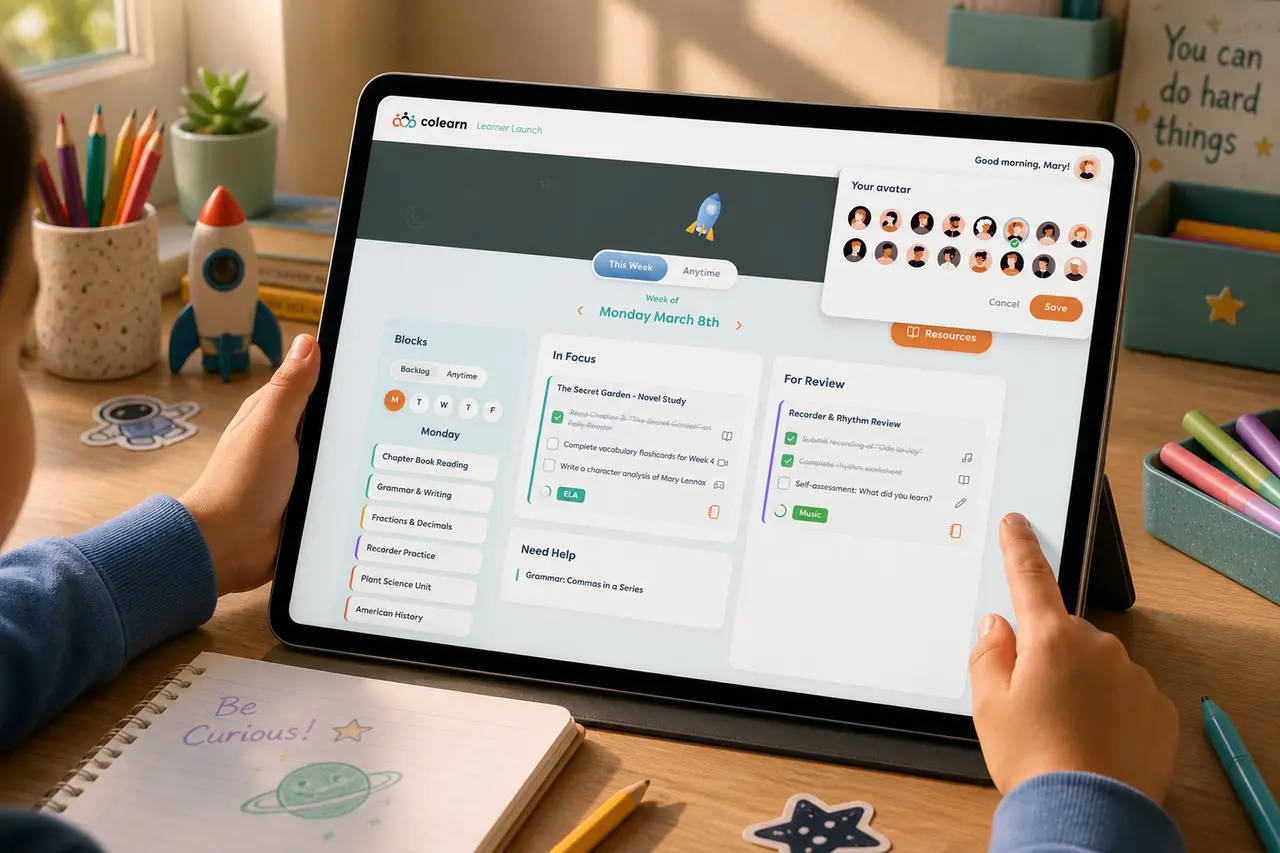
I designed the Learner Launch app as the student-facing side of the Colearn ecosystem. It helped learners see active blocks, complete tasks, request help, review finished work, and access resources from one simple workspace.
Outcome
Learner Launch completed the loop between parent planning and learner execution.
Parents could create structured learning plans, and students could act on those plans through a simplified daily workspace.
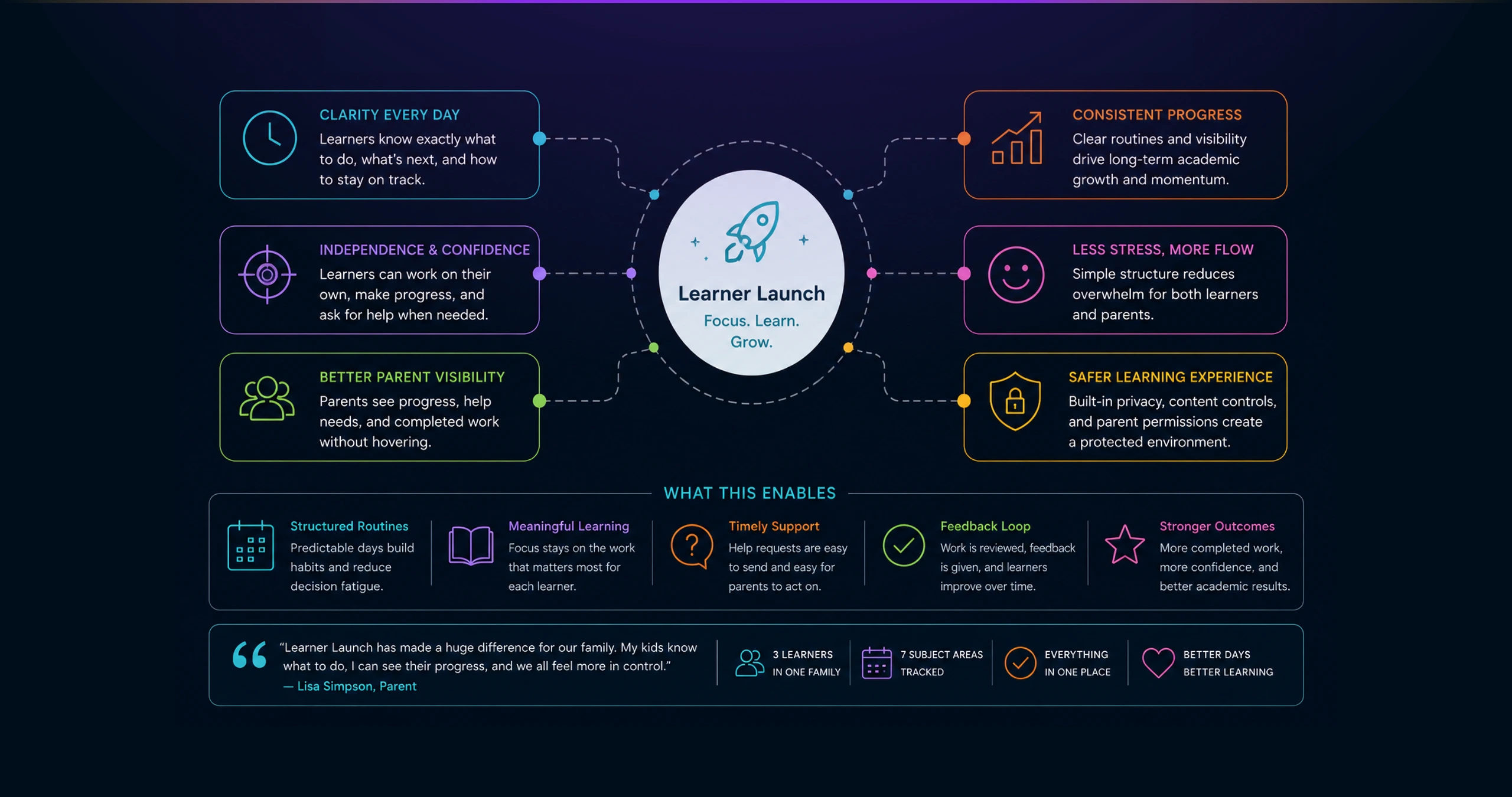
The product gave learners more autonomy while preserving parent visibility. Students could see what to work on, complete tasks, request help, and move work into review without needing the parent to constantly interpret the plan.
The larger outcome was ecosystem coherence. The Parents App handled planning and oversight. Learner Launch handled daily focus and execution. Together, they formed a clearer operating model for flexible education.
The Problem
Parent-led learning creates a second challenge after planning: execution.
Even if parents organize the week well, learners still need to understand what matters right now.
Without a dedicated learner experience, students can become dependent on constant parent direction. They may not know which block is active, which tasks are complete, what needs review, or where to find the right resource.
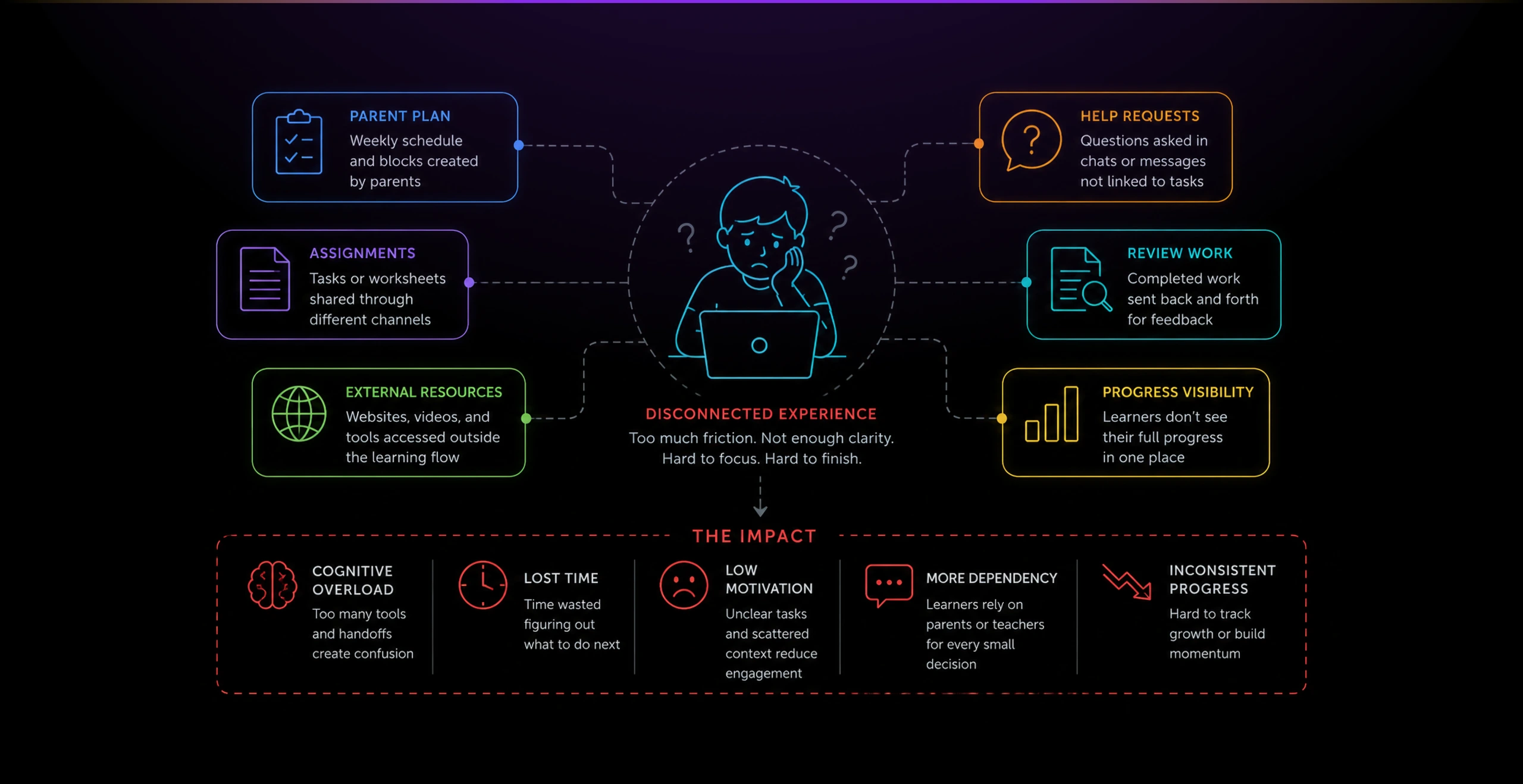
The interface had to support younger students without making the experience feel childish or overwhelming. It needed to be clear enough for independent work, but structured enough for parents to trust.
The product also needed to connect back to the Parents App. Learners should see their own simplified workspace, while parents maintained planning, safety, and progress oversight elsewhere.
Solution
A Learner Launch tool around a simple question: what does the learner need to do today?
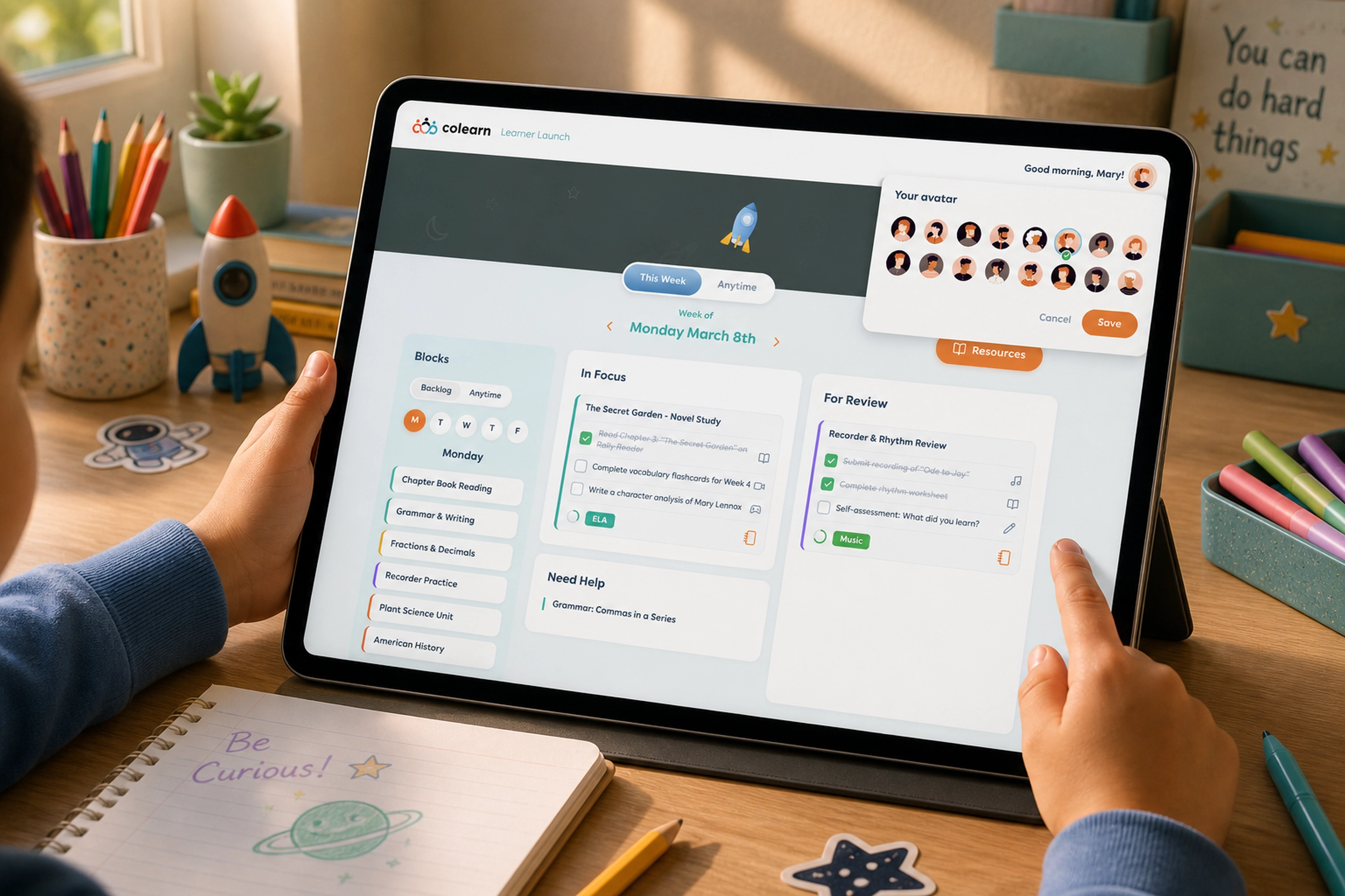
The main workspace translated the parent’s plan into three clear zones: available blocks, current focus, and work for review. This helped learners understand where to start, what was active, and what was waiting for feedback.
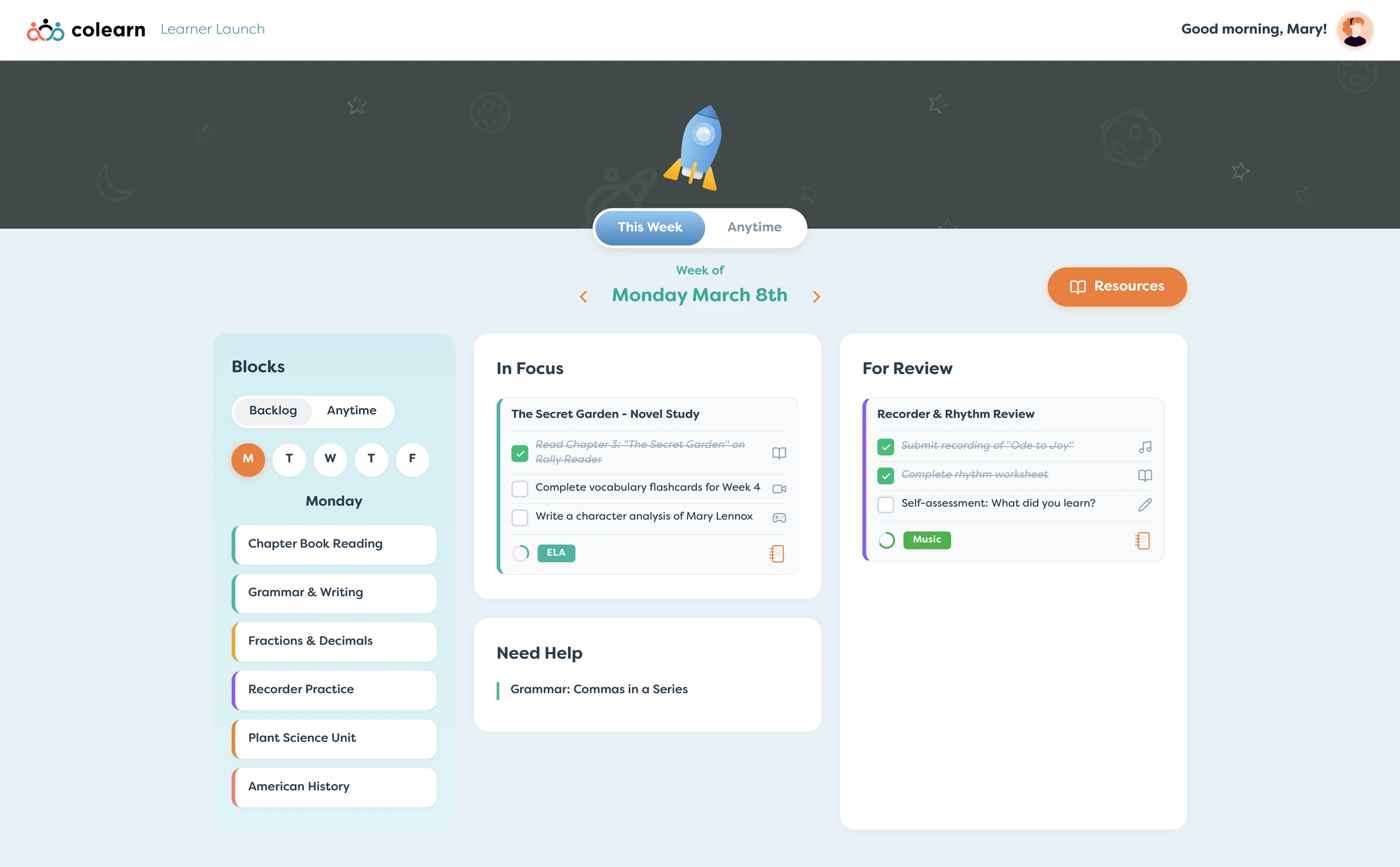
The left column gave learners a backlog of available blocks. The goal was to make learning feel selectable and concrete, not buried inside a complex calendar.
The center area represented immediate focus. Instead of showing an entire week of detail, the interface surfaced the active block with its task checklist, subject tag, and completion status.
This gave the learner a practical sense of progress. They could complete steps one by one, see what remained, and understand when a block was ready to move forward.
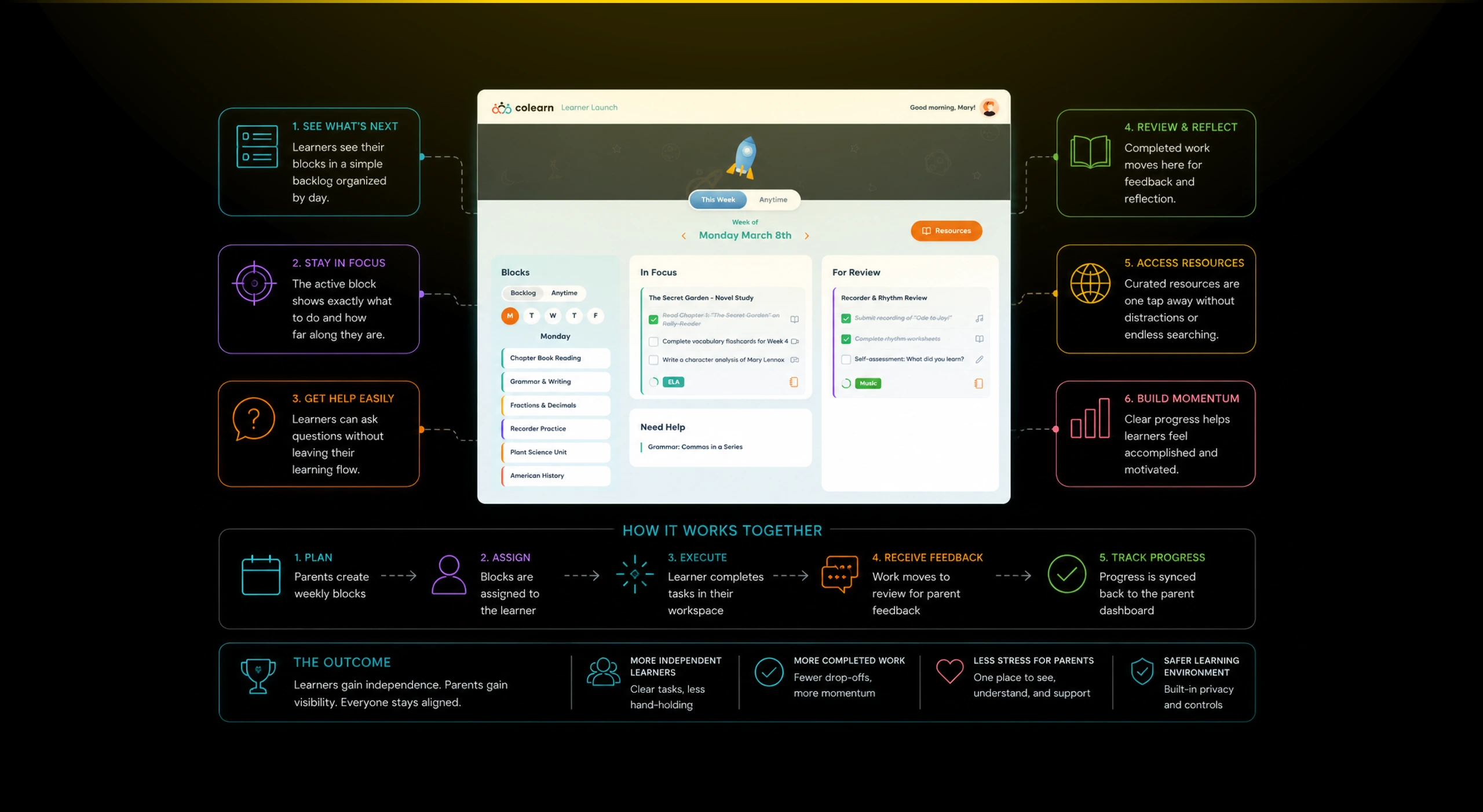
The Need Help area was important because independent learning still requires support. Learners needed a lightweight way to signal confusion without breaking the rhythm of the experience.
This turned help into part of the workflow rather than a separate conversation. Parents could see where support was needed, while learners had a clear place to express blockers.
The For Review panel created a second important state: work that was finished but not fully closed. This helped learners understand that completion, reflection, and feedback were part of the learning loop.
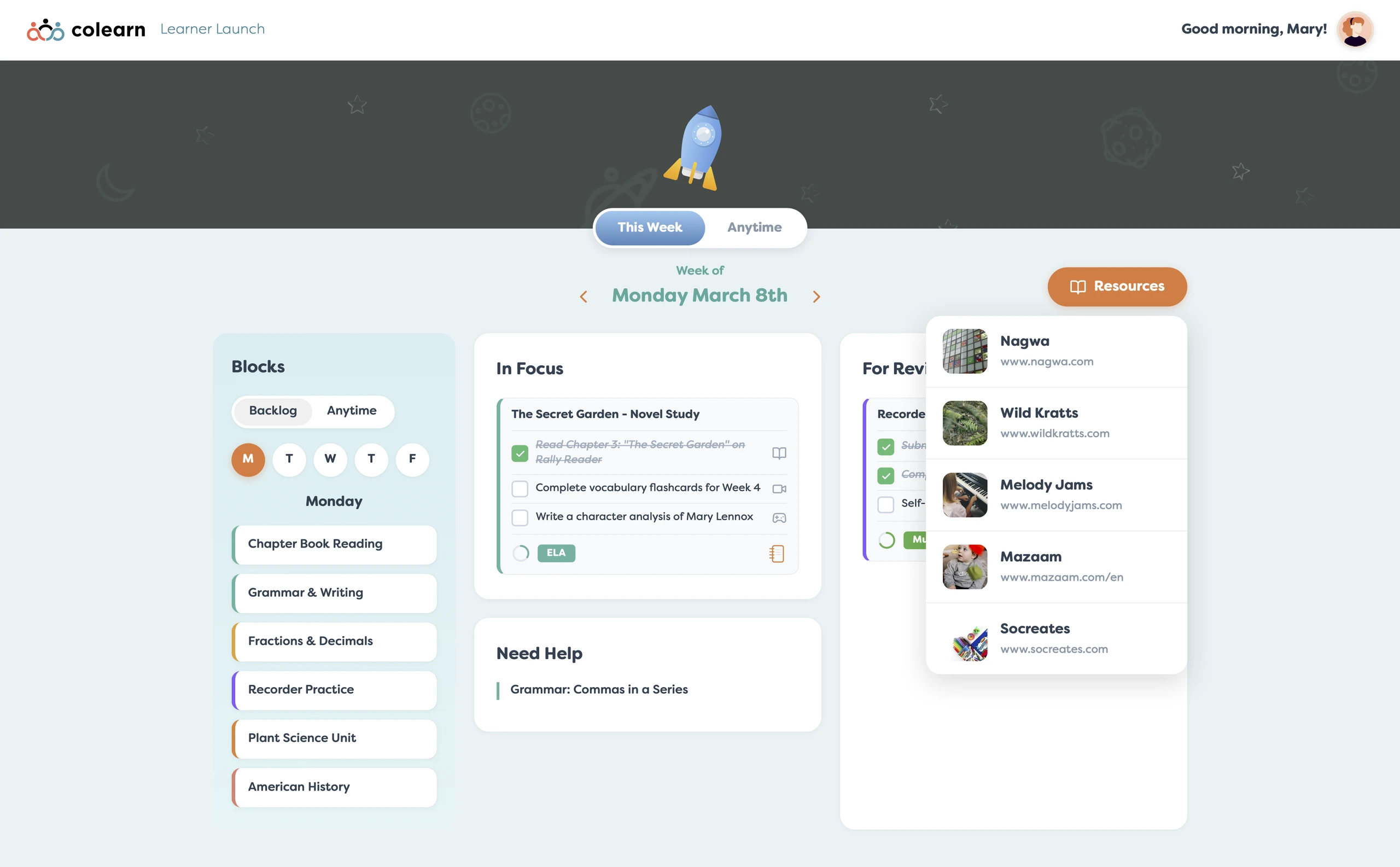
The Resources menu connected the learner experience to external learning materials. Instead of making learners search across random websites, resources were surfaced in context from the learning environment.
This design kept the learner experience narrow and purposeful. The student did not need to manage billing, privacy, scheduling rules, or family setup. They only needed the parts of the ecosystem that supported learning action.
The visual direction was intentionally calm and friendly. The rocket theme, soft cards, rounded panels, and simple subject colors helped the product feel approachable without losing structure.
Related Projects
Colearn Homeroom
A teacher operations app that helped homeroom leads monitor families, attendance, onboarding, and...
EdTech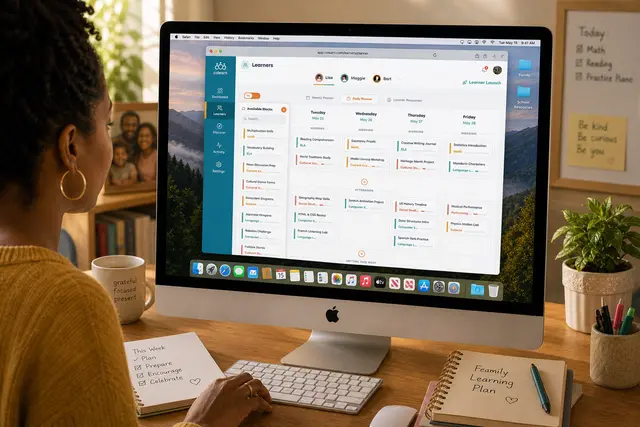
Colearn Parent App
A parent planning app that turned scattered learning activities into structured weekly progress.
EdTech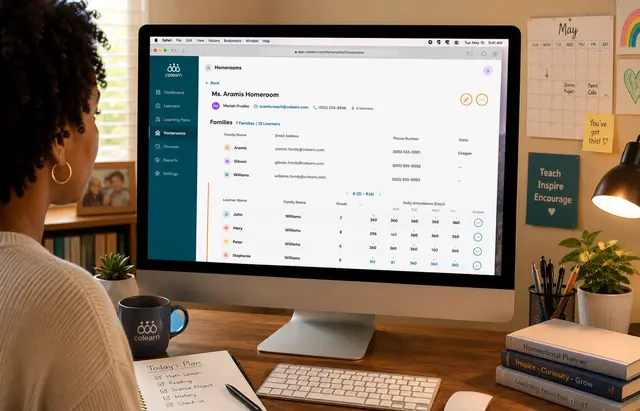
Colearn Homeroom Admin
A school admin app that unified enrollment, homerooms, attendance, staff roles, and operational r...
EdTech