
Clients & Ventures

Product/systems design that turns AI tech into business results
















Contact Us
Contact form or information will go here.
Project Detail


Nudgespot Conversation Management
Summary

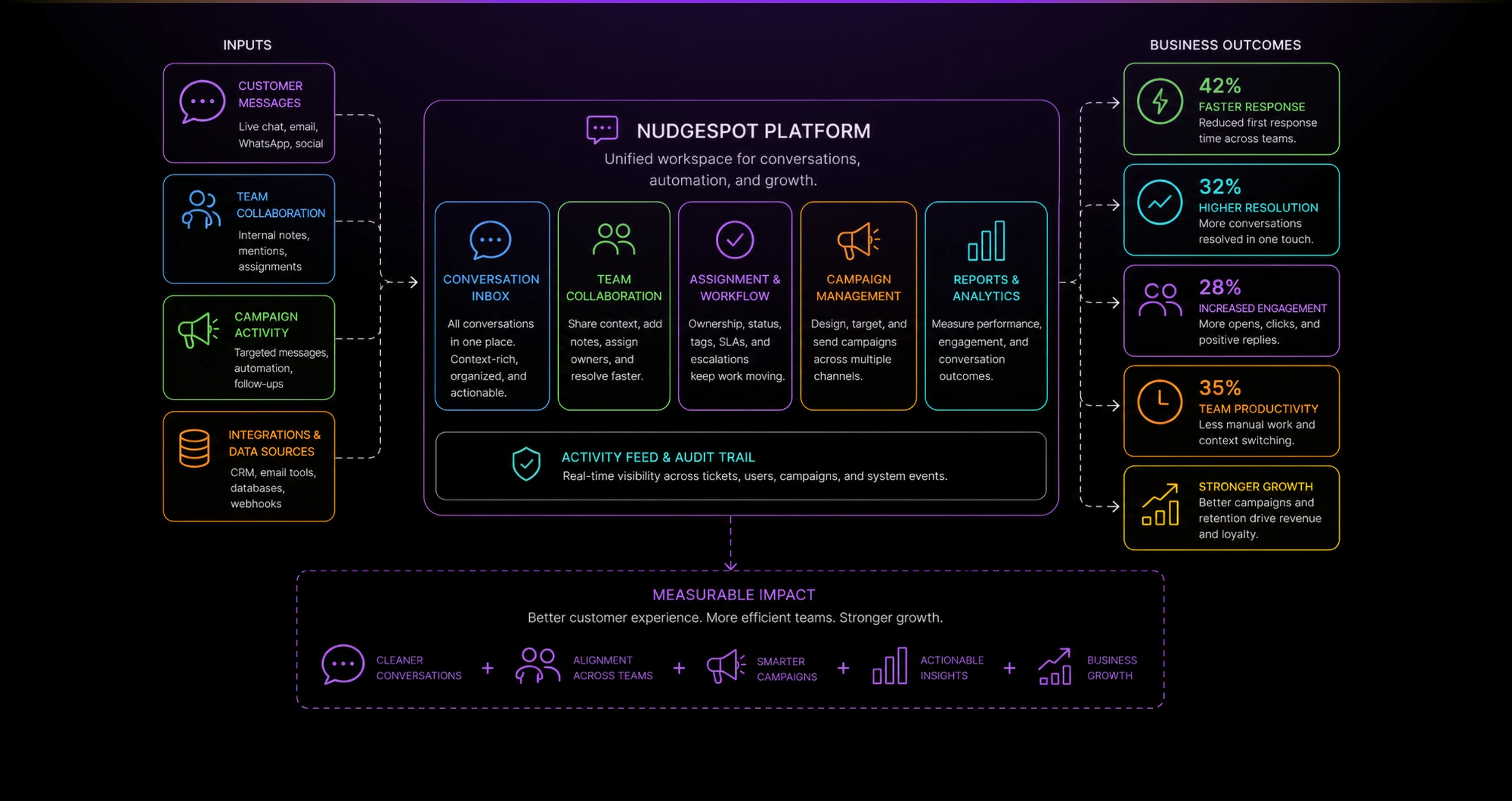
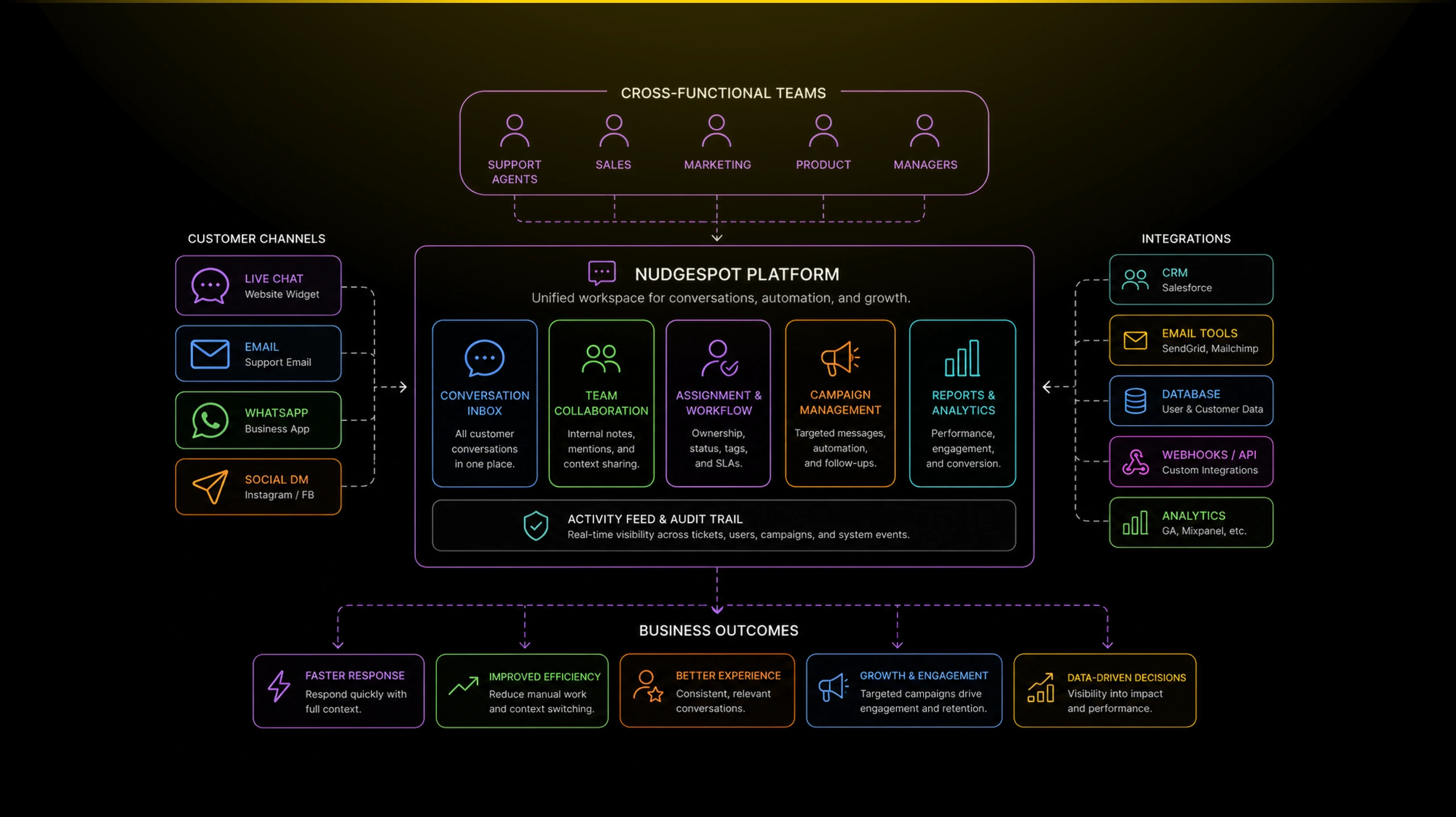
A multi-channel customer messaging platform that unified support conversations, campaigns, automation, and team visibility.
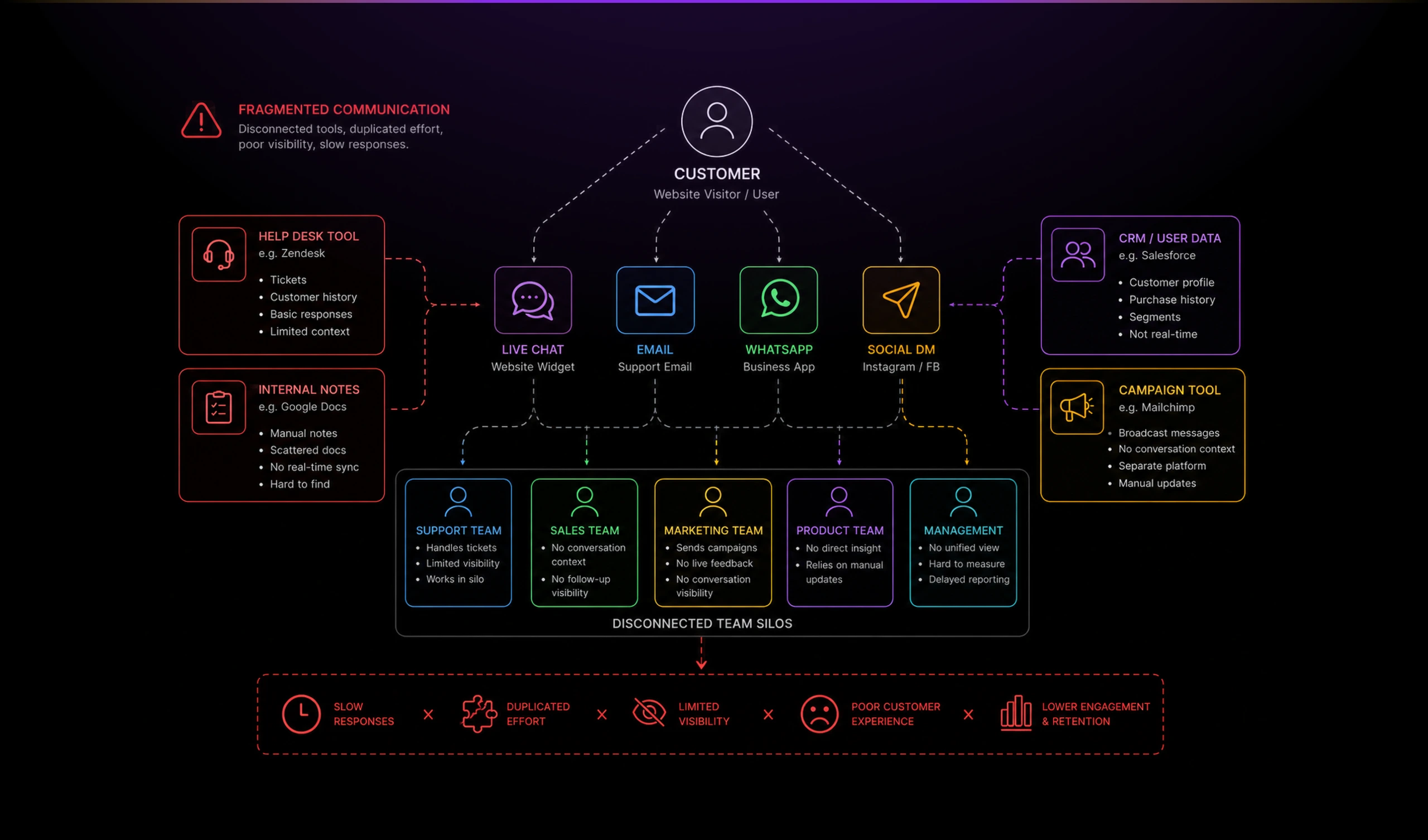
Nudgespot needed to help growing teams manage customer conversations without scattering support, internal notes, assignments, and follow-up actions across disconnected tools.
I designed a unified chatbot management experience that combined an inbox, team collaboration, campaign automation, activity tracking, and reporting into one operational workspace.
Outcome
Nudgespot became more than a chat inbox.
It became a customer communication operating layer for support and growth teams.
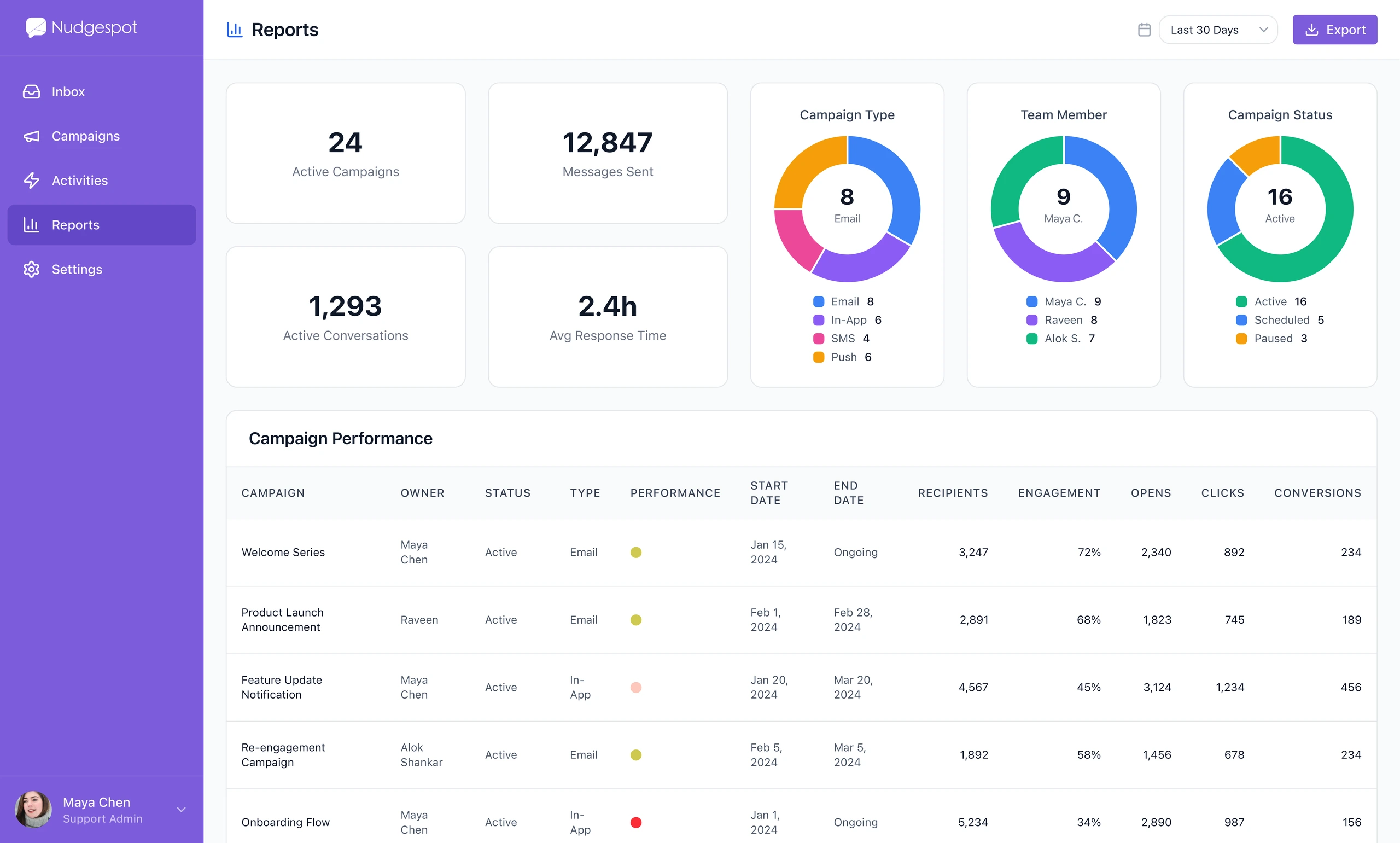
The reporting view helped teams understand whether conversations and campaigns were working. Instead of treating messaging as a black box, the product exposed active campaigns, sent messages, response time, conversations, engagement, opens, clicks, and conversions.
The final product supported a more mature customer communication workflow:
- Support teams could respond with better context.
- Growth teams could launch targeted campaigns.
- Managers could track activity and performance.
- Internal teams could collaborate without confusing customers.
- Conversations became part of a broader engagement system.
This work is especially relevant today because the same interaction patterns now apply directly to AI-powered customer support platforms: conversation state, human handoff, internal notes, automation triggers, campaign orchestration, and performance feedback loops.
The Problem
Support and growth workflows were converging.
Customer conversations were no longer just support tickets. They were also onboarding moments, upsell opportunities, retention risks, and product feedback signals.
Teams needed a way to respond quickly while still coordinating internally. A single conversation could involve support, sales, product, and account management.
The challenge was to design a product that felt lightweight enough for daily support work, but structured enough for campaign management, team assignment, and performance visibility.
The interface had to support:
- Real-time customer conversations
- Internal team notes
- Conversation ownership
- Campaign creation
- Audience targeting
- Message scheduling
- Activity tracking
- Reporting and accountability
The risk was product sprawl. If every capability felt like a separate tool, teams would lose the speed and clarity that made live customer messaging valuable in the first place.
Solution
A workspace centered around the customer conversation.
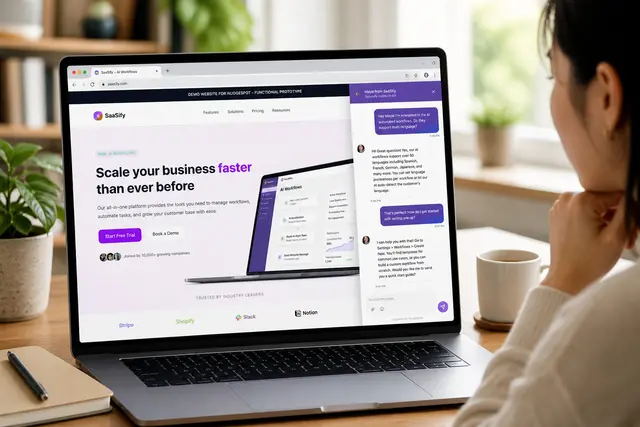
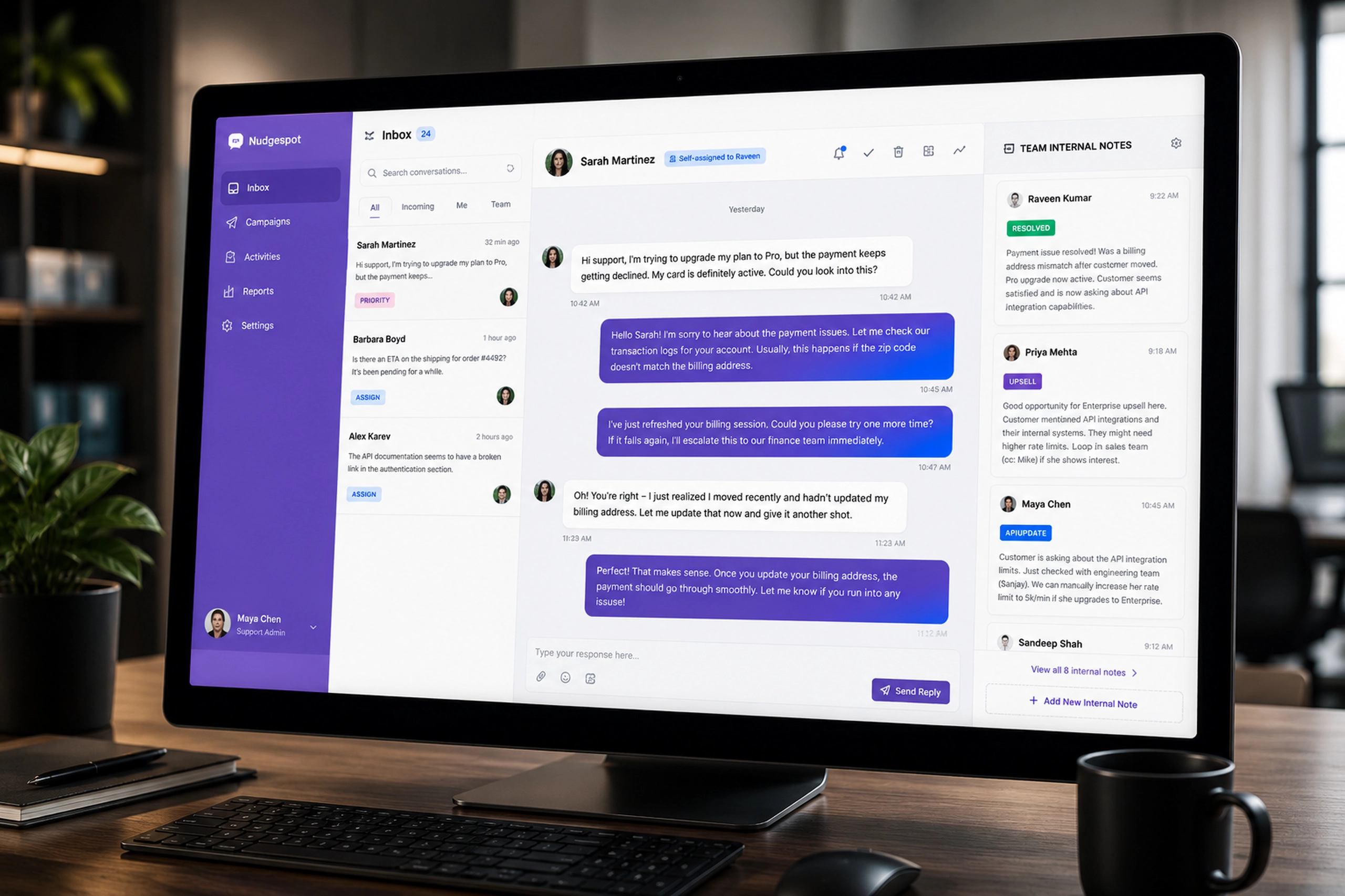
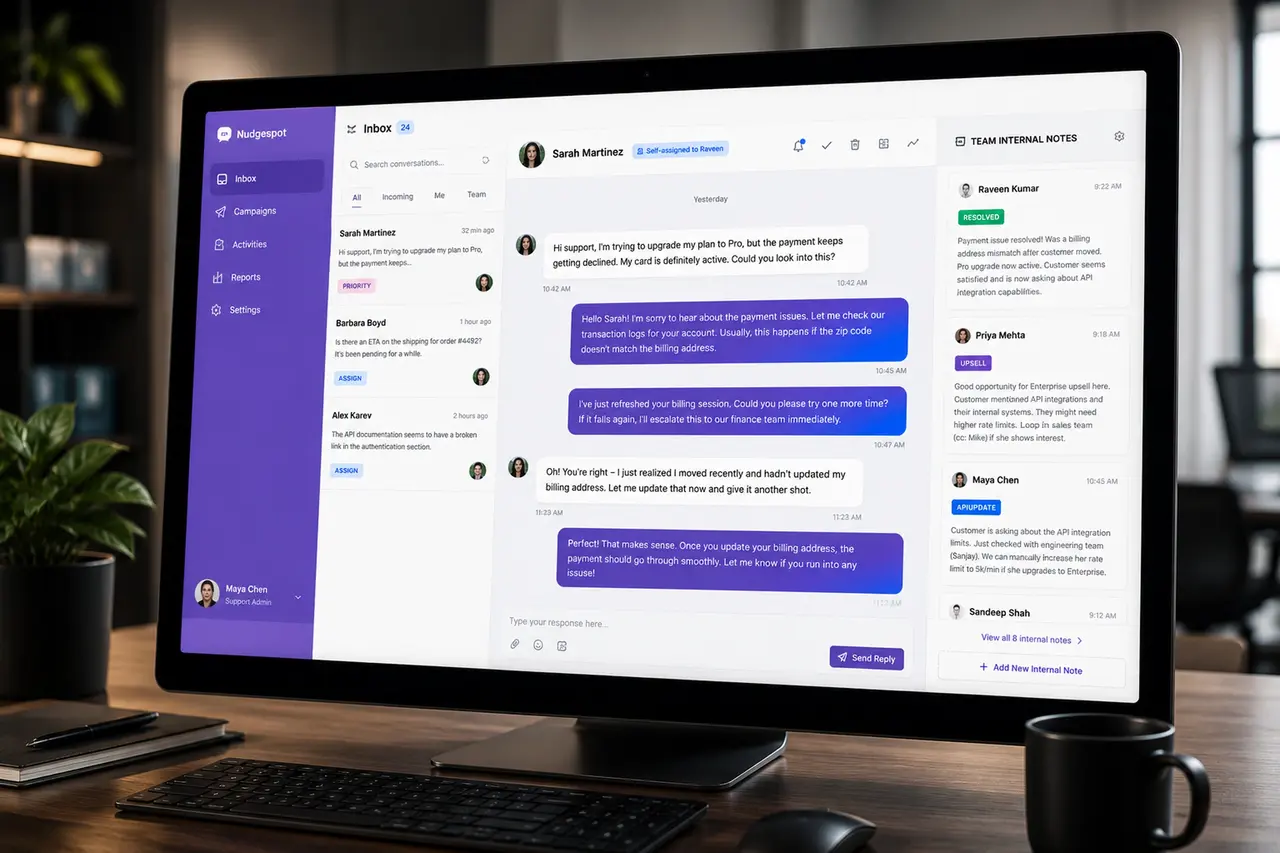
I treated the inbox as the center of the product. The main conversation view brought together customer messages, reply actions, assignment status, and internal team context.
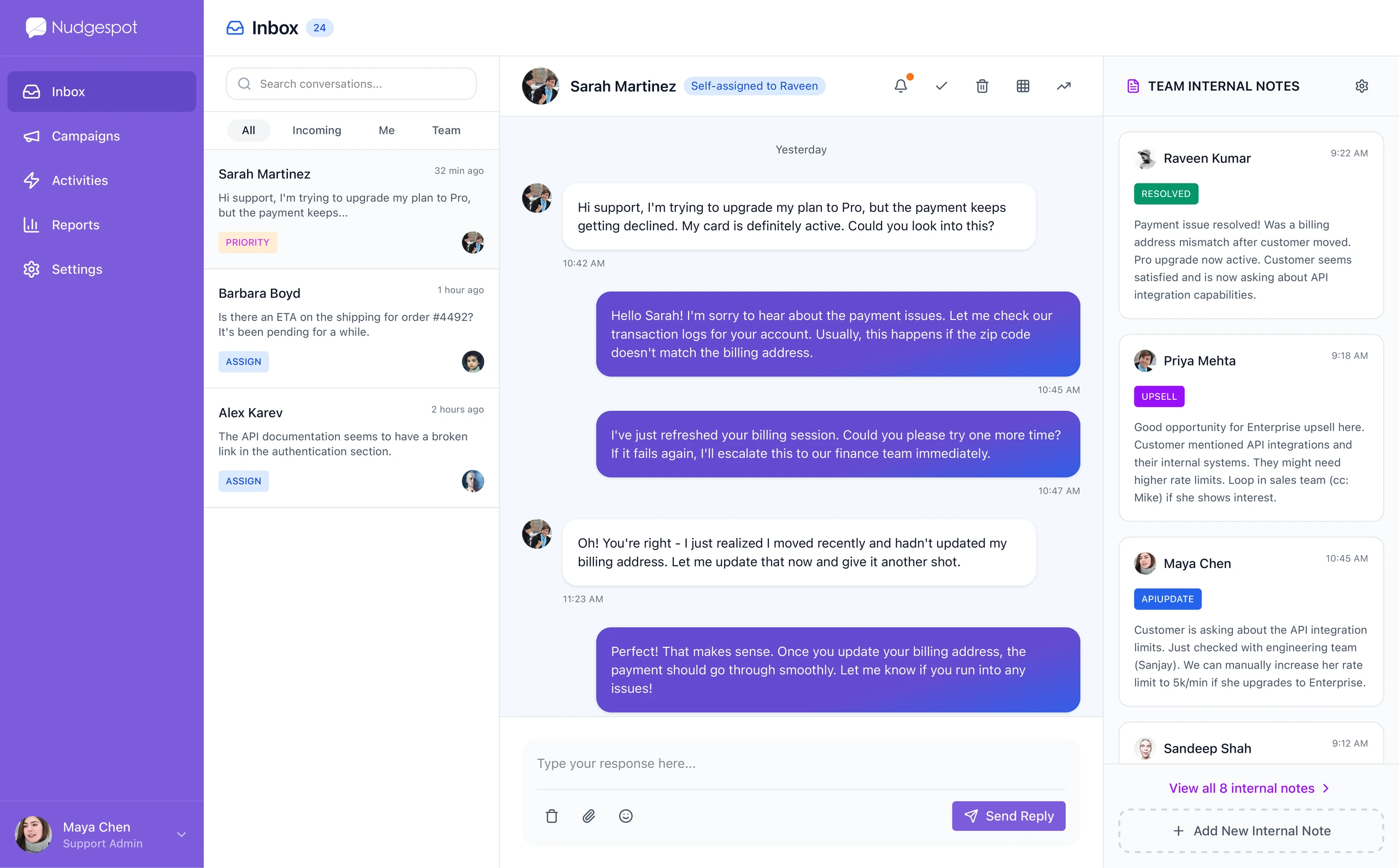
The right-side internal notes panel was especially important. It allowed teammates to share context without polluting the customer-facing thread. That separation made the interface feel collaborative without making the conversation messy.
The design supported a simple operational model:
- The customer conversation stays clean.
- Internal notes capture team context.
- Assignment clarifies ownership.
- Tags and status labels create lightweight workflow structure.
- Actions remain close to the conversation.
Campaigns extended the platform beyond support
The campaigns section showed how Nudgespot could move from reactive support into proactive customer engagement. Teams could create onboarding, reactivation, cart recovery, and announcement campaigns from the same product ecosystem.
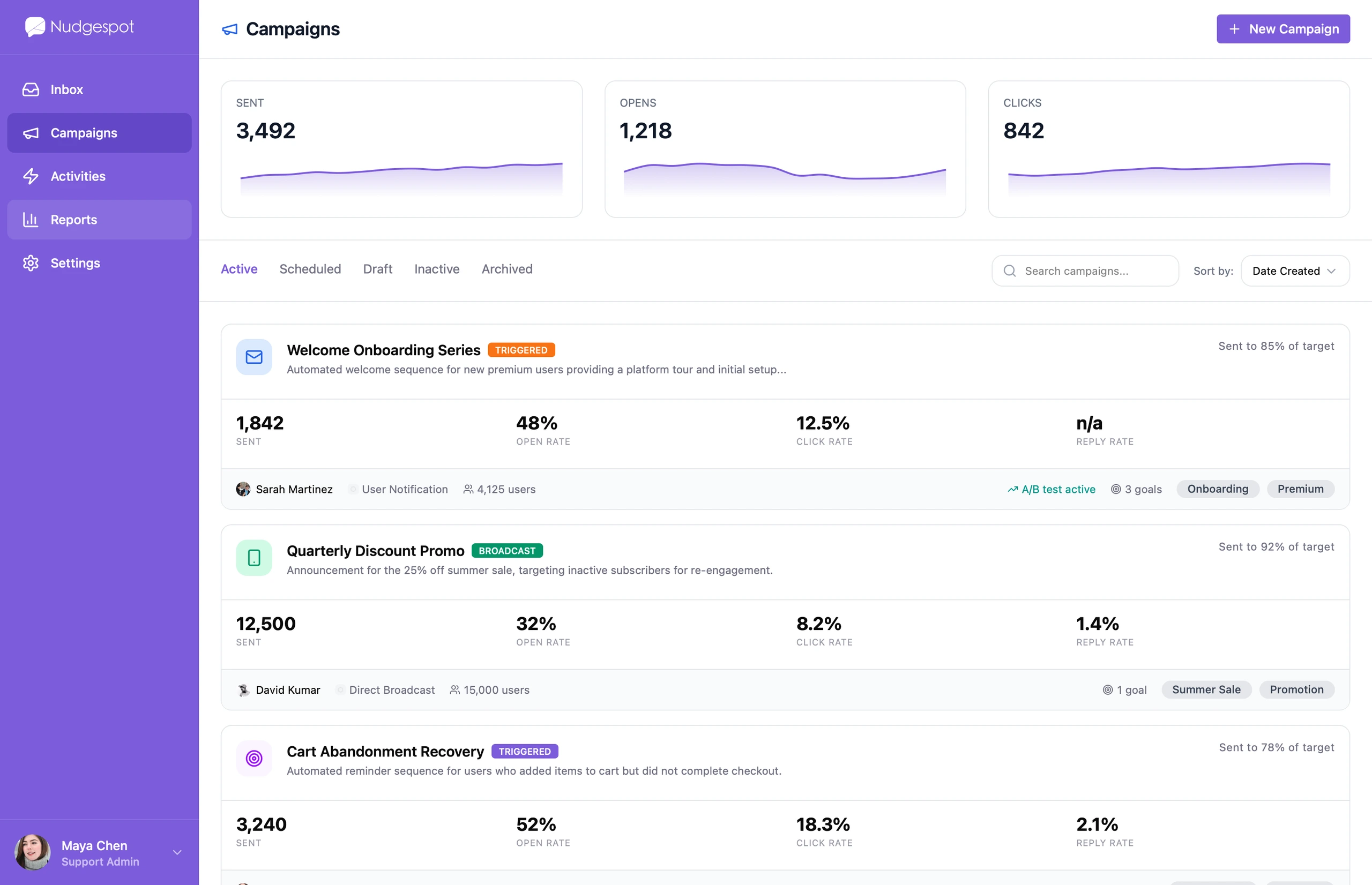
The campaign list made performance easy to scan. Each campaign exposed key metrics, owner information, audience size, status, and goals without forcing users into a deep analytics view.
A campaign builder for targeting, message design, and timing
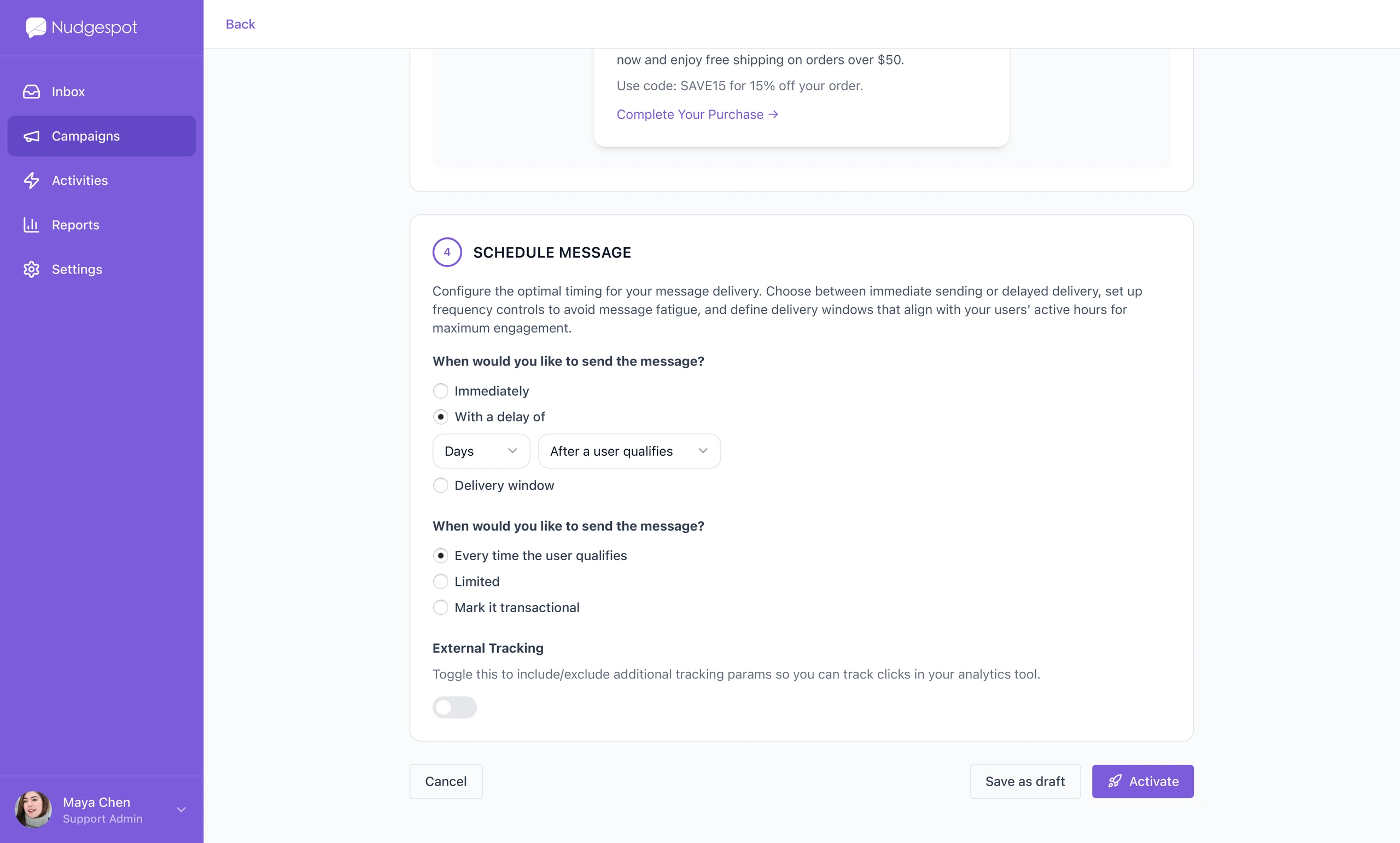
The campaign creation flow organized setup into clear steps: name, rules, message, schedule, and activation. This helped reduce the cognitive load of building targeted customer communications.
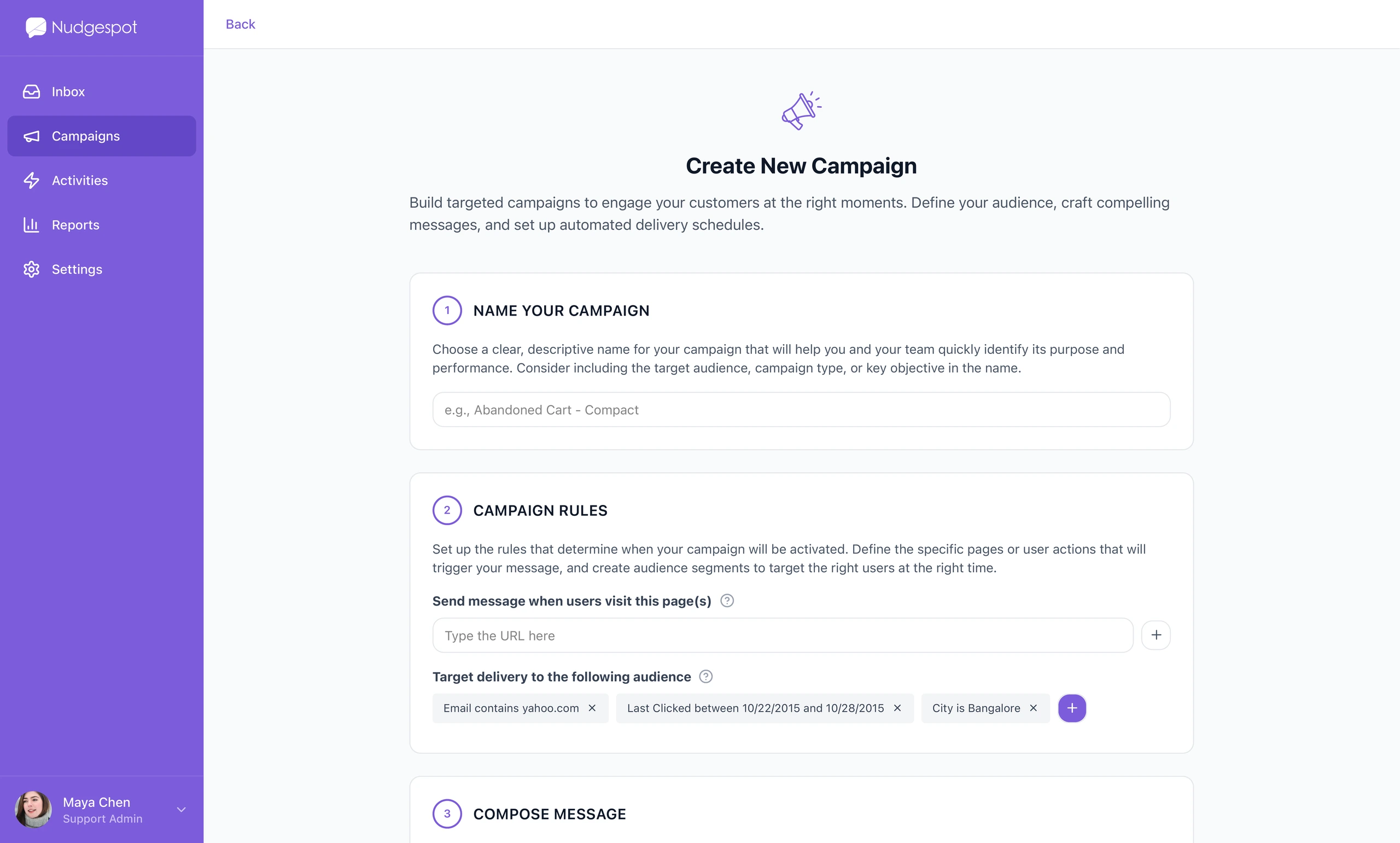
The rules section was designed around plain-language conditions. Instead of making users think in technical filters, the UI framed targeting as a sequence of understandable decisions.
The message composition step turned the campaign into something tangible. Users could choose a channel and preview how the message would appear before activation.
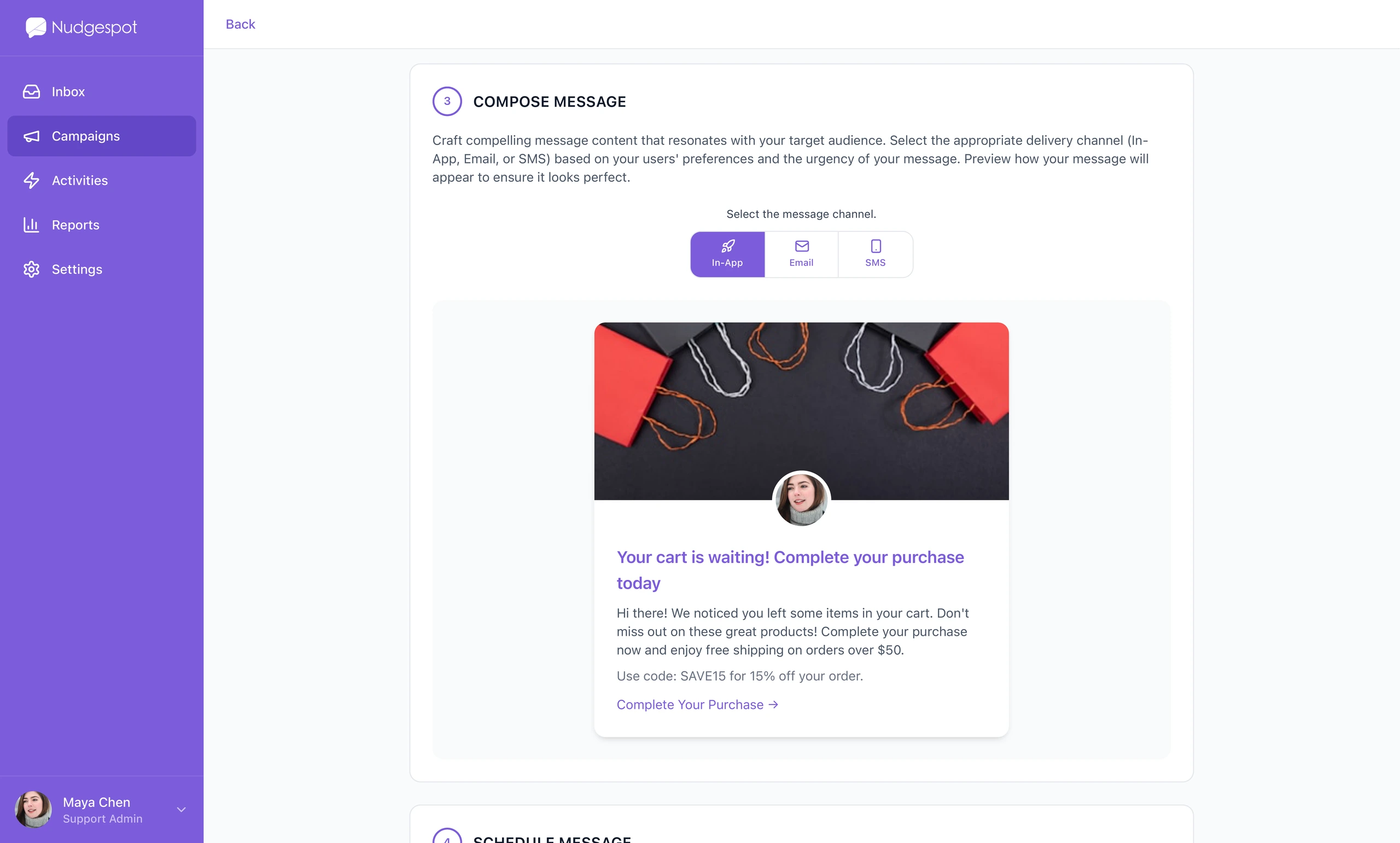
Scheduling added the final operational layer. Teams could decide when a message should send, how often it should repeat, and whether tracking should be enabled.
Visibility across the whole system
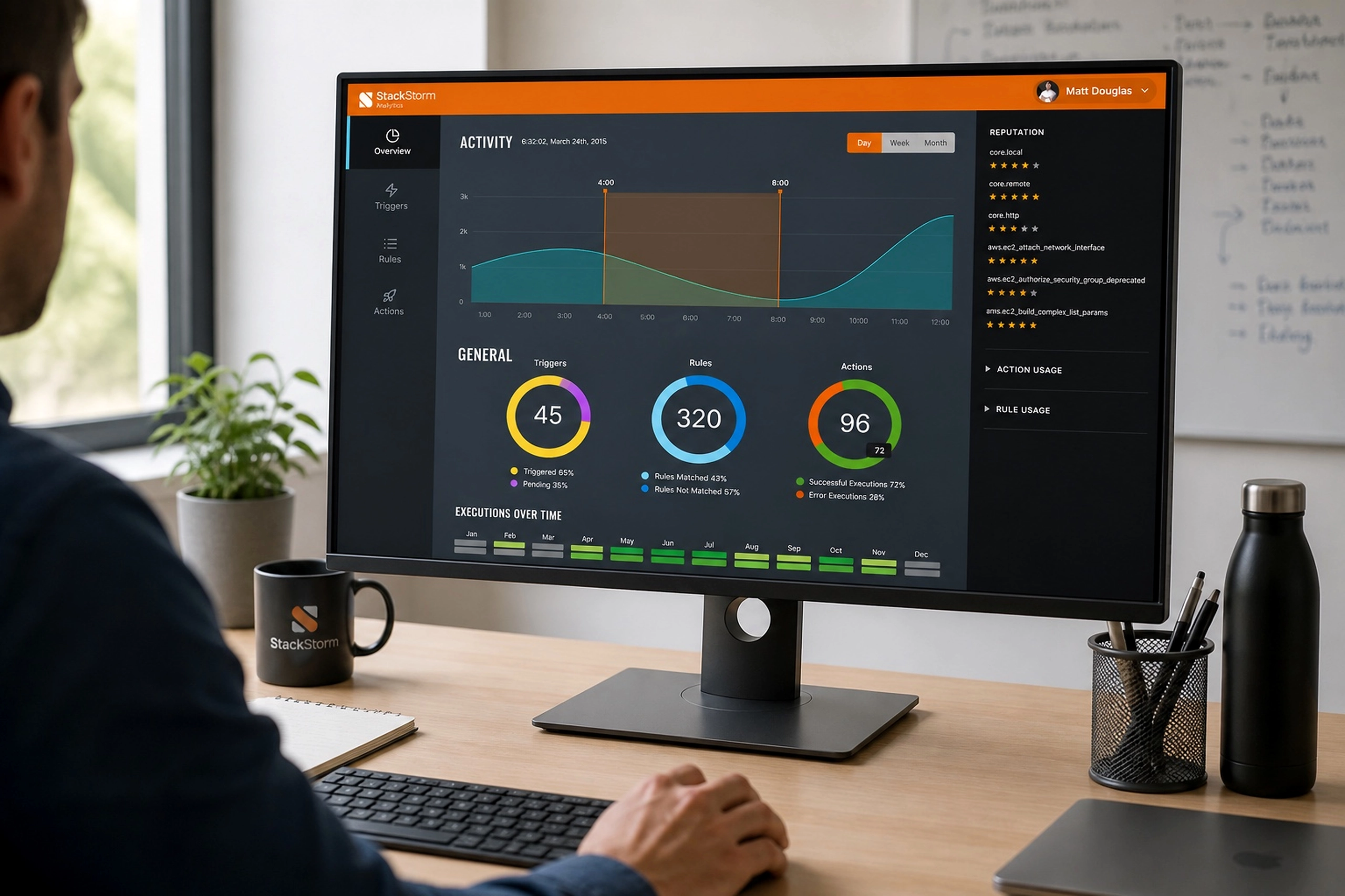
The activity feed made the product feel accountable. It showed conversations, tickets, users, system events, integrations, campaign launches, and security-related events in one chronological view.
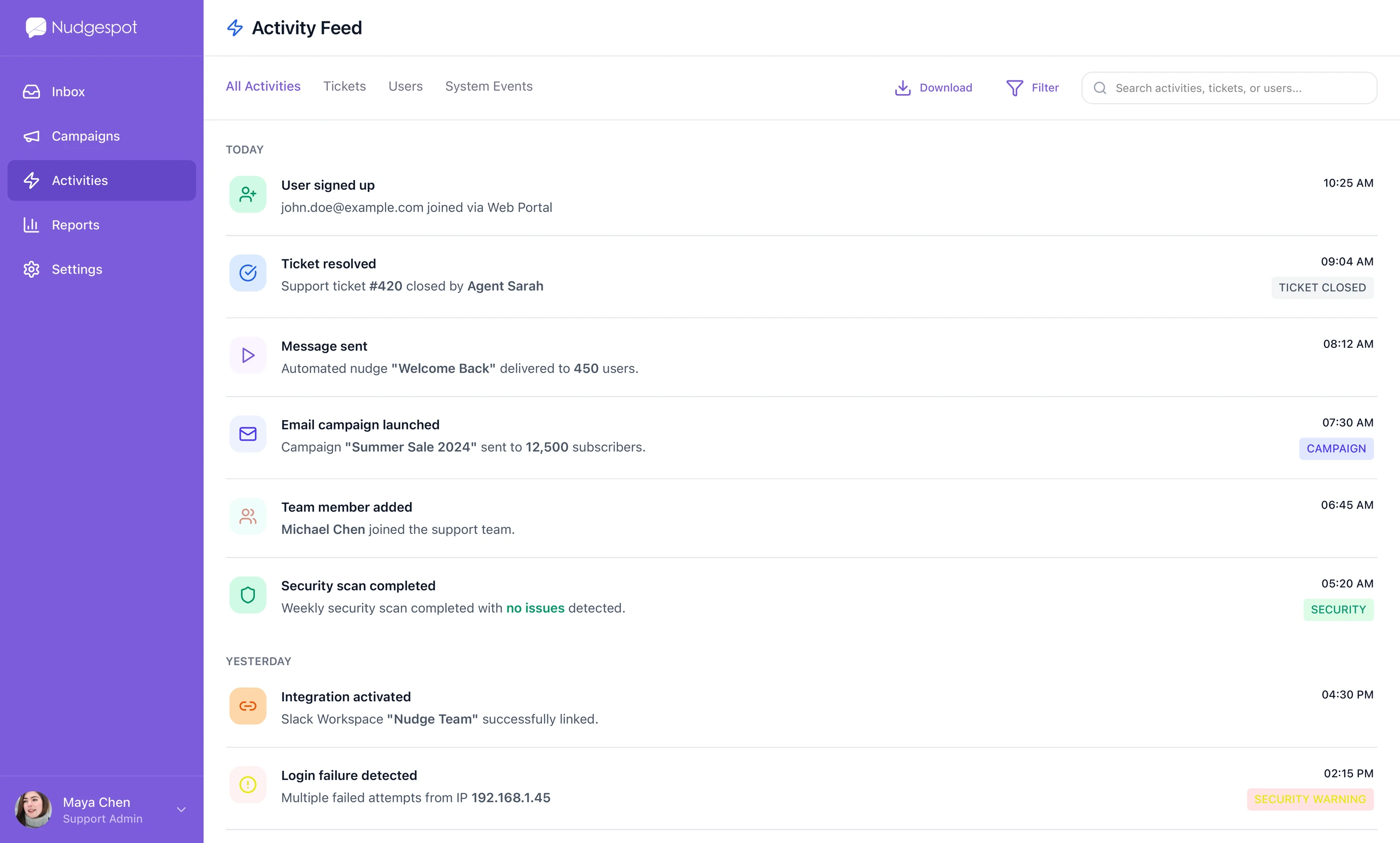
This was important because messaging platforms can easily become opaque. When multiple teammates respond, launch campaigns, assign tickets, and update settings, the system needs a reliable record of what changed.