
Clients & Ventures

Product/systems design that turns AI tech into business results






















Contact Us
Contact form or information will go here.
Project Detail


Colearn Homeroom Admin
Summary

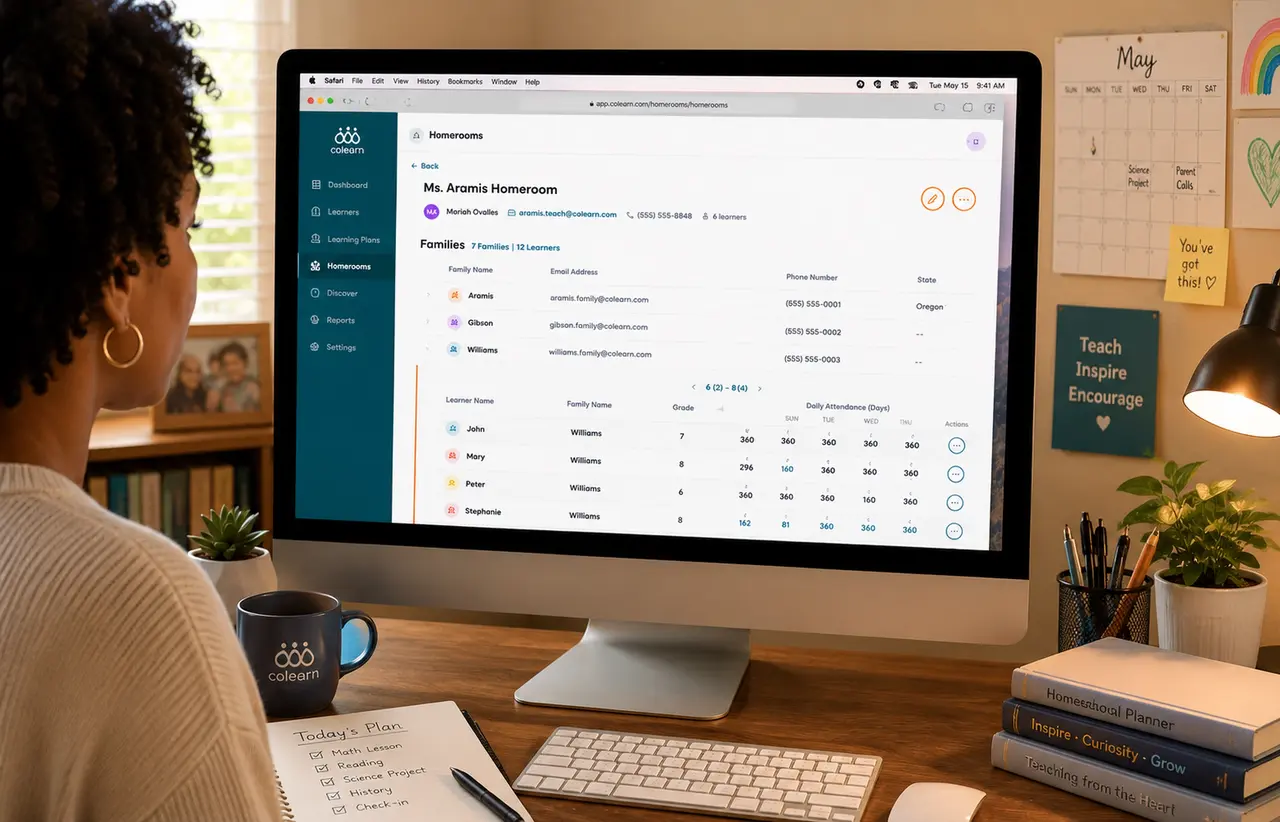
A school admin app that unified enrollment, homerooms, attendance, staff roles, and operational reporting.
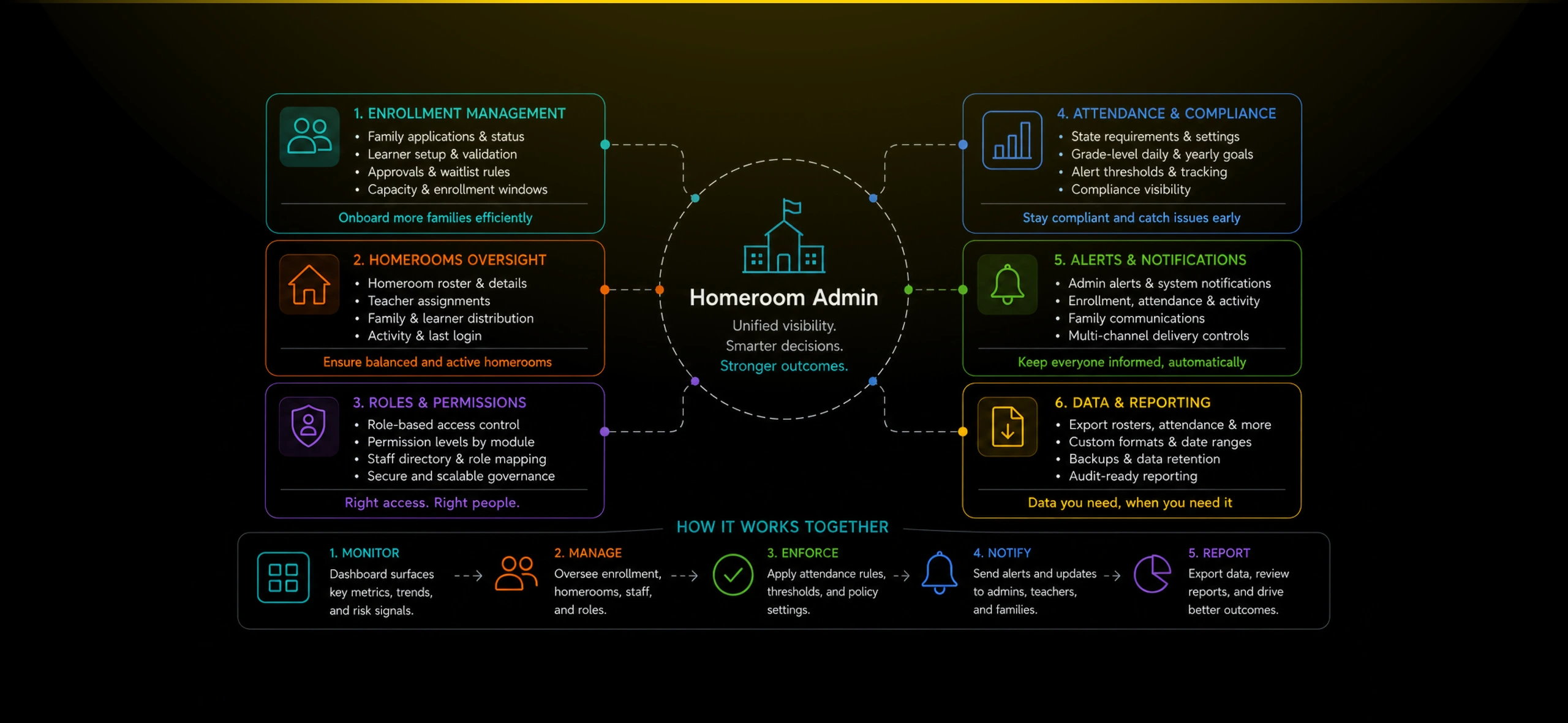
Flexible learning programs create operational complexity at the school level. Admins need to coordinate families, homerooms, teachers, attendance requirements, enrollment capacity, staff access, and reporting without relying on disconnected spreadsheets or manual follow-up.
I designed the Homeroom Admin app as the school-wide control layer for the Colearn ecosystem. It gave administrators visibility across the full program while keeping day-to-day teaching and family support delegated to homeroom staff.
Outcome
The Homeroom Admin app gave school leaders a coherent way to operate, govern, and scale a flexible learning program.
Instead of managing enrollment, staff permissions, attendance rules, and homeroom visibility through disconnected tools, admins had one workspace for school-wide oversight.
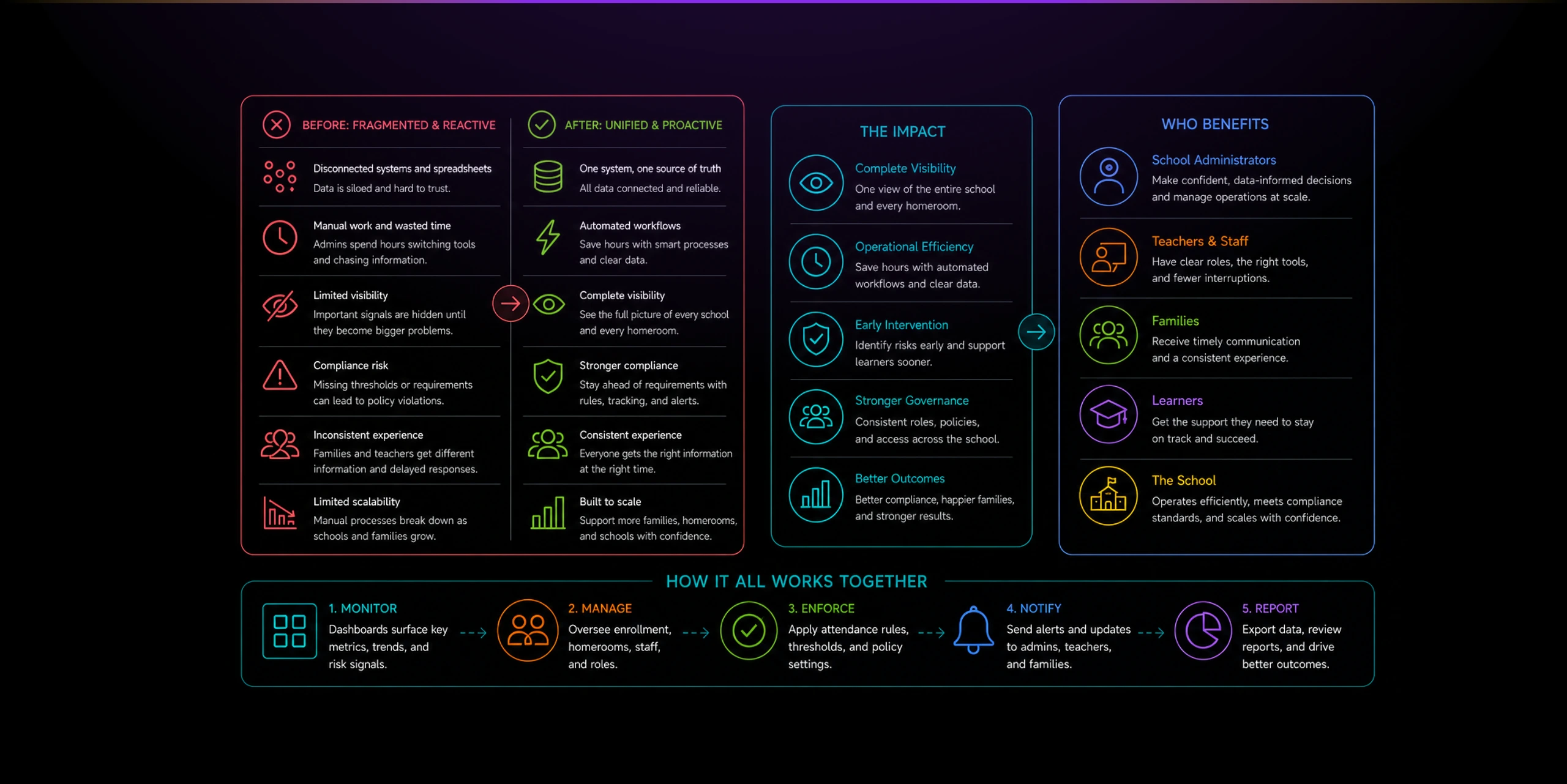
The design created a clearer separation between admin work, teacher support, parent planning, and learner execution. Admins could monitor the entire program, while each user group still received a focused experience for their own responsibilities.
The broader outcome was scale. The Colearn ecosystem now had a school-level operating layer capable of supporting more families, more homerooms, more staff roles, and more compliance requirements without collapsing into manual coordination.
The Problem
School admins needed to manage a distributed learning program, but the most important operational signals lived across separate workflows.
At the admin level, the challenge was not one family or one learner. It was the full network: enrolled families, pending applications, active homerooms, staff roles, attendance compliance, and reporting expectations.
Without a dedicated admin layer, school leaders could lose visibility into capacity, learner activity, attendance risk, staff permissions, and whether homerooms were operating consistently.
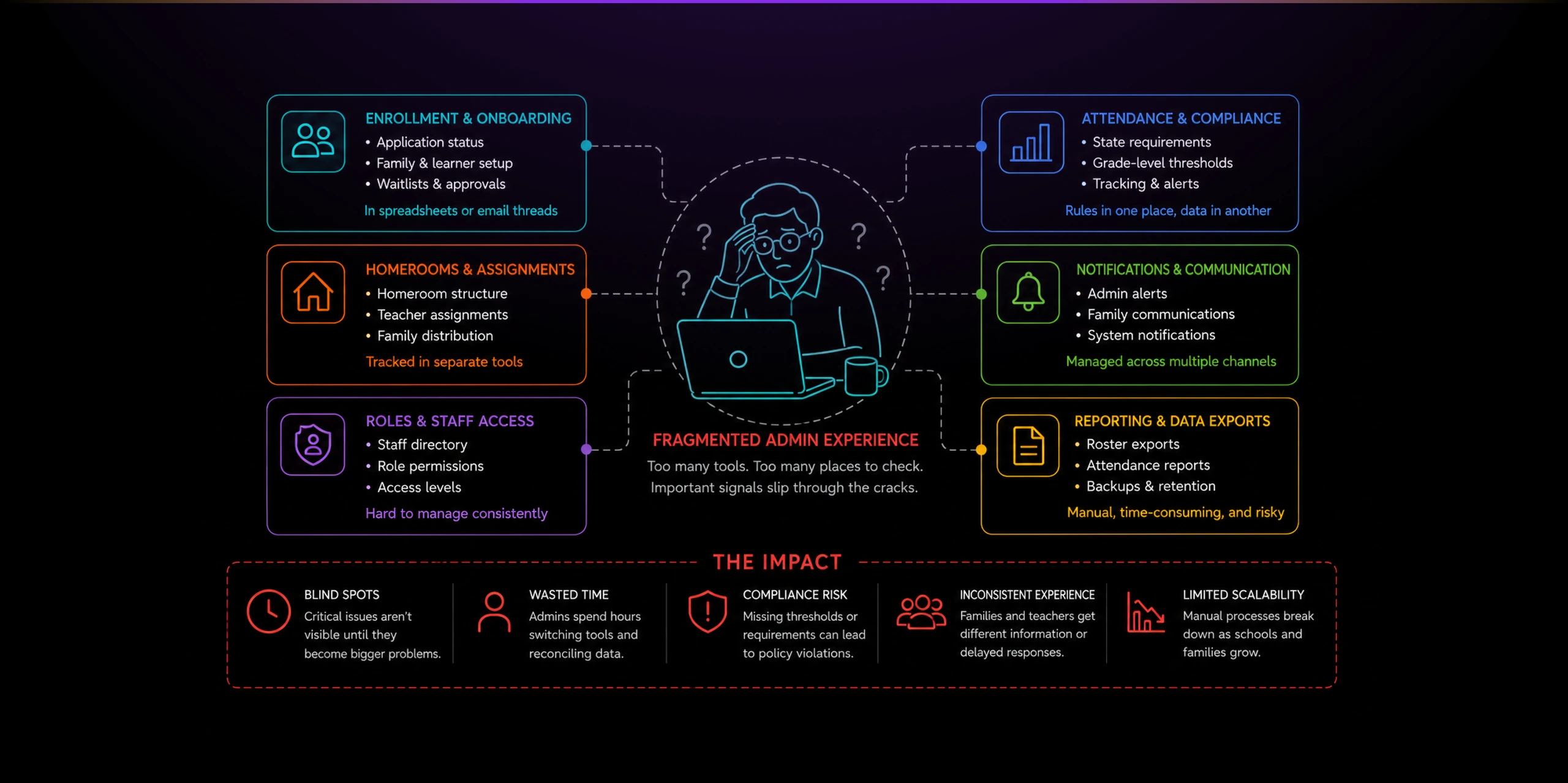
The product also needed to preserve separation of responsibilities. Teachers needed focused homeroom tools. Parents needed family planning tools. Learners needed a simple daily workspace. Admins needed a higher-level control system without interfering with every classroom-level action.
Solution
I designed Homeroom Admin as the governance and operations layer for the full Colearn learning network.
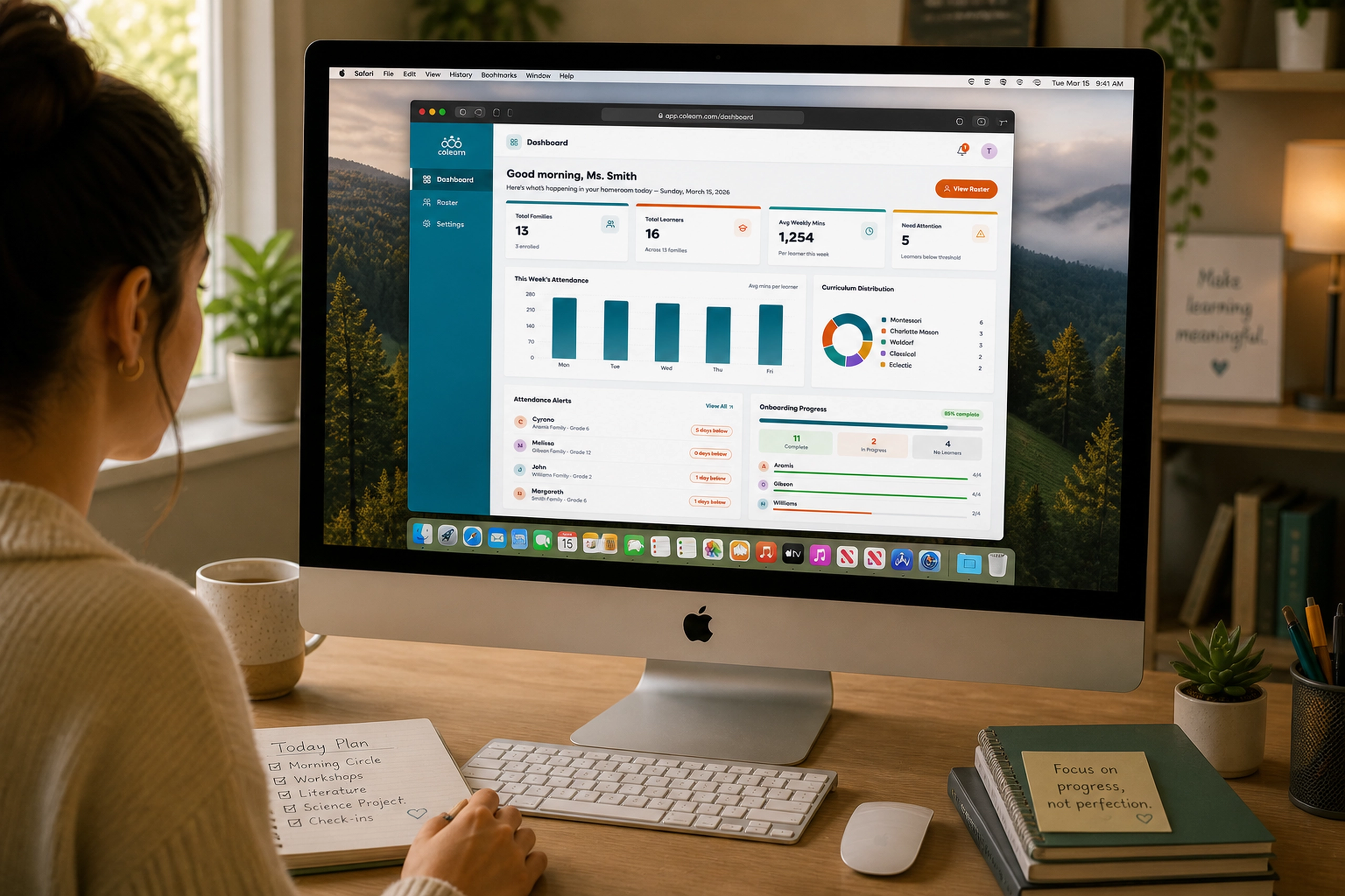
The dashboard provided a school-wide summary of families, learners, active homerooms, average attendance, enrollment status, recent activity, family locations, and learners needing attention.
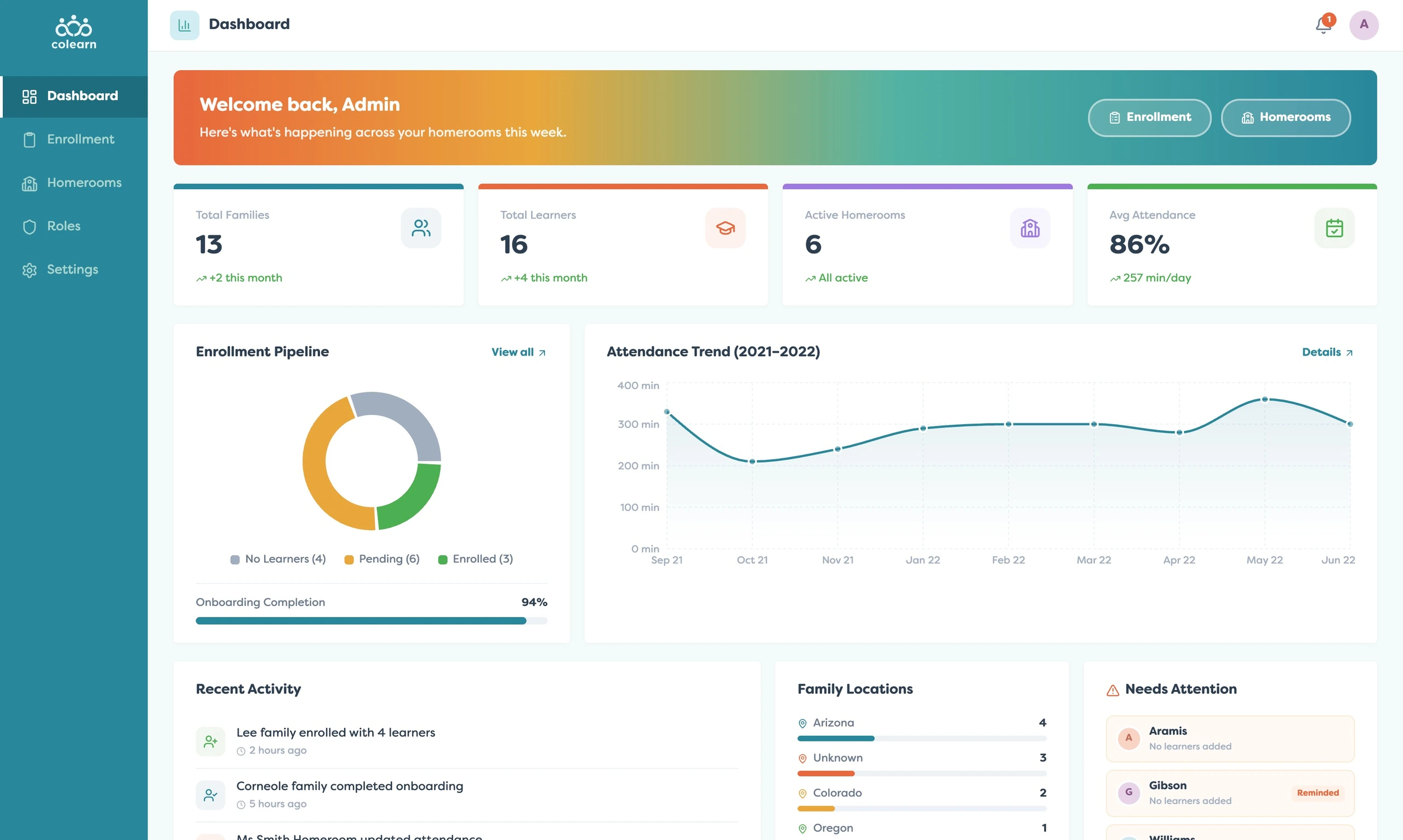
This view helped admins understand the health of the program at a glance. Instead of inspecting every homeroom manually, they could see operational trends and identify where intervention might be needed.
Enrollment became a dedicated workflow because onboarding families is one of the highest-friction parts of a flexible education program. The enrollment roster showed family status, learner counts, reminders, and actions like enrolling or nudging families.
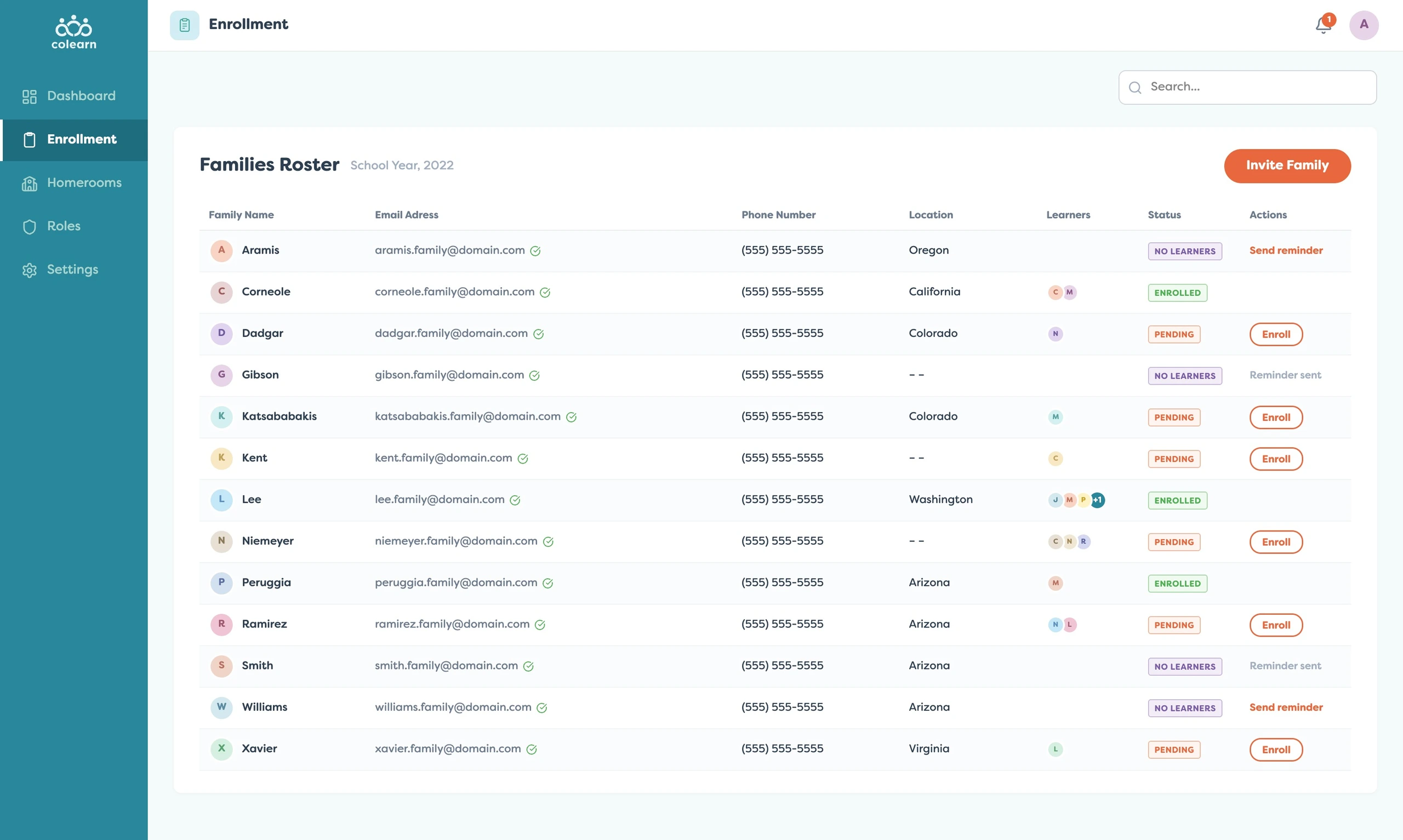
This separated enrollment from ongoing homeroom management. Admins could focus on pending families, missing learner setup, waitlist rules, and application status without cluttering teacher workflows.
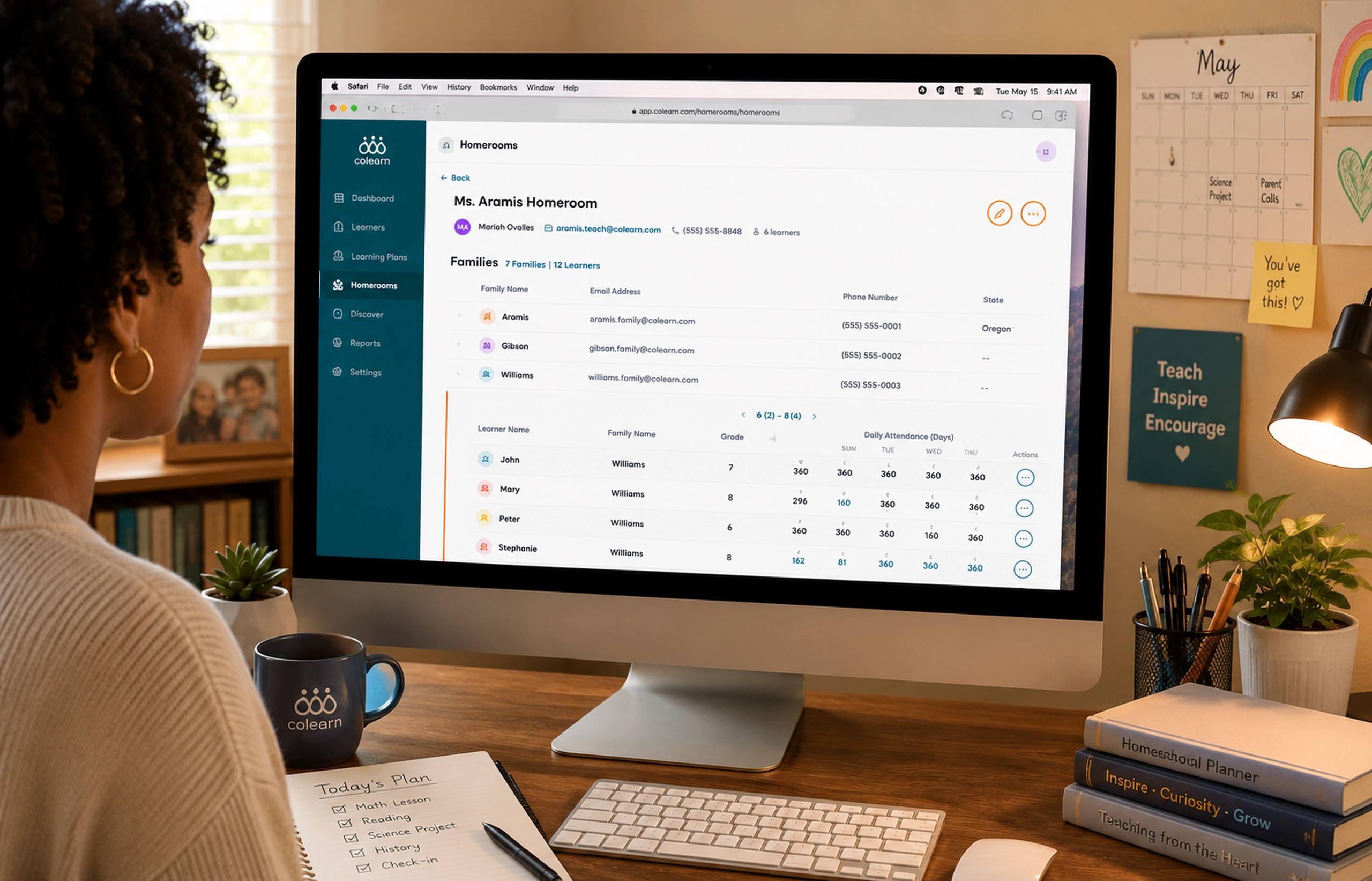
Homeroom management provided the bridge between school-level oversight and teacher-level support. The homeroom roster showed each homeroom, assigned teacher, family counts, learner counts, and recent activity.
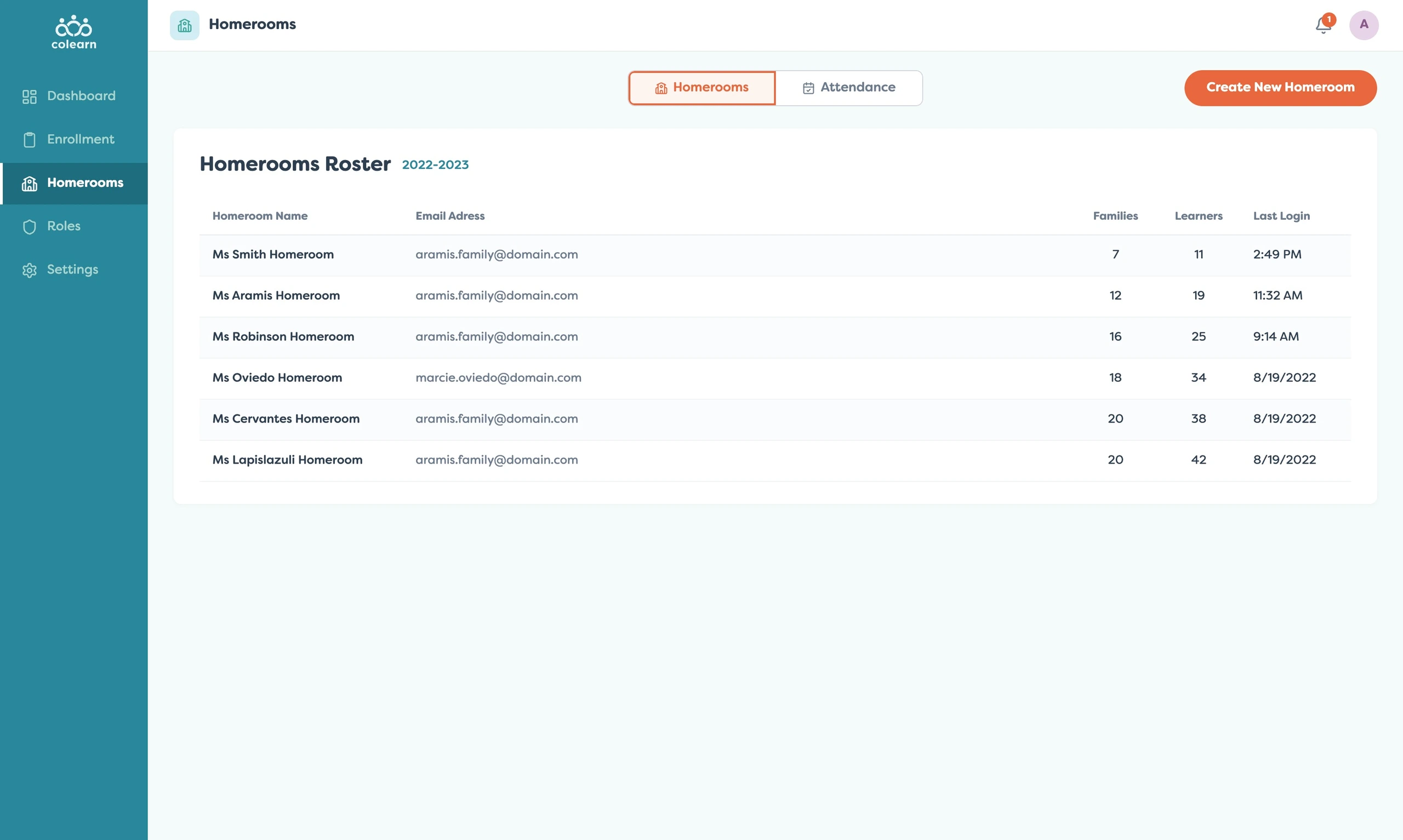
From there, admins could inspect one homeroom in detail. This made it possible to understand how families were distributed and whether a specific teacher’s homeroom needed support.
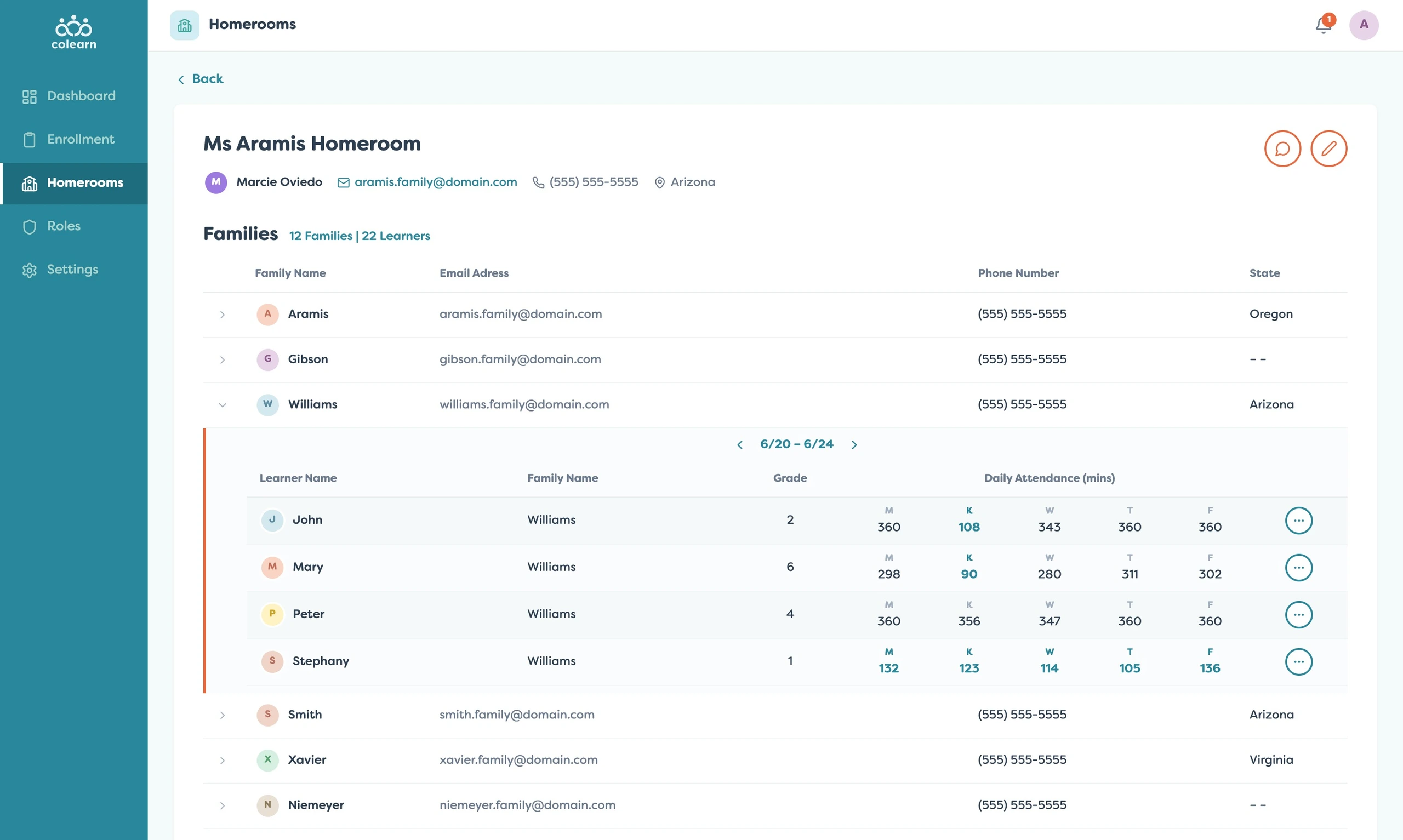
The expandable family rows added another layer of operational visibility. Admins could drill into learner attendance within a homeroom without leaving the broader management context.
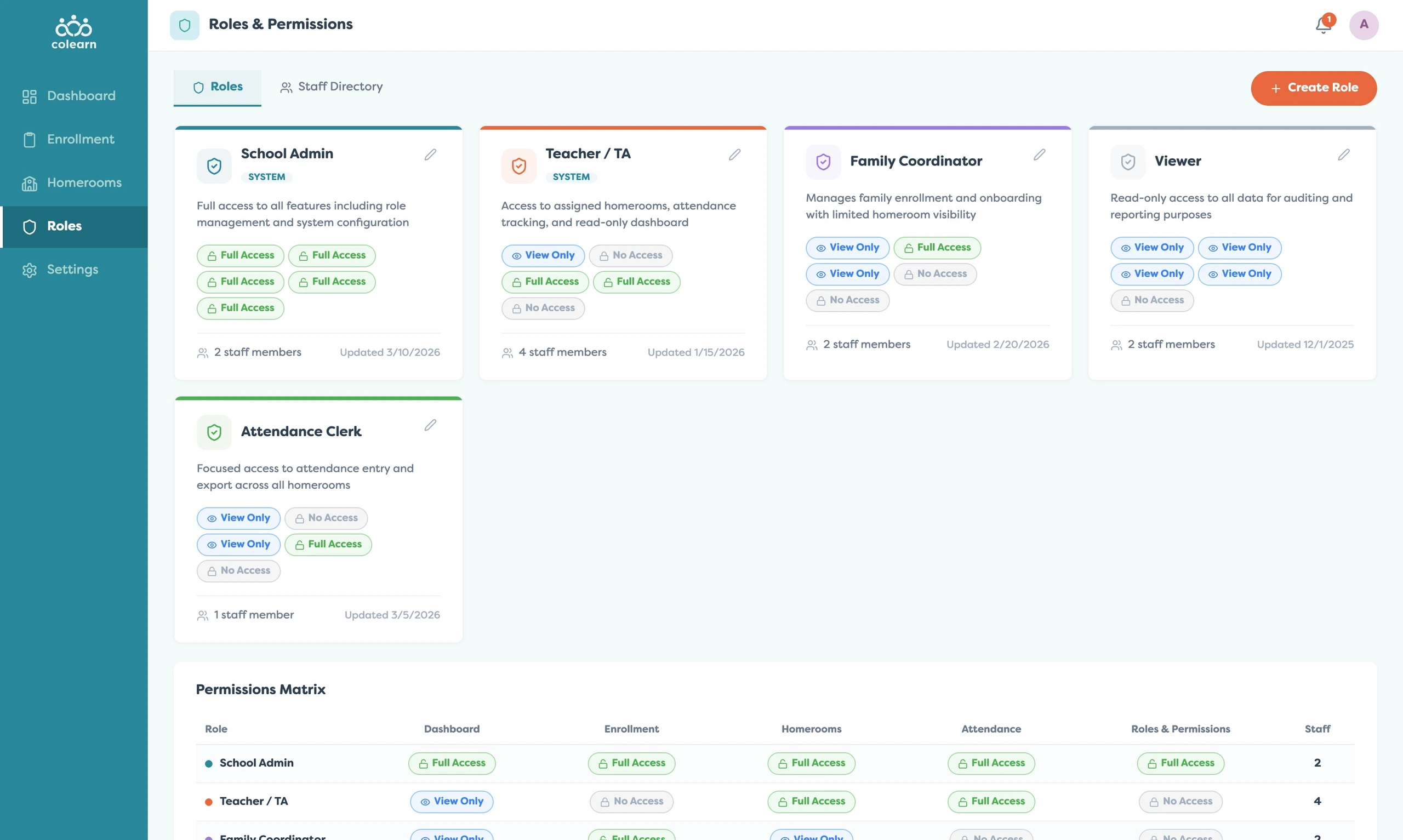
Roles and permissions were a critical part of the design.
The product needed to support different staff types without giving every person full administrative control.
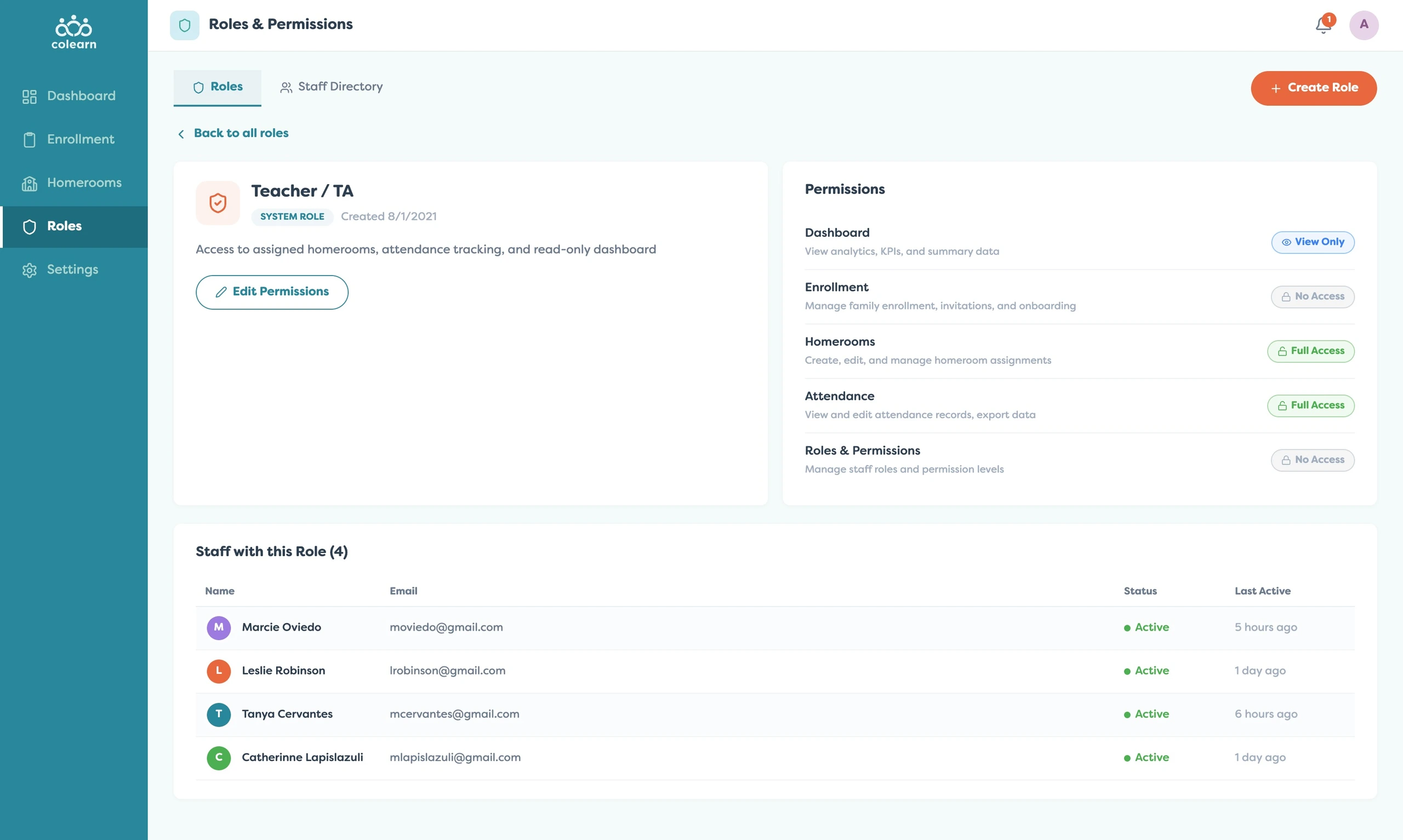
The permissions matrix made governance visible. Admins could understand who could view dashboards, manage enrollment, edit homerooms, track attendance, manage roles, and access staff records.
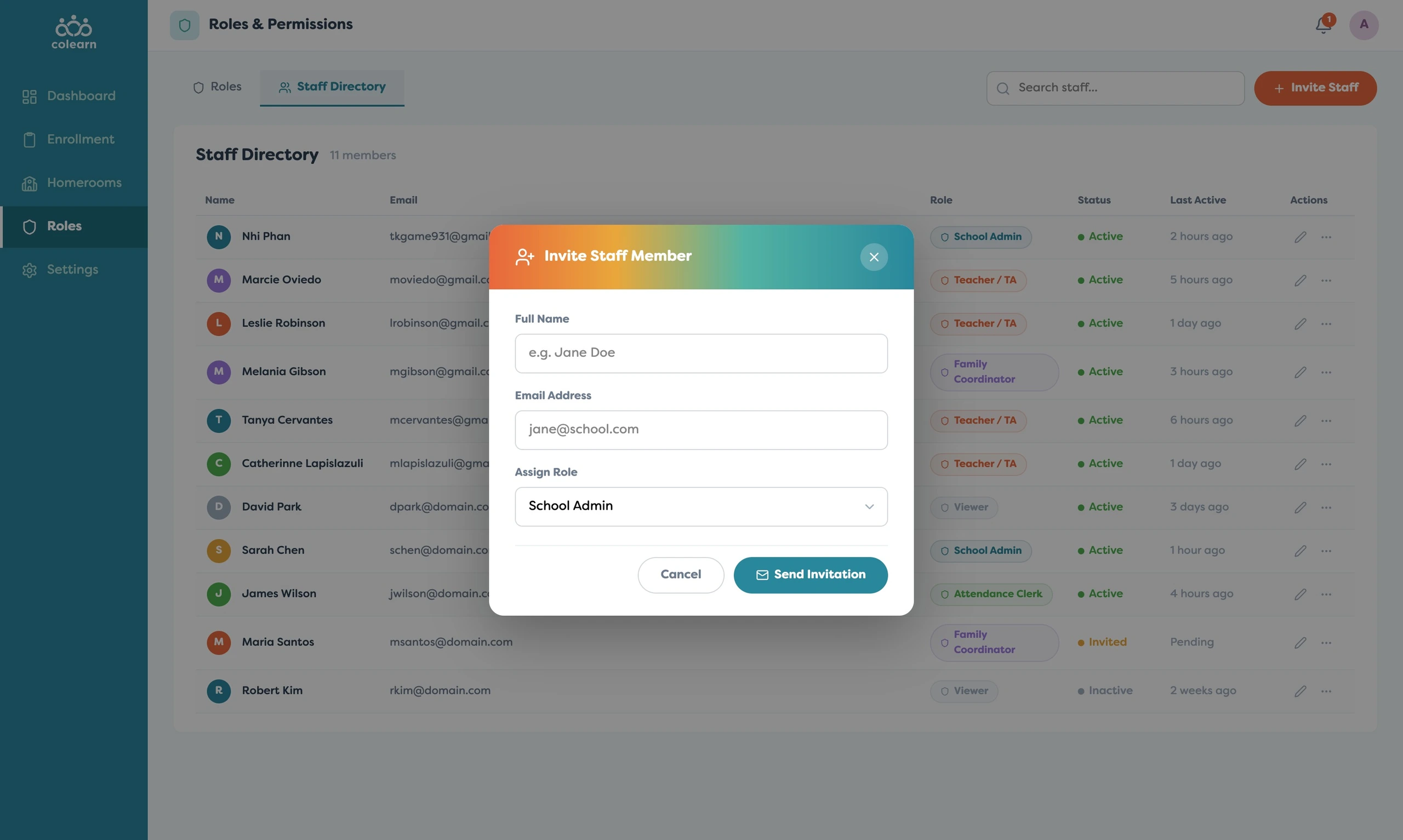
The staff directory complemented the role system. It gave admins a practical way to see staff members, assigned roles, active status, last activity, and invitation state.
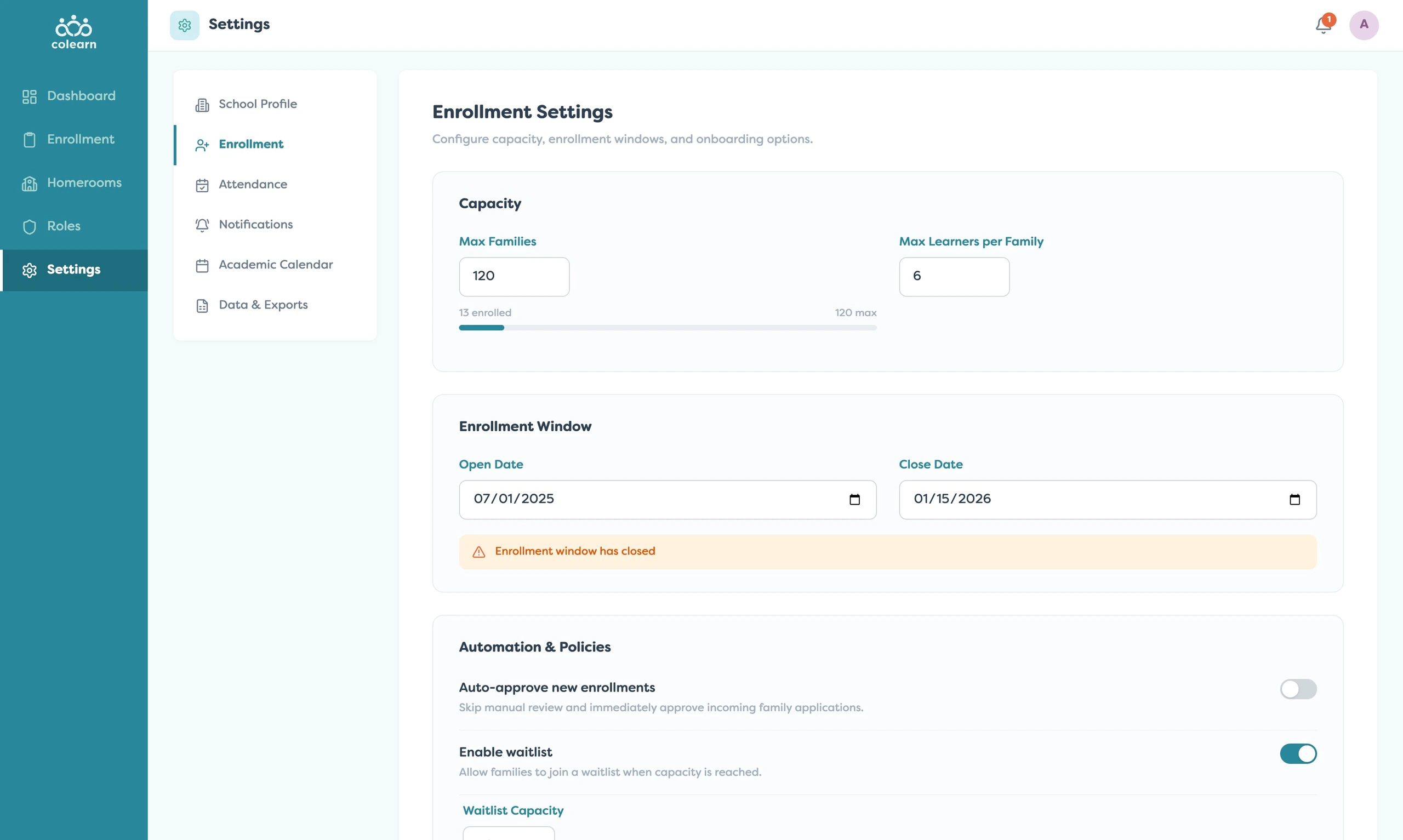
The settings layer handled the operational rules behind the system. Enrollment settings let admins define capacity, enrollment windows, waitlist behavior, and approval policies.
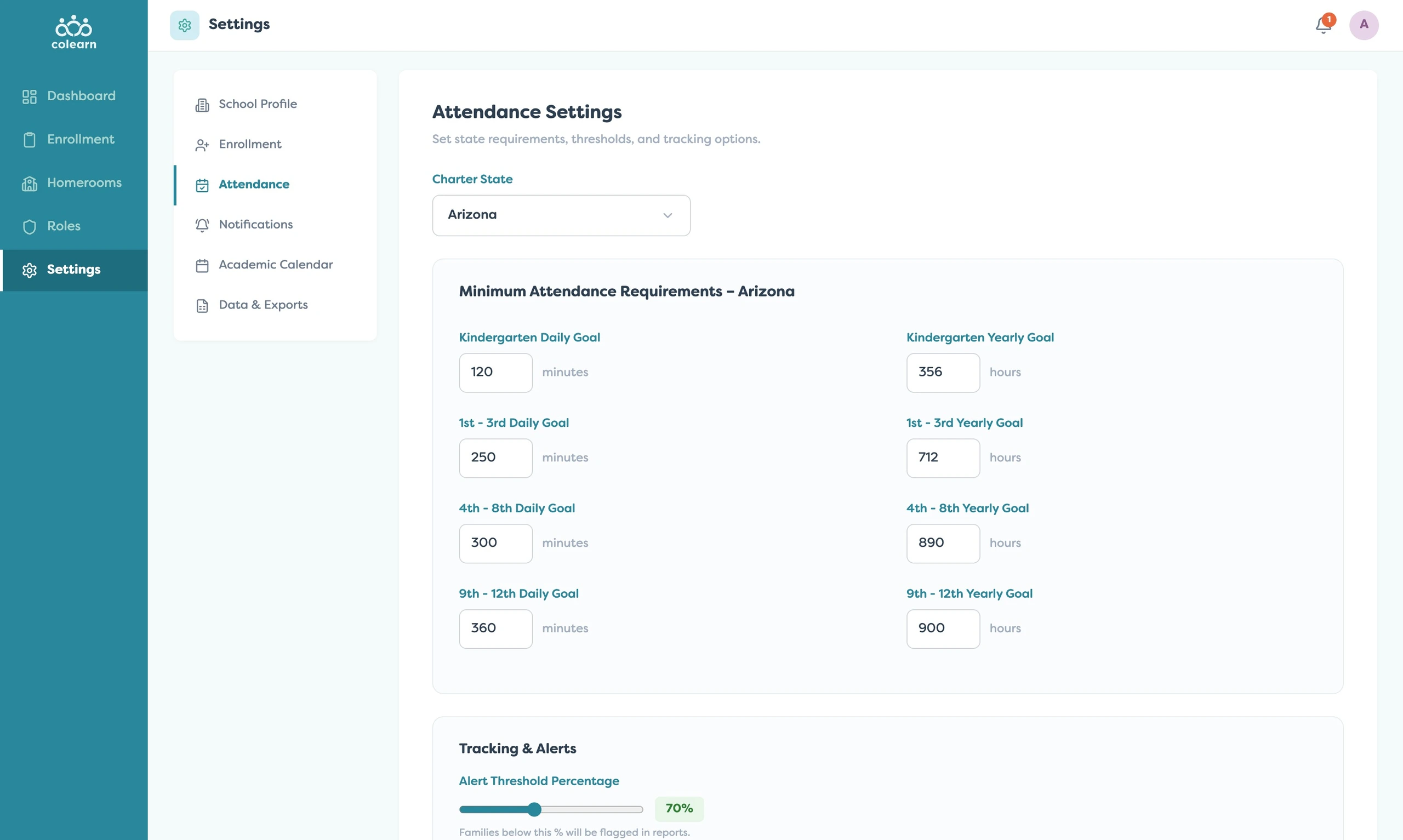
Attendance settings handled compliance complexity. Admins could configure requirements by state and grade level, then define alert thresholds for learners who fell below expectations.
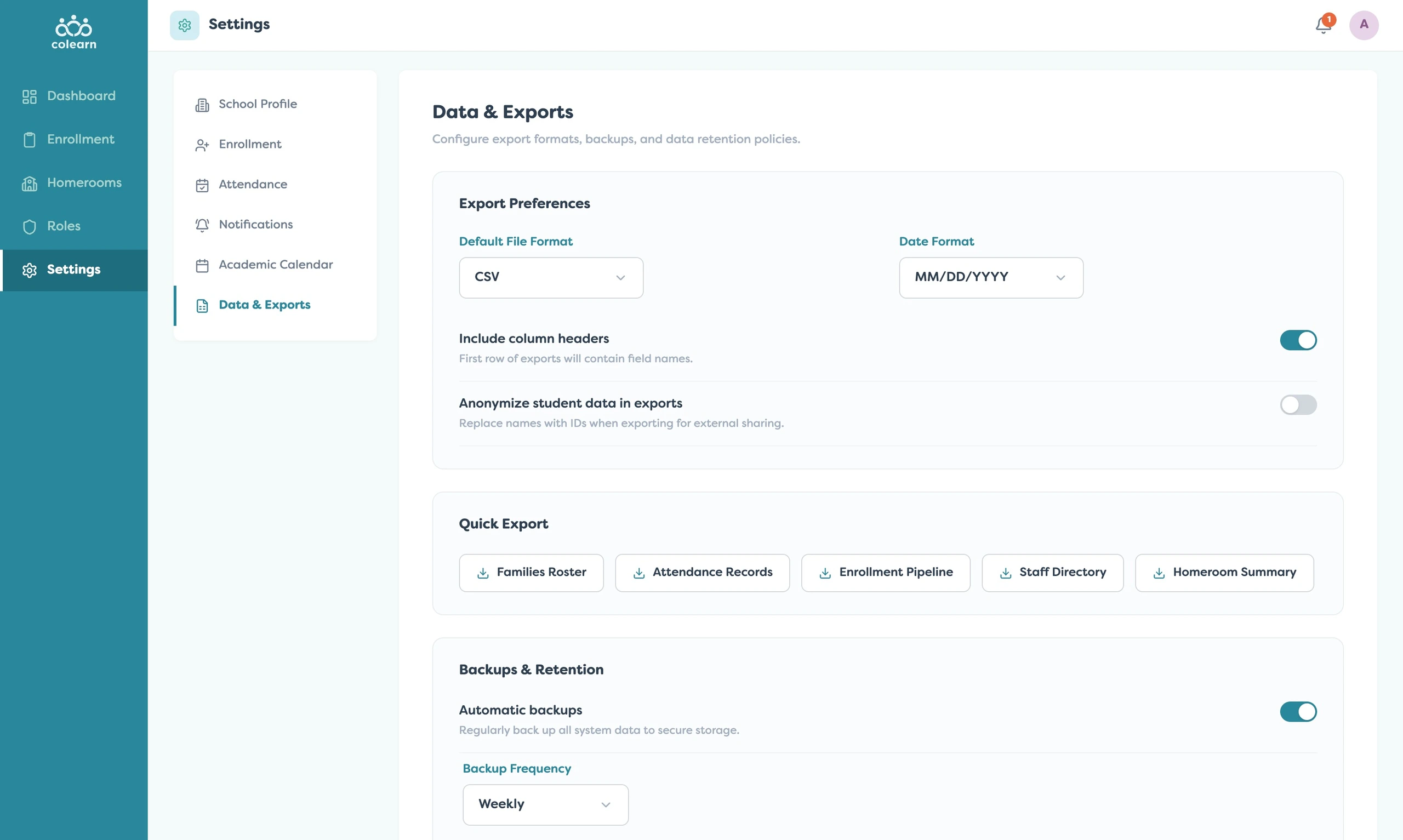
Finally, data and export tools made the system accountable. Admins could configure export formats, anonymization, quick exports, backups, and retention.
Together, these workflows created a control layer that supported school operations without overwhelming teachers, parents, or learners with admin complexity.
Related Projects
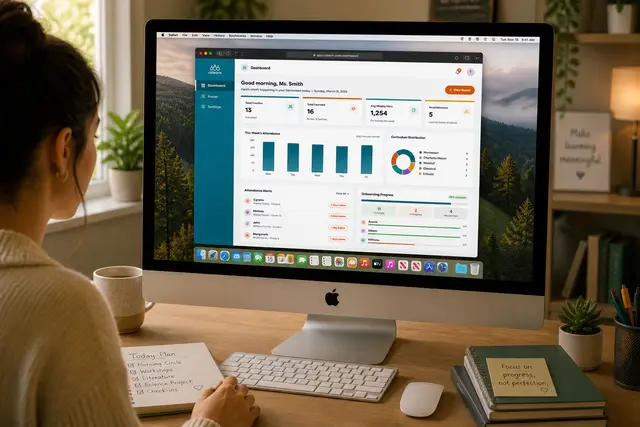
Colearn Homeroom
A teacher operations app that helped homeroom leads monitor families, attendance, onboarding, and...
EdTech
Colearn Parent App
A parent planning app that turned scattered learning activities into structured weekly progress.
EdTech
Learner Launch
A student-facing app that turned learning plans into clear, motivating daily actions.
EdTech