
Clients & Ventures

Product/systems design that turns AI tech into business results
















Contact Us
Contact form or information will go here.
Project Detail


Colearn Homeroom
Summary

A teacher operations app that helped homeroom leads monitor families, attendance, onboarding, and learning progress.
Homeroom teachers needed more than a roster. They needed an operational view of every family, learner, attendance signal, onboarding status, and support need across a flexible learning program.
I designed the Homeroom app as the teacher-facing layer of the Colearn ecosystem, helping educators monitor families, identify learners who needed attention, manage attendance, and keep communication consistent.
Outcome
The Homeroom app gave teachers a clearer operating model for supporting families before small issues became larger problems.
Instead of managing families through disconnected records and manual follow-up, teachers had one workspace for monitoring progress, attendance, onboarding, family context, and communication.
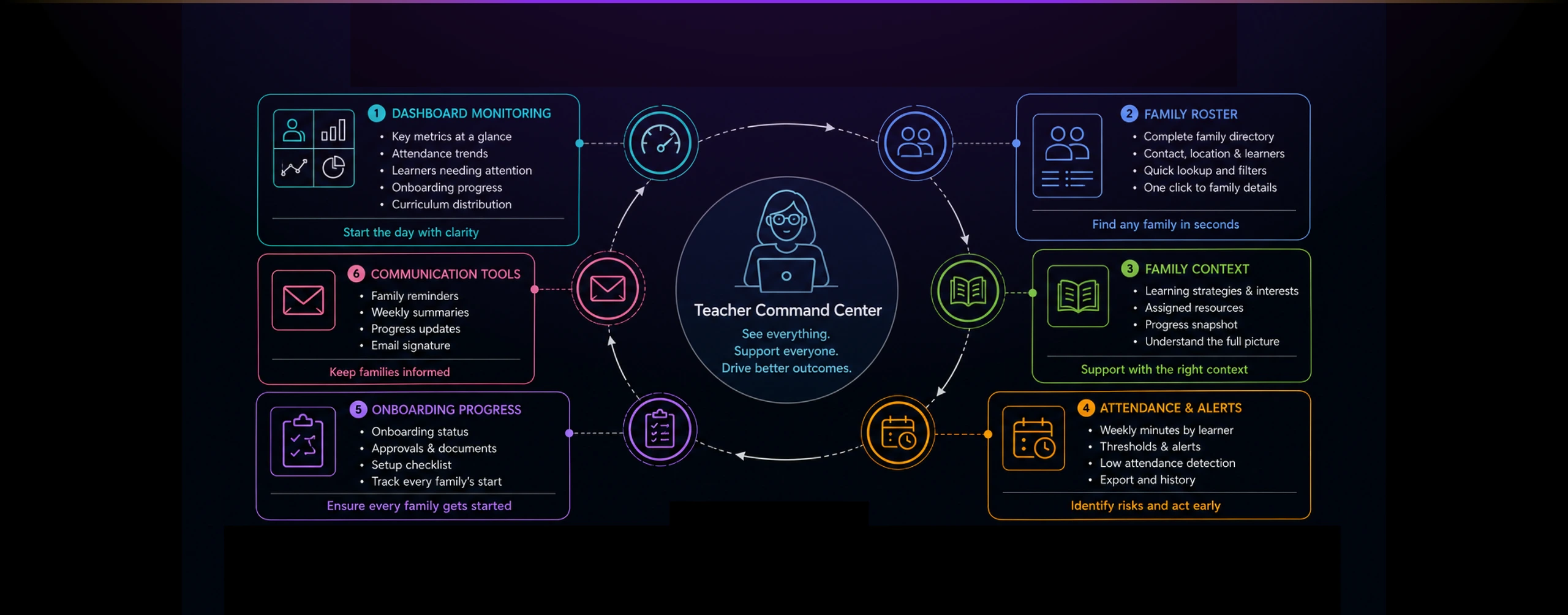
The design helped teachers identify learners needing attention, understand family context, manage attendance expectations, and keep families informed. It also strengthened the Colearn ecosystem by connecting the teacher layer to the parent and learner experiences.
The broader outcome was operational clarity. Parents had planning and oversight tools. Learners had a focused workspace. Teachers had the visibility and controls needed to support the entire homeroom.
The Problem
Teachers were responsible for supporting many families, but the signals they needed were scattered across attendance records, onboarding steps, learner profiles, and family communication.
In a flexible education model, teachers are not only classroom instructors. They become guides, monitors, coordinators, and support partners for families navigating individualized learning paths.
That creates a different operational problem. A teacher may need to know which families are enrolled, which learners are below attendance thresholds, which resources are assigned, which onboarding steps are incomplete, and which families need follow-up.
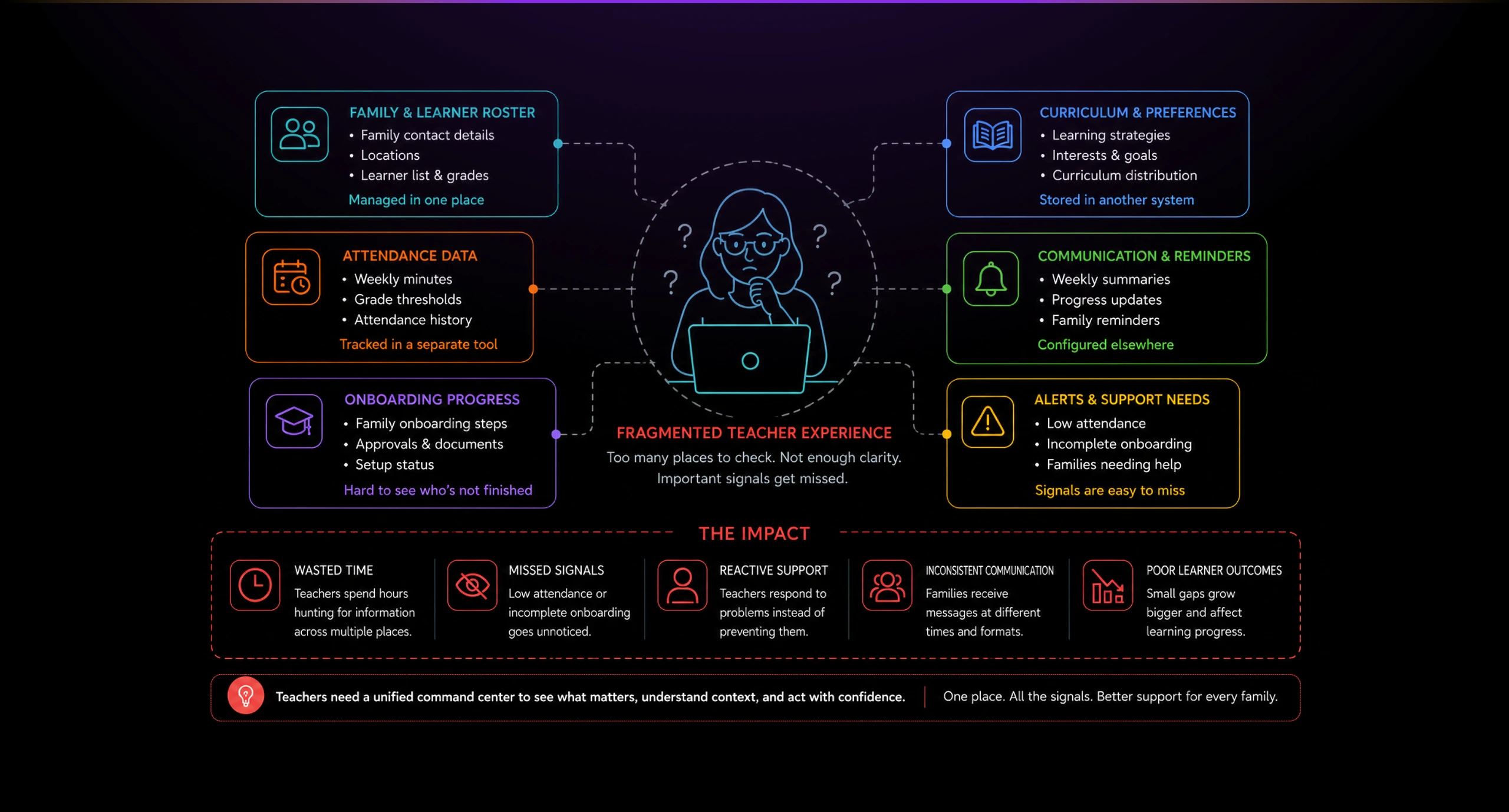
The challenge was visibility. Without a unified view, teachers could spend too much time searching for signals instead of acting on them.
The product also had to support trust. Families needed communication and support, but teachers needed enough operational structure to identify problems early and follow up consistently.
Solution
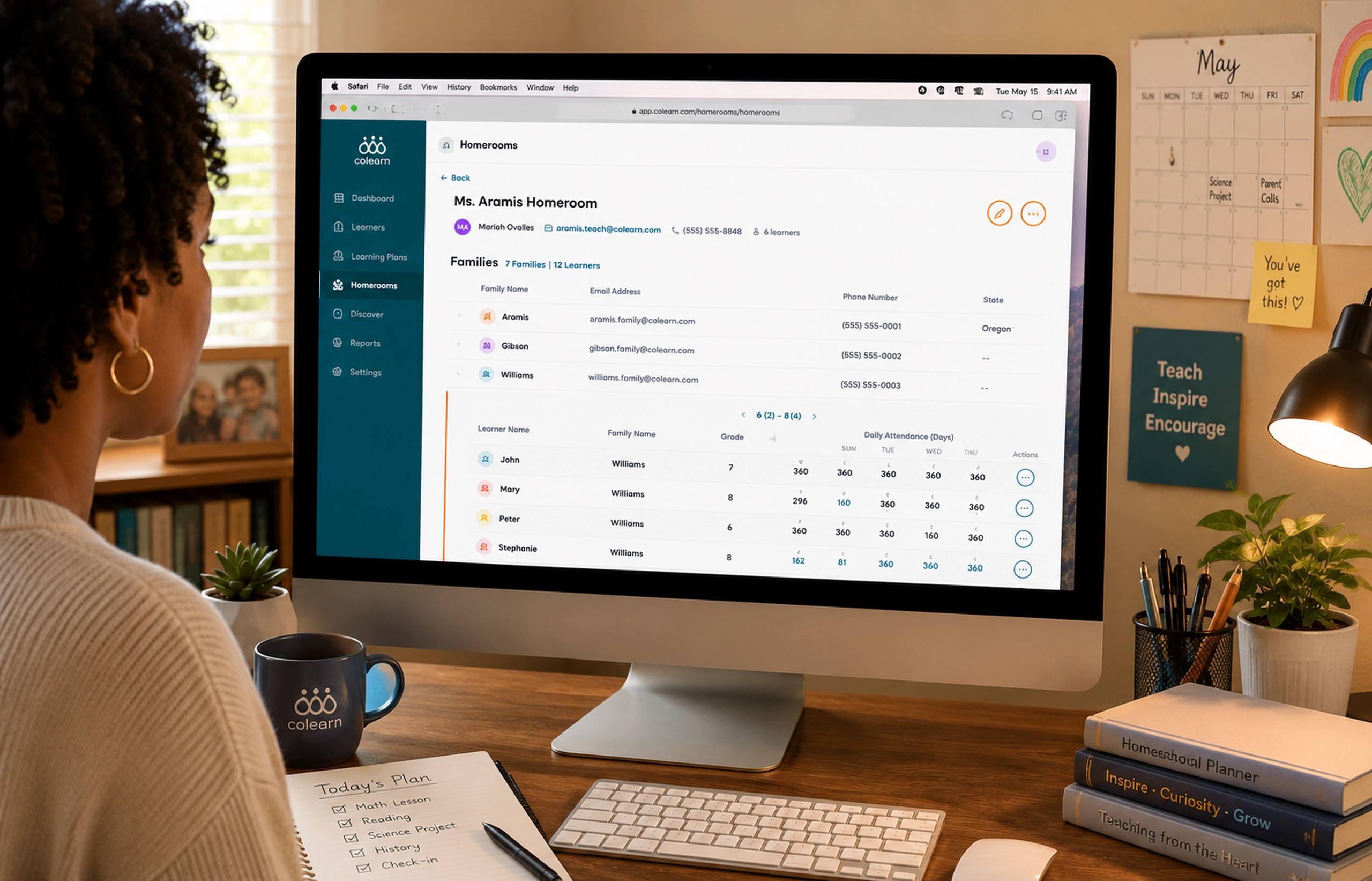
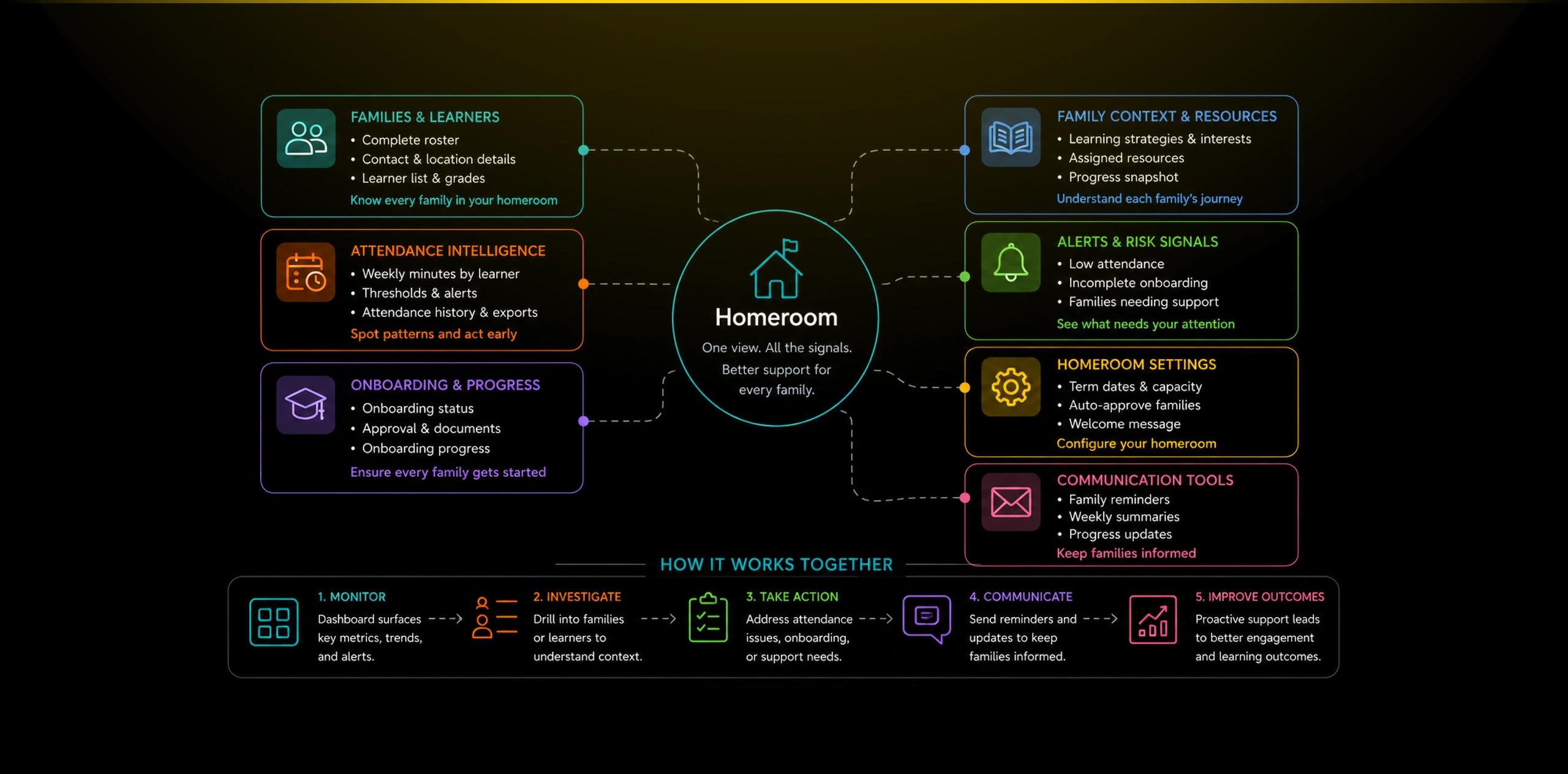
I designed Homeroom as a teacher command center, combining roster management, attendance intelligence, family context, onboarding progress, and communication controls.
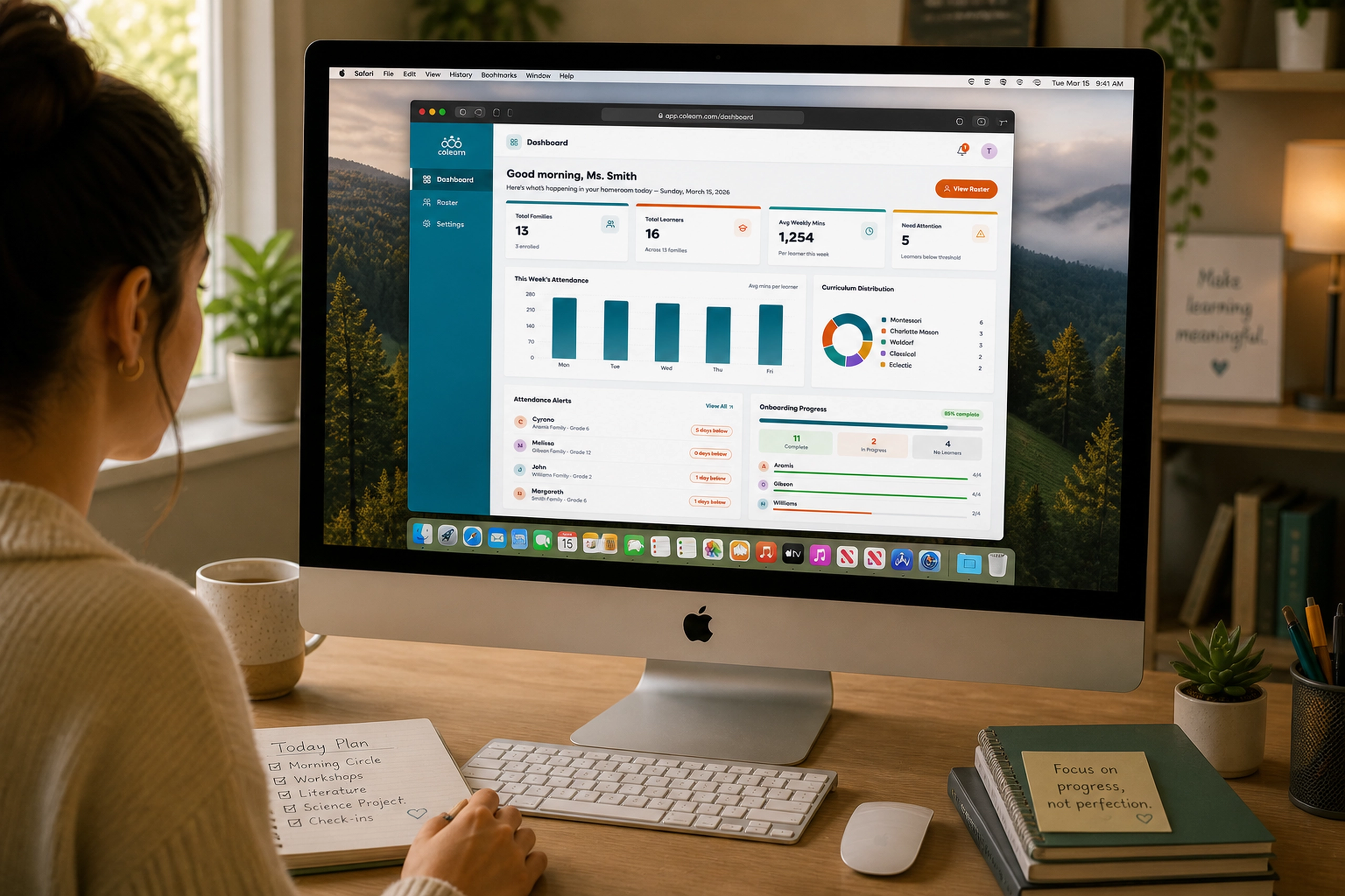
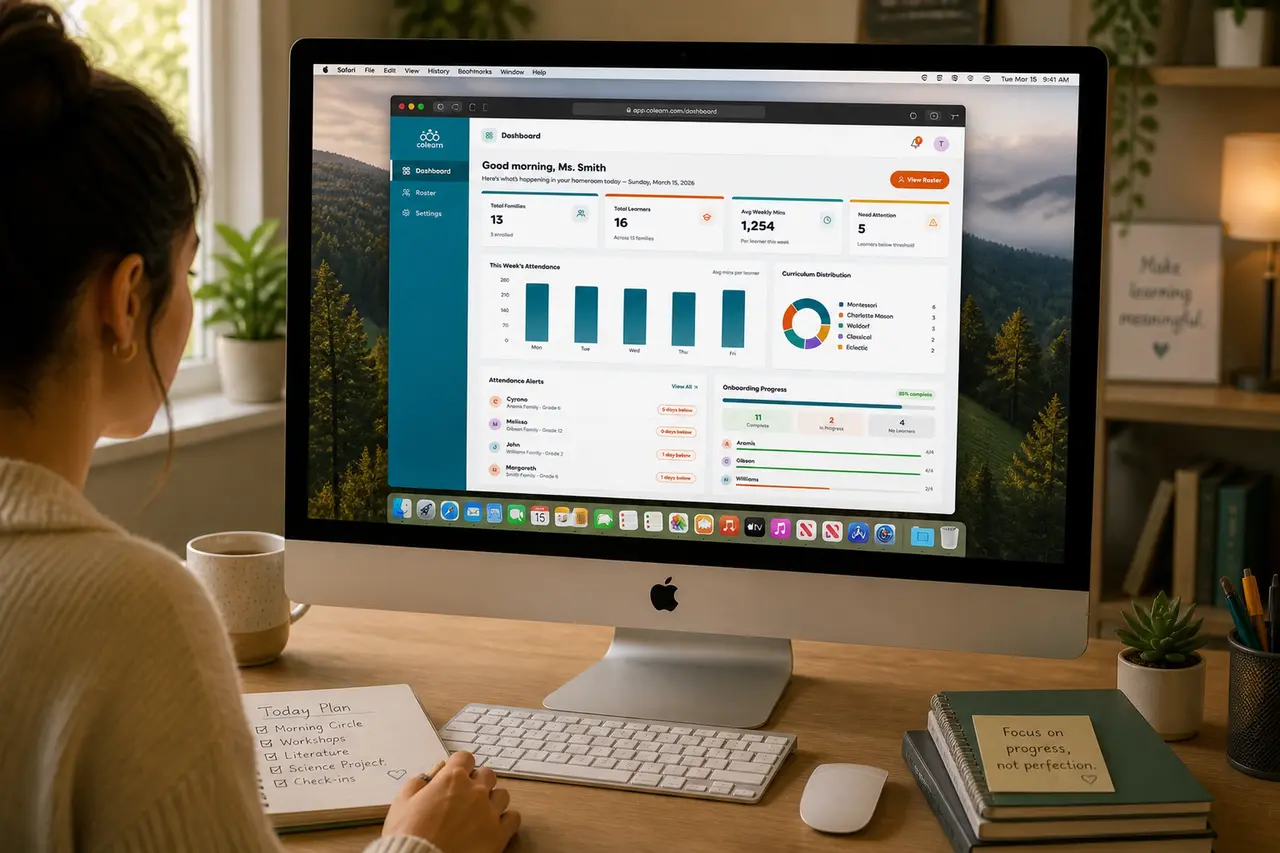
The dashboard gave teachers a high-level operating view of their homeroom. It surfaced total families, learners, weekly minutes, learners needing attention, attendance trends, curriculum distribution, alerts, and onboarding progress.
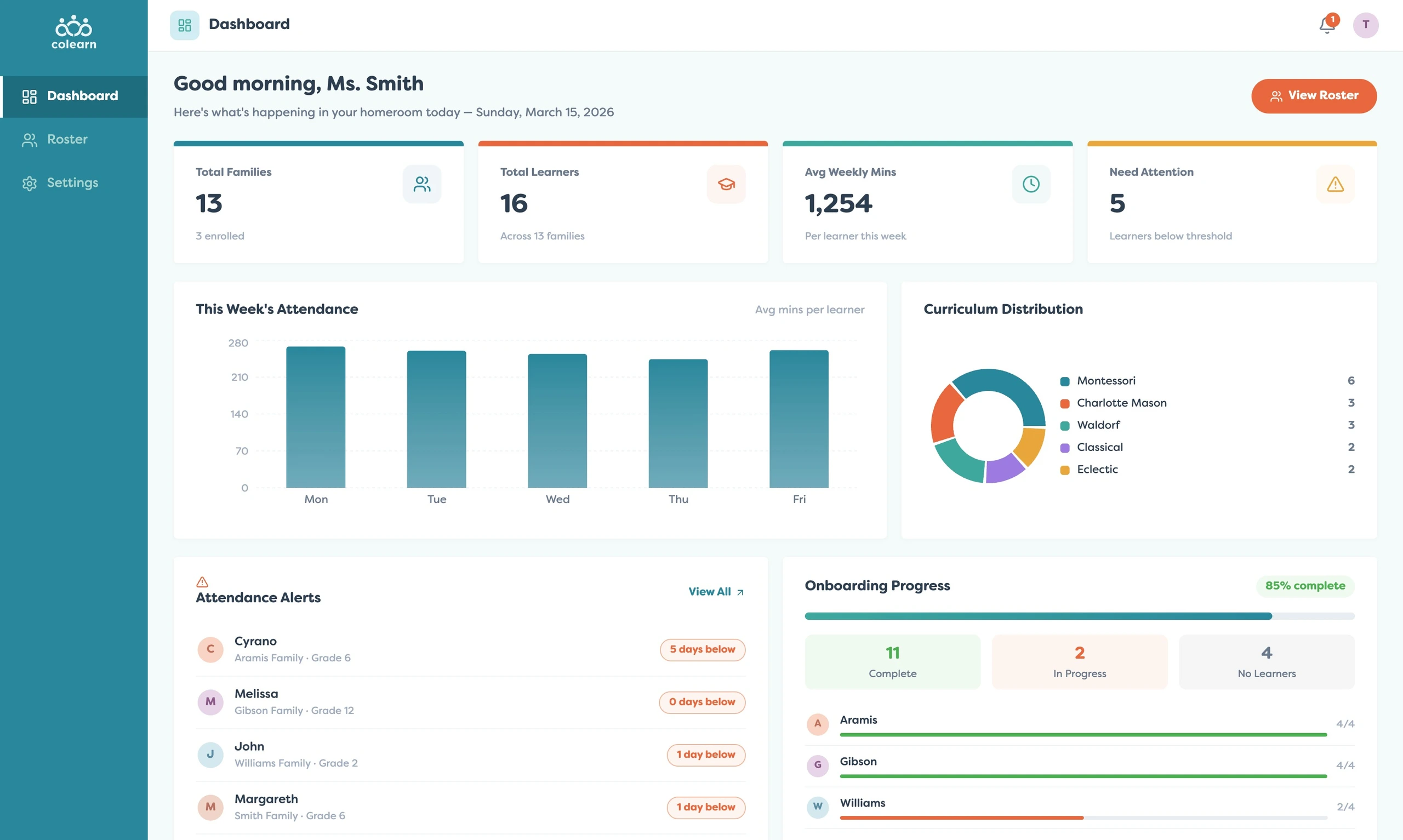
This overview helped teachers move from reactive support to proactive guidance. Instead of waiting for a family to reach out, the teacher could quickly identify which learners or families needed attention.
The roster view provided the administrative foundation. Teachers could scan family names, contact details, locations, and learner counts from a clean table designed for quick lookup.
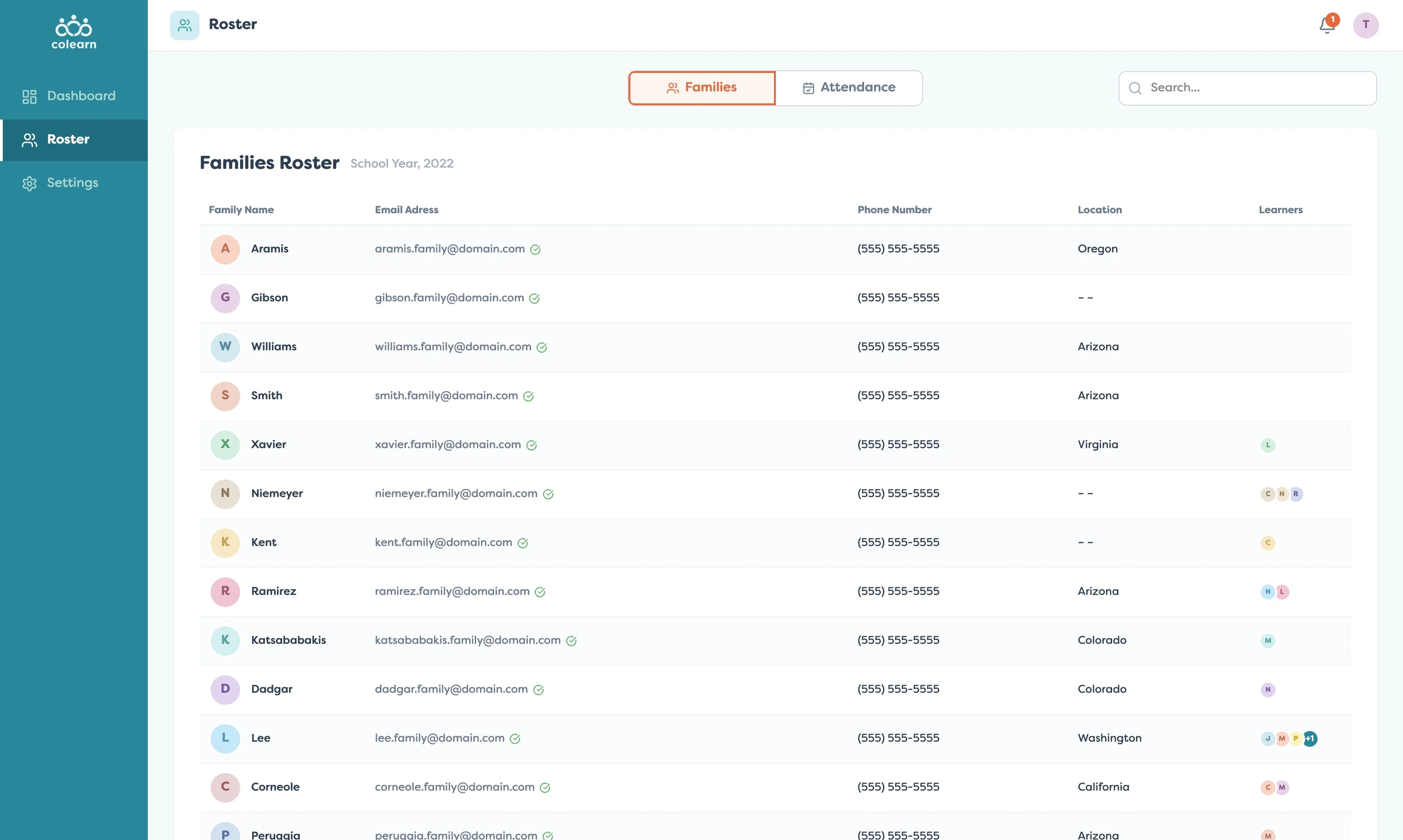
The roster was not just a list. It was the entry point into deeper family context. From there, teachers could review an individual family’s learning strategies, interests, assigned resources, and progress signals.
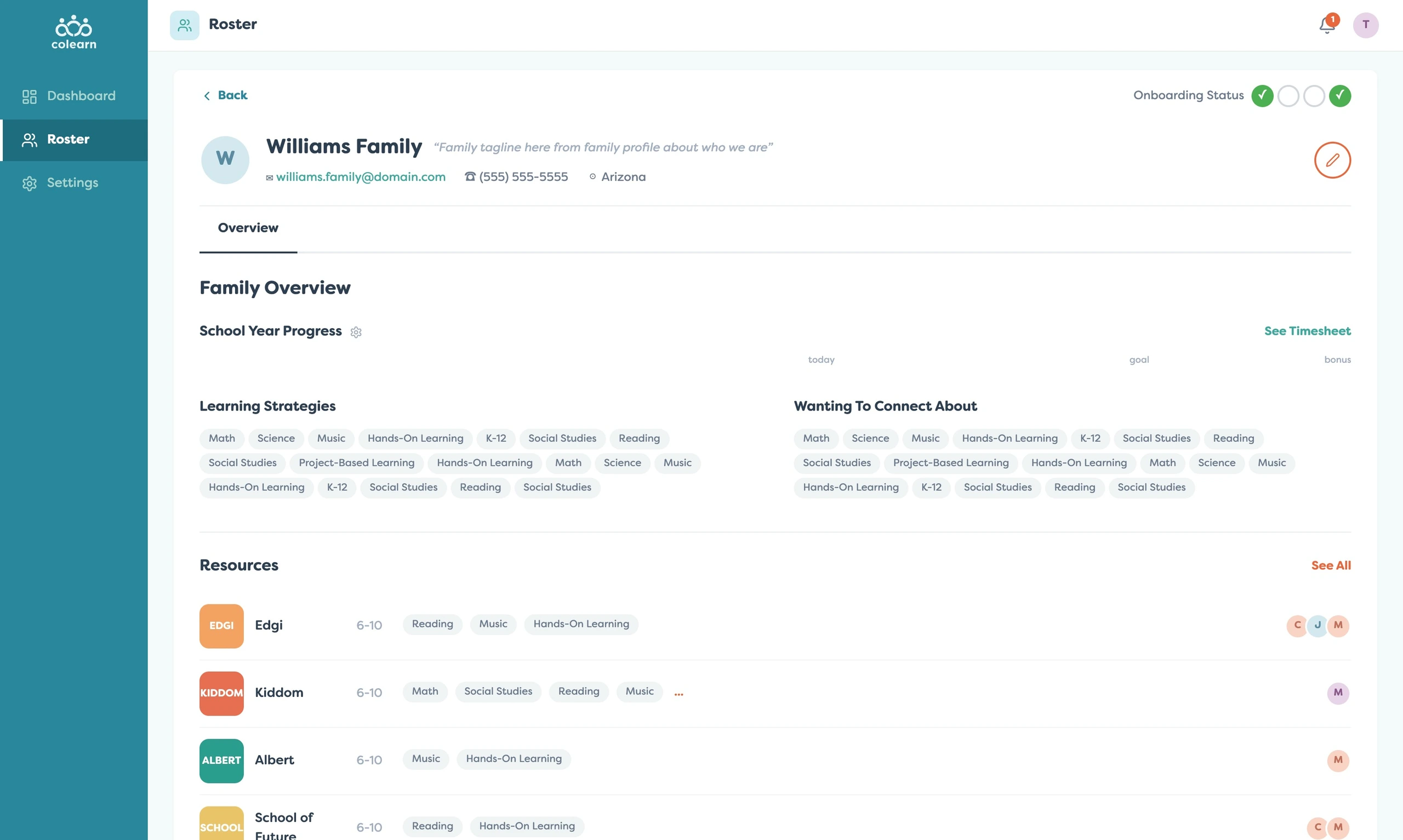
This family-level view mattered because support is contextual. A teacher could understand what a family was working on, what they cared about, and which resources were part of their learning plan.
Attendance was one of the clearest operational signals. I designed the attendance view to separate learners who required attention from the full learner list, making it easier for teachers to focus on exceptions first.
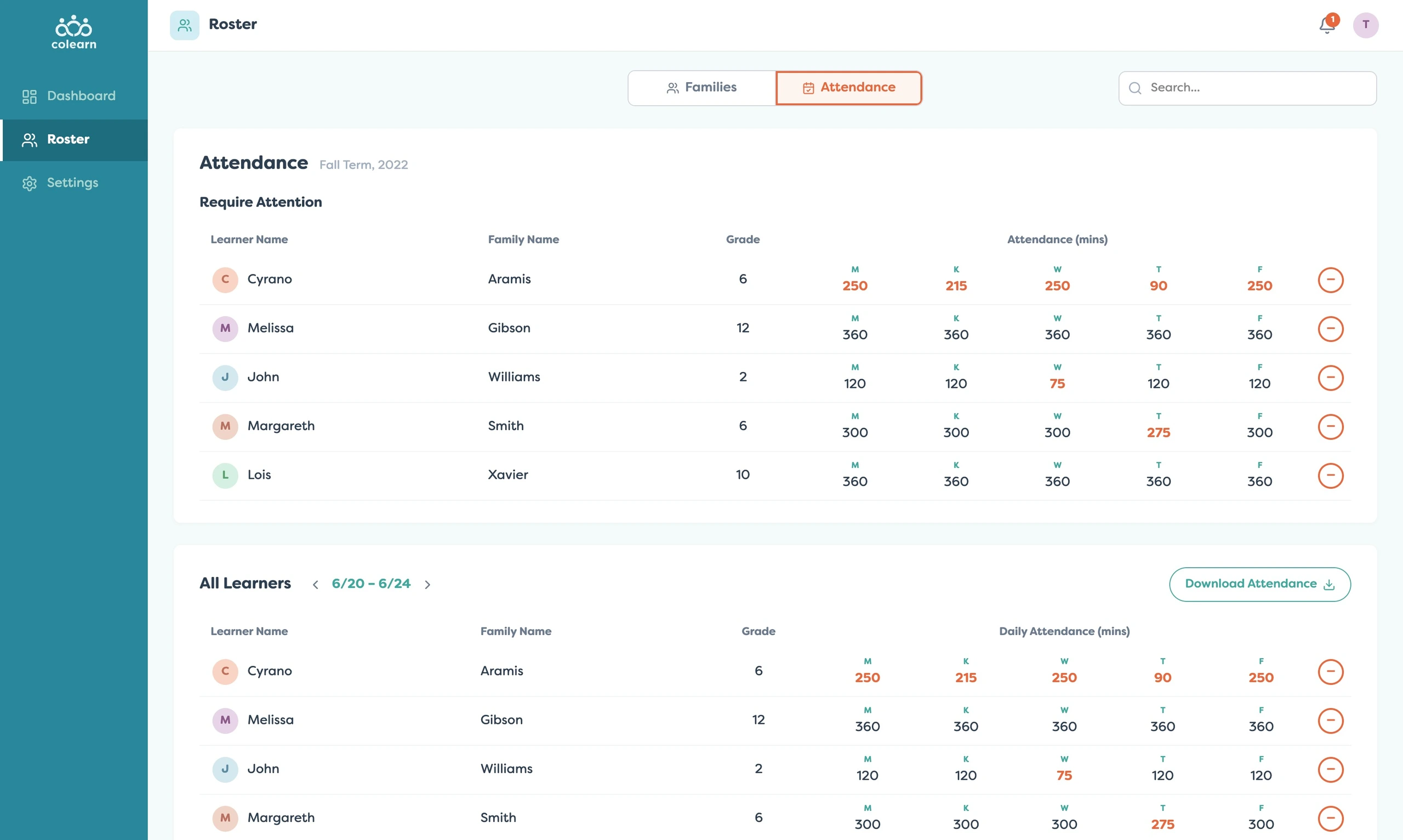
This helped teachers avoid scanning every learner manually. The interface emphasized thresholds, exceptions, and export actions so attendance could become a support workflow, not just a compliance table.
The settings layer gave teachers control over how their homeroom operated. They could configure term dates, family capacity, approval behavior, and welcome messaging.
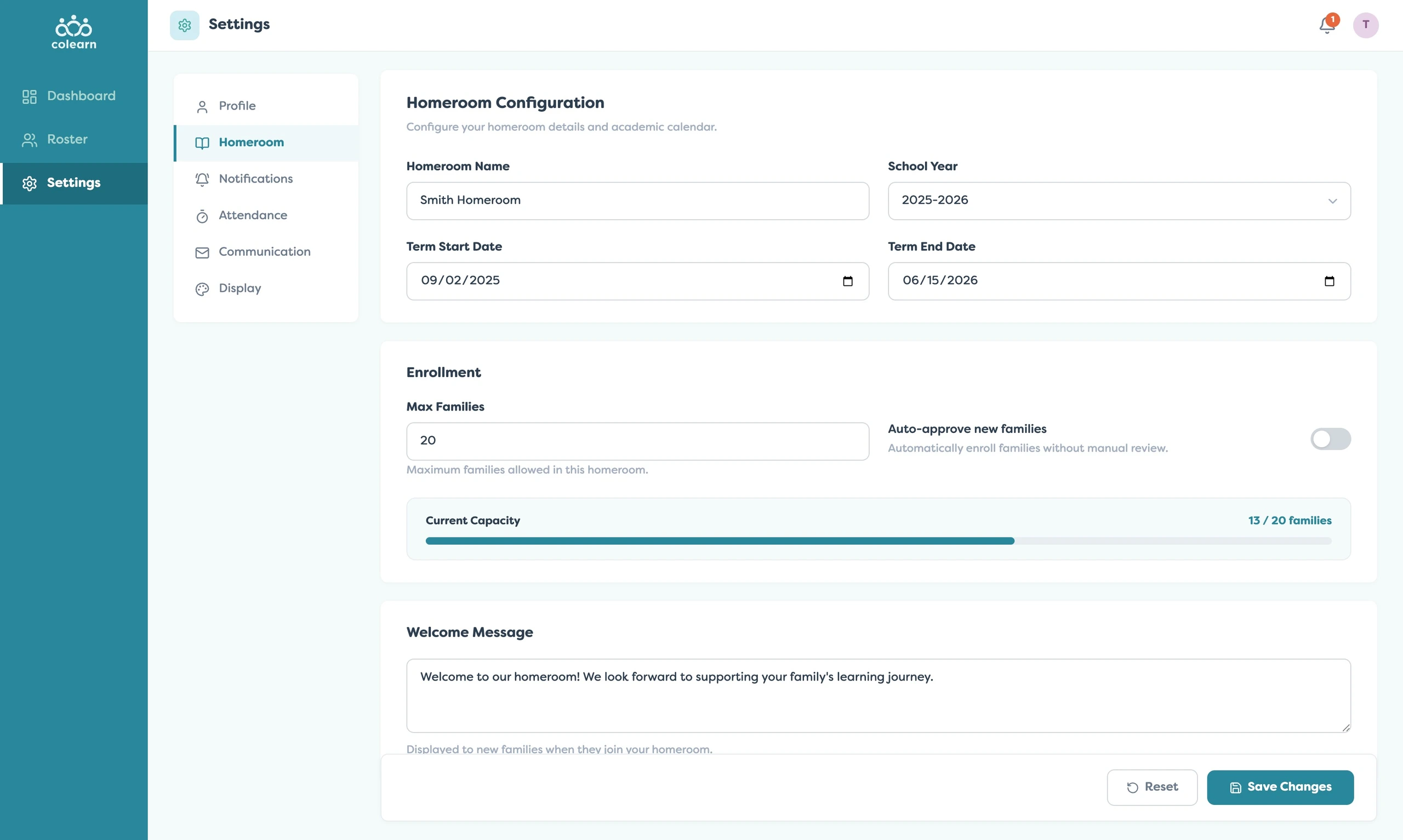
These controls made the product adaptable to different homeroom structures. Teachers could manage enrollment rules and communication expectations without relying on hidden admin workflows.
Attendance configuration extended this control further. Teachers could define minimum daily minutes by grade tier, set alert thresholds, choose export formats, and enable automatic low-attendance flags.
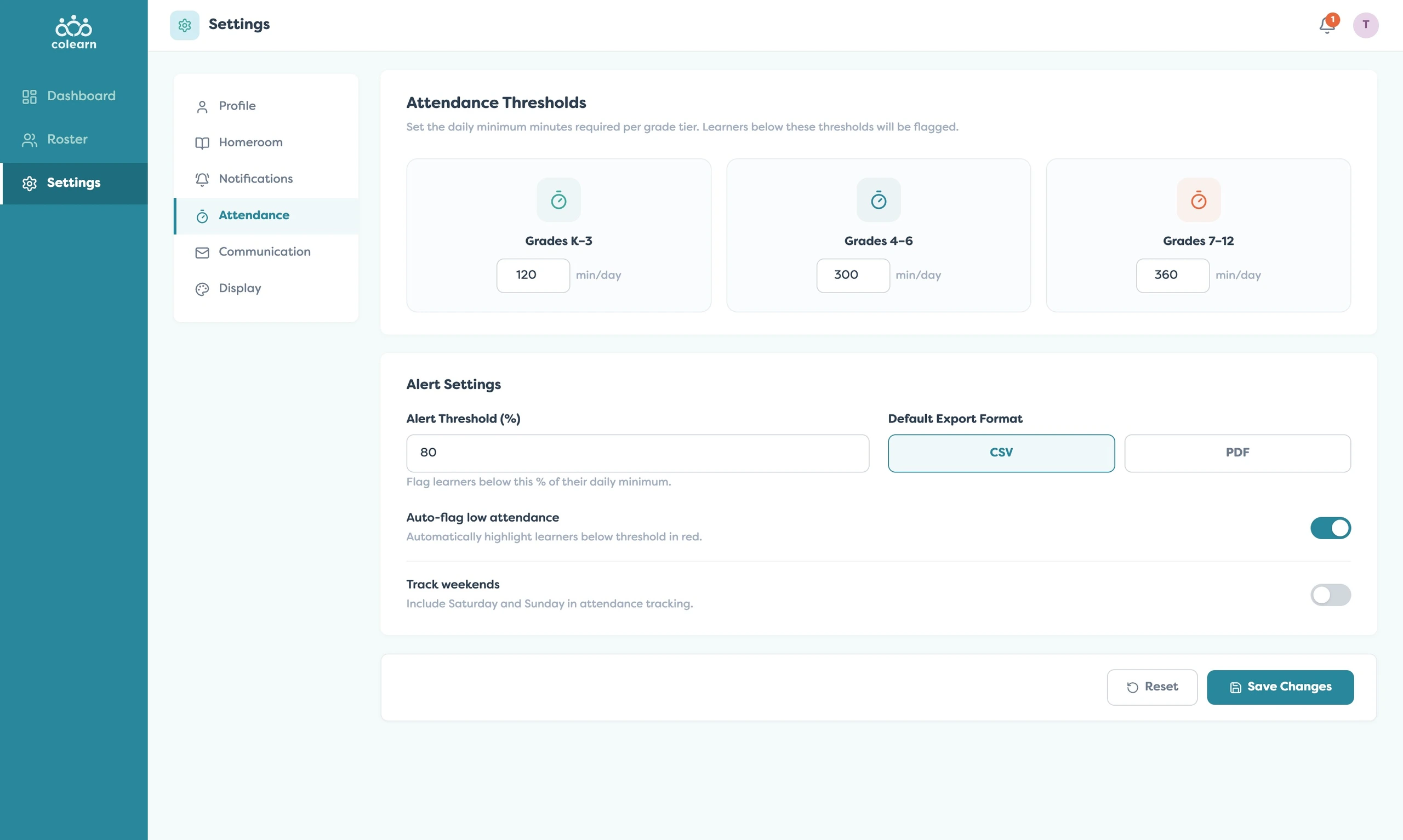
This was important because attendance expectations are not the same for every learner. Younger students, middle grades, and older students need different thresholds and different levels of monitoring.
Communication settings closed the loop. Teachers could configure family reminders, progress updates, weekly attendance summaries, and email signatures from one place.
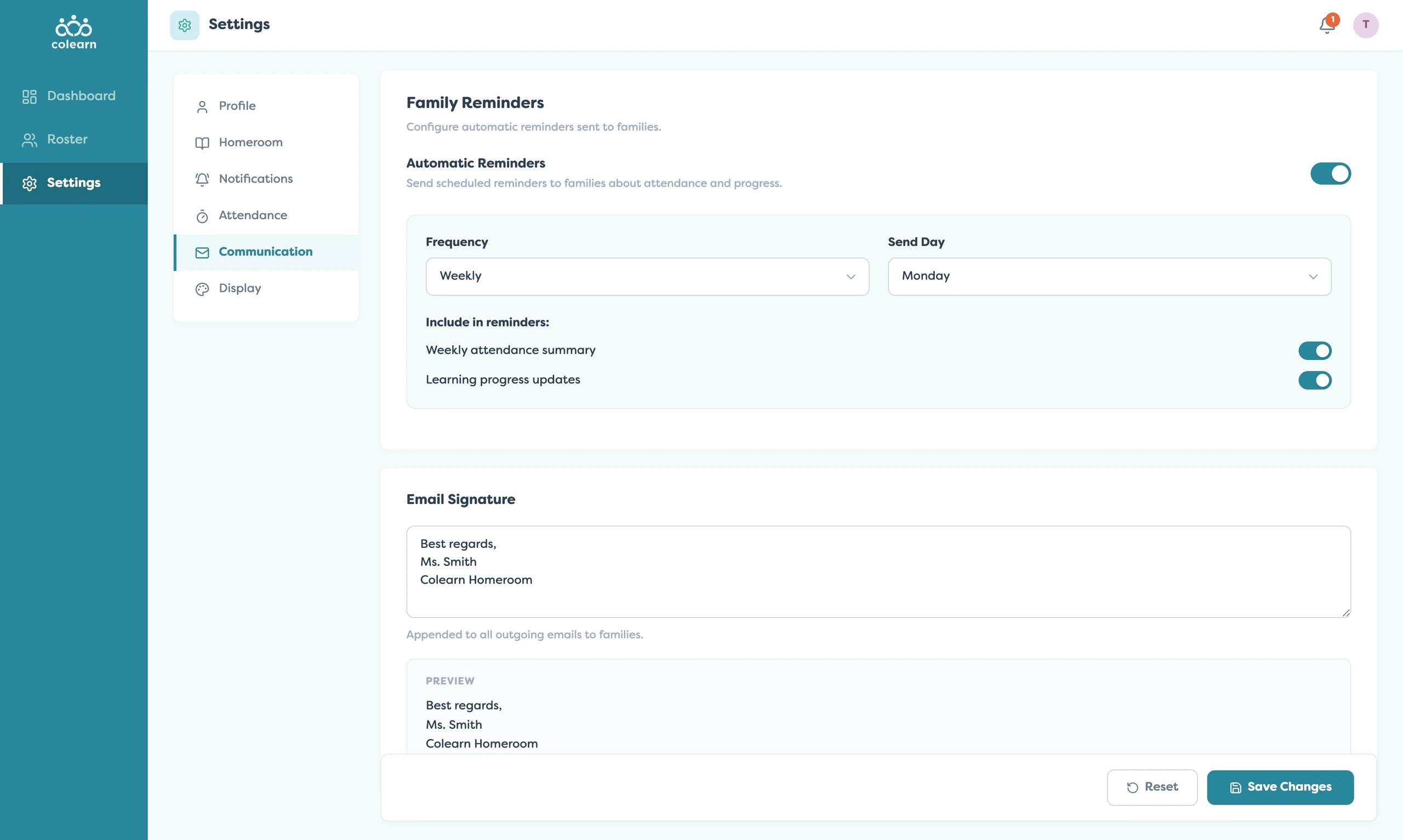
Together, these workflows positioned the teacher as an informed guide. The app gave them visibility, context, thresholds, and communication tools without turning the experience into a heavy administrative system.
Related Projects
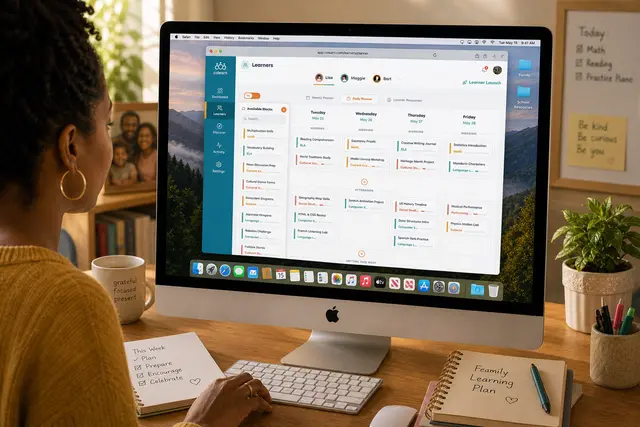
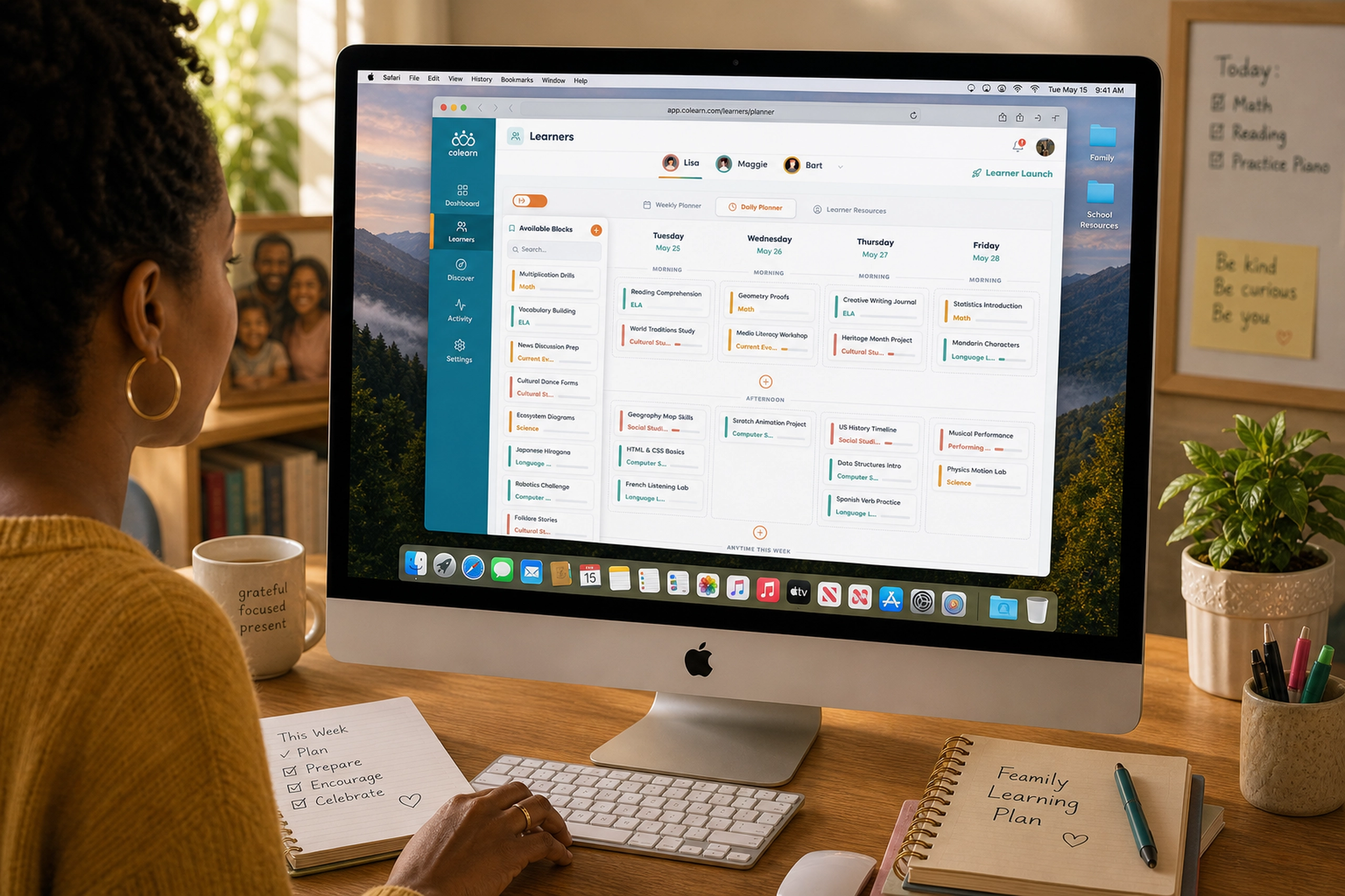
Colearn Parent App
A parent planning app that turned scattered learning activities into structured weekly progress.
EdTech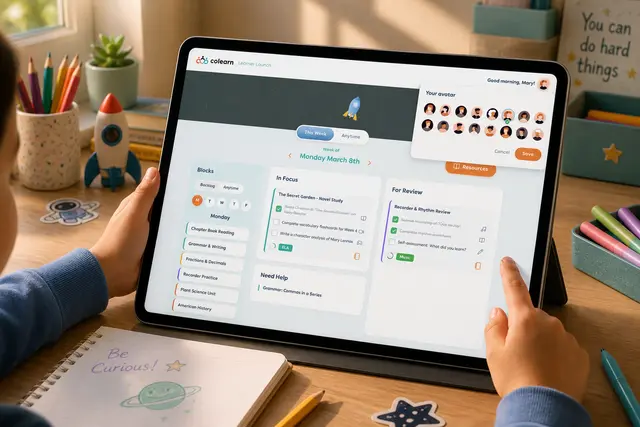
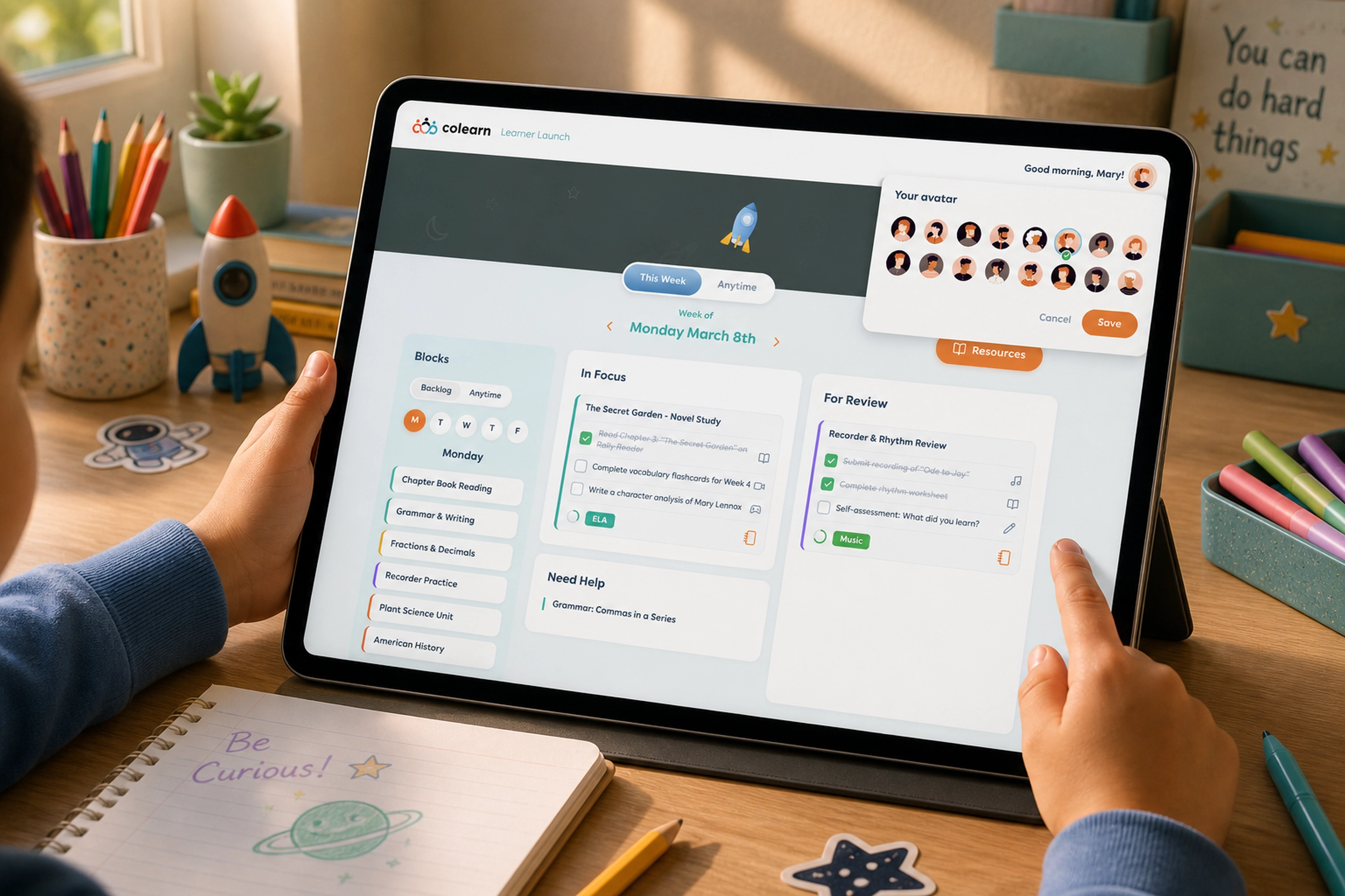
Learner Launch
A student-facing app that turned learning plans into clear, motivating daily actions.
EdTech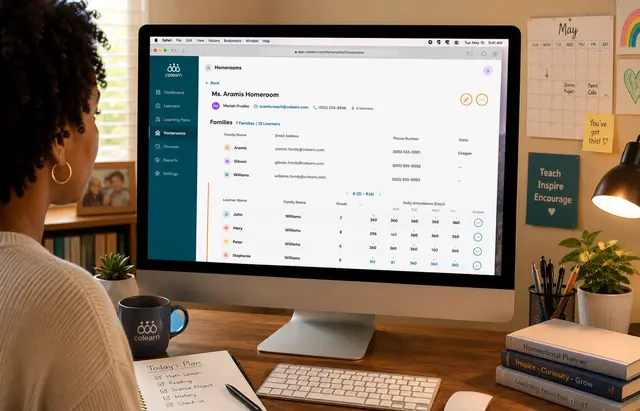
Colearn Homeroom Admin
A school admin app that unified enrollment, homerooms, attendance, staff roles, and operational r...
EdTech