
Clients & Ventures

Product/systems design that turns AI tech into business results














Contact Us
Contact form or information will go here.
Project Detail


Colearn Parent App
Summary

A parent planning app that turned scattered learning activities into structured weekly progress.
Homeschooling and enrichment planning can quickly become fragmented. Parents need to coordinate multiple learners, subjects, resources, schedules, progress updates, and safety settings without turning education into admin work.
I designed a parent-facing product that helped families plan learning blocks, monitor progress, discover resources, and manage each child’s experience from one calm, structured dashboard.
Outcome
The Parents App created a calmer operating model for family-led education.
Instead of making parents assemble the learning experience from scattered tools, the app gave them one place to plan, monitor, adjust, and discover.
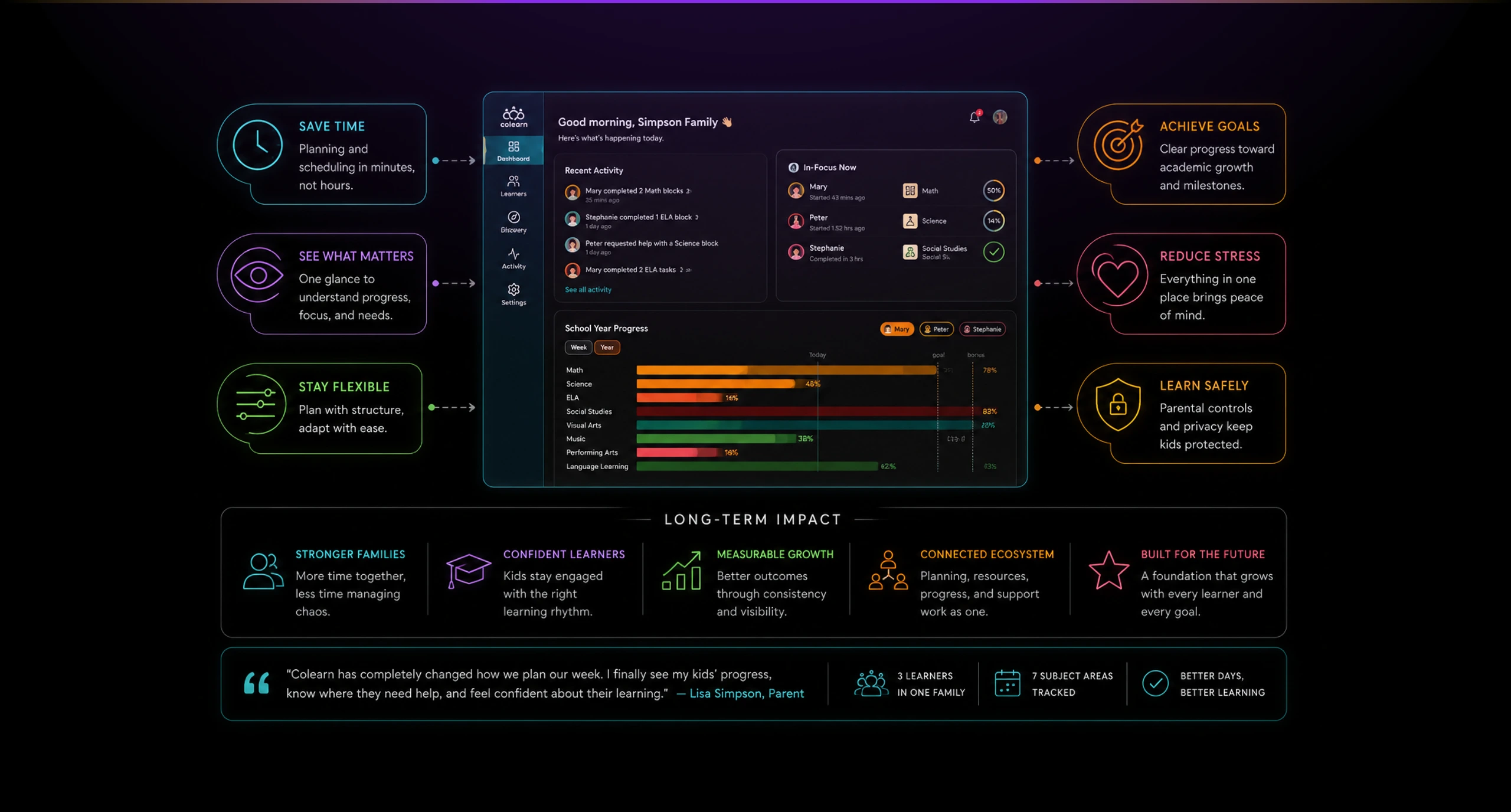
The design supported multiple learners, flexible scheduling, reusable learning blocks, resource discovery, and parent confidence. It also made the broader Colearn ecosystem more coherent by connecting planning, discovery, activity, and family management into one experience.
The strongest outcome was clarity. Parents could see what was happening, what needed attention, and how each learner was progressing without losing the flexibility that made the learning model valuable.
The Problem
Parents managed flexible learning across many disconnected educational tools.
Using flexible learning programs often had to manage education across disconnected tools: calendars, notes, websites, enrichment providers, progress trackers, and communication channels.
The challenge was not only scheduling. Parents needed to understand what each learner was doing, what needed attention, what resources were available, and whether the overall learning rhythm felt balanced.
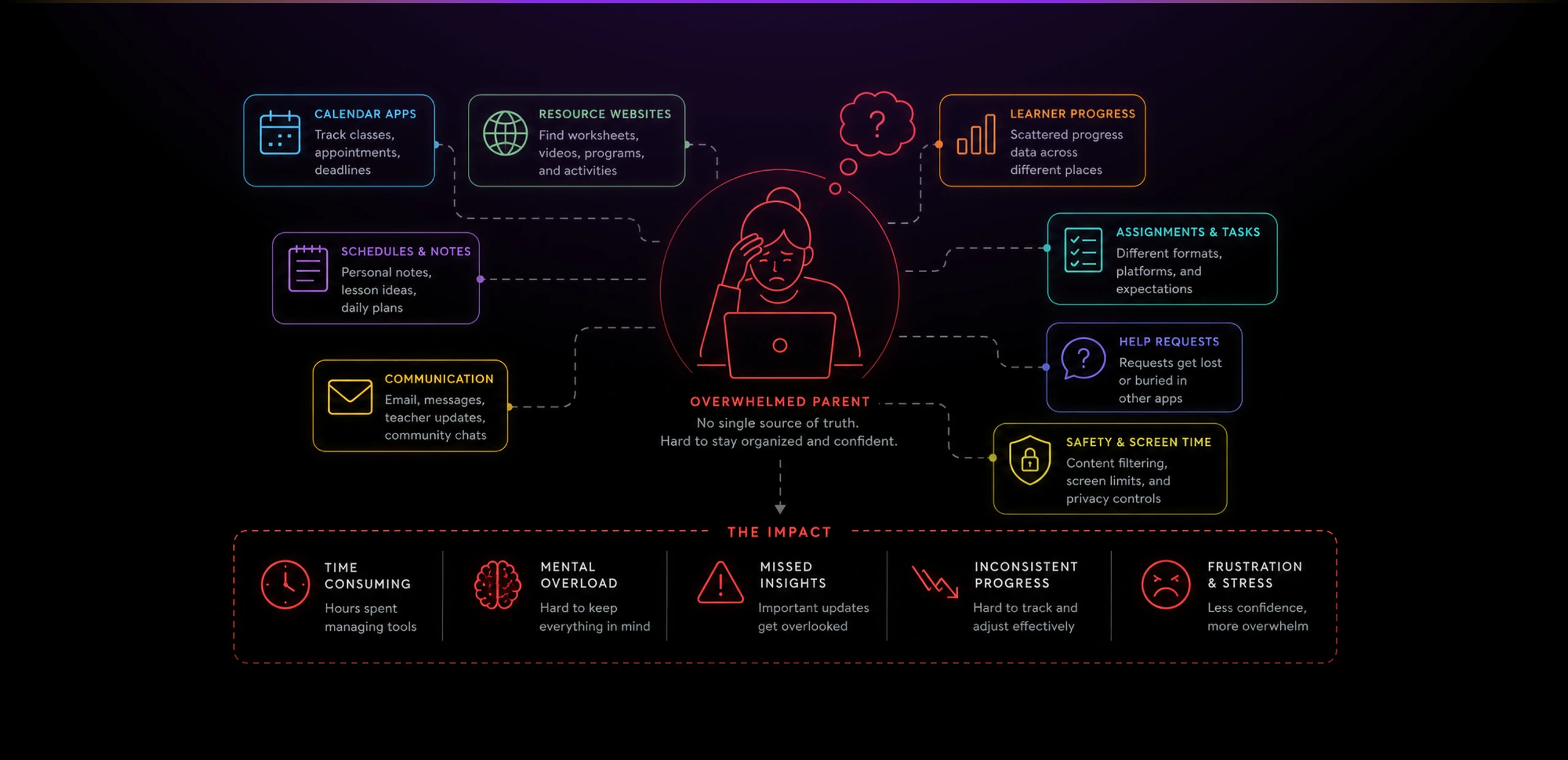
The product also had to support multiple children with different ages, subjects, interests, and learning patterns. A parent might be guiding one child through math, another through language practice, and another through project-based learning.
That meant the product could not behave like a rigid school administration tool. It needed to support planning, flexibility, visibility, and confidence at the same time.
Solution
A Parents App around a clear family command-center model.
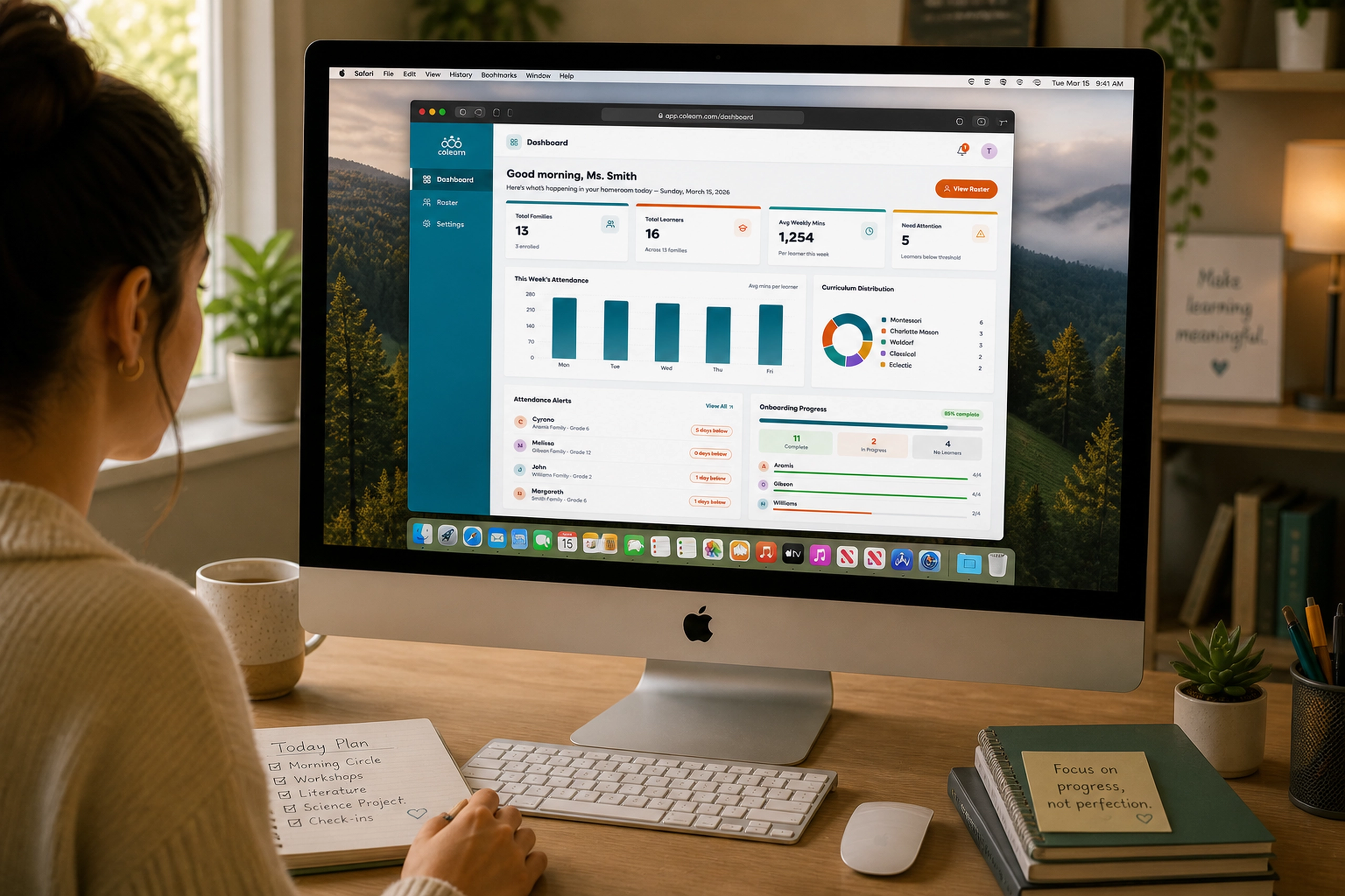
The dashboard gave parents a quick read on what had happened recently, who was actively working, and how the family was progressing across the school year.
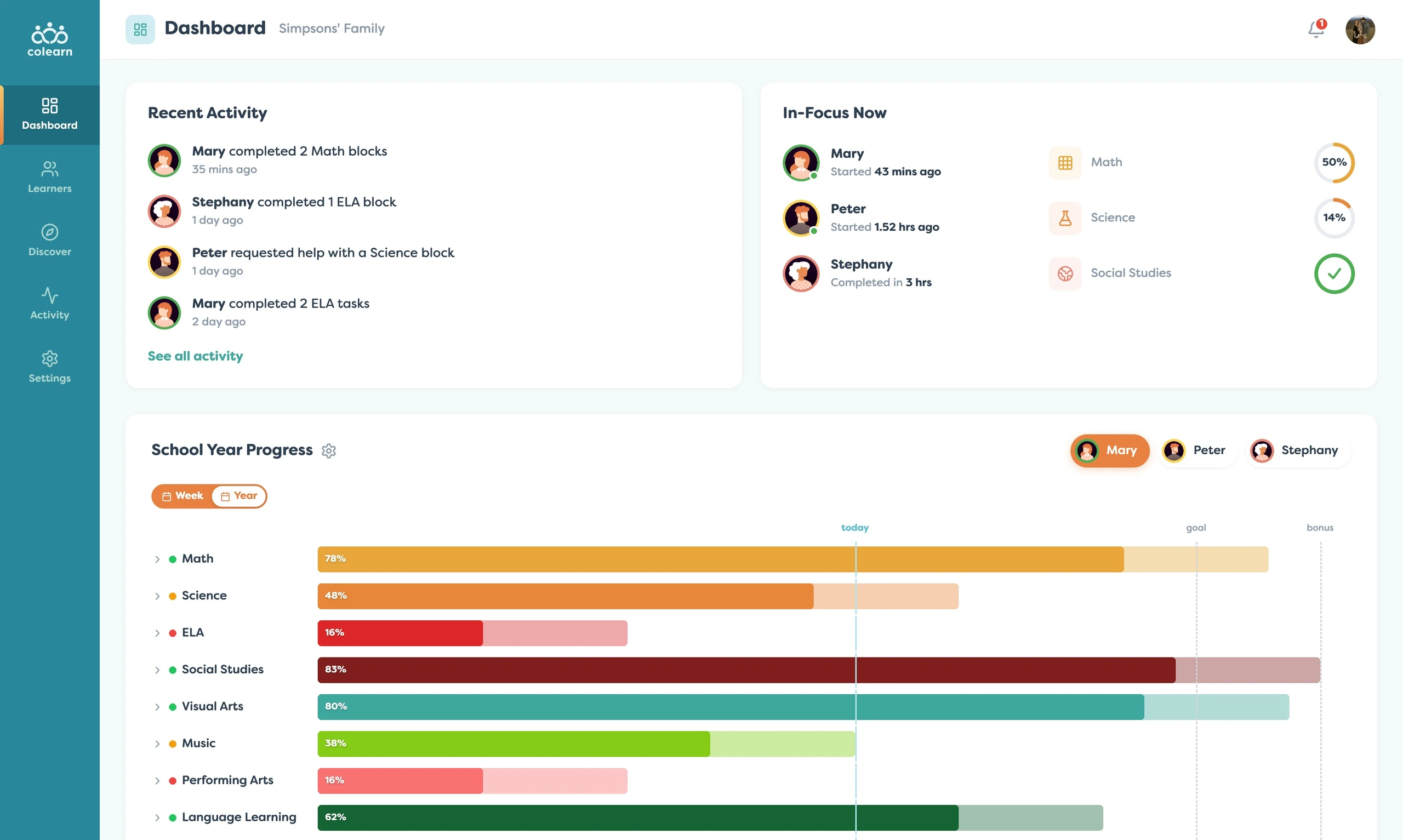
This overview was important because parents did not need another place to manually inspect everything. They needed a calm summary that helped them notice progress, spot friction, and decide where to focus next.
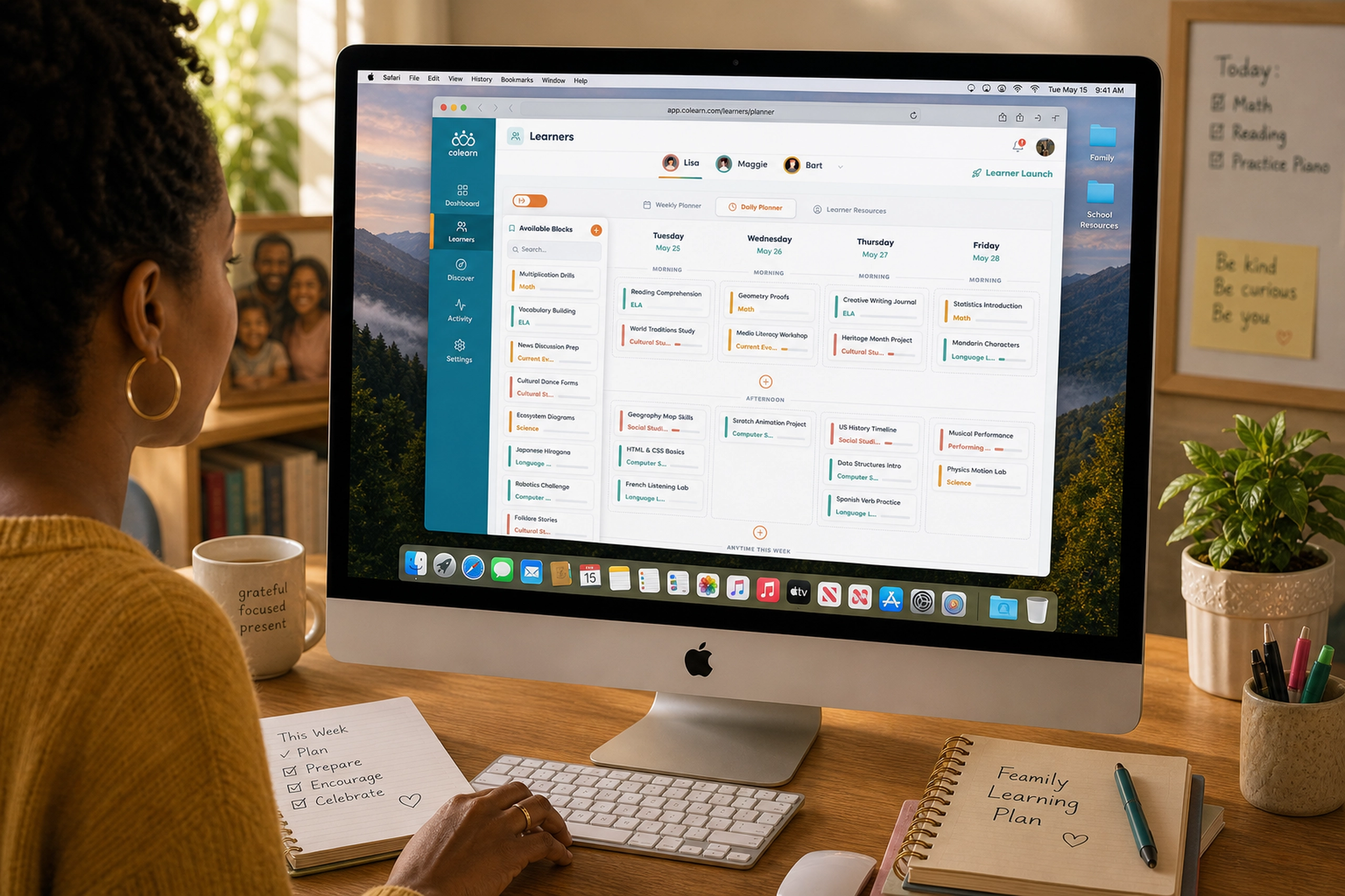
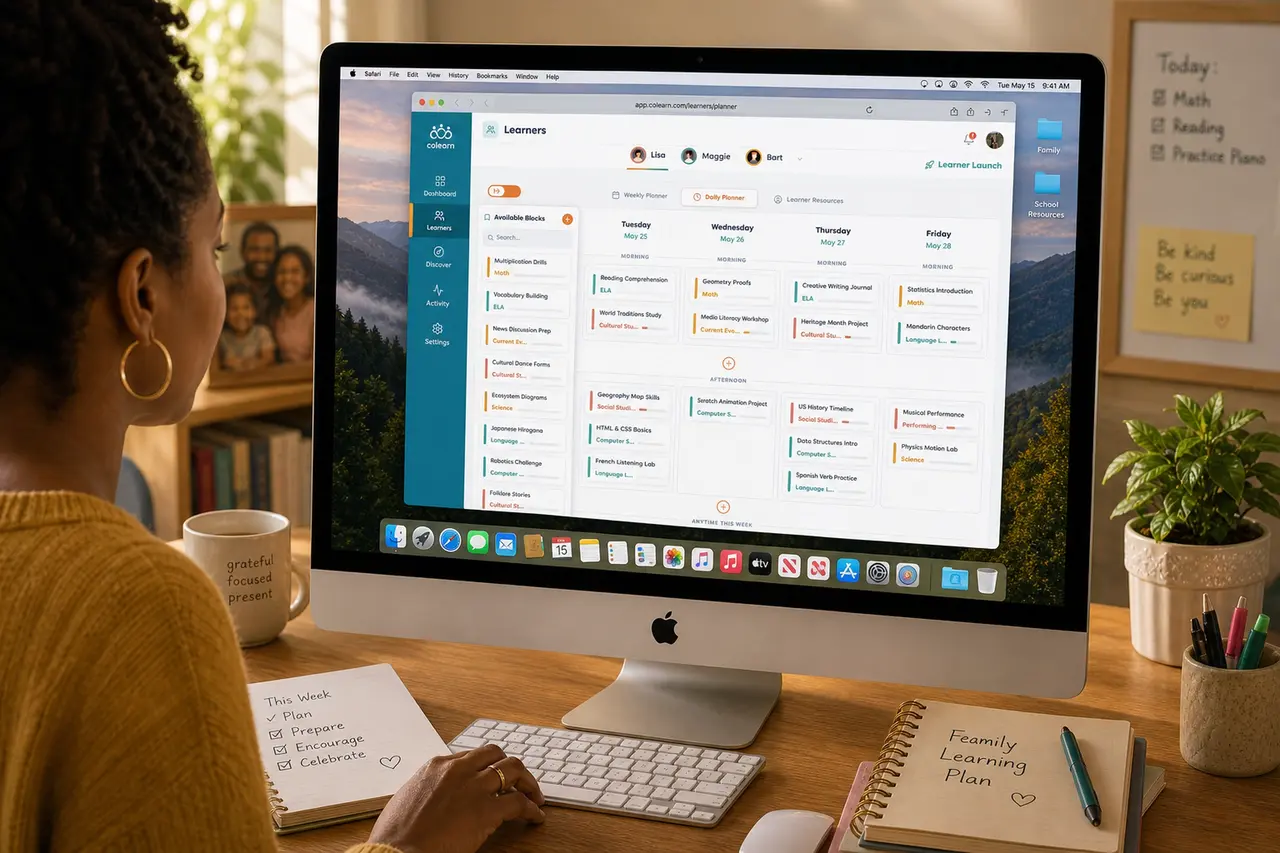
From there, the experience moved into planning. The weekly planner helped parents arrange learning blocks across the current week and upcoming week, giving structure without forcing a traditional school schedule.
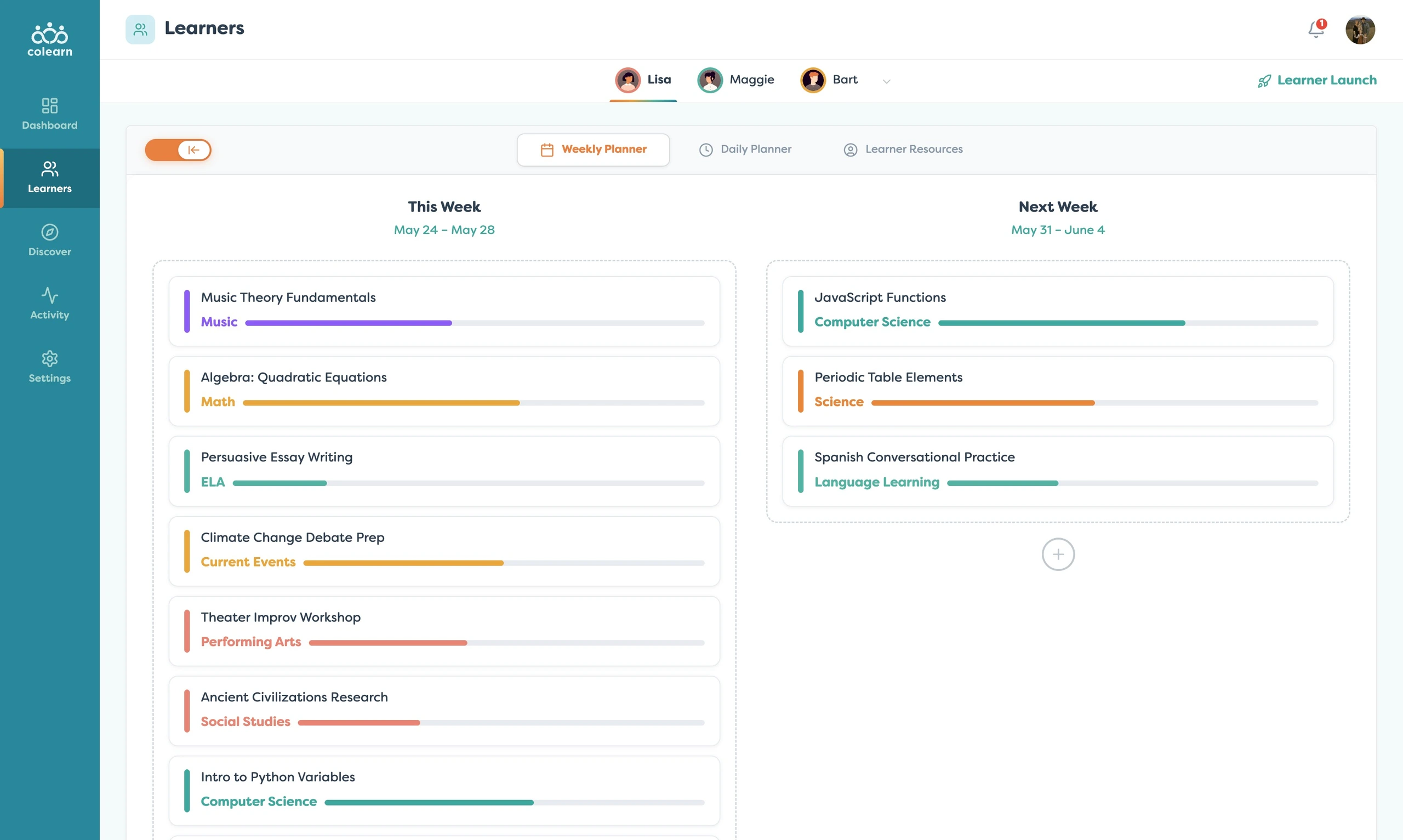
The planning model was based on blocks rather than isolated assignments. That made the system flexible enough for homeschooling, enrichment, tutoring, project-based learning, and recurring practice.
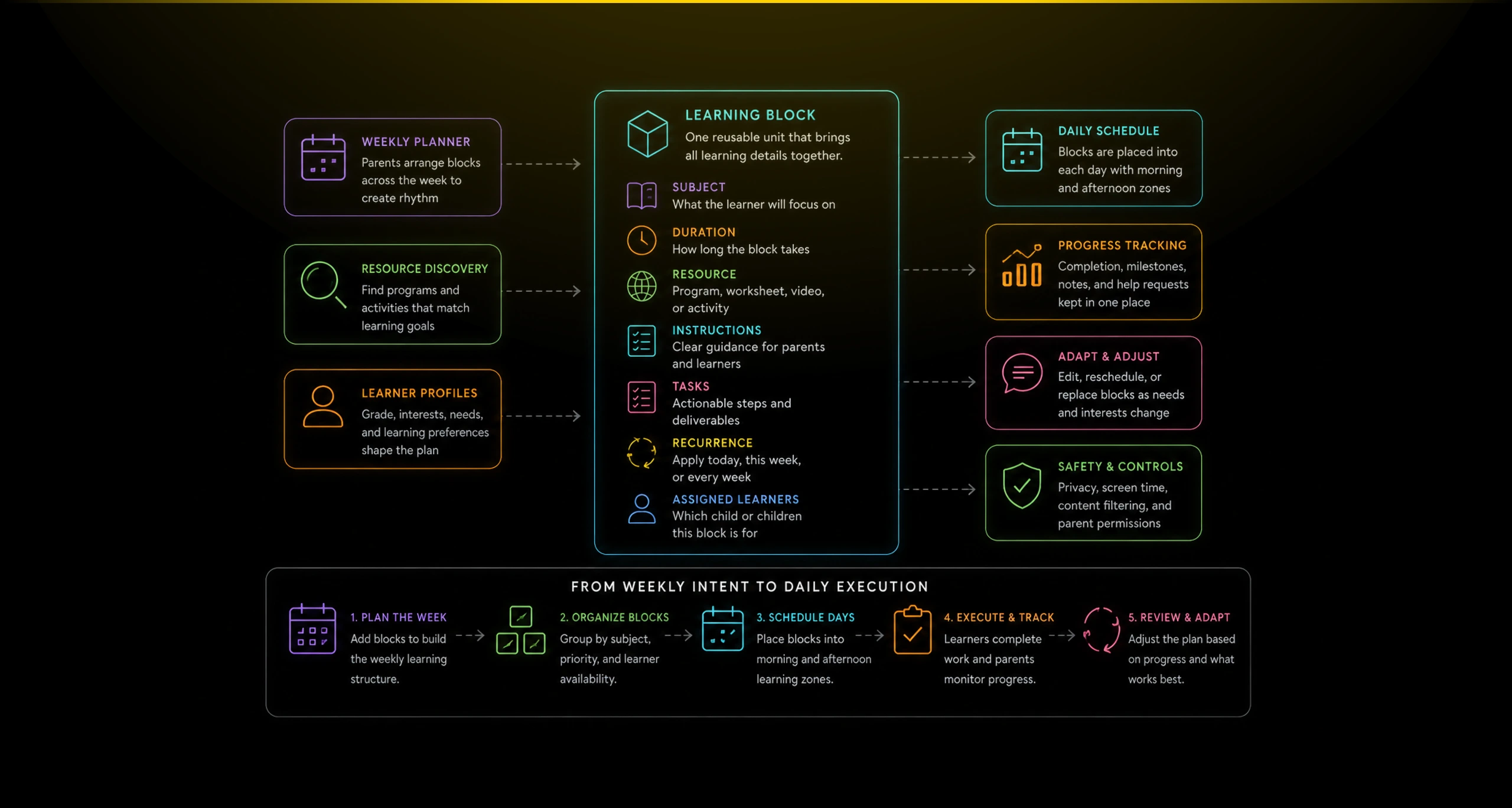
Each block could hold the details parents actually needed: subject, duration, resource, instructions, tasks, and recurrence. This helped convert loose ideas like “practice Spanish” or “work on history” into actionable learning units.
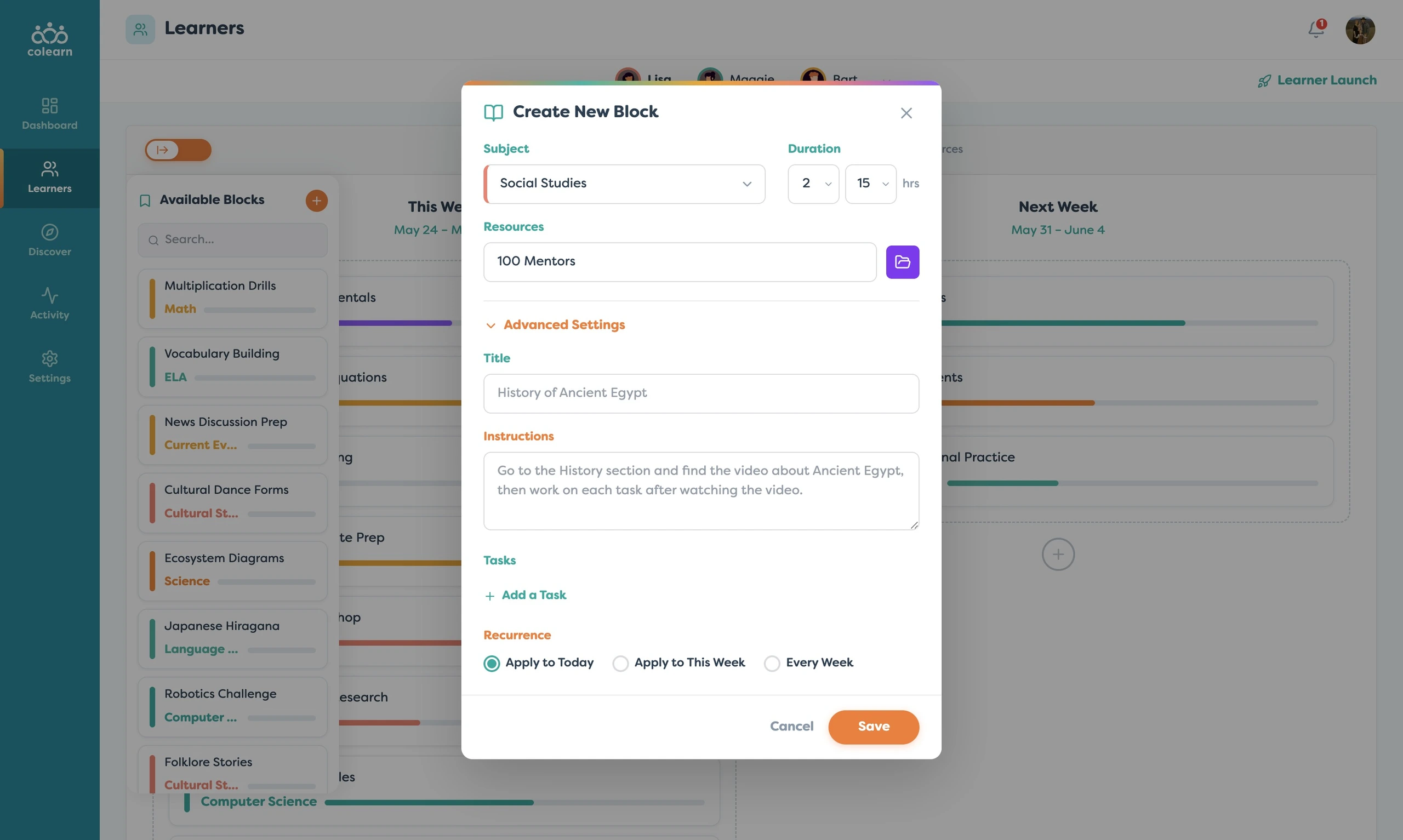
Once blocks existed, the daily planner translated the family’s weekly intent into a more practical schedule. The interface separated the week into days and learning zones so parents could see how the plan would feel in real life.
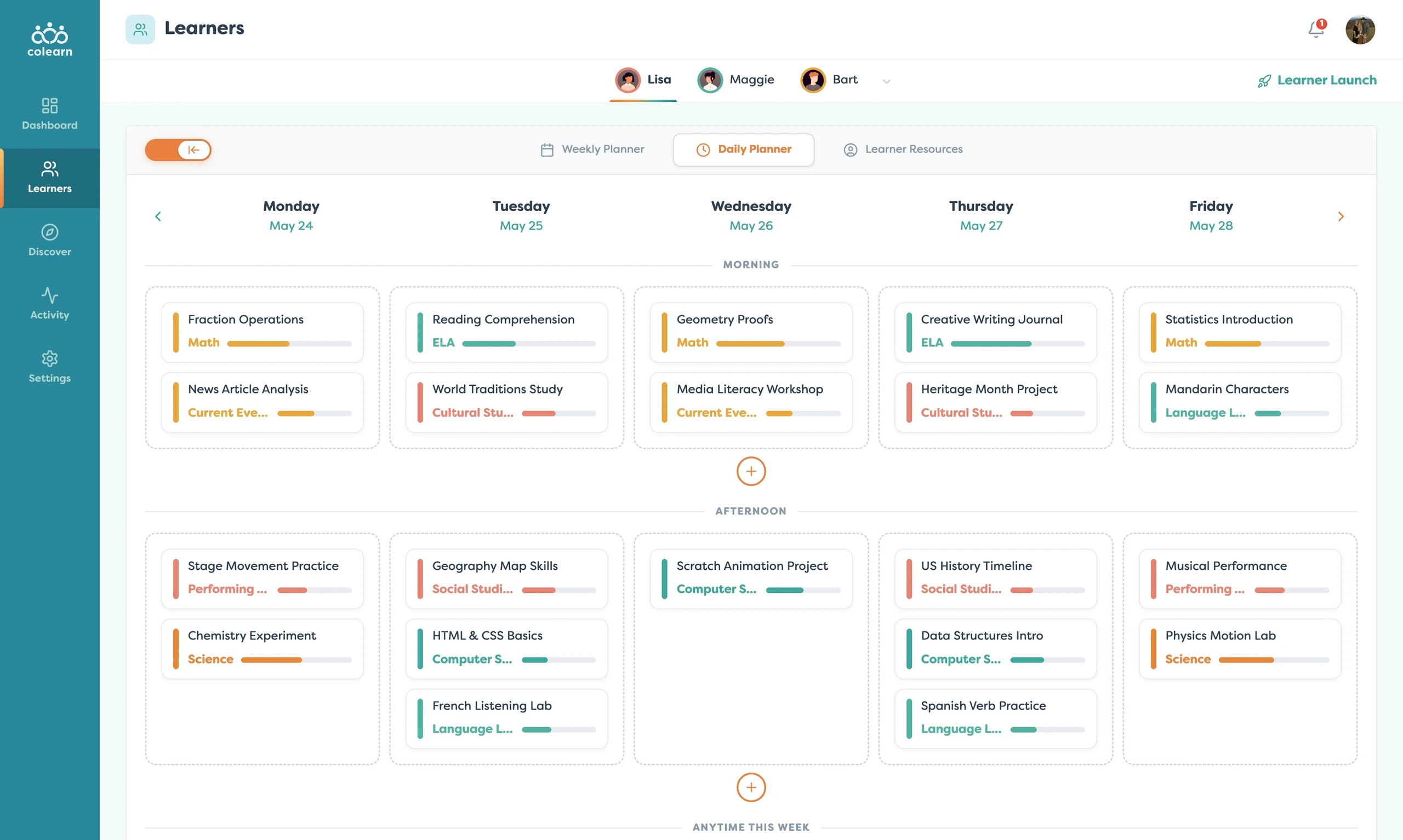
This view helped balance structure and breathing room. Parents could create rhythm without overloading every day, and the product could support both planned learning and flexible family routines.
The resource discovery area extended the app beyond scheduling. Parents could search for programs, classes, and learning providers directly from the product, making the app feel more like a learning ecosystem than a task manager.
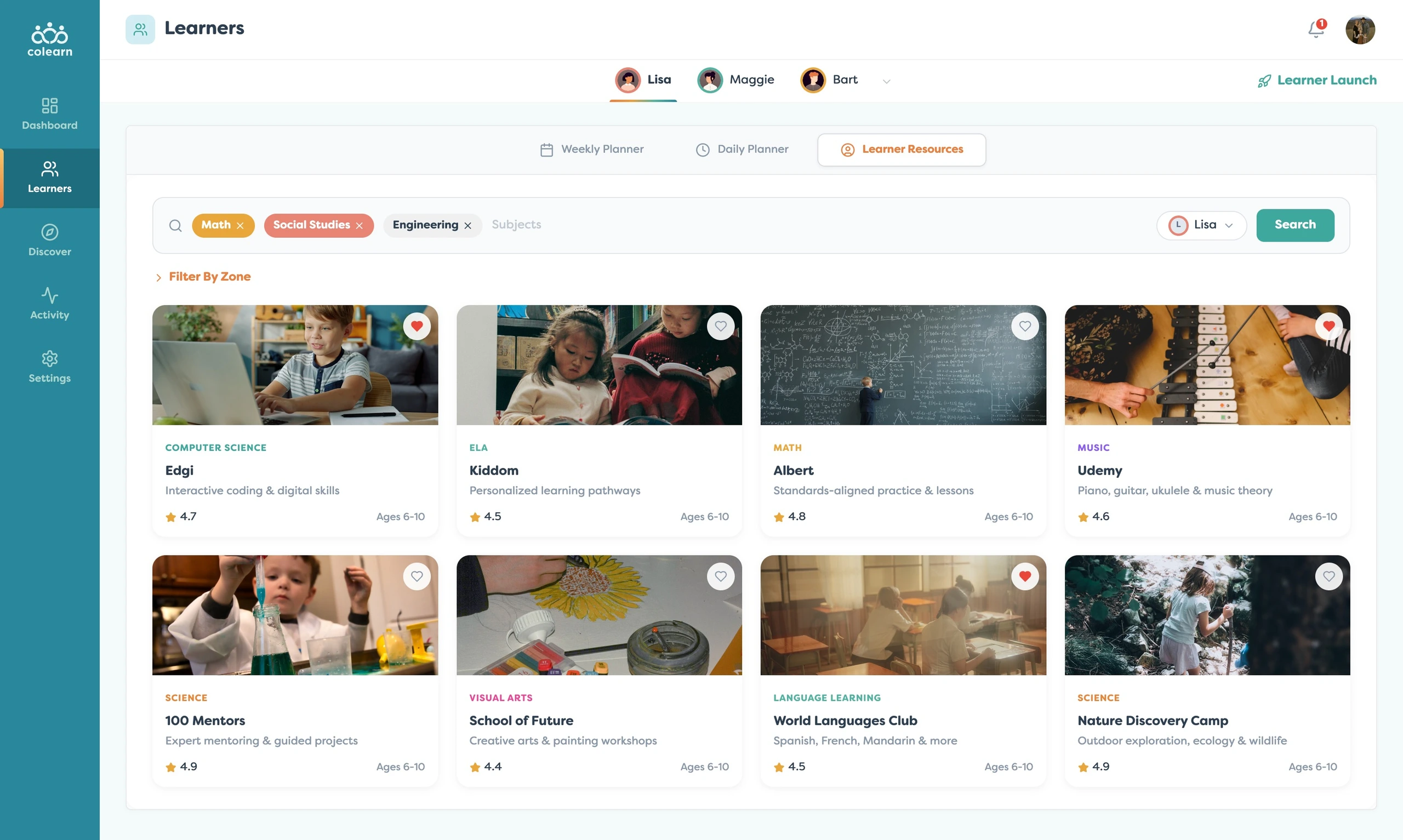
This mattered because planning and discovery are connected. A parent might notice a gap in the week, search for a science resource, and then turn that resource into a scheduled learning block.
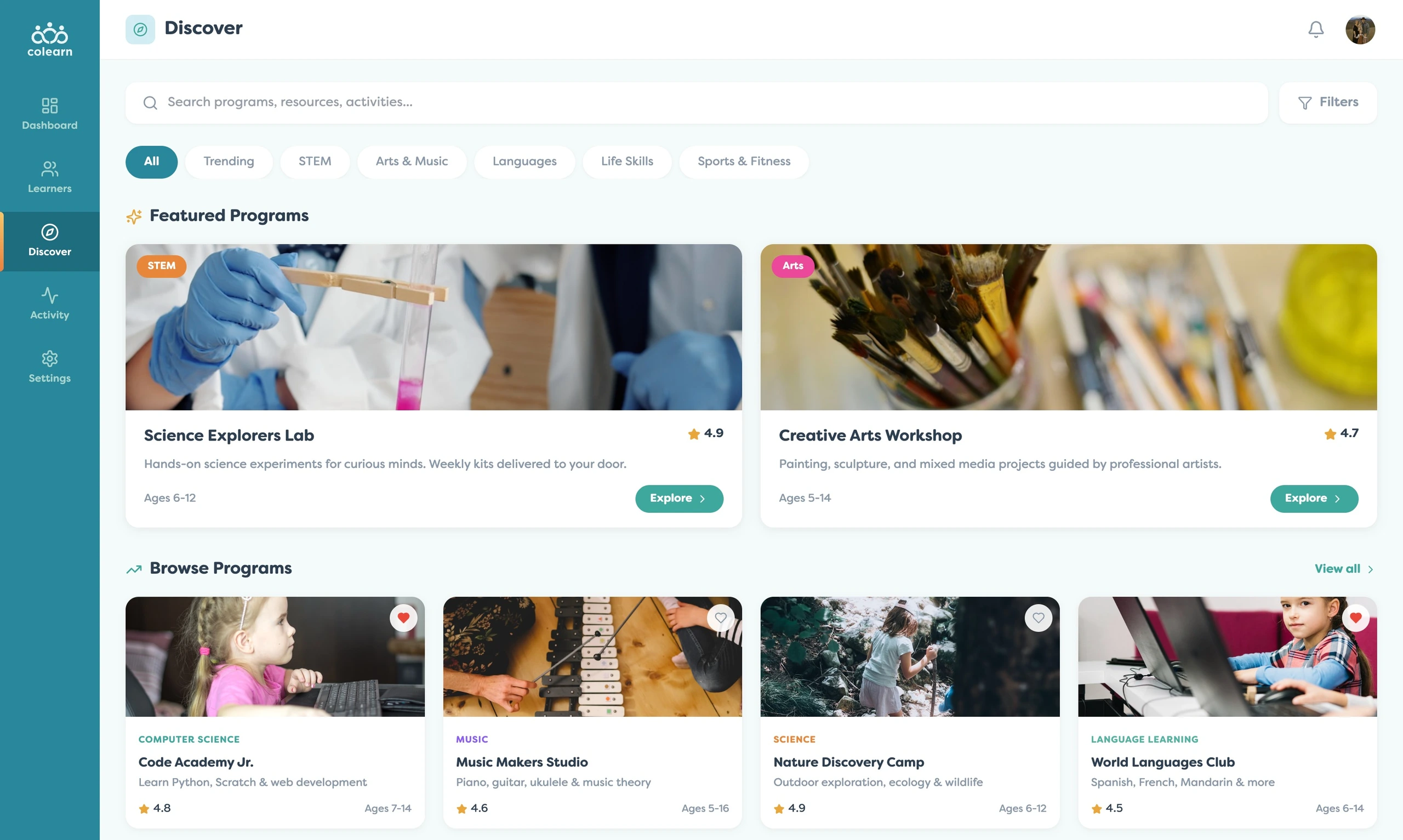
The broader Discover experience supported a more open-ended browsing mode. Parents could explore featured programs, categories, and activities before deciding what belonged in a learner’s plan.
I also designed visibility into what learners were actually doing. The activity feed surfaced completed blocks, help requests, milestones, feedback, and in-progress work so parents could stay informed without interrupting the learner experience.
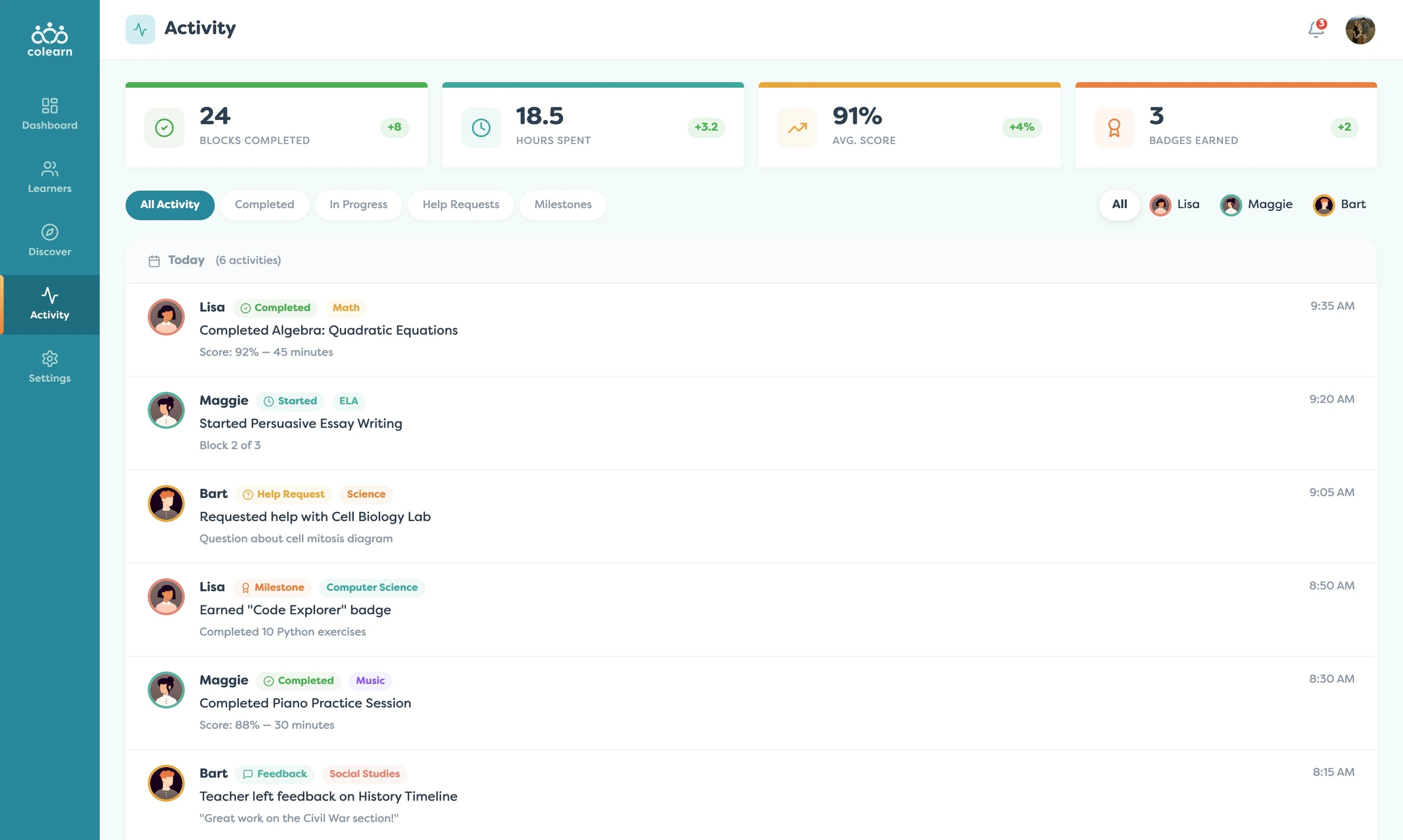
This closed the loop between planning and reality. Parents could see whether the schedule was working, whether a learner needed support, and whether progress was happening across subjects.
The app also needed a clear family management layer. Parents were not managing one generic student, they were managing multiple learners with different ages, grade levels, needs, and schedules.
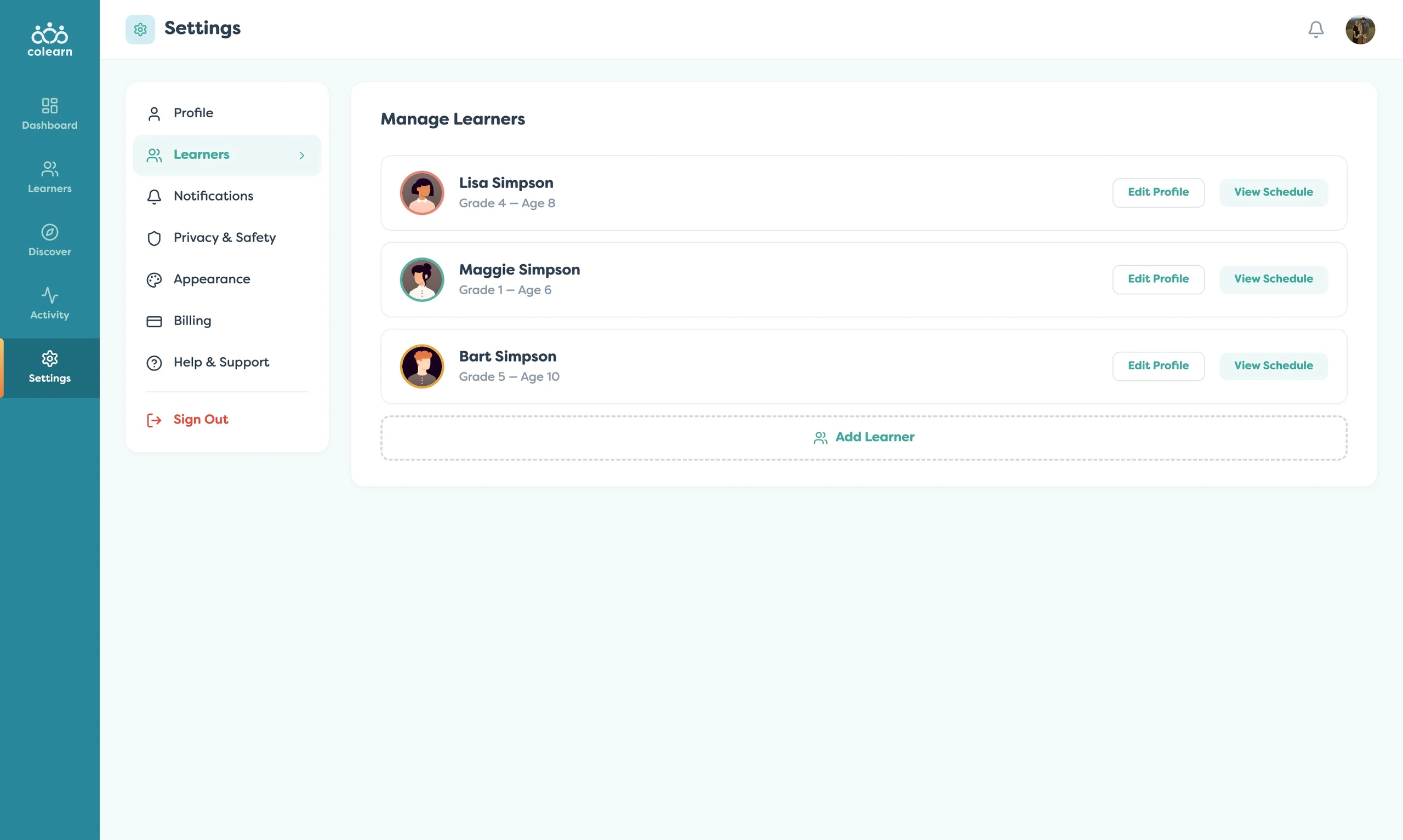
Because this was a child-centered education product, trust and control were part of the core experience. Privacy, content filtering, screen time, and data controls had to feel accessible, not buried.
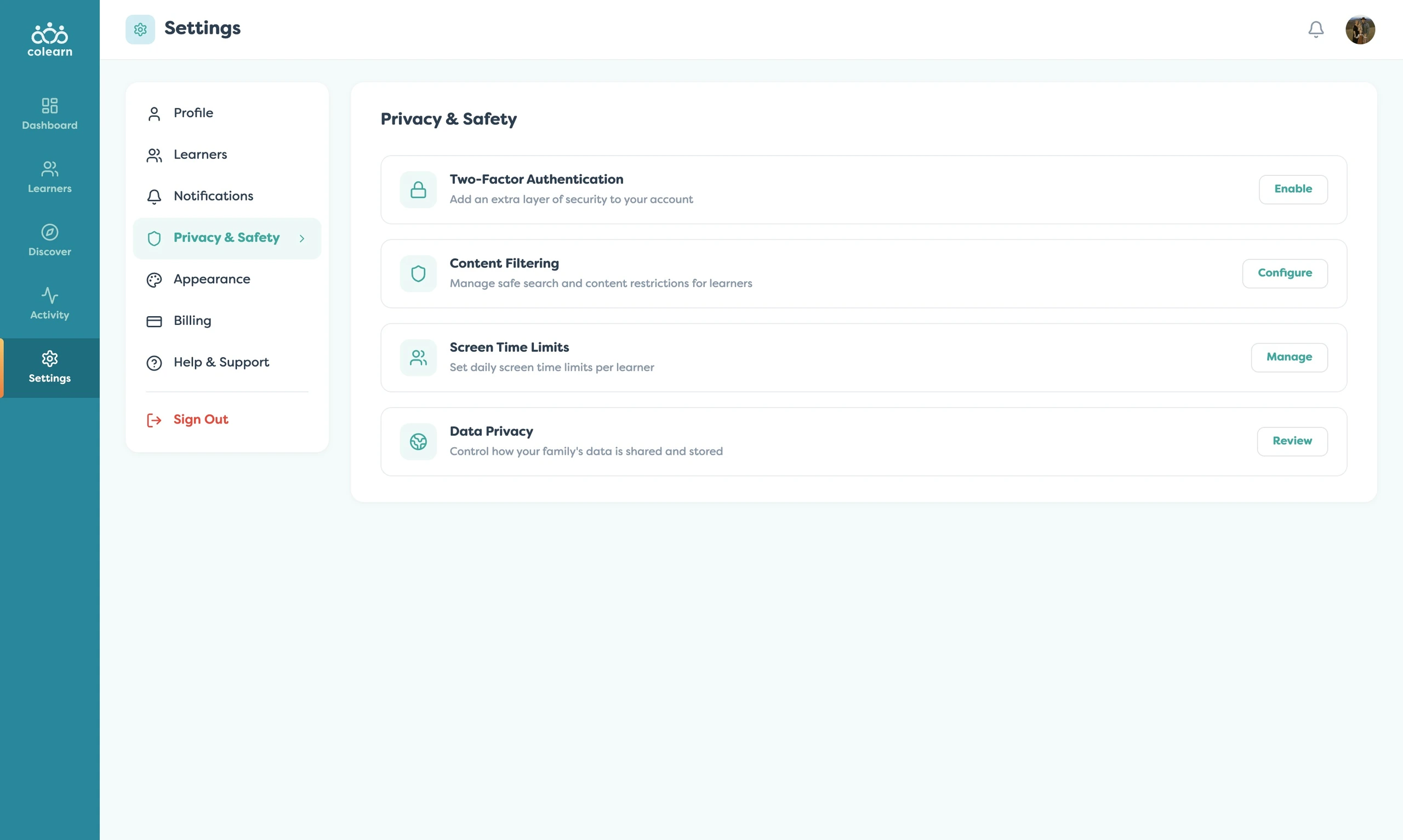
Together, these supporting screens made the product feel complete. The app was not just a planner. It was a parent operating system for coordinating learning, resources, learner progress, and family-level controls.
Related Projects
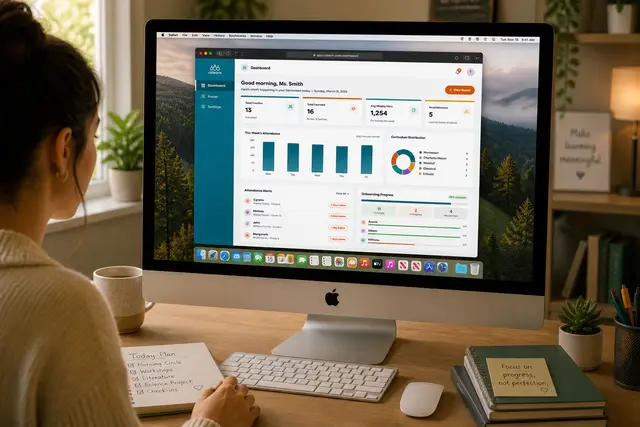
Colearn Homeroom
A teacher operations app that helped homeroom leads monitor families, attendance, onboarding, and...
EdTech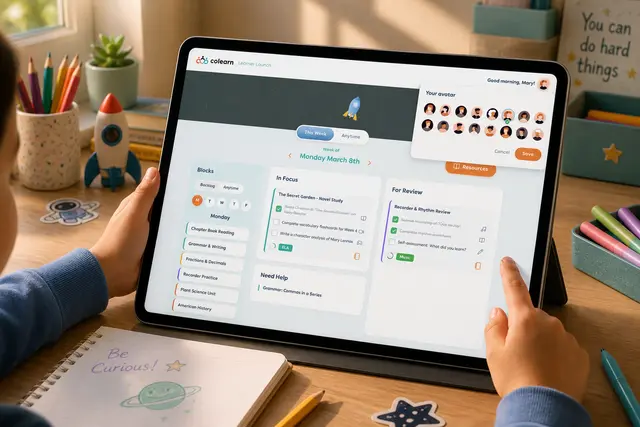
Learner Launch
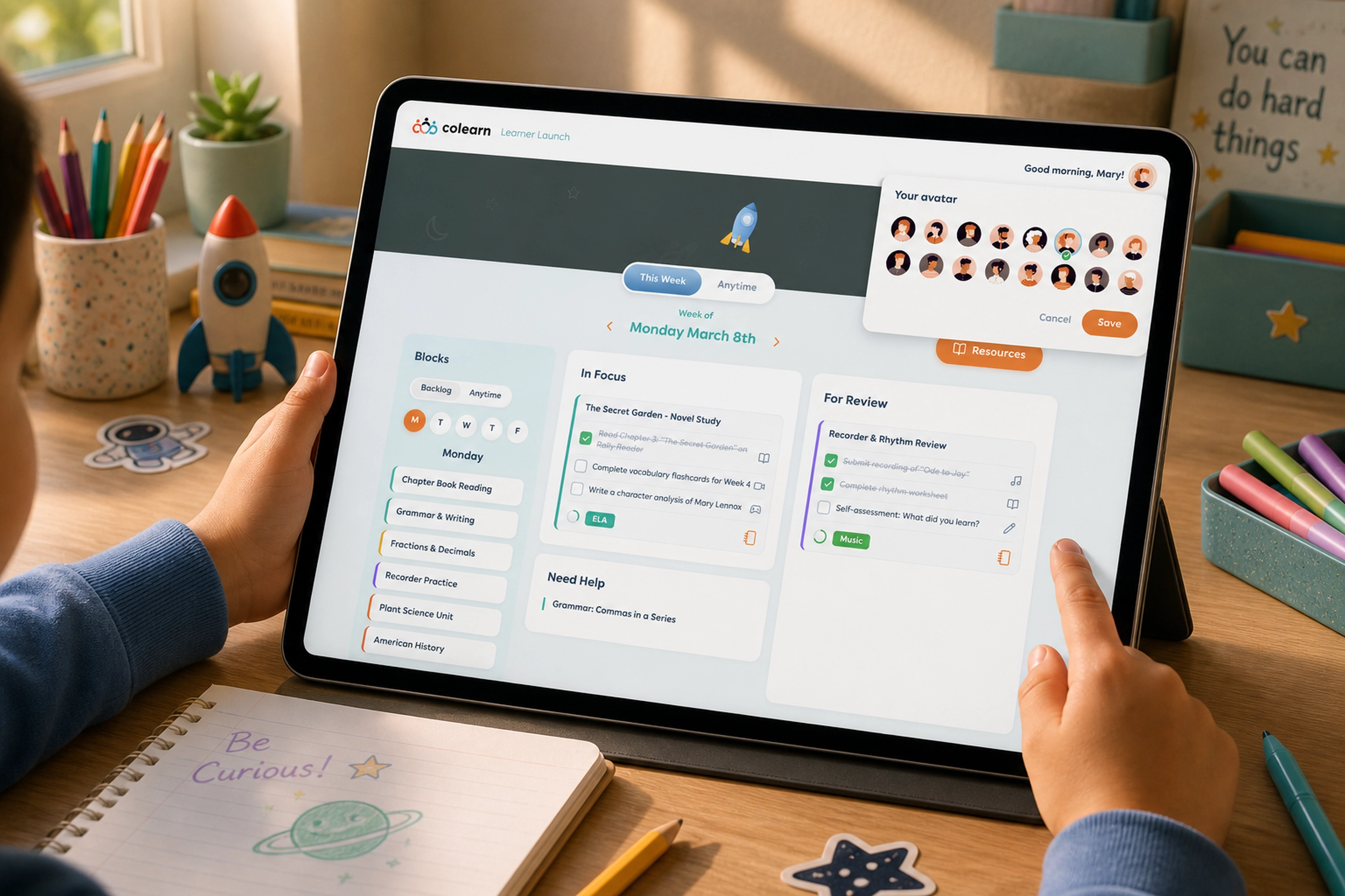
A student-facing app that turned learning plans into clear, motivating daily actions.
EdTech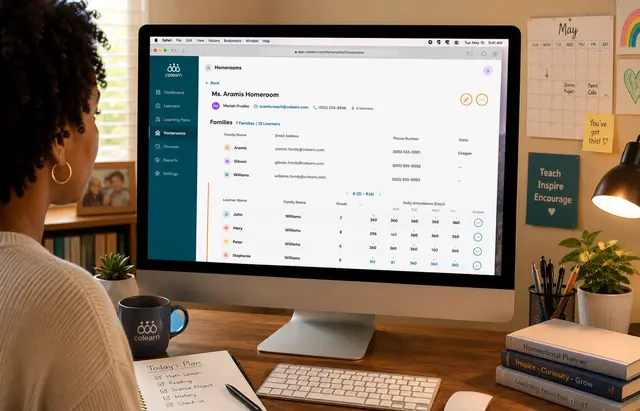
Colearn Homeroom Admin
A school admin app that unified enrollment, homerooms, attendance, staff roles, and operational r...
EdTech