
Clients & Ventures

Product/systems design that turns AI tech into business results









Contact Us
Contact form or information will go here.
Project Detail

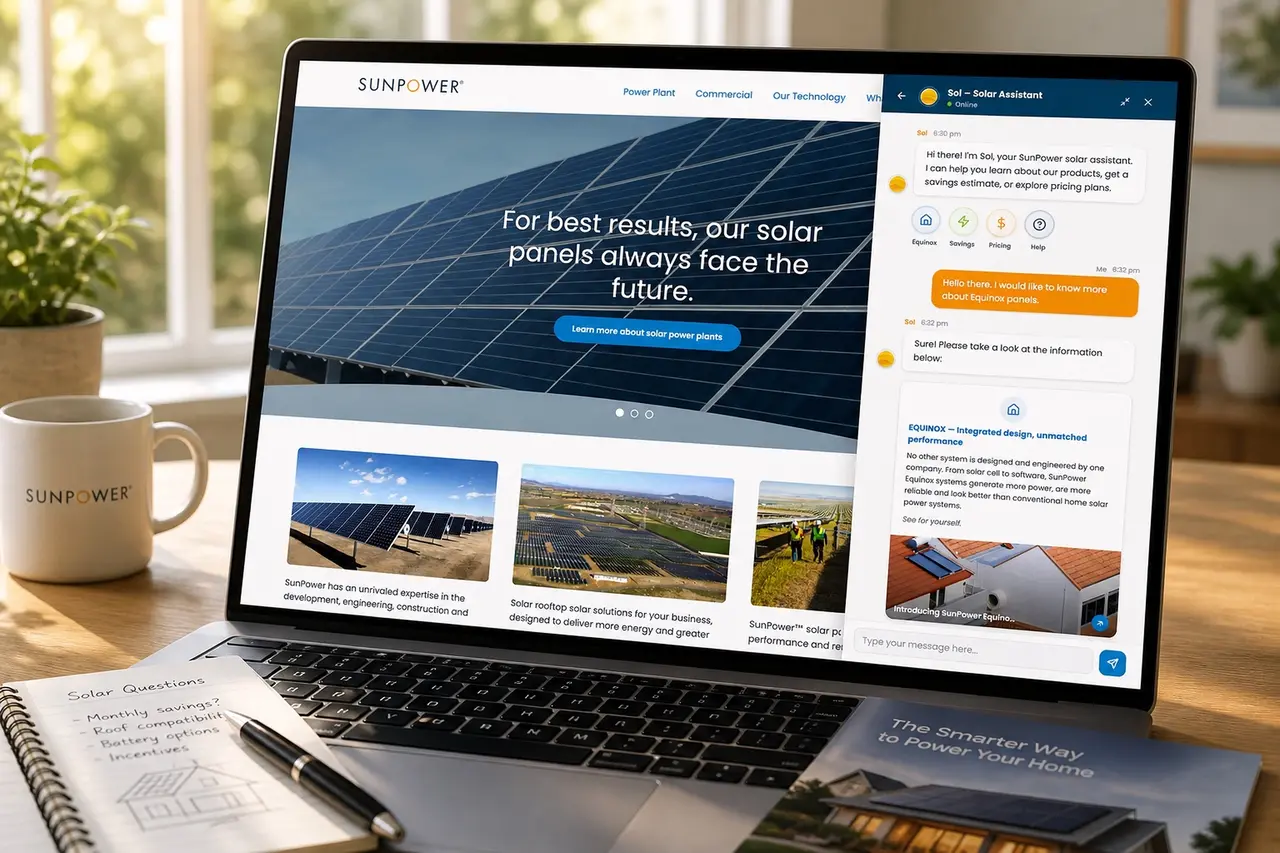

SOL - Homeowners AI Chatbot
Summary

An early chatbot experience that helped homeowners learn about solar, ask questions, and move toward savings estimates.
Homeowners had many basic solar questions, but answers were scattered across website pages, sales calls, FAQs, and follow-up conversations.
I designed SOL as a guided conversational assistant that could explain products, answer common questions, collect intent, and connect homeowners to the next step.
Outcome
SOL made solar education feel more immediate and conversational.
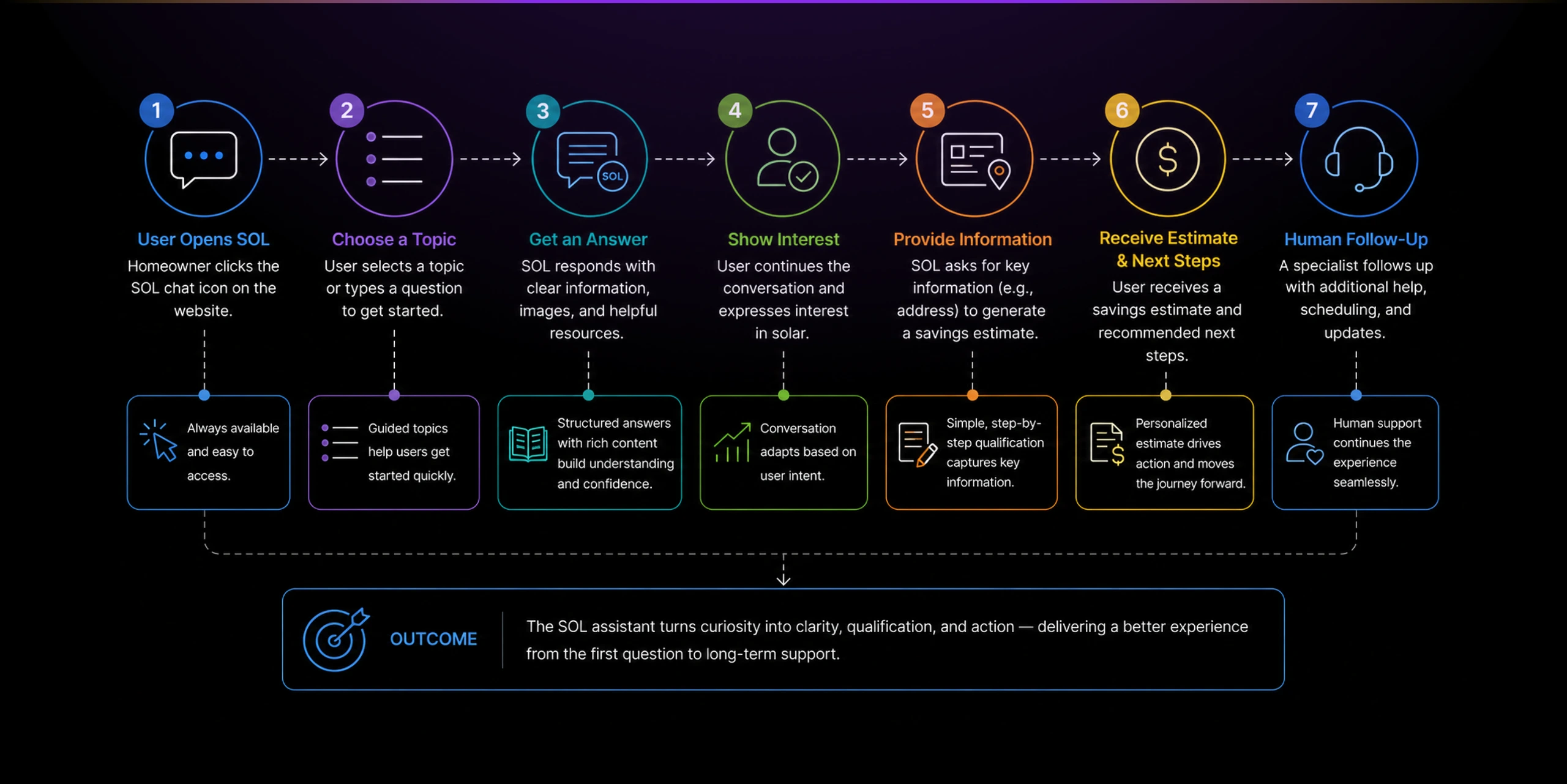
SOL helped turn static solar education into a guided, interactive experience. Homeowners could ask questions, explore products, learn about savings, and move toward an estimate without immediately depending on a sales rep.
Estimated impact based on project context:
- Reduced friction for early solar education
- Helped homeowners explore common questions faster
- Created a softer path into lead qualification
- Made product education feel more accessible
- Reduced dependency on repetitive sales explanations
- Established an early conversational UX pattern inside SunPower
The project was especially meaningful because it anticipated a direction that later became central to AI product design: conversational interfaces as guidance layers across complex product journeys.
The Problem
Solar education was too fragmented for curious homeowners.
Buying solar required homeowners to understand products, savings, roof suitability, installation, incentives, pricing, and long-term system value.
The website had information, but homeowners still had to search, read, compare, and decide what applied to their situation. If they had a specific question, they often needed to contact a sales rep.
That created unnecessary friction. Many visitors were not ready to talk to sales yet, but they still needed guidance before they could trust the process.
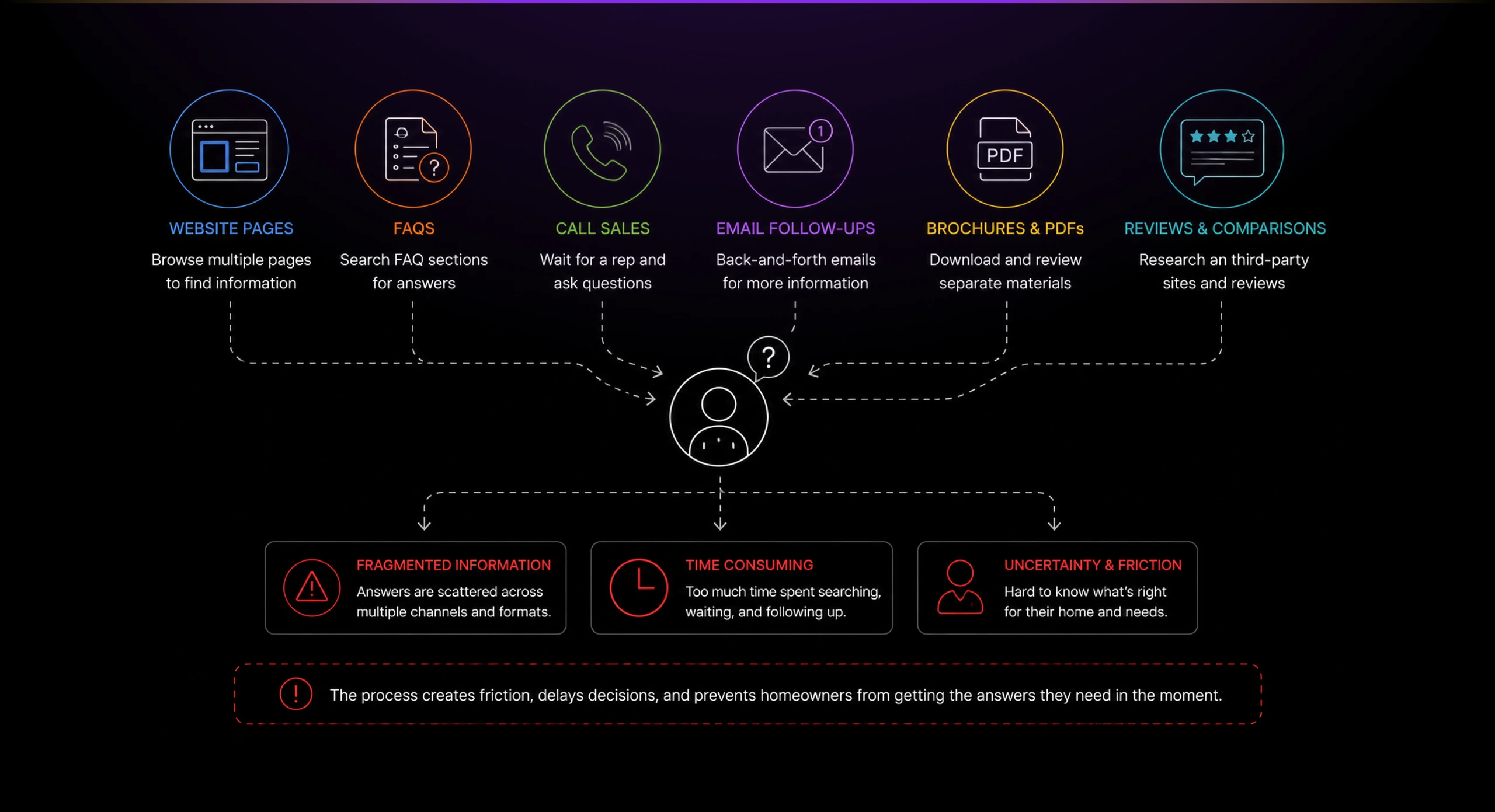
The challenge was to make solar education feel immediate, friendly, and guided without pretending the system could answer everything perfectly.
Solution
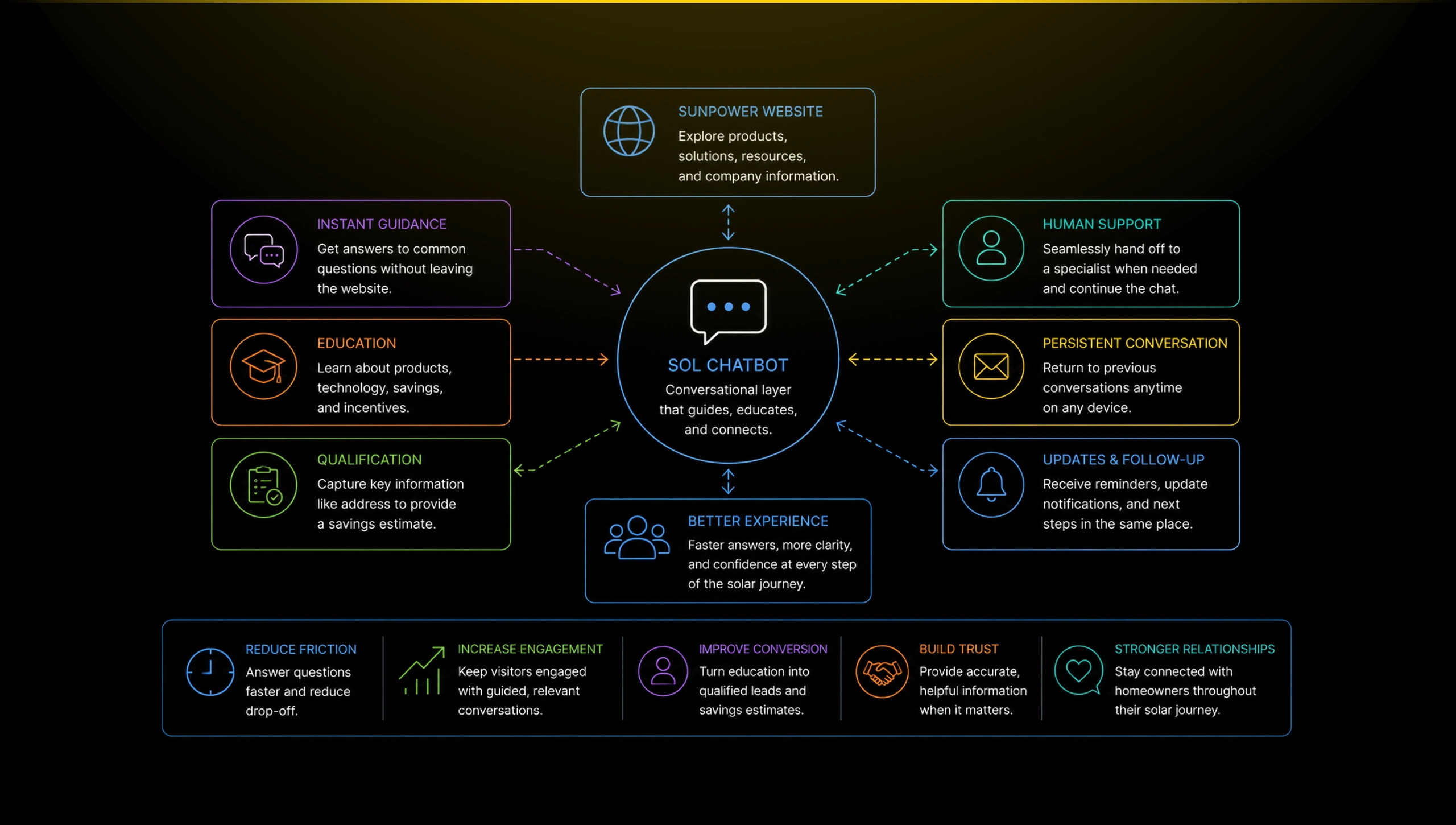
Creating a lightweight assistant inside the website.
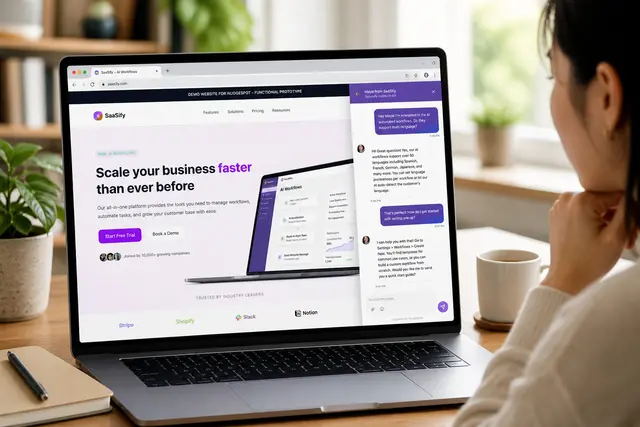
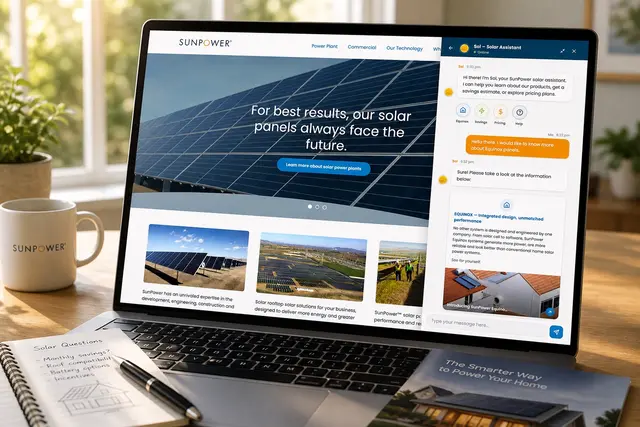
I designed SOL to live directly inside the SunPower website experience. It started as a small assistant entry point that did not interrupt browsing, but stayed available when homeowners needed help.
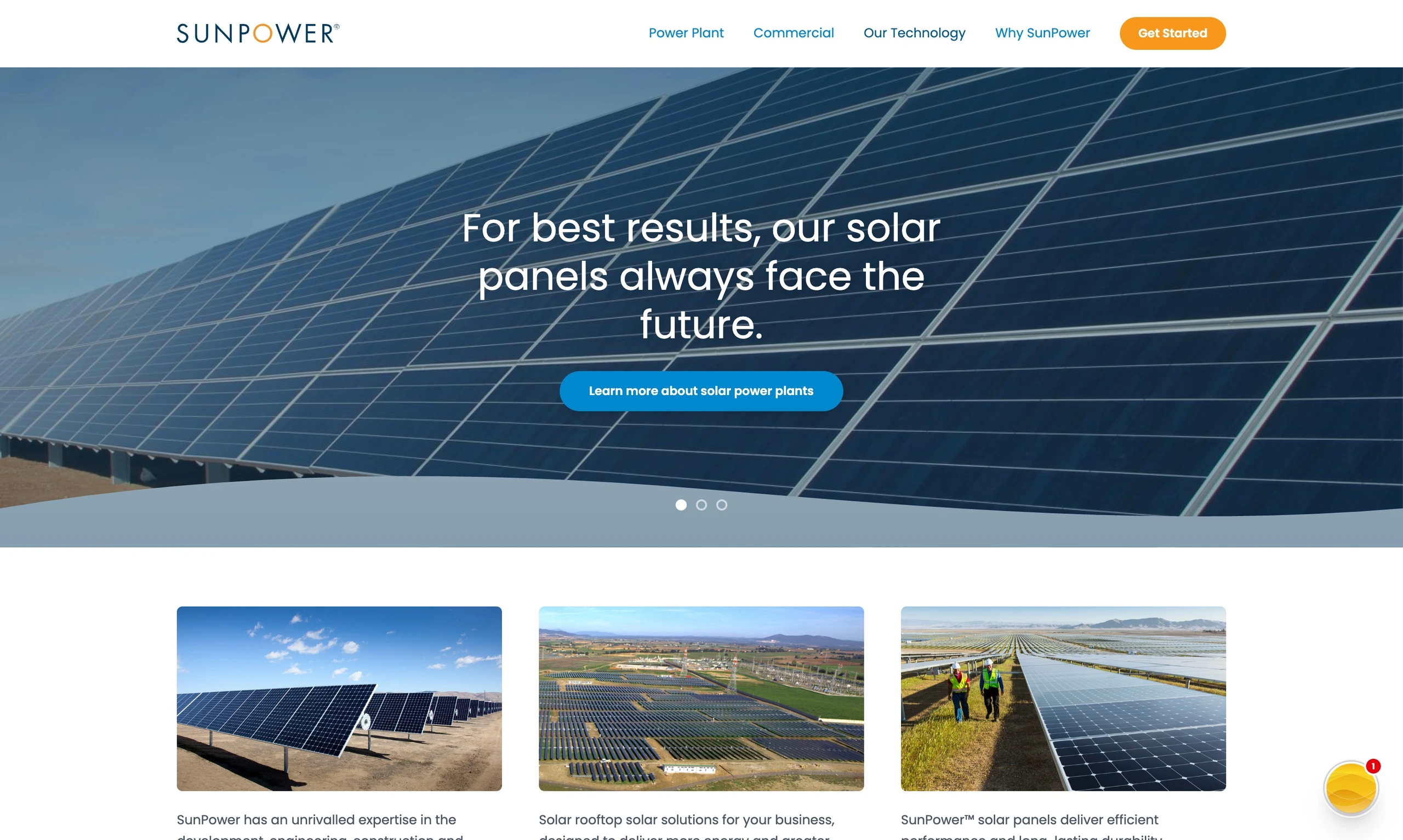
This mattered because the assistant needed to feel helpful, not intrusive. Homeowners could keep exploring the website while knowing support was one click away.
Making conversations feel persistent and approachable
The conversation drawer gave users a place to return to recent messages, assistant responses, and human updates.
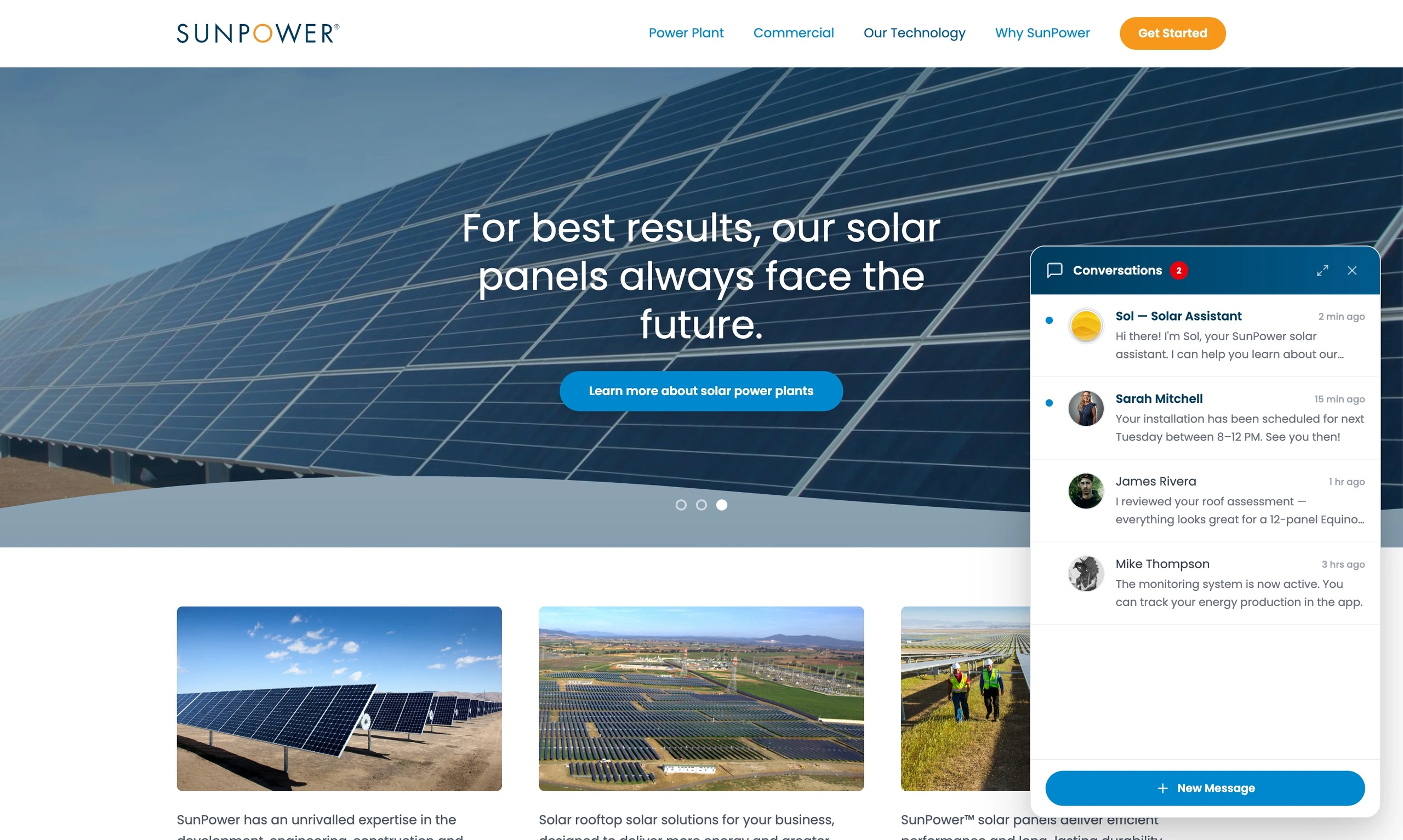
This helped the experience feel less like a one-off widget and more like a lightweight communication layer across the solar journey.
The expanded panel gave the chat more room when users wanted to focus on a conversation.
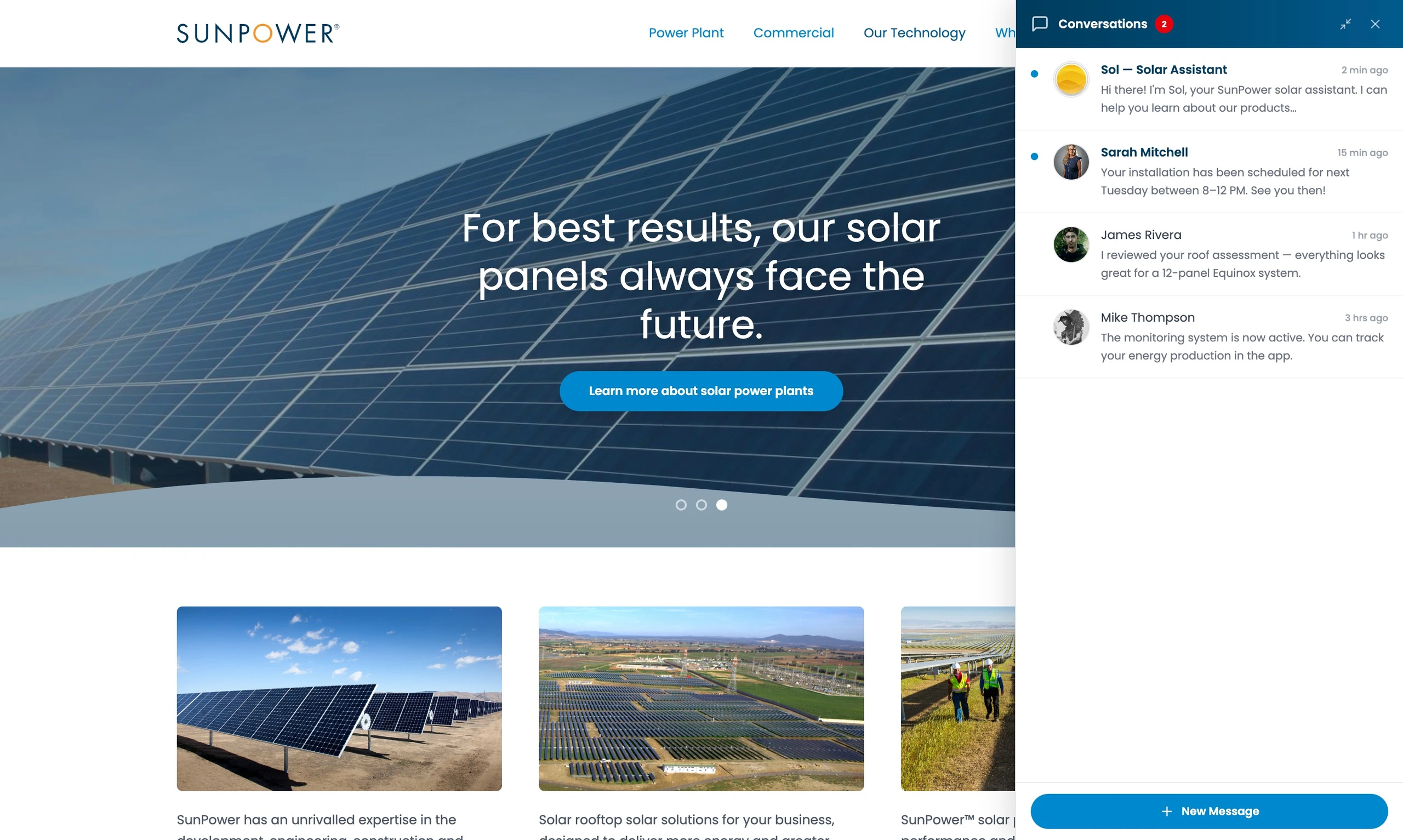
The design preserved context. Users could still see the website behind the panel, which kept the assistant connected to the broader product and education experience.
Guiding users with structured topics
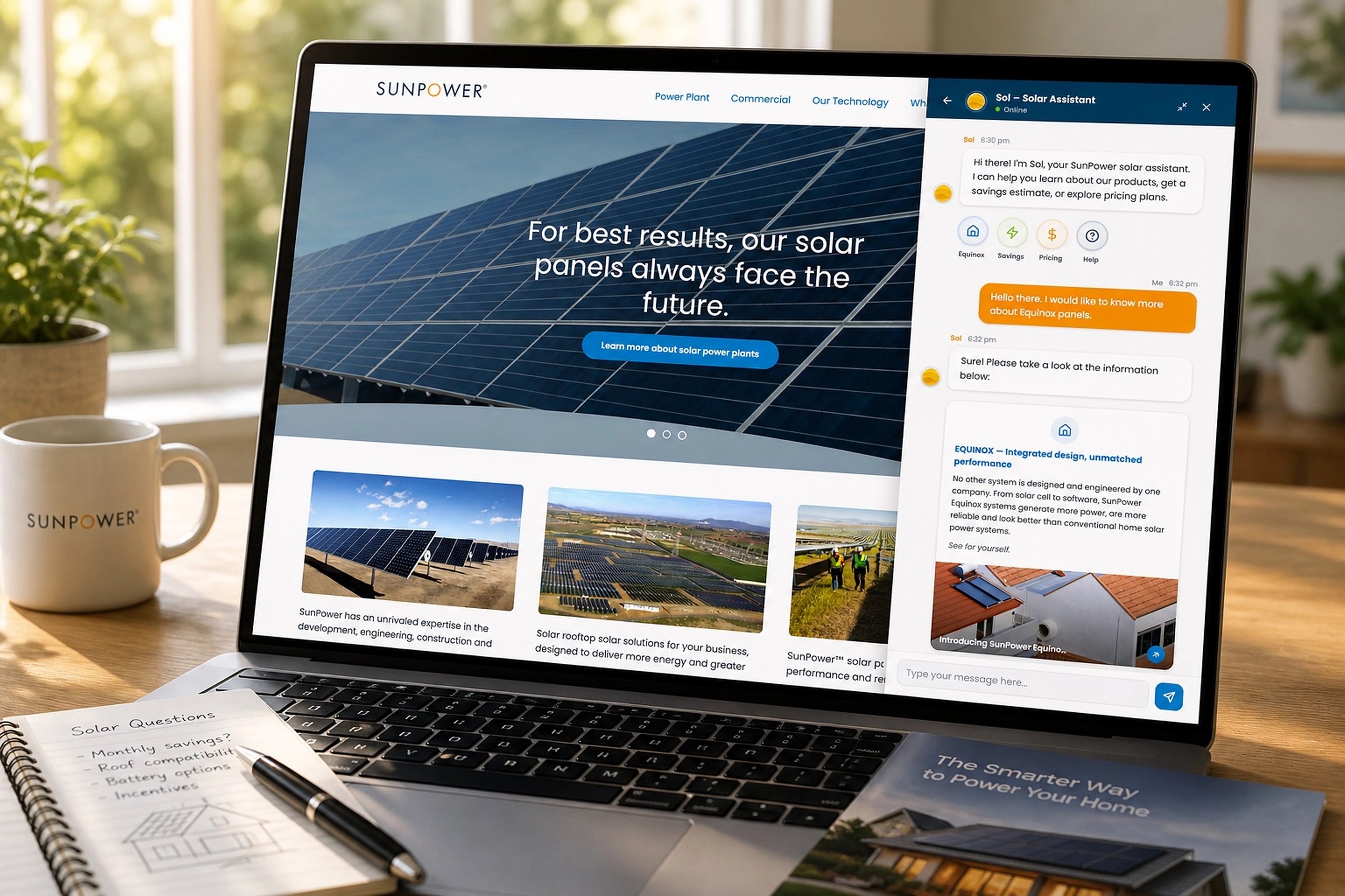
Because this was pre-LLM chatbot technology, the experience needed structure. I designed topic shortcuts to help users start with common areas like Equinox, savings, pricing, and help.
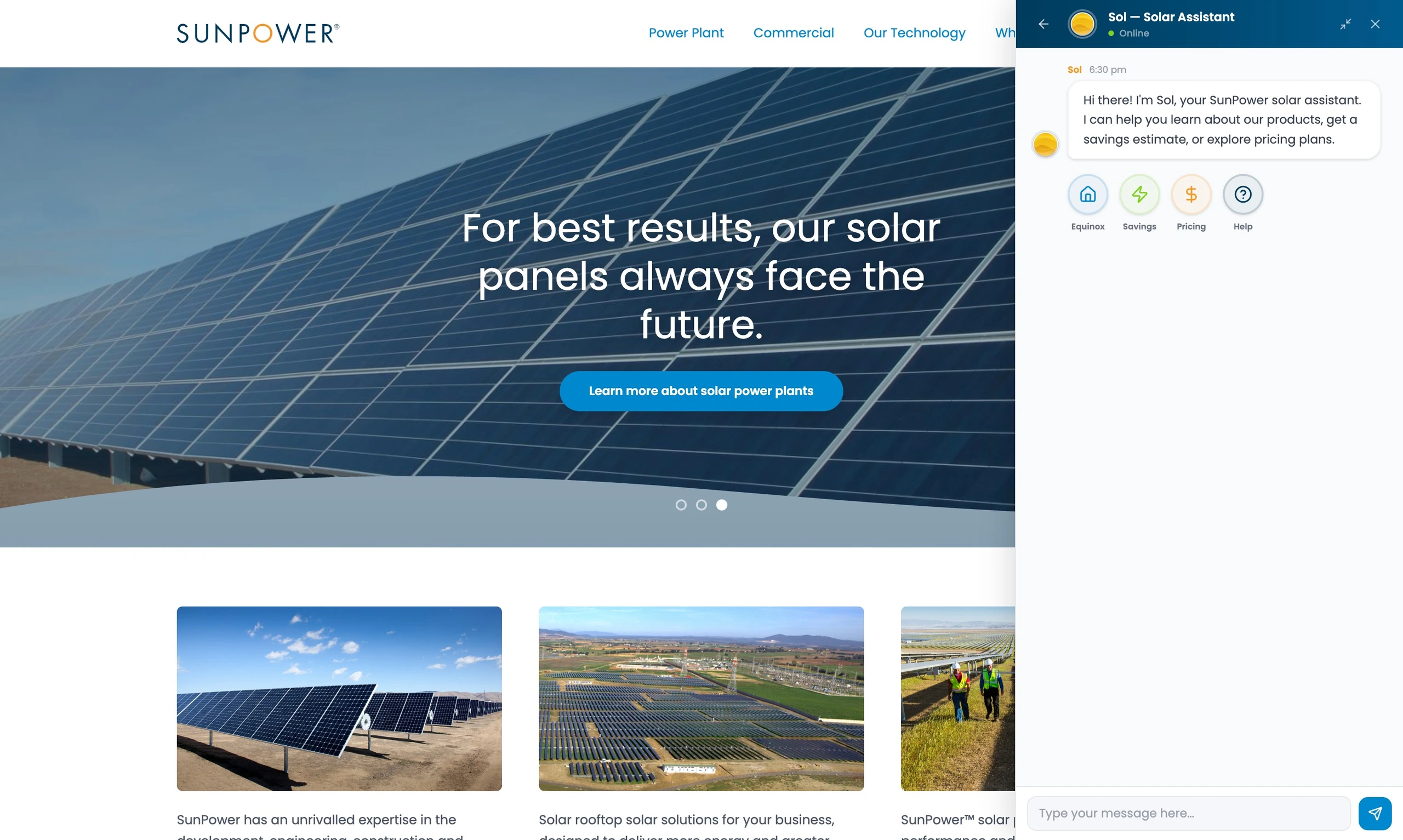
These shortcuts reduced the blank-page problem. Instead of forcing users to guess what the assistant understood, the interface suggested safe paths into the conversation.
This was important for trust. A constrained assistant that behaved predictably was better than an overly broad assistant that failed unexpectedly.
Turning answers into rich educational moments
SOL was designed to do more than return short text replies. It could surface structured cards, product explanations, images, and next-step prompts inside the chat.
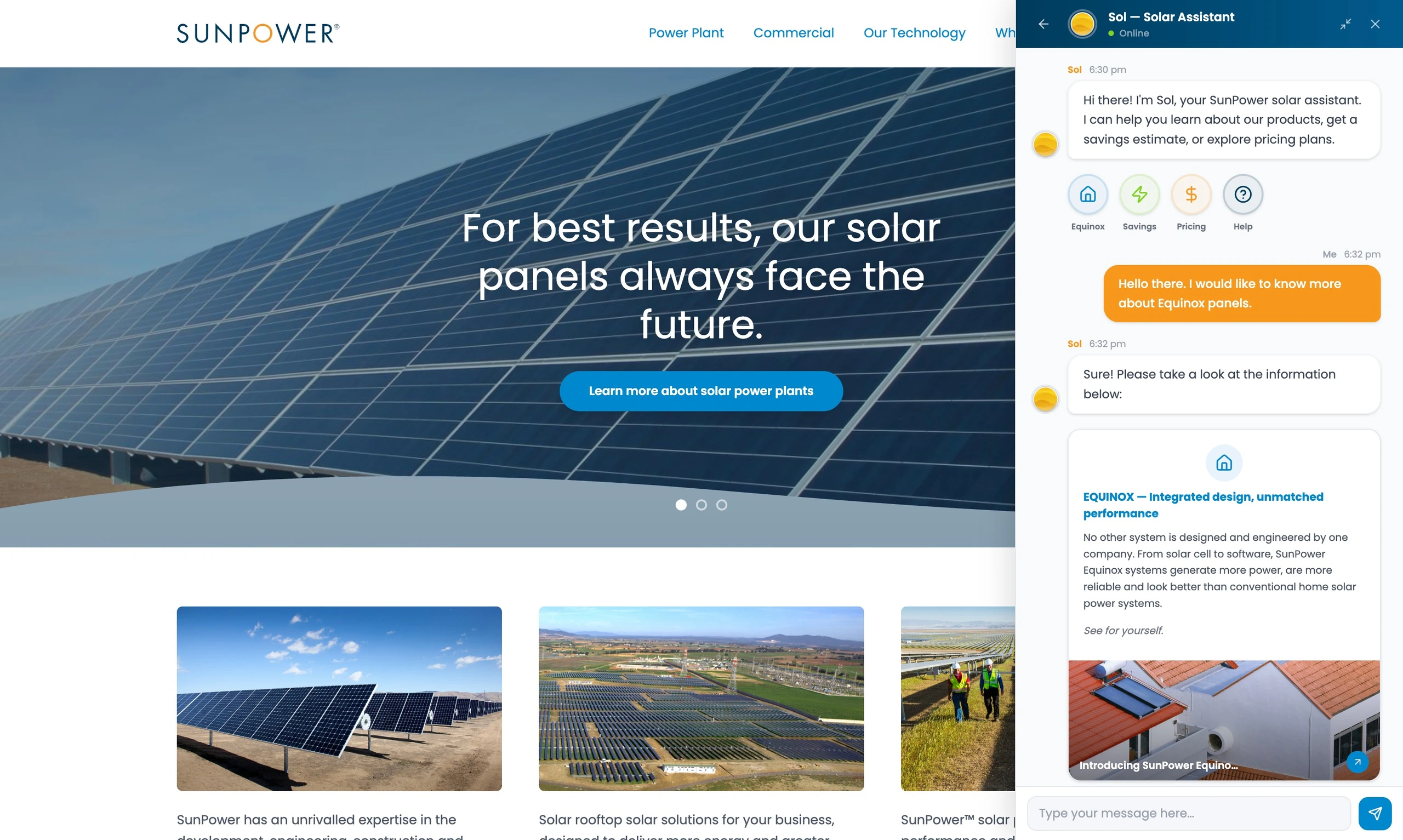
The product card made the response feel tangible. Users could ask about SunPower panels and receive a concise explanation with supporting visual content.
This helped translate product knowledge into a more conversational, accessible format.
Moving from education to lead qualification
Once a homeowner showed interest, SOL could ask for the information needed to provide a savings estimate.
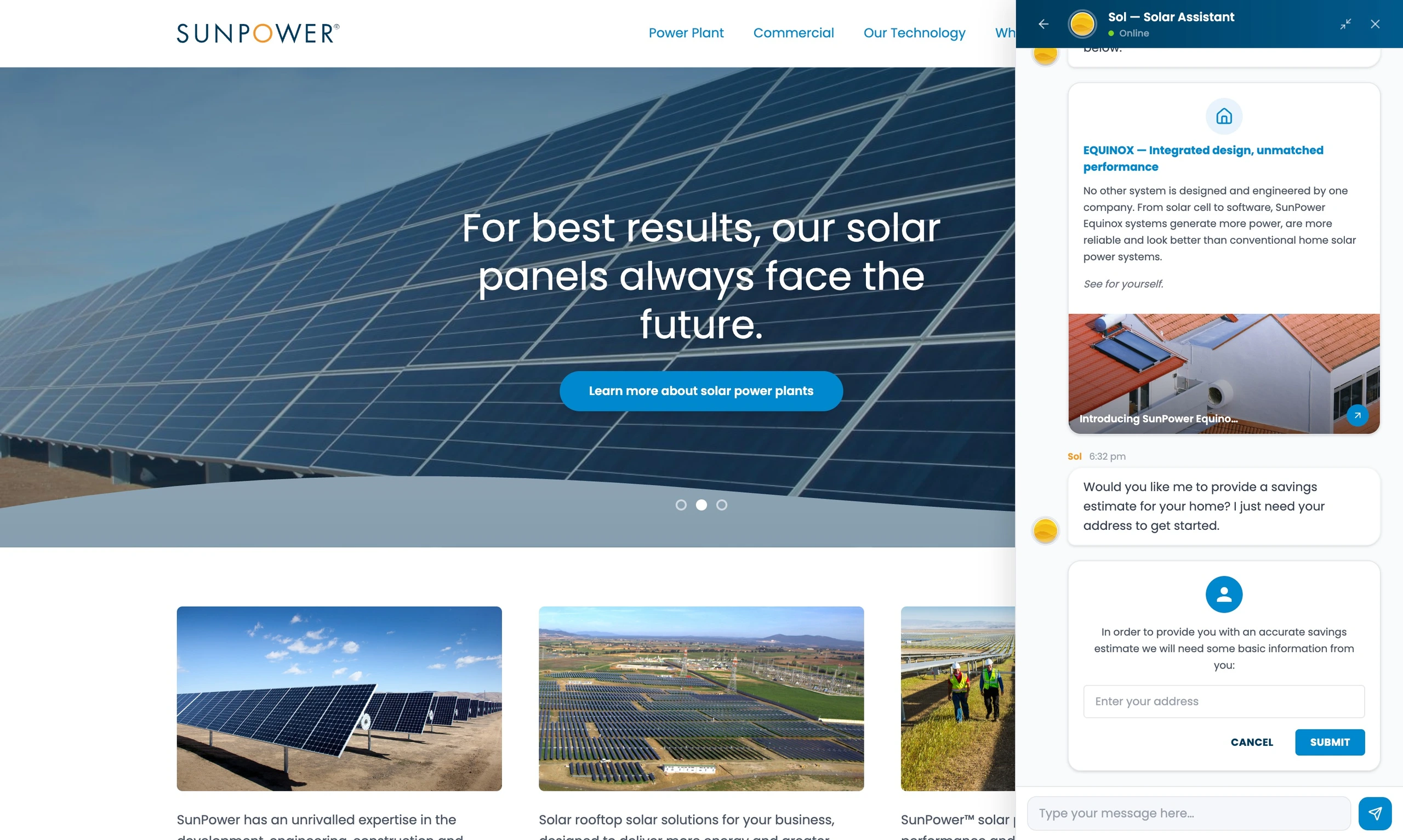
The address form turned the chatbot from a passive support tool into a lead qualification path. It connected curiosity to action without forcing an immediate sales call.
Supporting continuity beyond the assistant
The experience also allowed human updates to appear in the same conversational space, including installation scheduling messages.
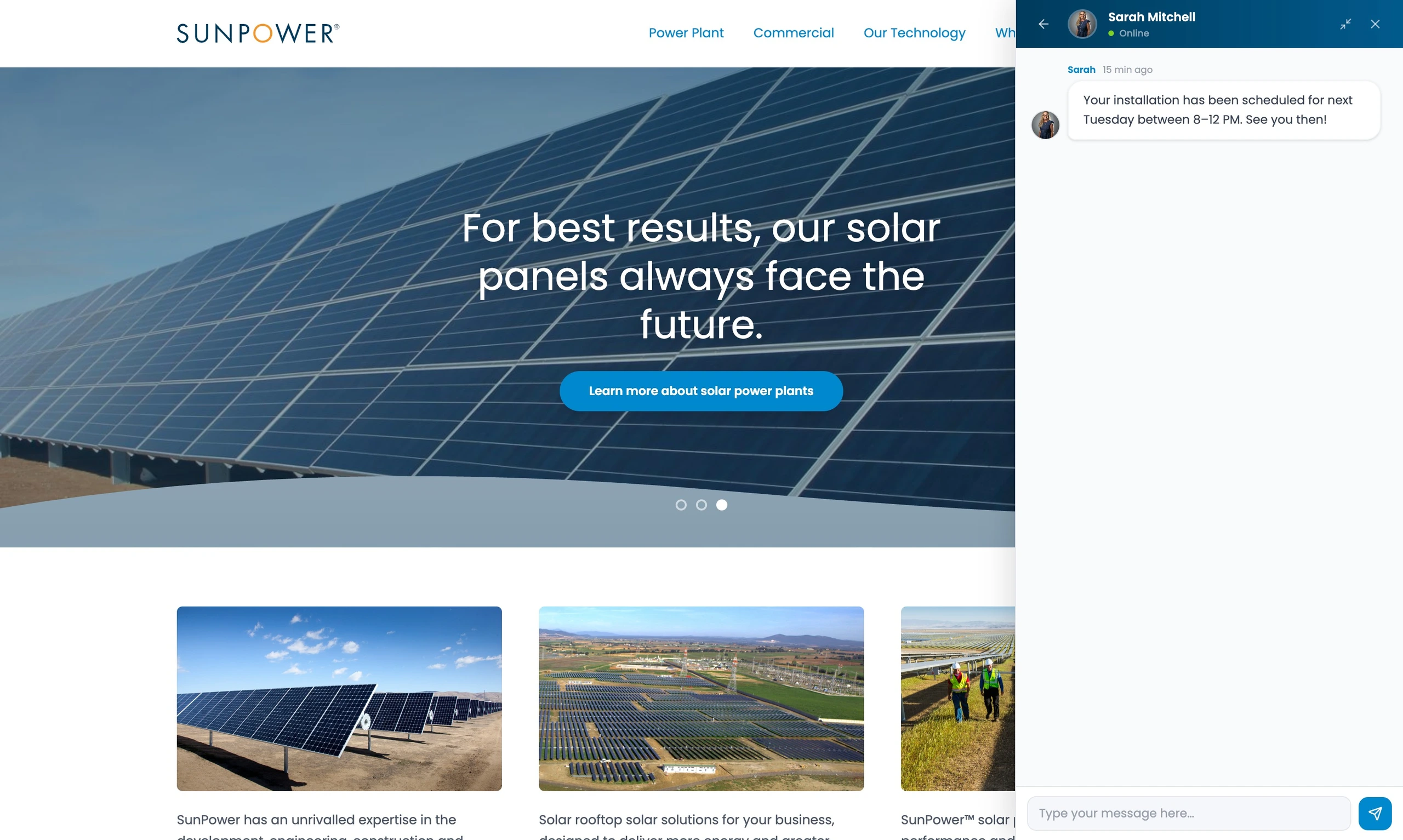
This was important because the solar journey does not end with a question. Homeowners need updates, reminders, and reassurance as they move from education into installation.
SOL hinted at a broader communication model: chatbot when possible, human support when needed, and one persistent place for updates.
Related Projects
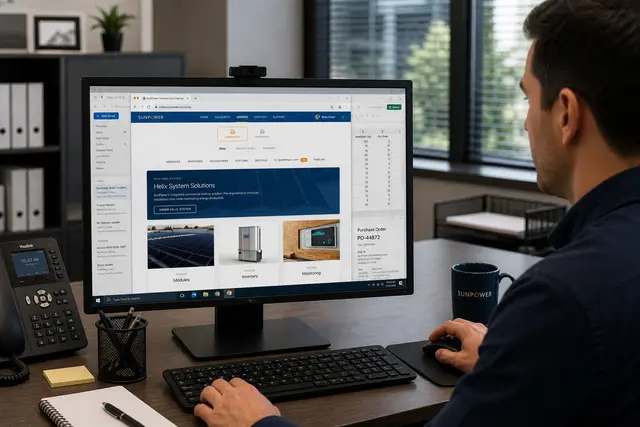
Commercial Ordering System
A redesigned commercial ordering workflow that turned complex solar BOMs into faster, reusable de...
Energy & Climate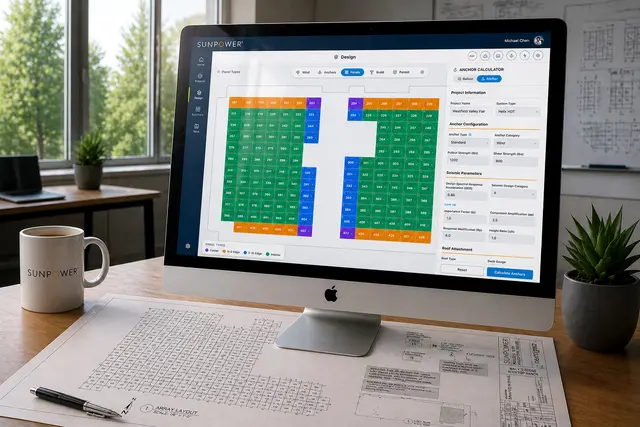
Helix Calculator
A CAD-like commercial solar design tool that helped dealers create accurate rooftop layouts in mi...
Energy & Climate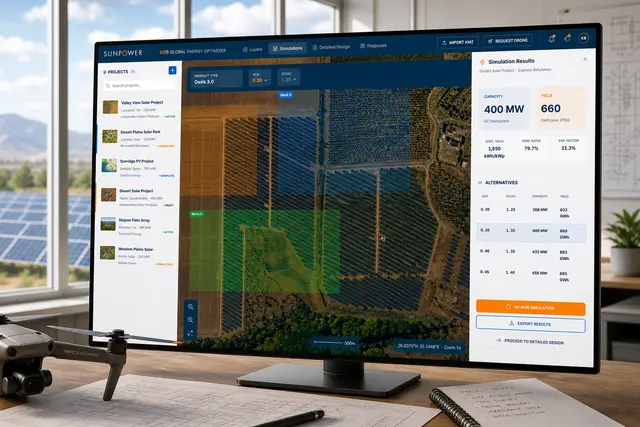
GEO – Global Energy Optimizer
A geospatial solar planning platform for defining sites, simulating layouts, optimizing system pa...
Energy & Climate