Clients & Ventures

Product/systems design that turns AI tech into business results





































Contact Us
Contact form or information will go here.
Project Detail


Managed Cloud Platform
Summary

A developer platform that simplified deploying, scaling, and operating Ruby applications without requiring deep infrastructure expertise.
Engine Yard provided a managed cloud platform that allowed dev teams to deploy and operate apps without managing complex infrastructure directly. Startups needed reliable production environments but often lacked the operational expertise to configure AWS infrastructure, load balancing, databases, and scaling policies.
I contributed to designing interfaces and workflows that translated distributed cloud infrastructure into clear operational controls, enabling developers to deploy applications, manage clusters, and scale systems through a unified platform interface with improved usability consistency.
Outcome
A more approachable control layer for managed cloud operations.
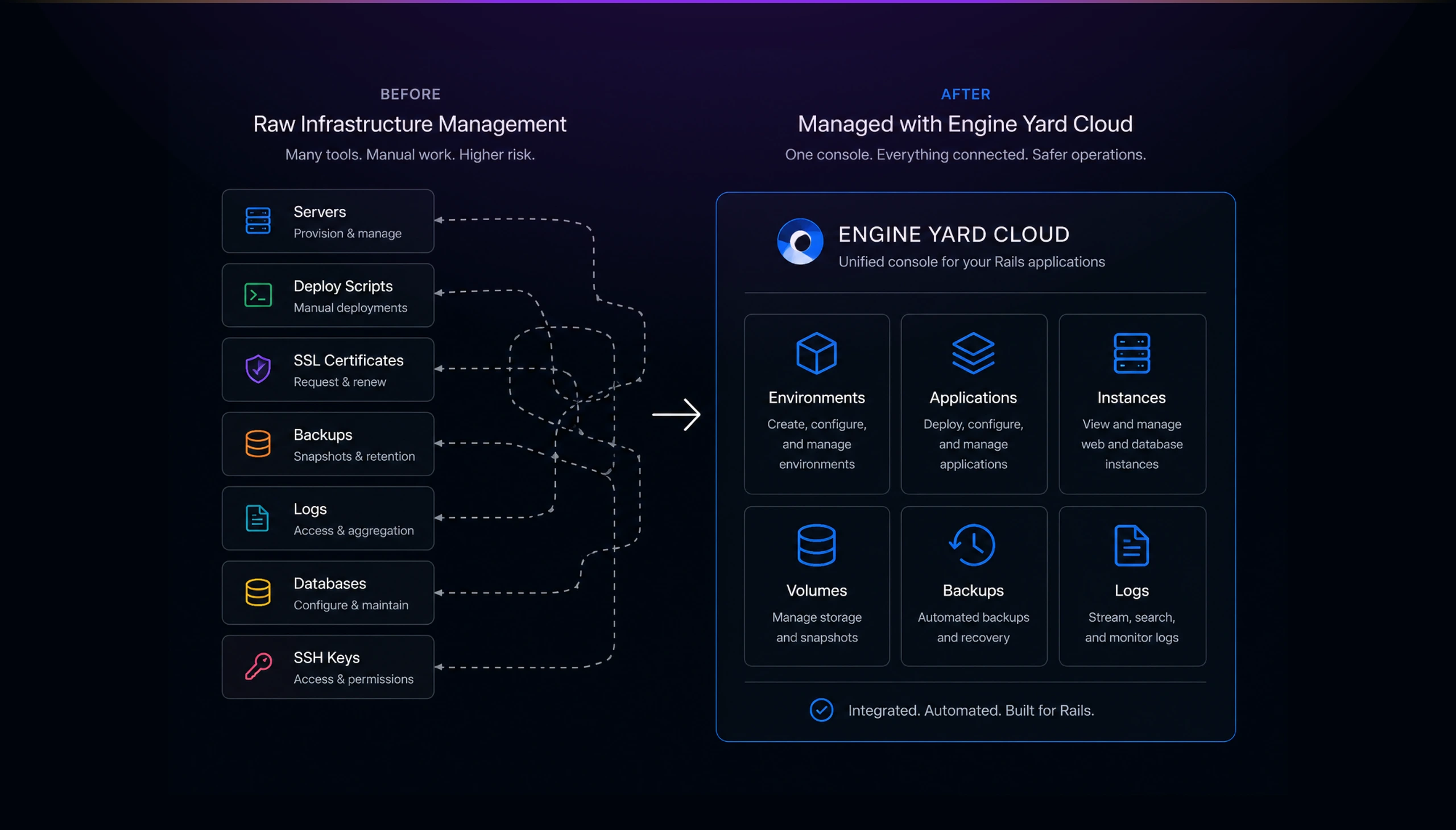
Engine Yard Cloud turned complex infrastructure management into a structured product experience. It helped developers and teams understand their environments, deploy applications, inspect infrastructure, manage dependencies, and operate production systems from one console.
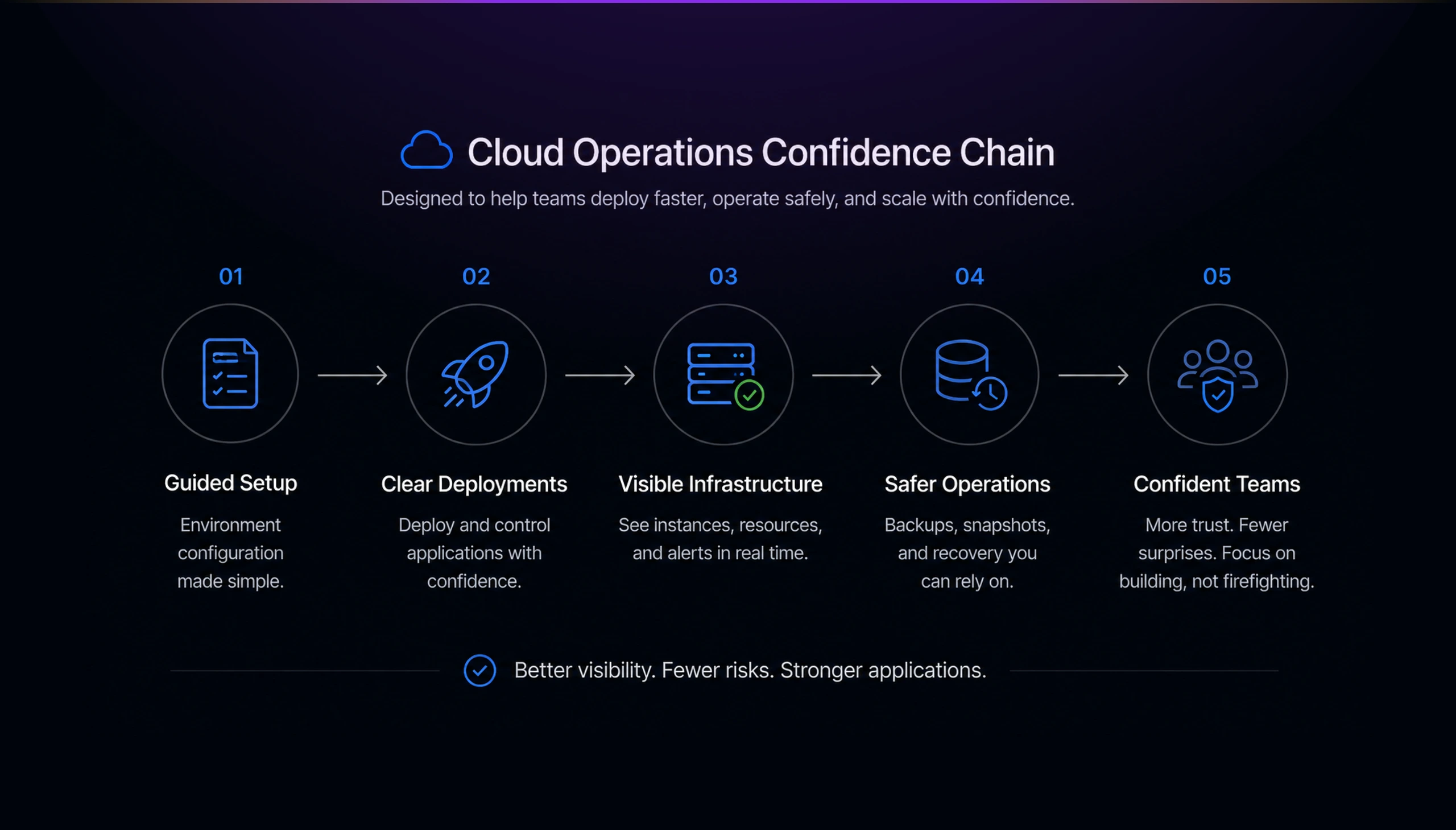
The strongest outcomes were practical:
- Faster environment setup through guided configuration.
- Clearer deployment and operational controls.
- Better visibility into web and database instances.
- Easier management of backups, volumes, SSL, and monitoring.
- More confidence for developers operating production Rails applications.
- A cleaner mental model for moving between app, environment, and infrastructure concerns.
This project shows one of the central patterns in my work: designing interfaces that expose complex systems without dumping complexity onto the user. Engine Yard Cloud was not about hiding infrastructure. It was about making infrastructure legible, controllable, and safer to operate.
The Problem
Cloud infrastructure was powerful, but hard to operate safely.
Developers wanted the benefits of managed cloud infrastructure, but they still needed visibility and control. They needed to deploy applications, configure environments, manage instances, set up SSL certificates, run migrations, handle backups, inspect logs, and monitor usage. Each task touched a different part of the operational stack.
The challenge was not simply exposing every control. The challenge was designing a product that made infrastructure feel manageable.
A raw cloud control panel can easily become intimidating. Too much abstraction hides important operational reality. Too much infrastructure detail overwhelms application teams. Engine Yard Cloud needed to sit in the middle: opinionated enough to guide users, transparent enough to earn trust.
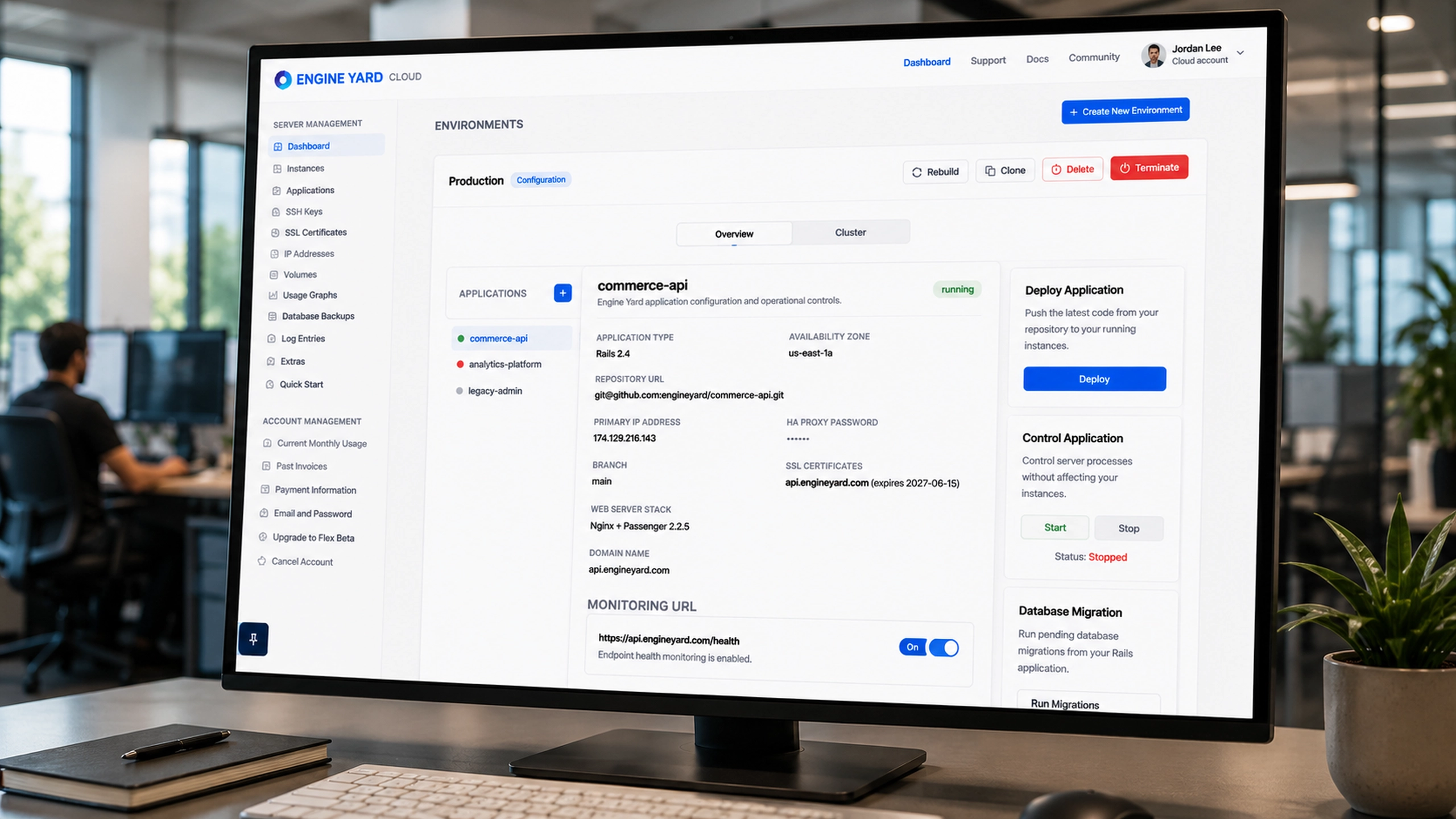
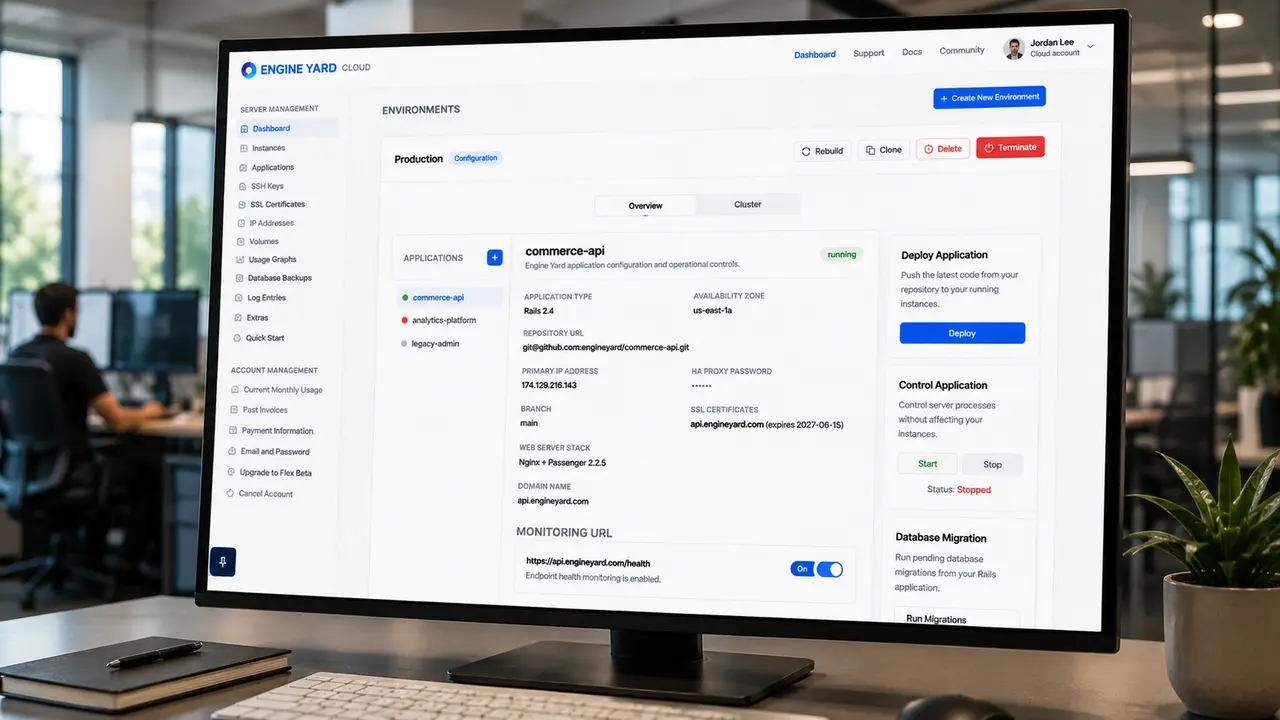
The screenshots show the breadth of the product. A single environment includes application configuration, repository settings, IP address, HA proxy password, branch, web server stack, domain name, SSL certificates, monitoring URL, deployment controls, app start/stop actions, database migration, and server cluster details.
That is a lot of power to place in one interface. The product had to make those controls discoverable without making the user feel like they were operating a fragile machine.
Solution
A cloud console organized around the developer’s mental model.
I designed the interface around the objects developers already understand: environments, applications, clusters, instances, dependencies, volumes, logs, and account-level services.
Instead of making the product feel like a generic infrastructure dashboard, the experience starts with the environment. That was the right anchor because an environment is how developers think about deployment: production, staging, framework version, region, stack, applications, and running services.
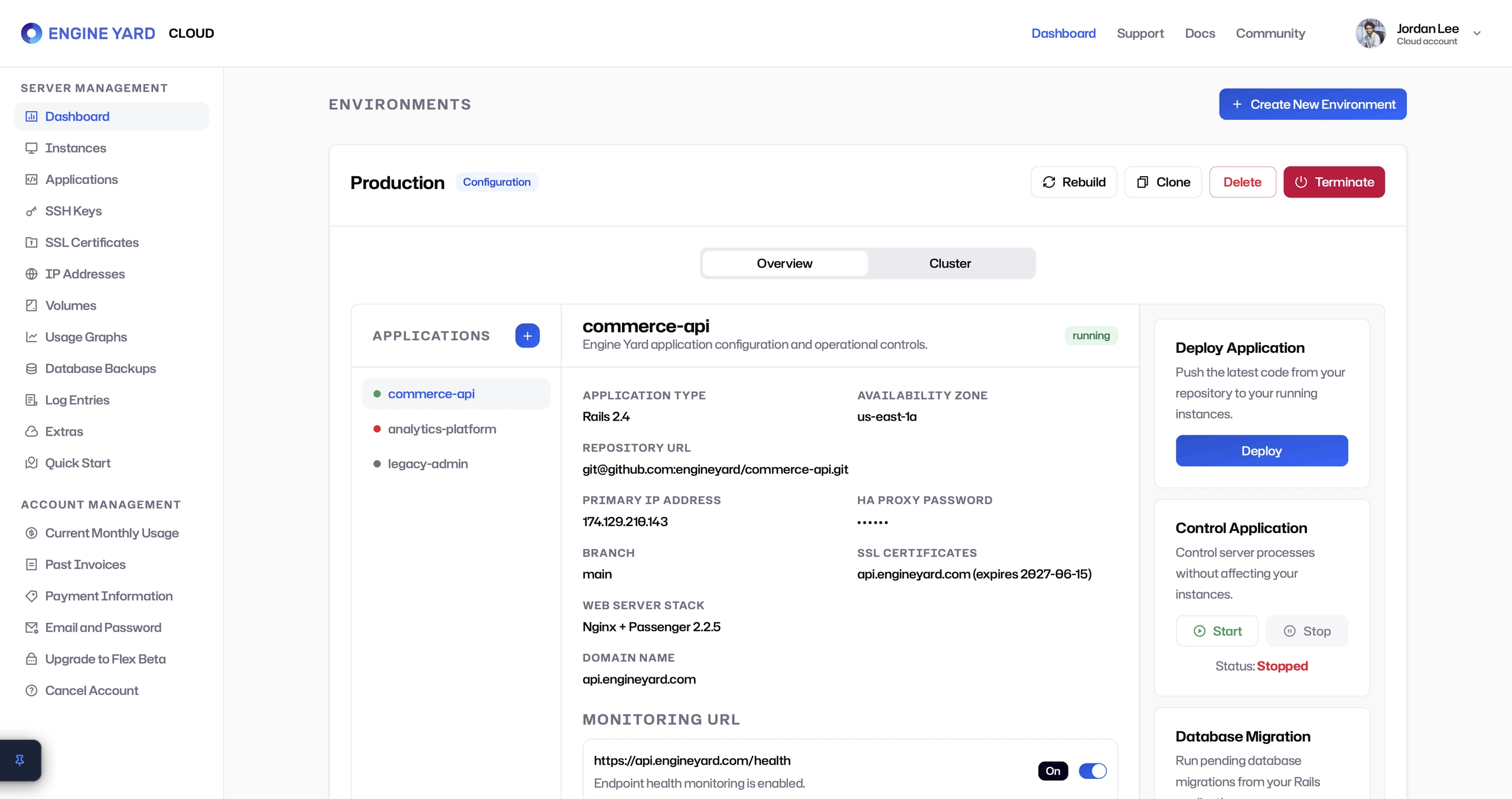
The environment overview separated the workspace into clear zones:
- Applications on the left.
- Application configuration in the center.
- Deployment and operational controls on the right.
- Destructive environment actions in the header.
- Monitoring and runtime settings below.
This structure helped users understand what they were controlling and where risk lived. Common actions like deploy, start, stop, and run migration were visible. Higher-risk actions like delete and terminate were separated and visually distinct.
Environment creation became guided infrastructure setup
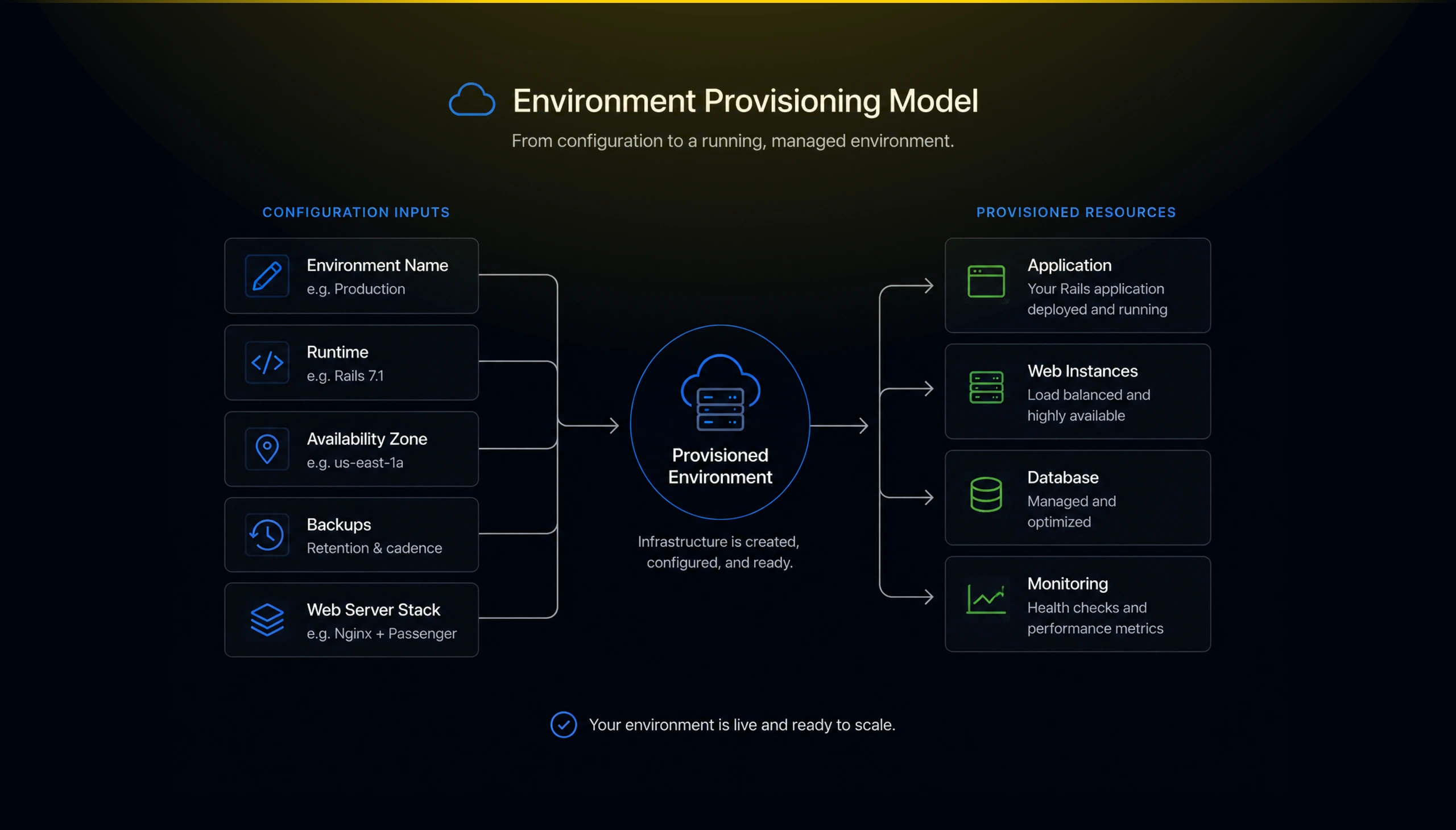
The Create New Environment flow turned provisioning into a guided form. Users could define the environment name, user account, framework environment, availability zone, backup retention, backup cadence, and web server stack.
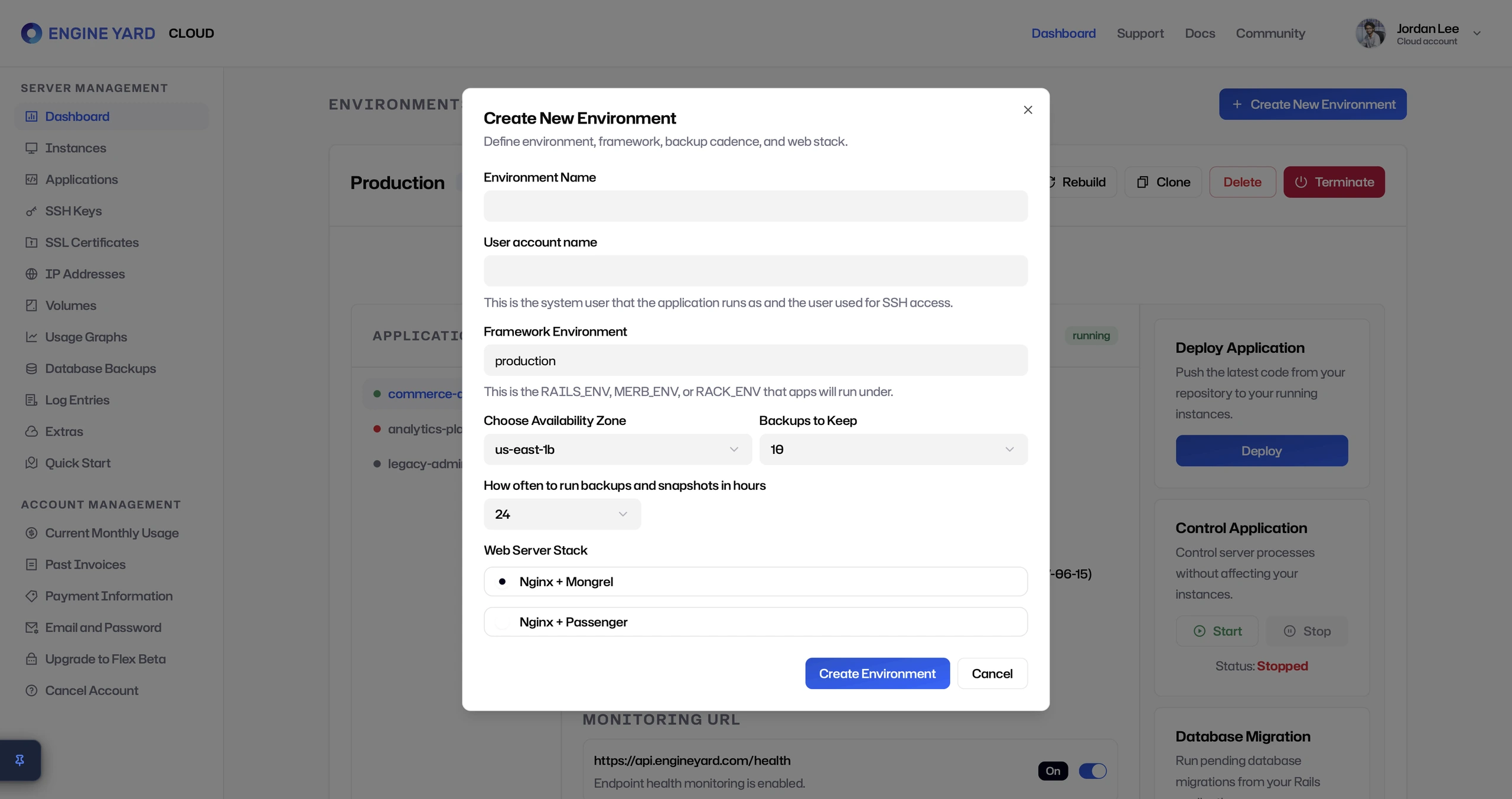
This mattered because environment setup is one of the highest-anxiety moments in a cloud product. Every field can have operational consequences. The modal design kept the workflow compact while still giving users control over the choices that mattered.
Cluster visibility kept the abstraction honest
The cluster view showed the underlying infrastructure without forcing the user into raw cloud primitives. Web and database instances were grouped separately, with instance IDs, resource sizes, IP addresses, and alerts.
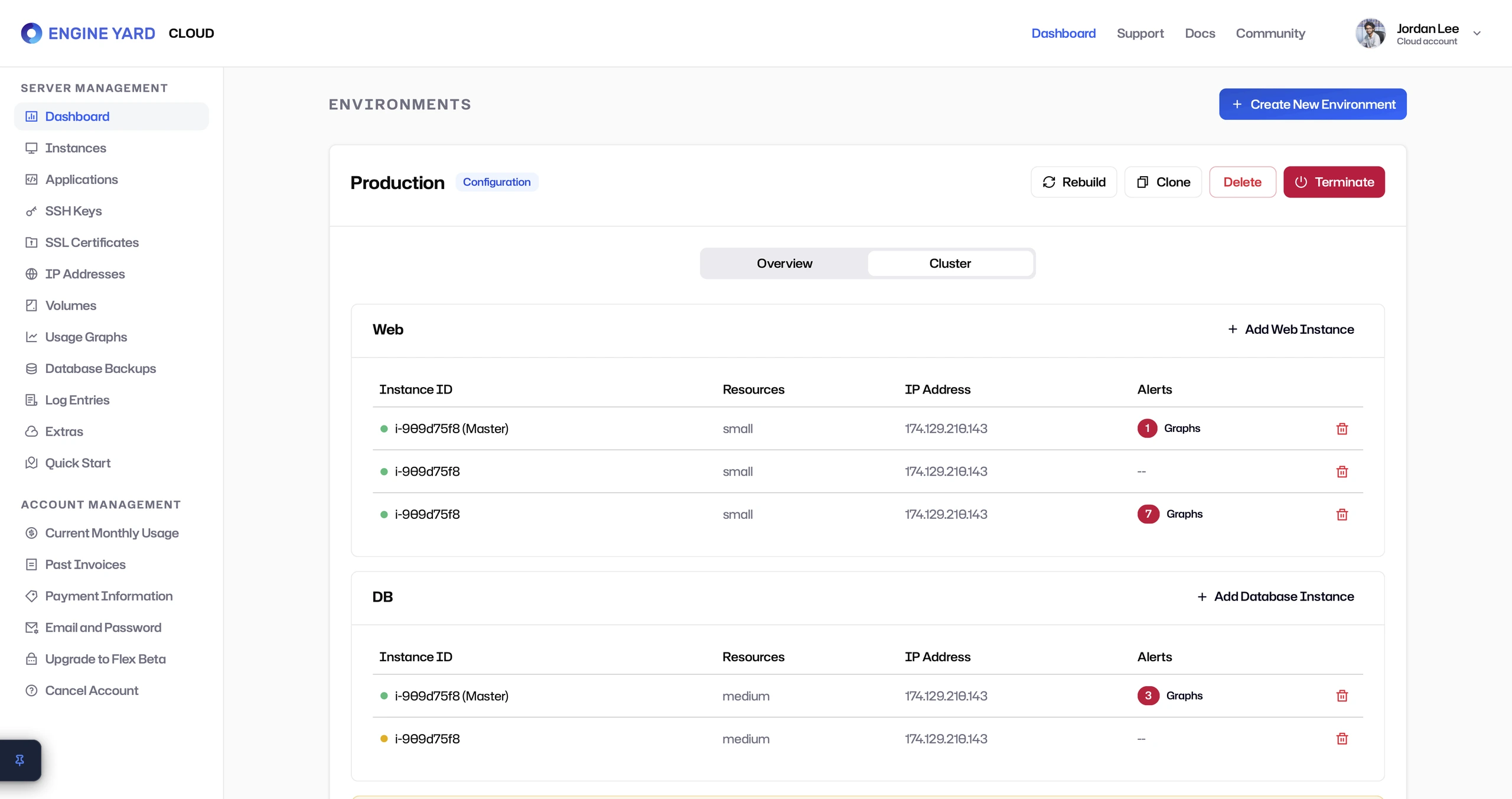
This gave technical users the confidence that the platform was not a black box. They could see what was running, where alerts existed, and where capacity could be added.
The design goal was balance: enough visibility for trust, enough abstraction for speed.
Application configuration supported developer workflows
The Applications screen supported gem search, custom gem servers, available gems, and selected gems. This screen made the product feel developer-native rather than only operations-focused.
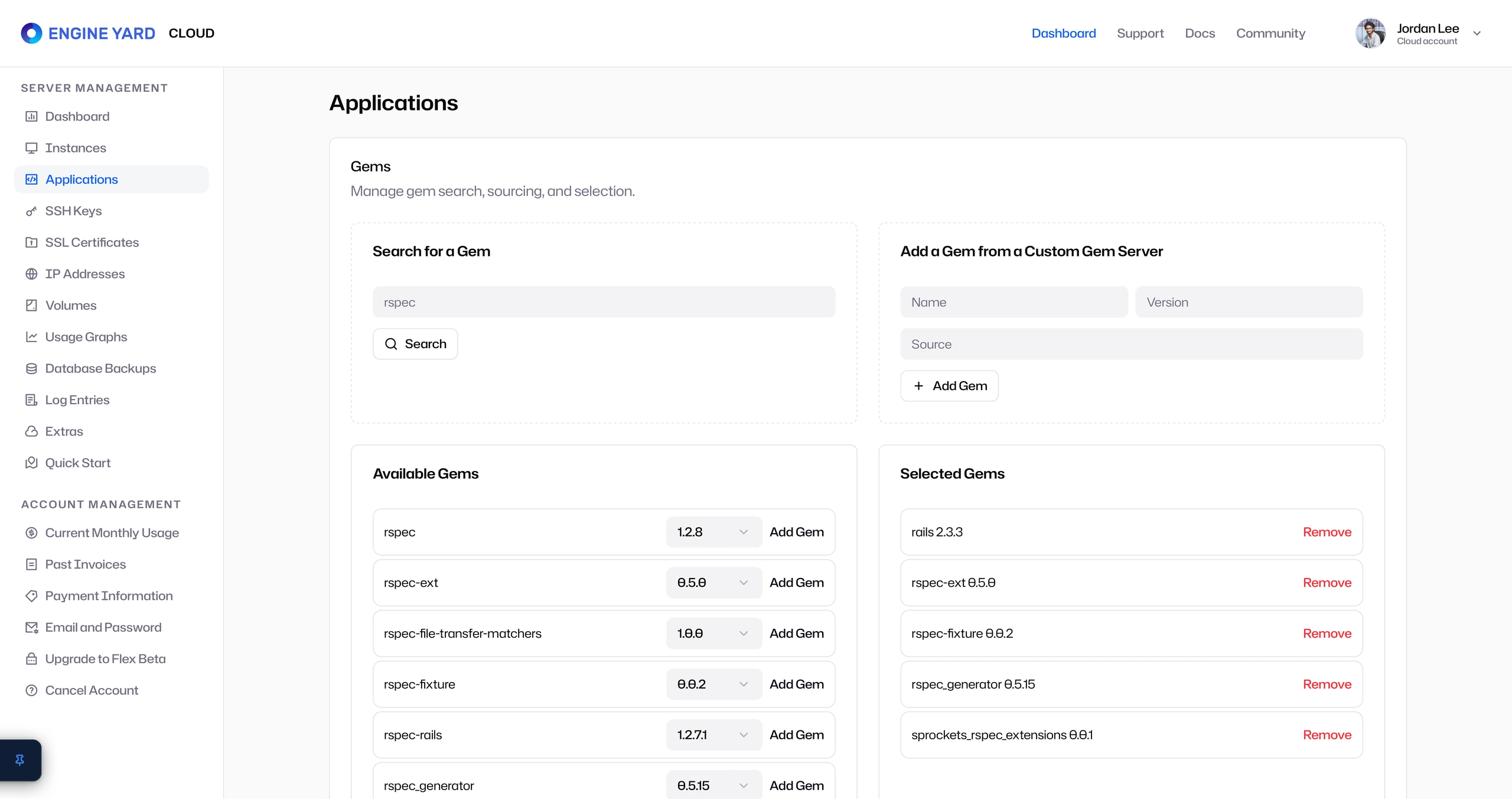
This was important because Engine Yard’s users were not just infrastructure admins. They were application teams. The product had to respect their daily work: managing code, dependencies, deployments, and runtime behavior.
Infrastructure management extended beyond deployment
The Volumes screen gave users access to EBS volumes, snapshot history, attachment status, and deletion actions. This showed that Engine Yard Cloud was not only about launching apps. It supported the operational lifecycle after launch.
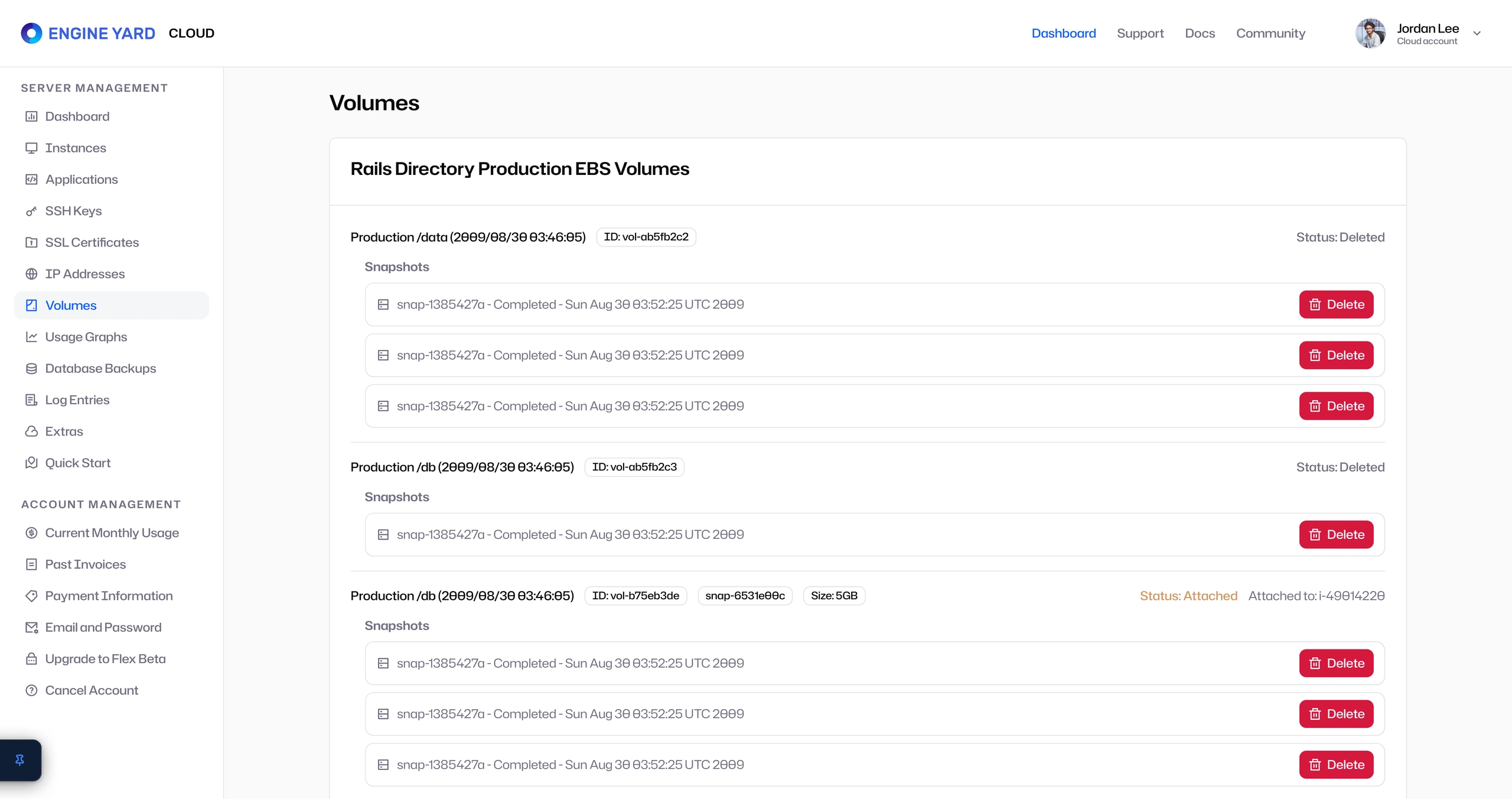
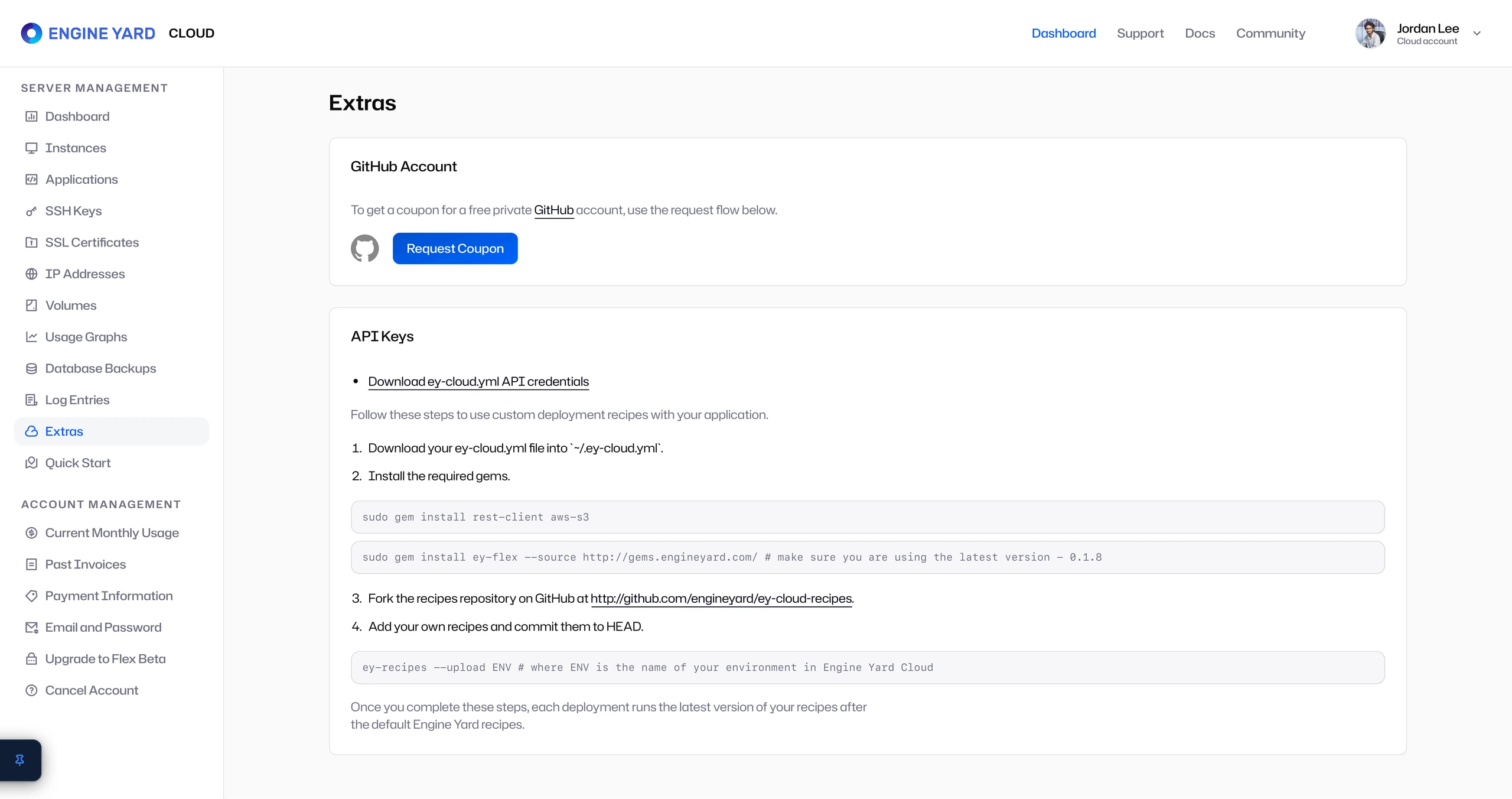
The Extras screen added another layer of power-user support through GitHub coupons, API keys, deployment credentials, and command-line instructions.