Clients & Ventures

Product/systems design that turns AI tech into business results





























Contact Us
Contact form or information will go here.
Project Detail


Workflow Builder
Summary

A visual workflow builder that helped DevOps teams compose, inspect, and trust complex automation sequences.
StackStorm workflows were powerful, but the logic behind them could become difficult to understand once automation expanded beyond a single action. Users needed a way to see how tasks connected, branched, failed, and recovered.
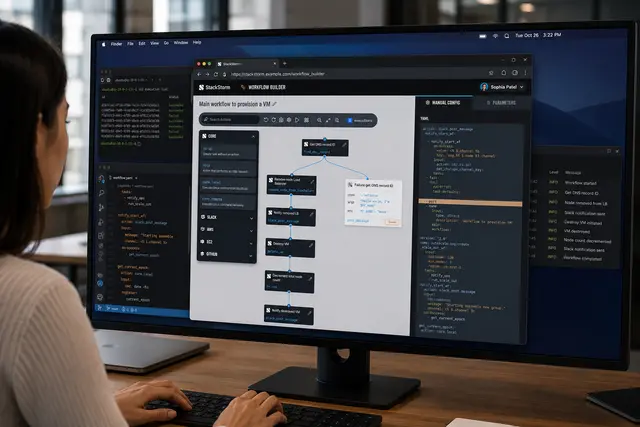
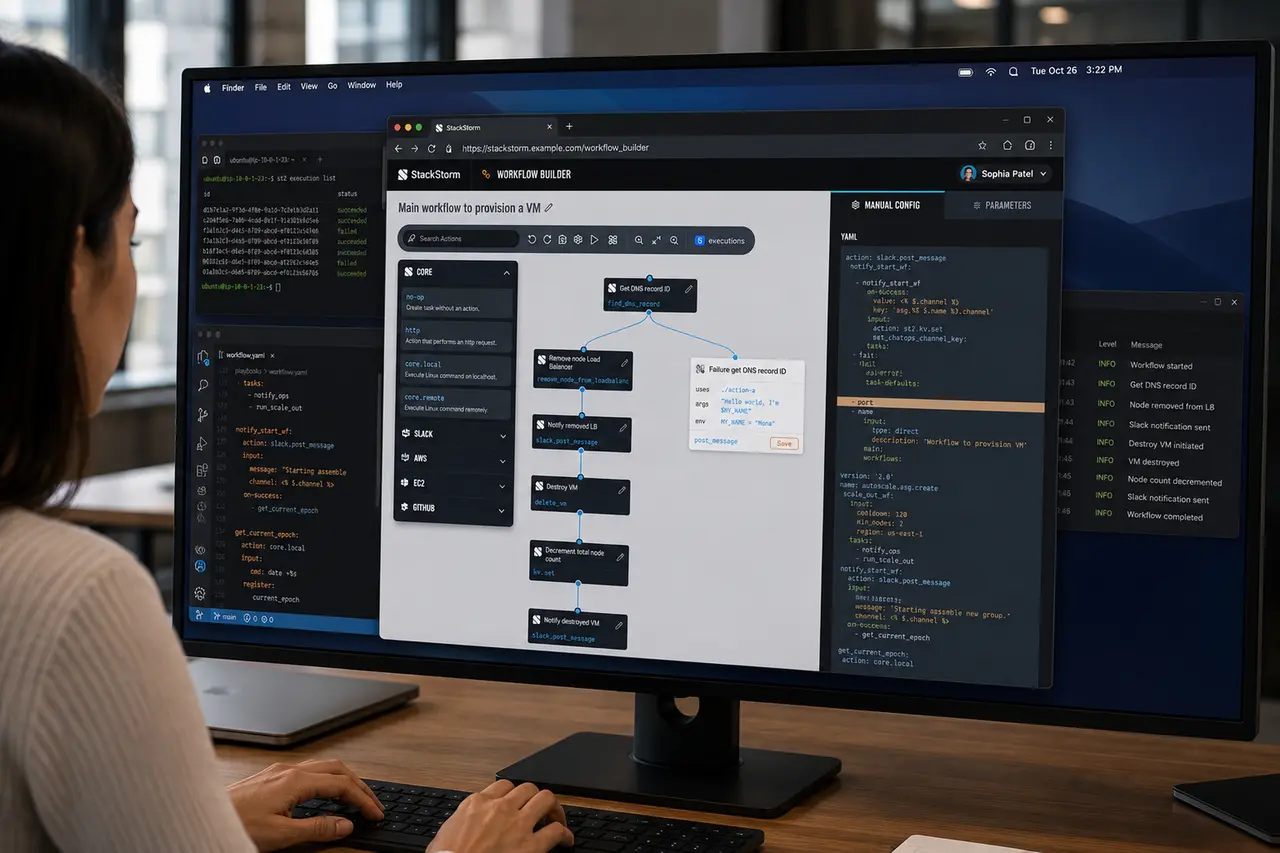
I designed a workflow builder that paired a visual canvas with YAML configuration, helping technical users compose automation flows without losing access to the underlying code.
Outcome
The Workflow Builder gave StackStorm a more understandable way to express complex automation.
It made workflows easier to compose, review, explain, and debug.
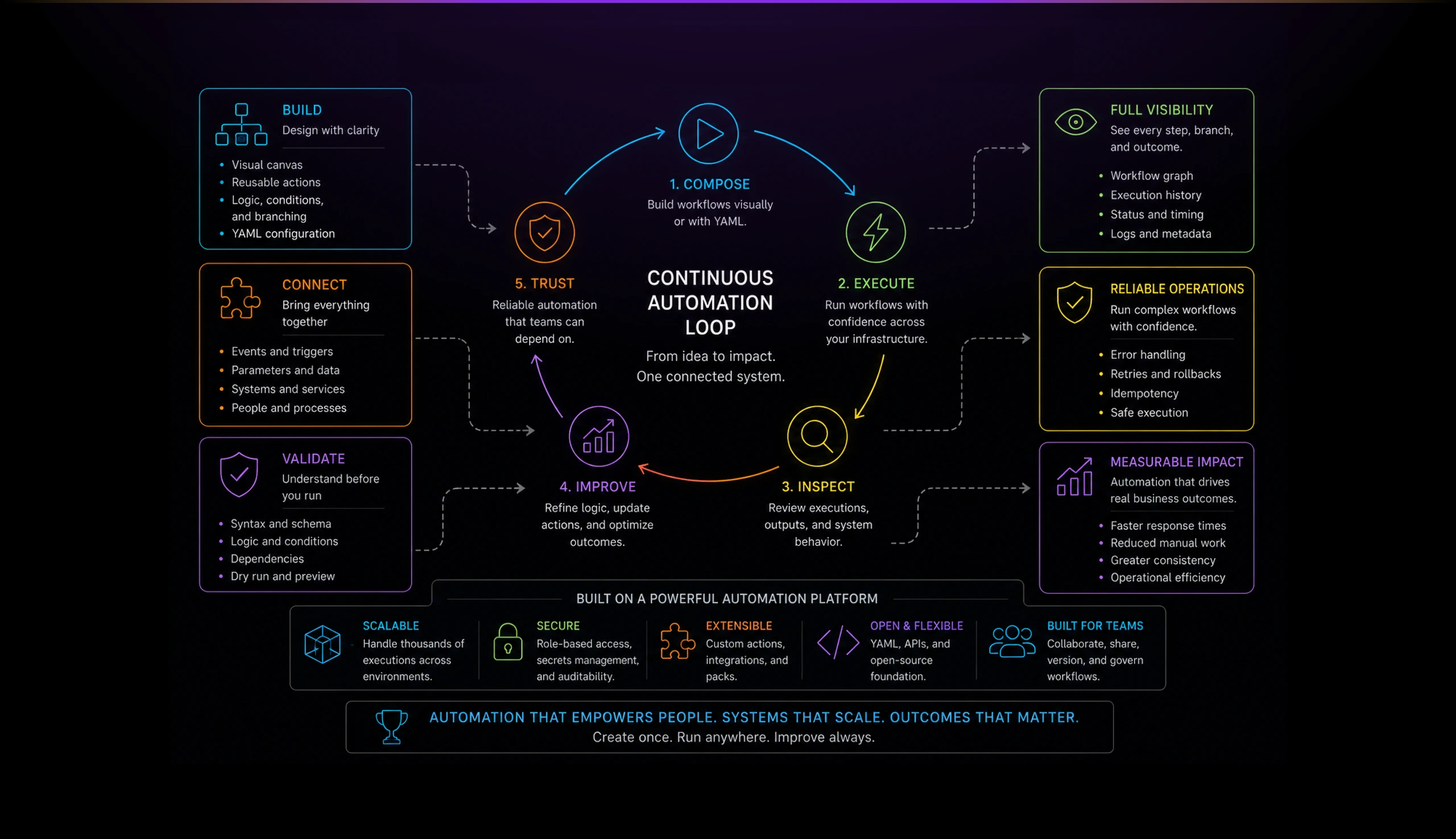
The product helped translate StackStorm’s automation power into a more approachable operator experience. Technical users could still work close to the underlying system, while visual structure reduced cognitive load and improved confidence.
Key outcomes:
- Made multi-step automation easier to understand.
- Connected workflow diagrams with YAML configuration.
- Improved action discovery and workflow assembly.
- Helped users reason about branching, failure, and recovery paths.
- Reduced the gap between visual design and infrastructure automation logic.
The Problem
Automation becomes harder to trust as it grows.
A single action is easy to understand. A multi-step workflow with branching paths, retries, failure states, parameters, and infrastructure side effects is much harder to reason about.
DevOps teams needed to know what a workflow would do before running it. They also needed to inspect why it failed, where data moved, and how each step connected to the next.
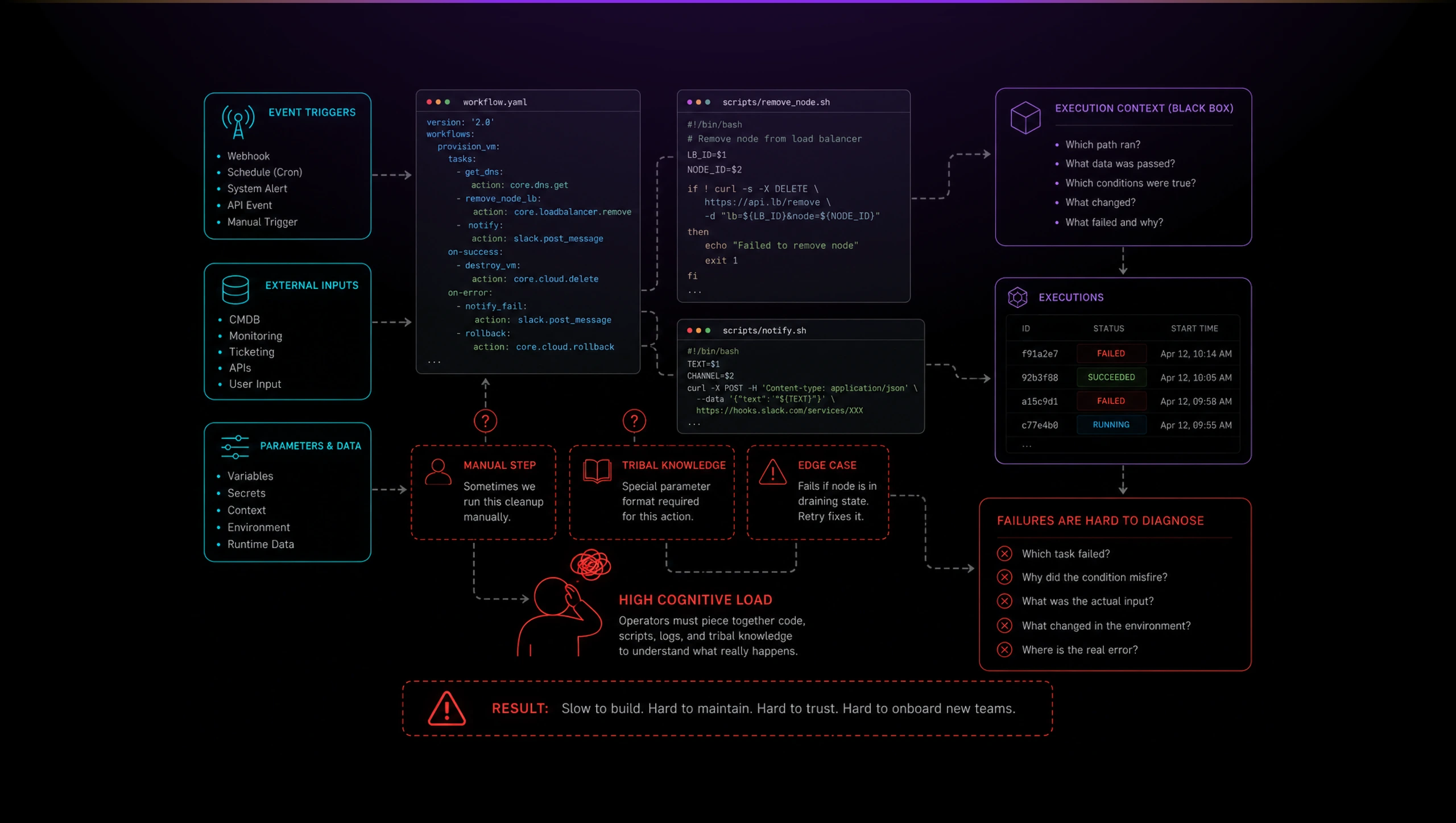
The challenge was not to hide YAML from technical users. The challenge was to make workflow logic visible while preserving the precision and control operators expected.
Solution
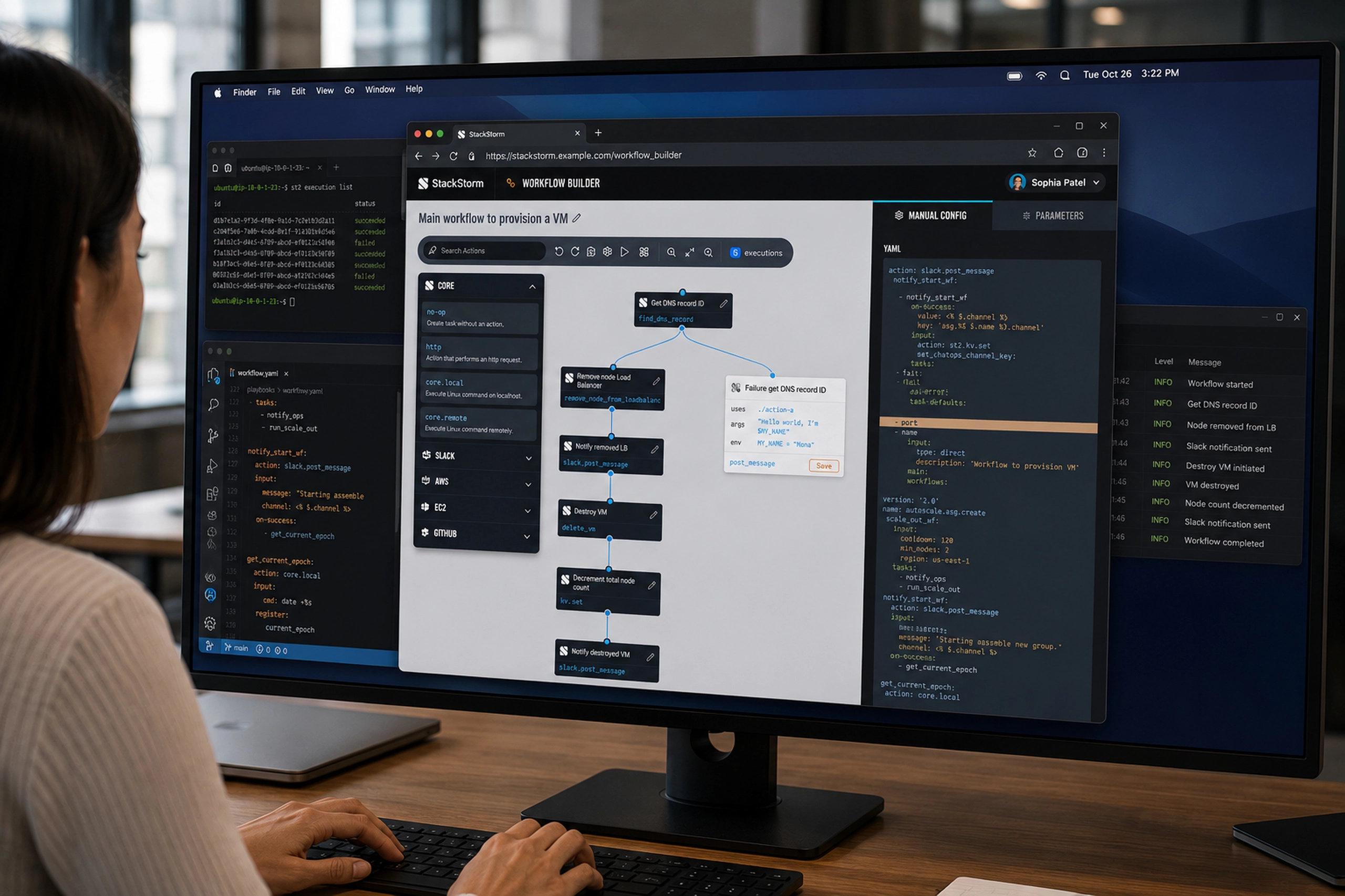
A split mental model: visual orchestration on the left, exact configuration on the right.
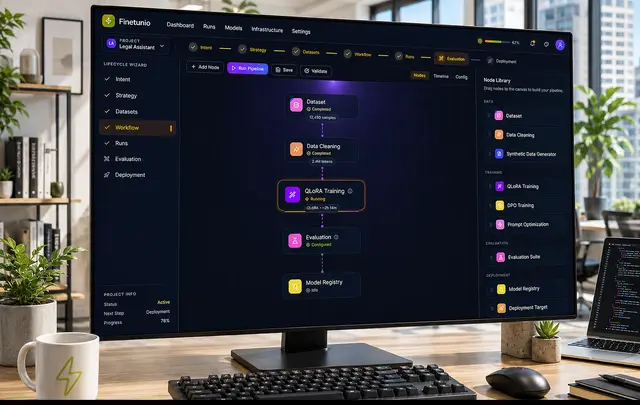
The canvas helped users understand structure, sequence, branching, and dependencies. The YAML panel preserved the source-of-truth logic that technical users trusted.
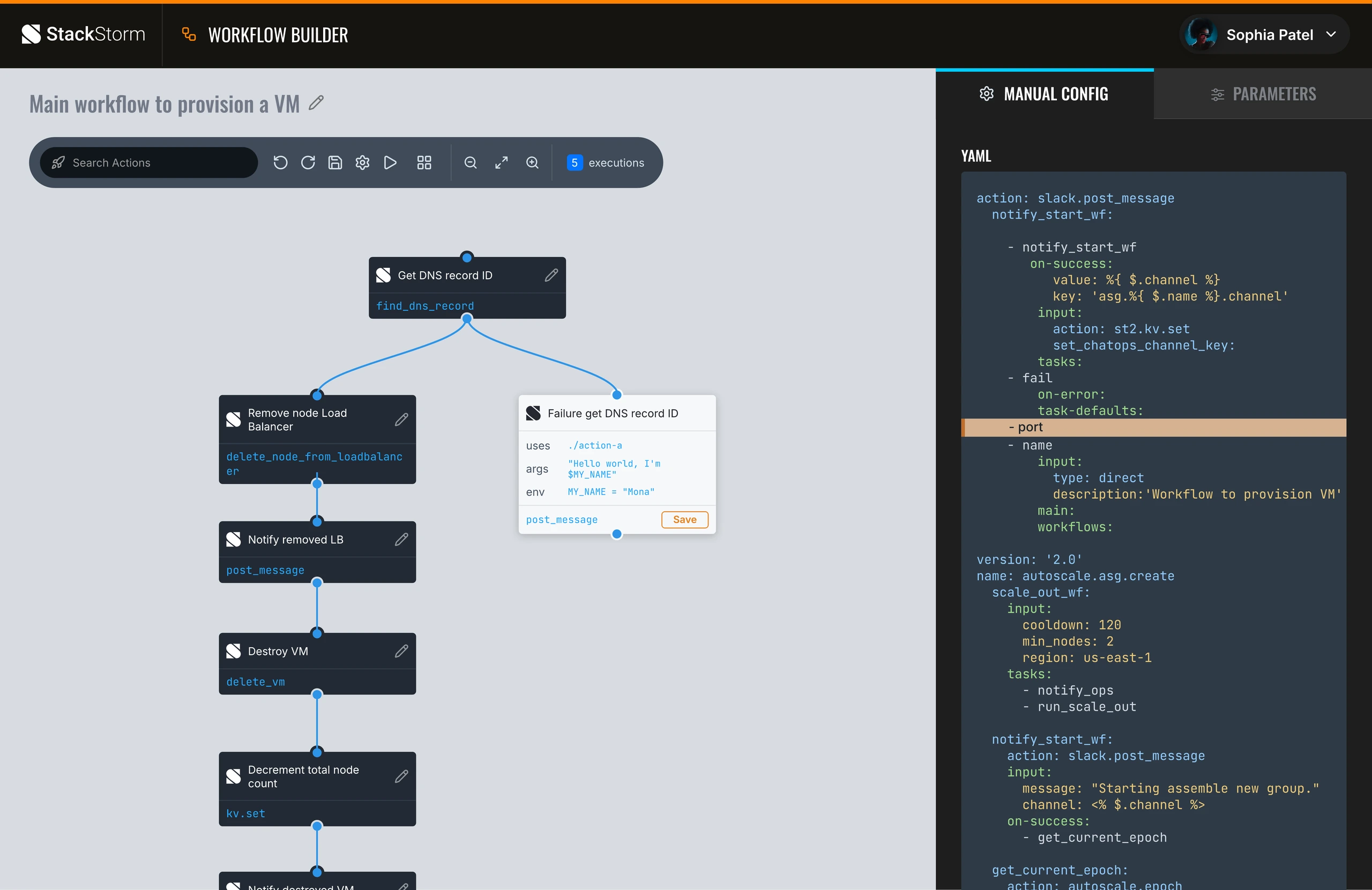
The interface made workflows feel inspectable. Users could see actions as nodes, understand execution paths, and quickly identify branches such as success, failure, notifications, cleanup steps, and recovery logic.
Instead of forcing users to choose between visual simplicity and code-level control, the UI kept both views connected.
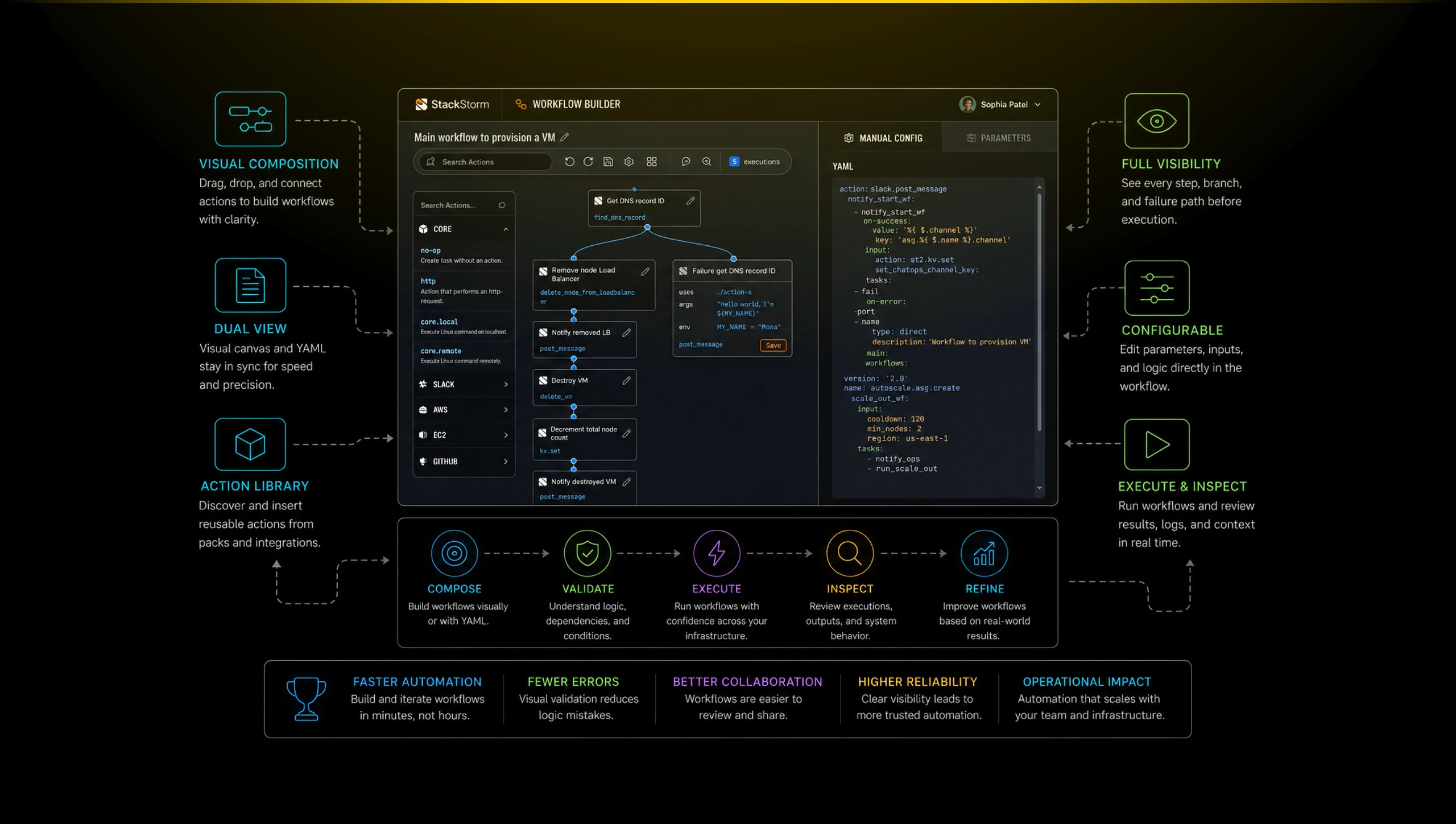
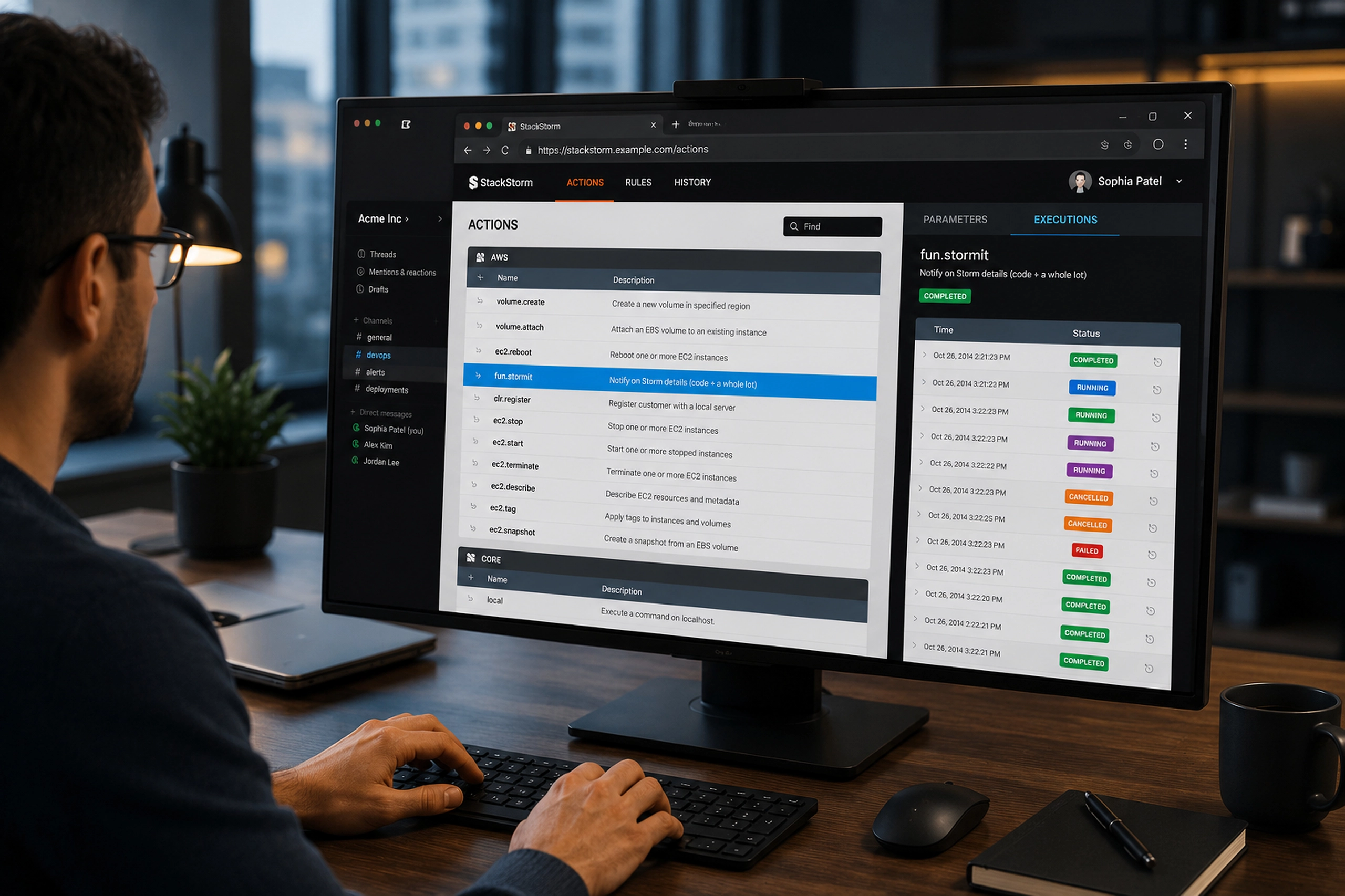
The action picker made workflow construction faster. Users could search reusable actions, browse packs, and insert automation steps without memorizing every command or switching constantly between documentation and configuration.
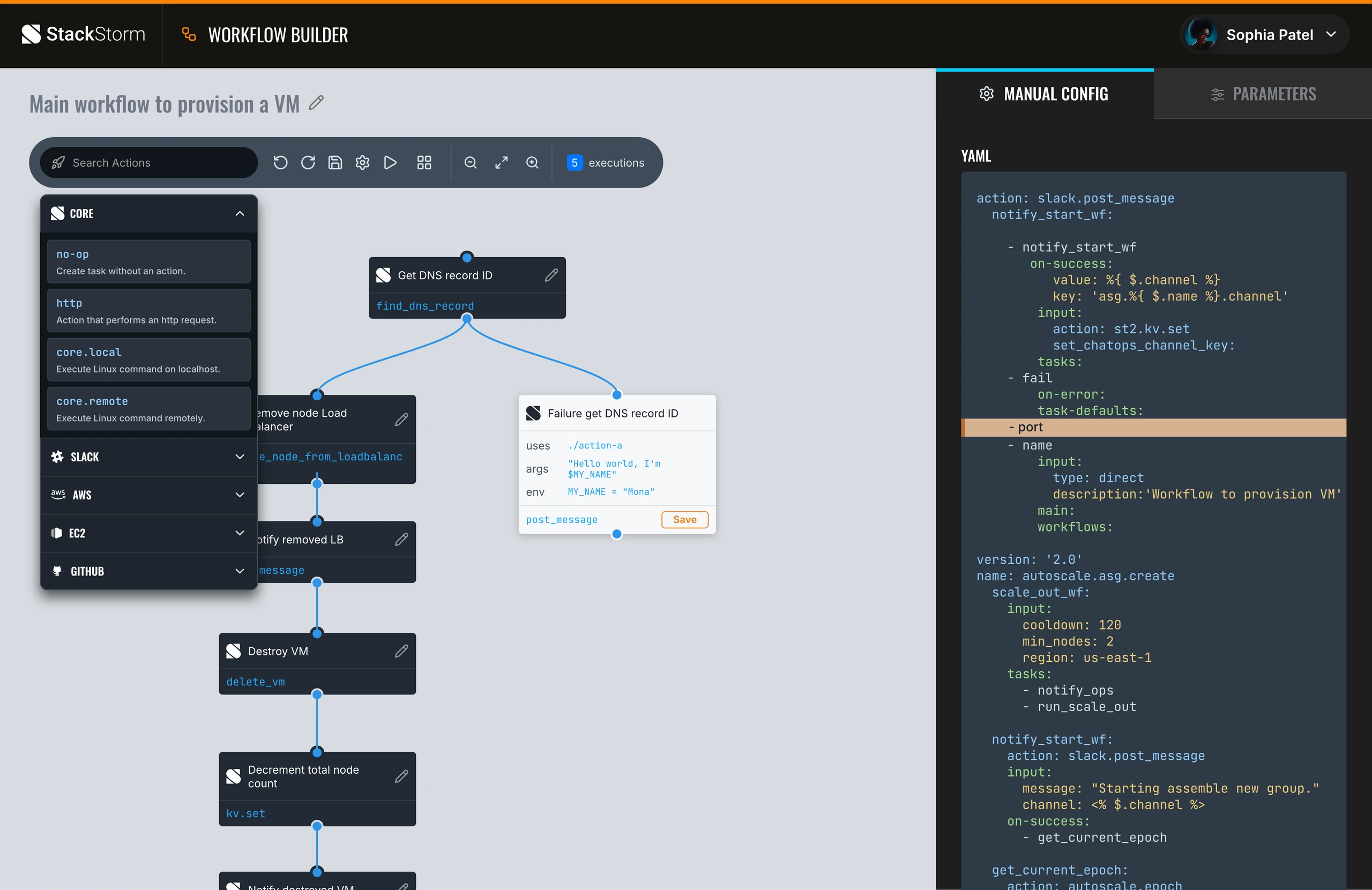
The design focused on technical clarity: compact nodes, visible connectors, lightweight controls, and a dark configuration panel that made the YAML feel like a native part of the product, not a separate developer-only surface.