
Clients & Ventures

Product/systems design that turns AI tech into business results

























Contact Us
Contact form or information will go here.
Project Detail


Product-Config - Insurance Builder
Summary

A product configuration tool that helped teams build insurance applications without redesigning every form from scratch.
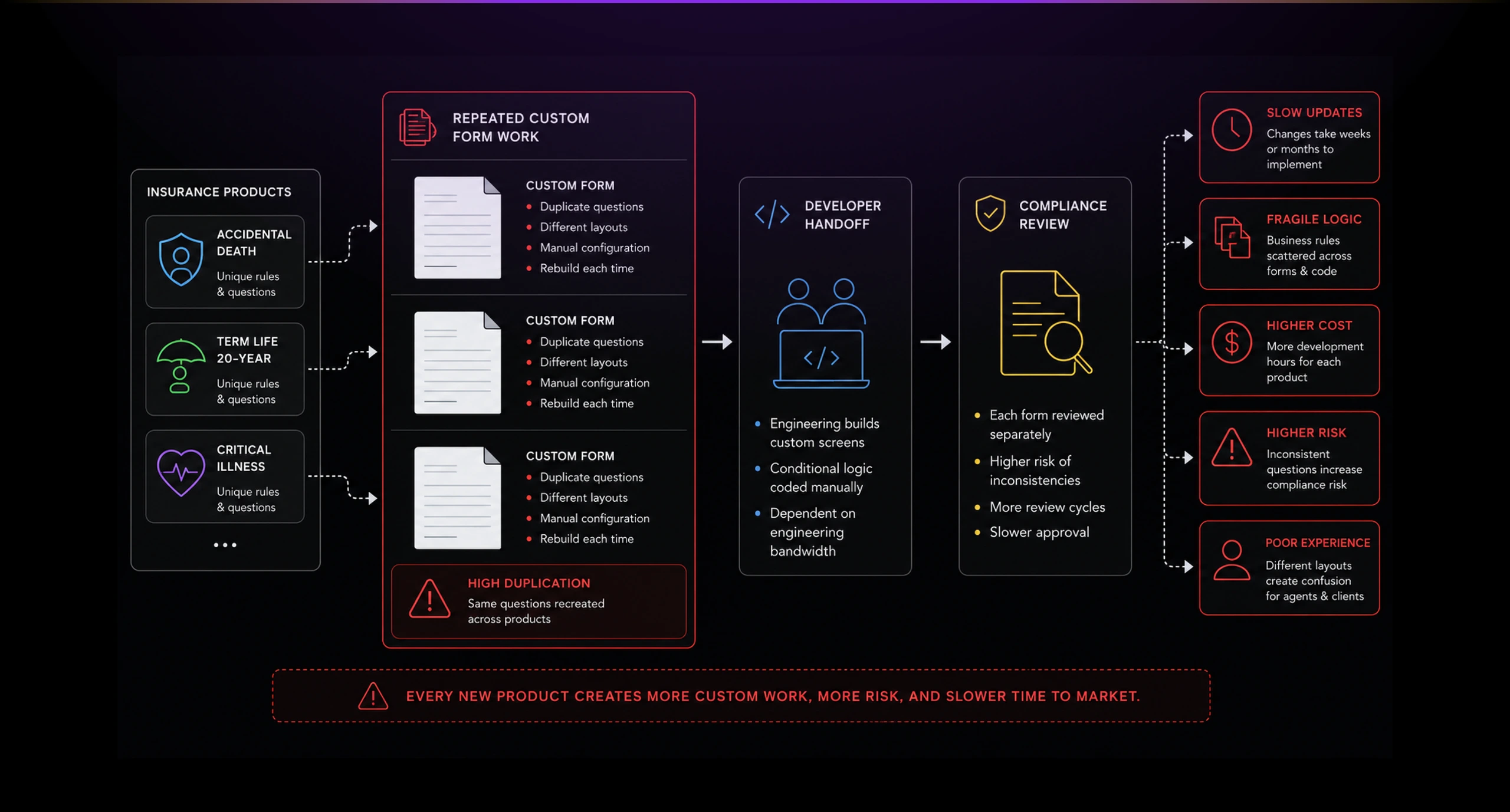
Insurance products depend on long application forms, product-specific questions, state rules, eligibility logic, and reusable data fields. Before ProductConfig, these details were difficult to manage without creating repetitive design and development work.
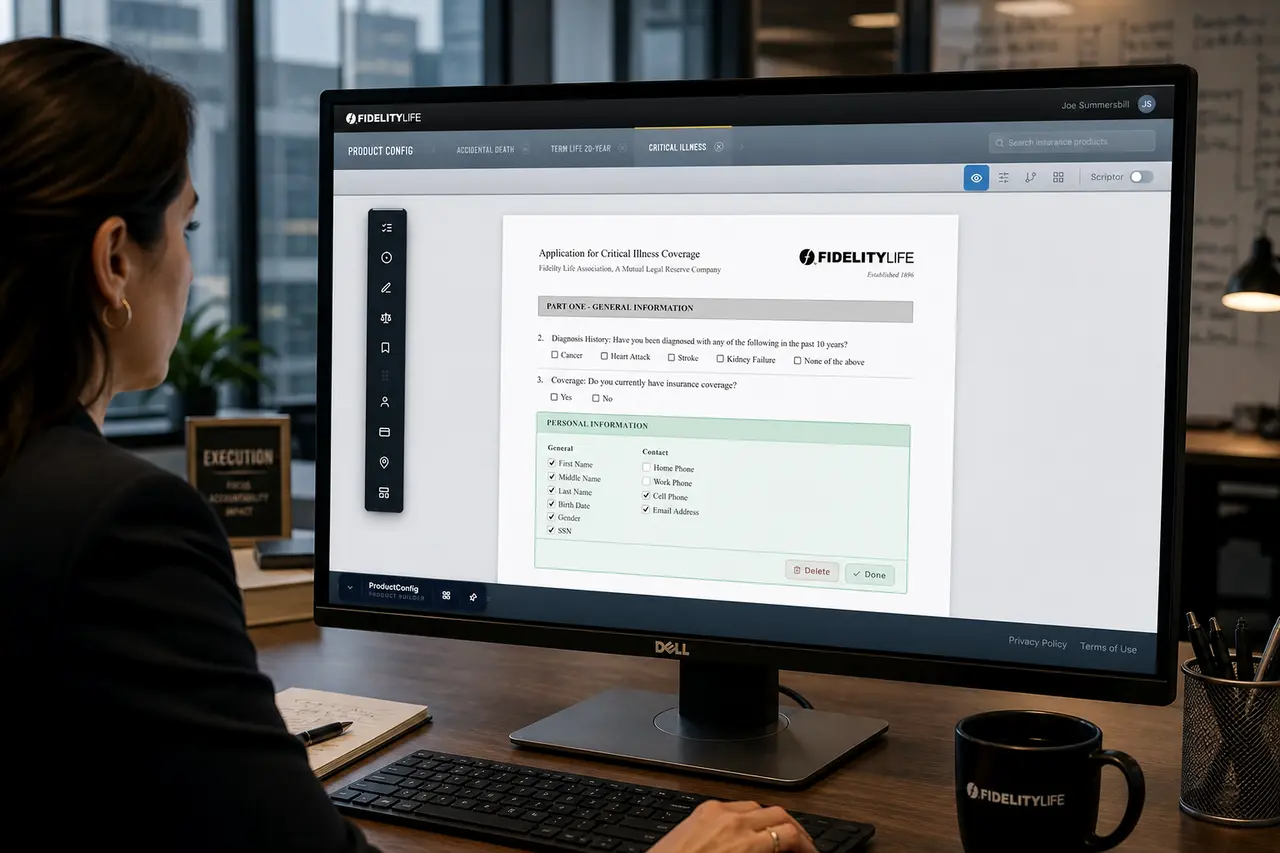
I helped design ProductConfig as a configuration workspace for building and maintaining insurance product applications. Instead of treating every product as a custom form project, the tool let teams assemble reusable sections, questions, field groups, and product-specific application flows.
Outcome
A reusable foundation for building product-specific applications.
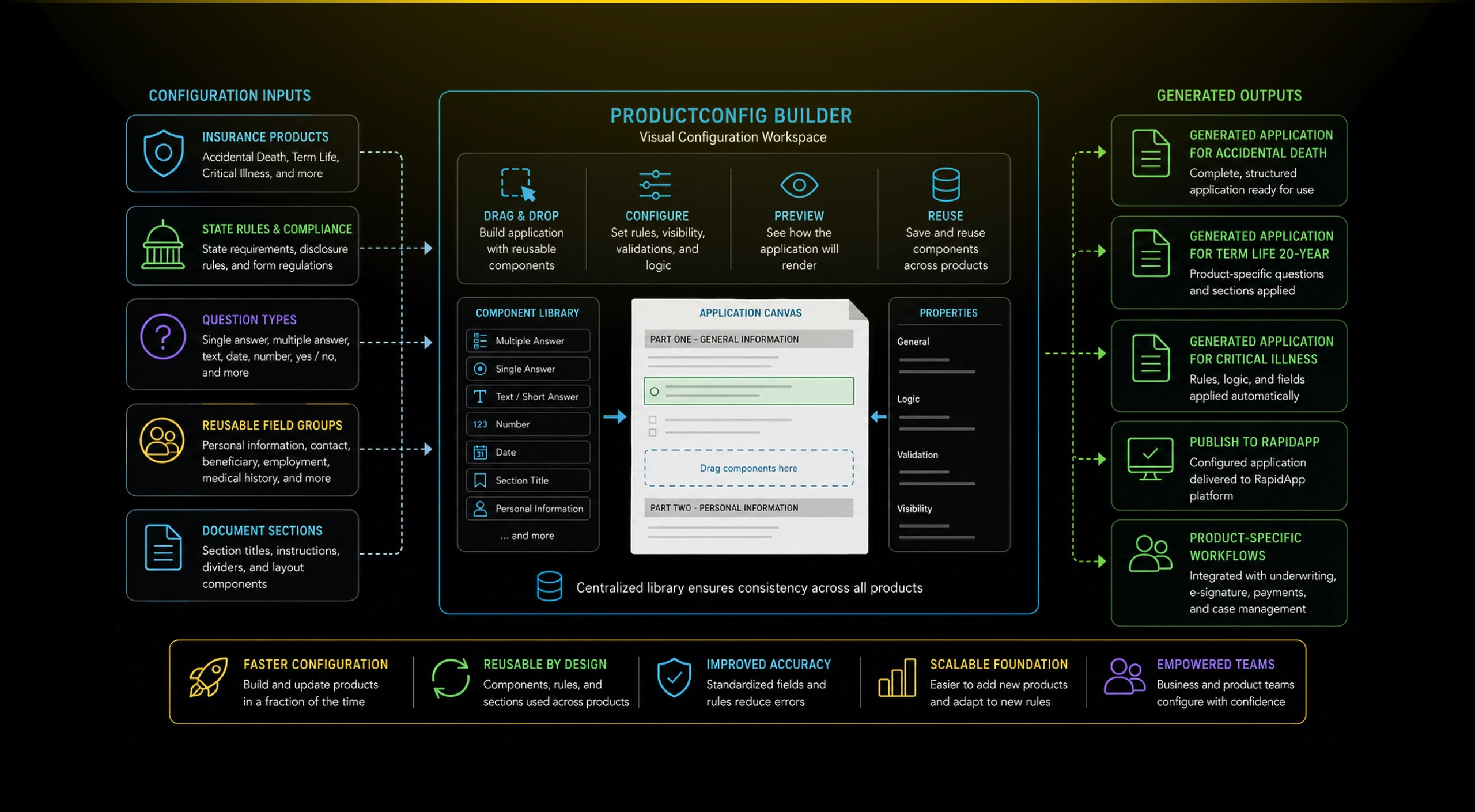
ProductConfig gave Fidelity Life a more scalable way to manage insurance product forms. Instead of hard-coding every application variation as a separate effort, teams could configure product-specific documents from reusable building blocks.
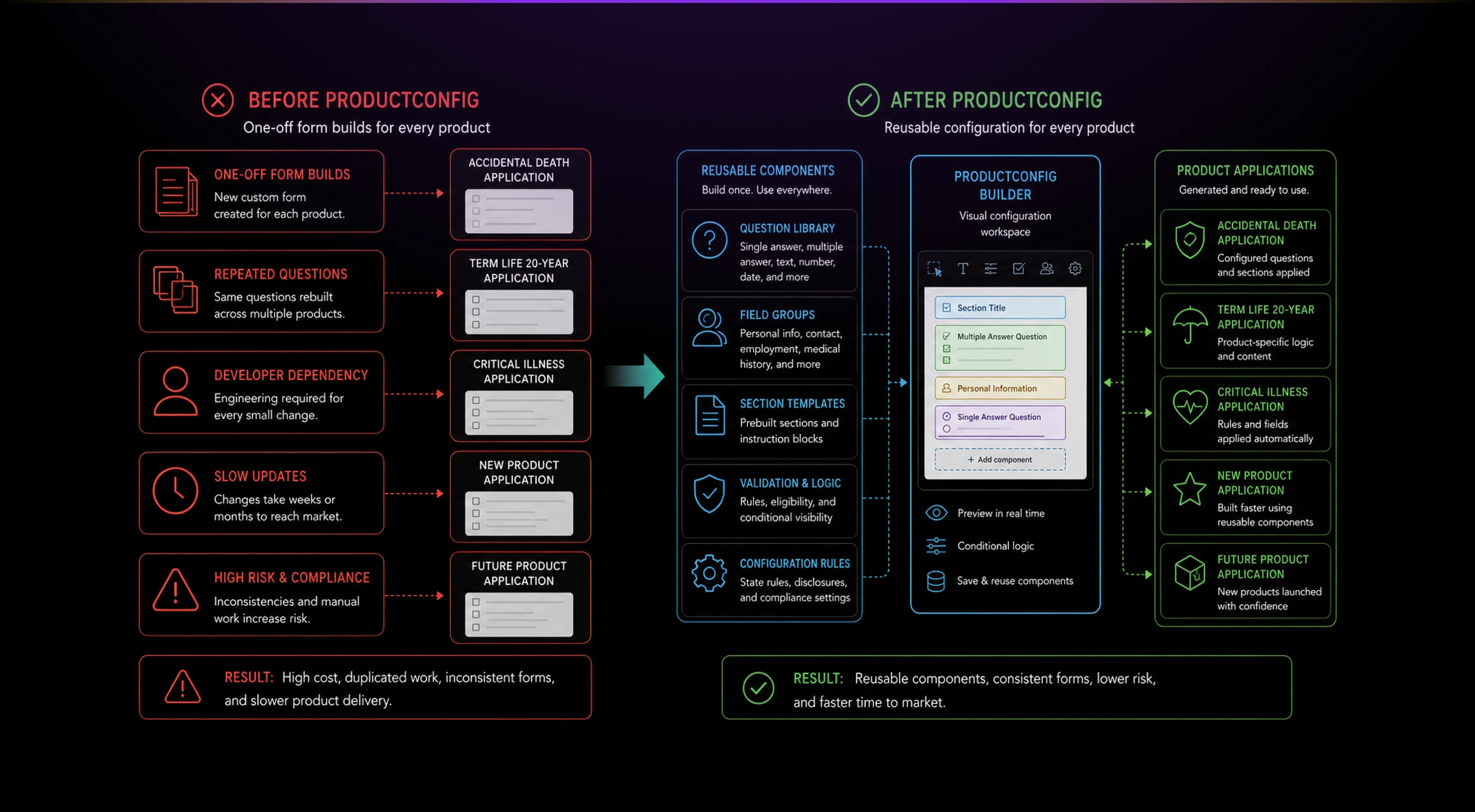
The result was a stronger foundation for RapidApp and other insurance workflows. ProductConfig made the application experience more adaptable by separating product configuration from the final agent-facing application.
Impact
- Reduced repeated form-building work across products.
- Created reusable question and section patterns.
- Helped standardize application structure across insurance products.
- Gave internal teams a clearer way to manage product-specific requirements.
- Supported a more scalable relationship between ProductConfig and RapidApp.
- Turned insurance application design into a configurable system, not a one-off artifact.
The Problem
Every insurance product created another form-building problem.
Fidelity Life needed to support multiple insurance products with different application requirements. Each product had its own questions, sections, eligibility details, and document structure.
The challenge was not only visual design. The deeper problem was operational: how do you let non-engineering or semi-technical internal teams configure product applications without rebuilding the same forms again and again?
Product teams needed a way to manage insurance application logic as reusable building blocks. Developers needed a system that reduced one-off implementation work. Business teams needed confidence that the resulting forms matched the underlying product requirements.
Solution
A visual configuration layer for insurance application logic.
I designed ProductConfig as a bridge between product rules and application screens. The tool treated insurance applications as configurable documents made of reusable sections, question types, field groups, and rendered form components.
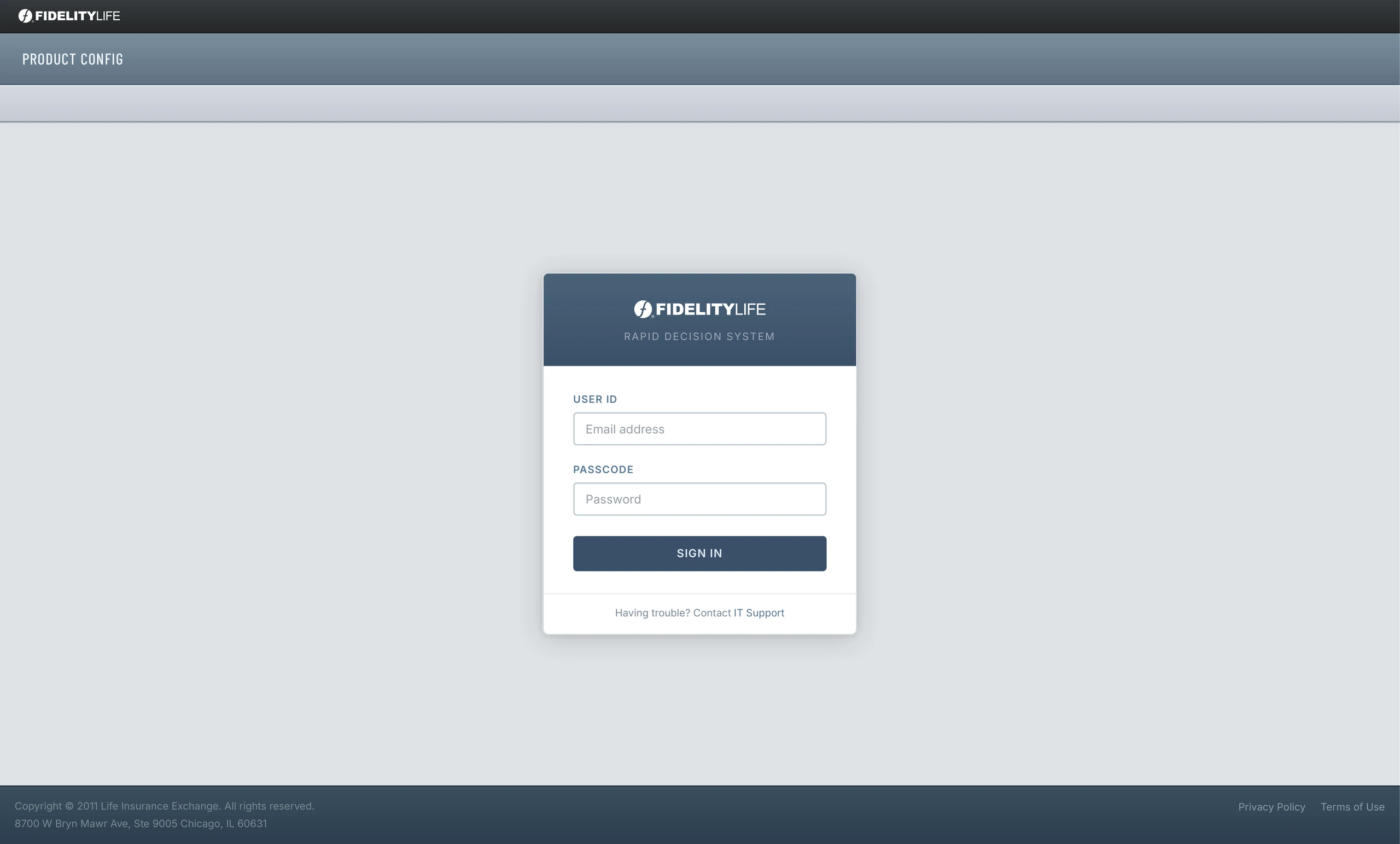
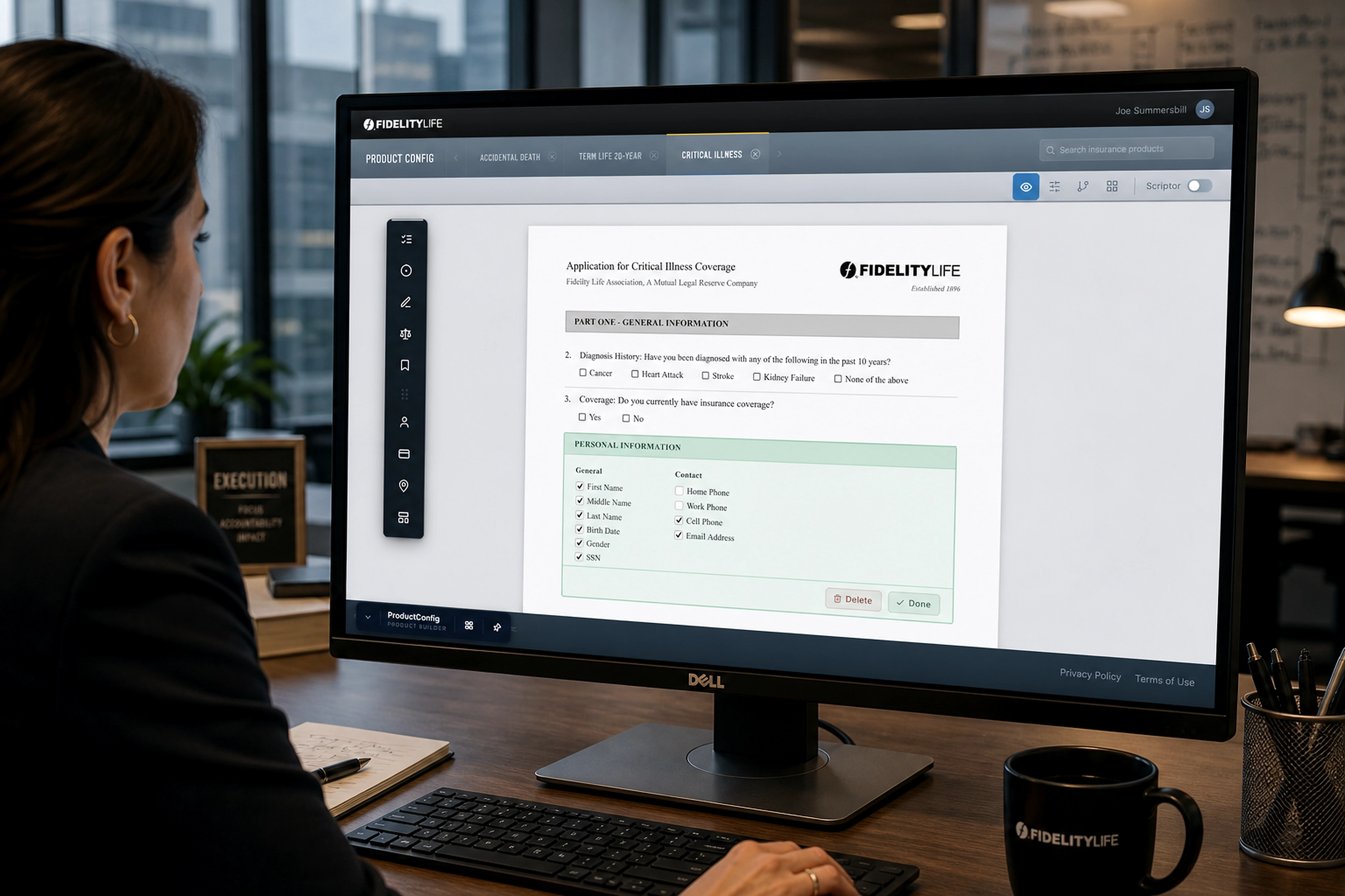
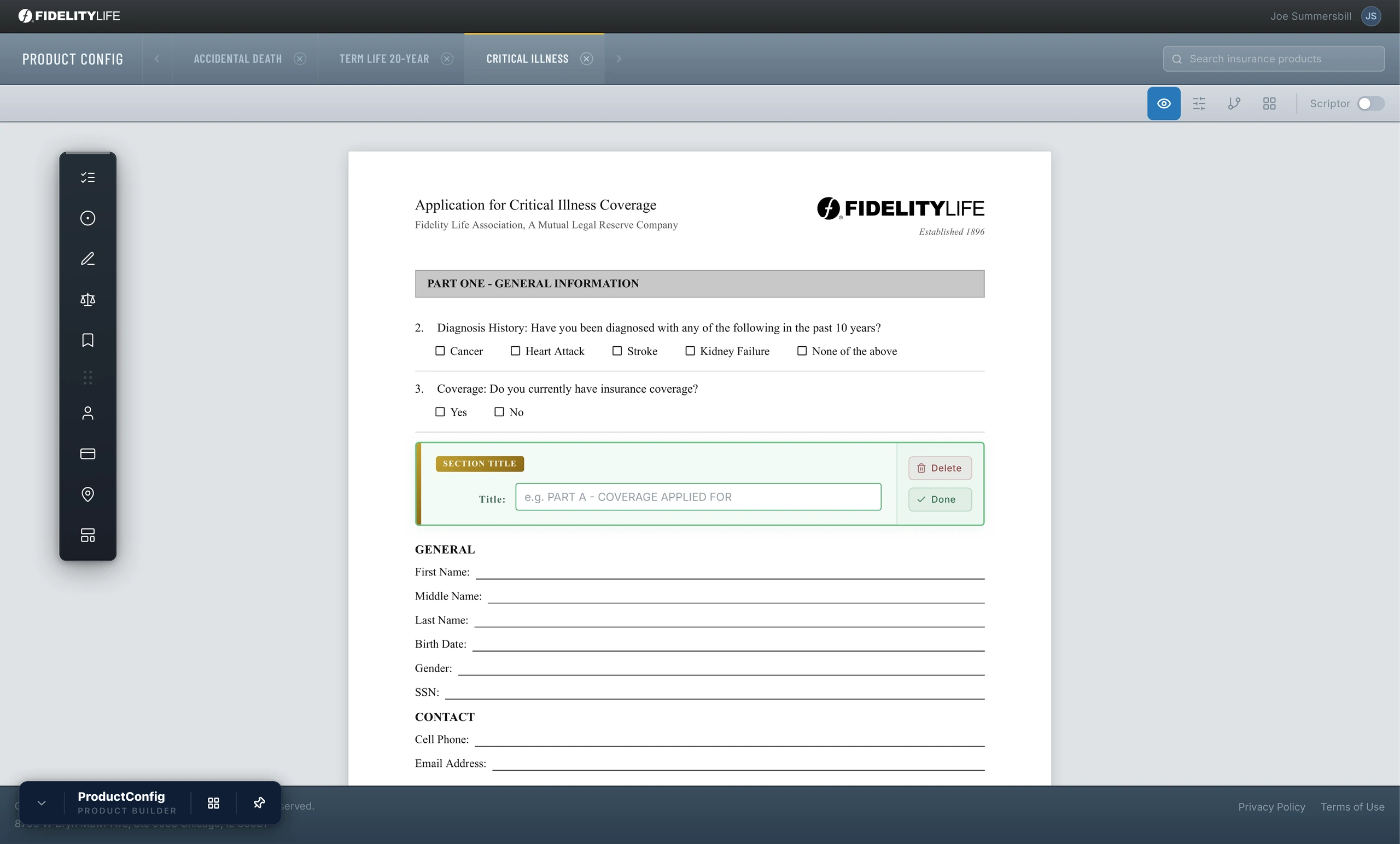
The experience started with a simple authenticated workspace. Once inside, users could switch between insurance products such as Accidental Death, Term Life, and Critical Illness.
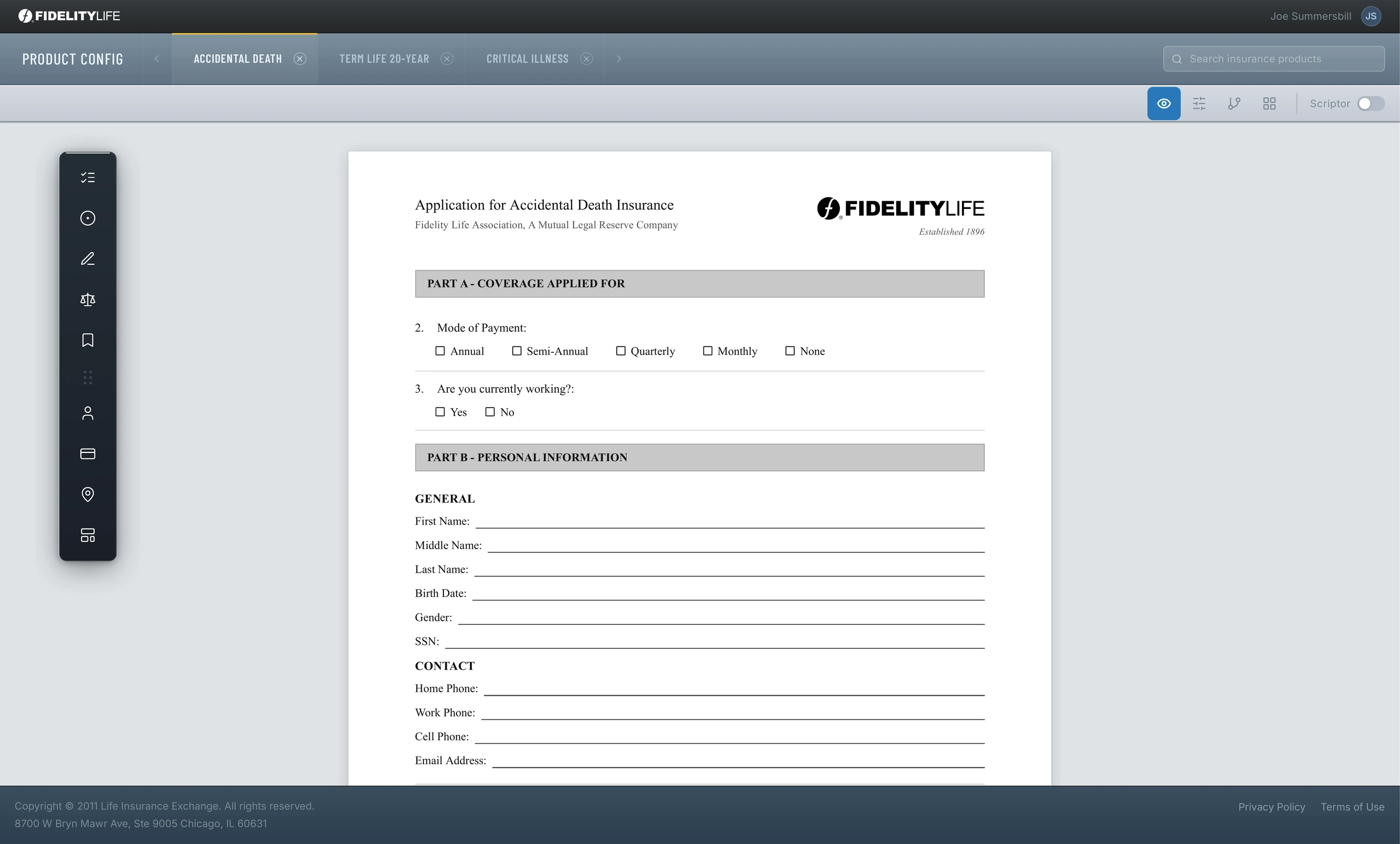
The core interface centered on a document canvas. A left-side tool palette let users add different types of form components, including multiple-answer questions, single-answer questions, section titles, personal information groups, and other reusable application objects.
This was important because the application form itself became the workspace. Instead of configuring abstract database fields somewhere else, users could see how each product application would be assembled.
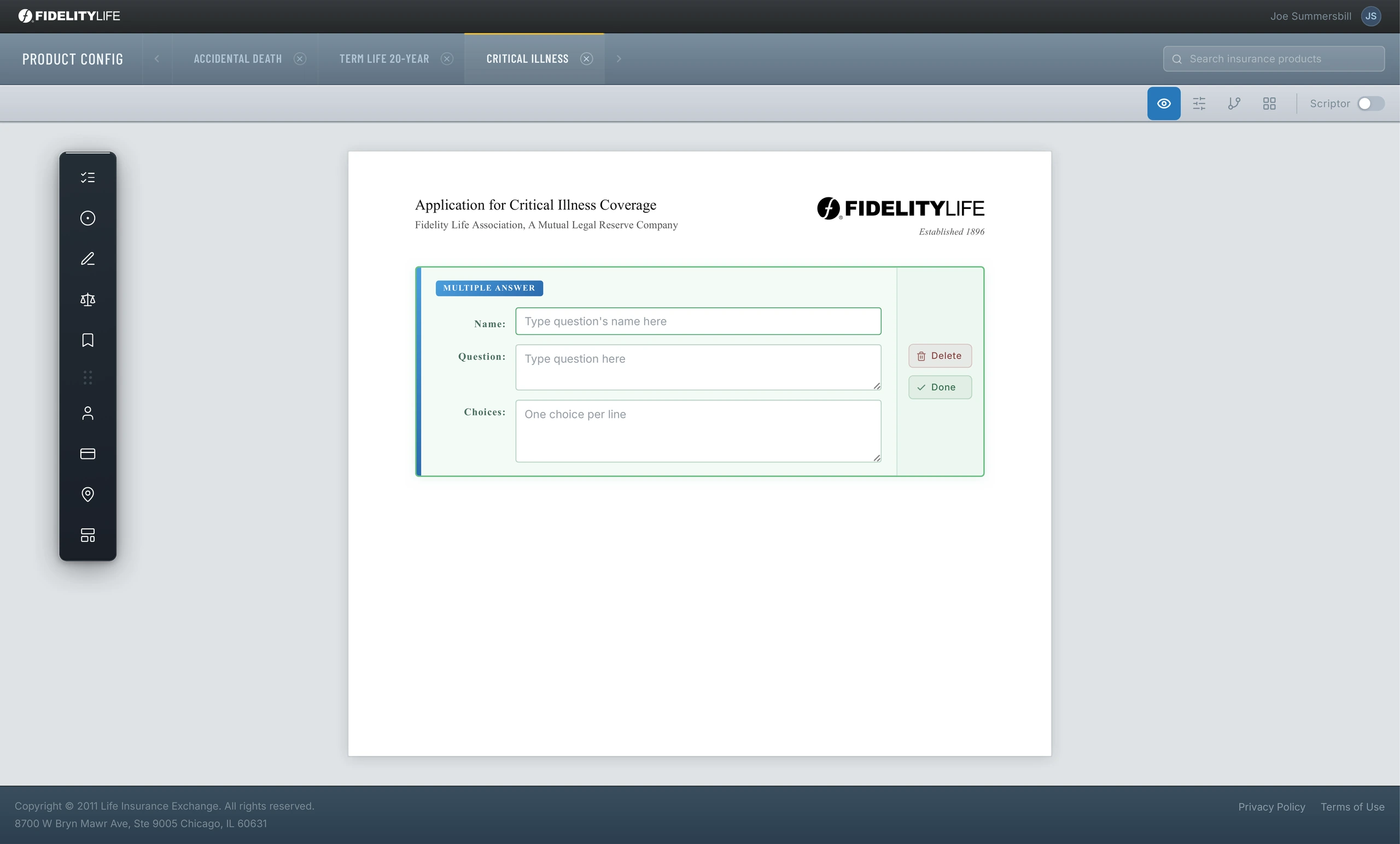
The question builder supported structured form creation. Users could name the question, write the prompt, define answer choices, and place it inside the application document.
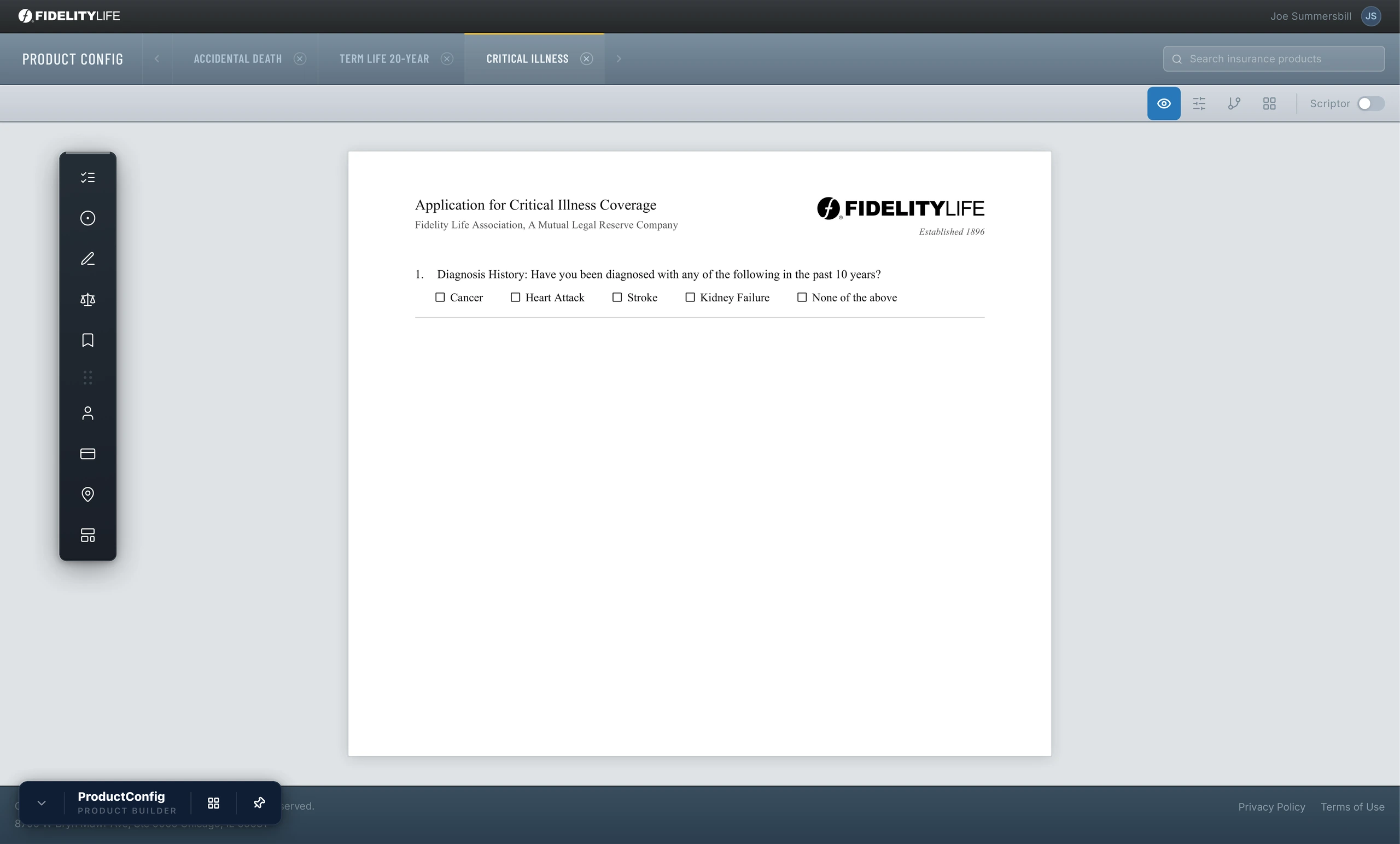
This gave internal teams a direct relationship between configuration and output. A question added in the builder immediately became part of the product application experience.
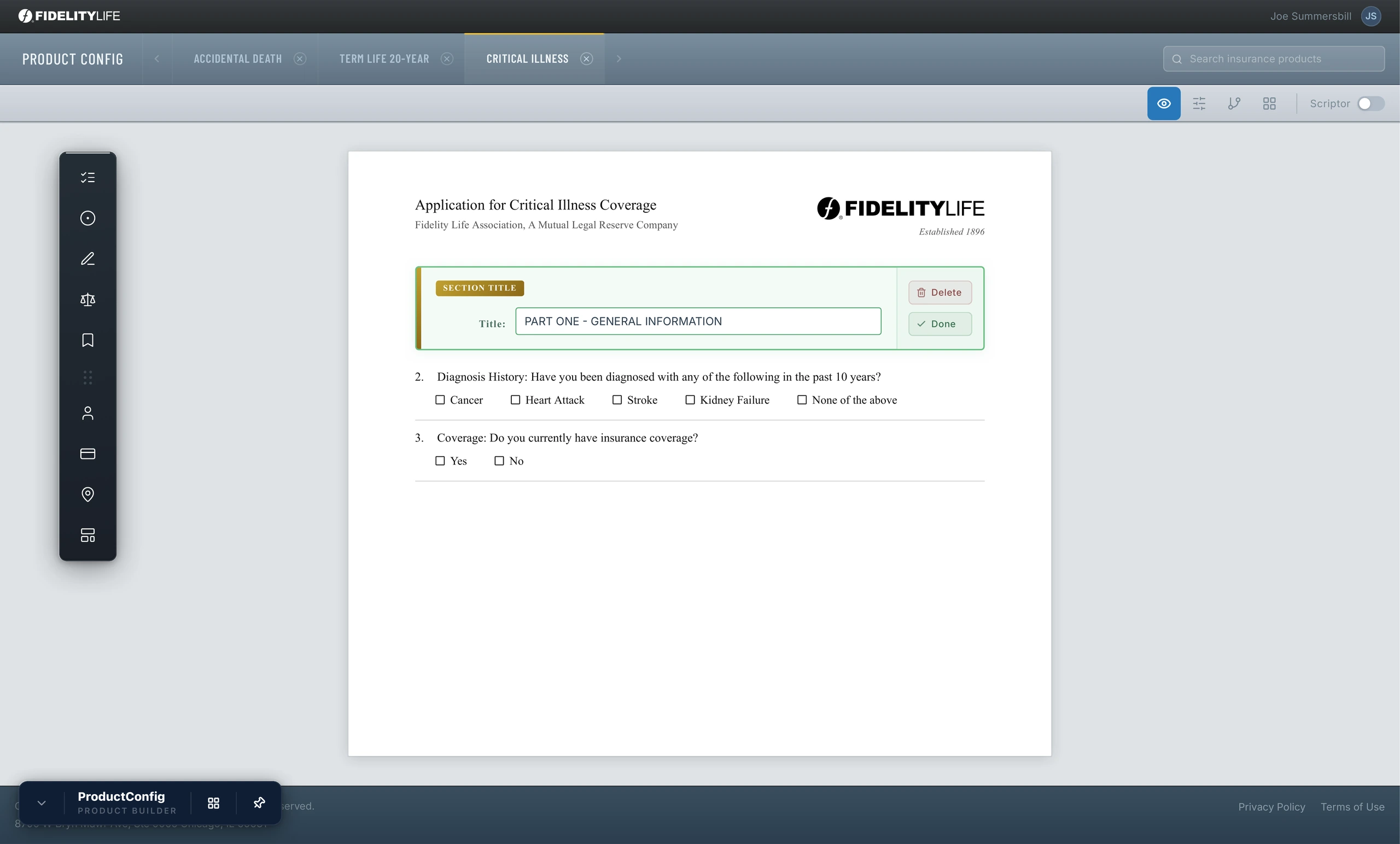
Section titles allowed product teams to organize forms into logical parts. This mattered because life insurance applications can become cognitively heavy very quickly. Clear structure made the generated applications easier to scan, complete, and validate.
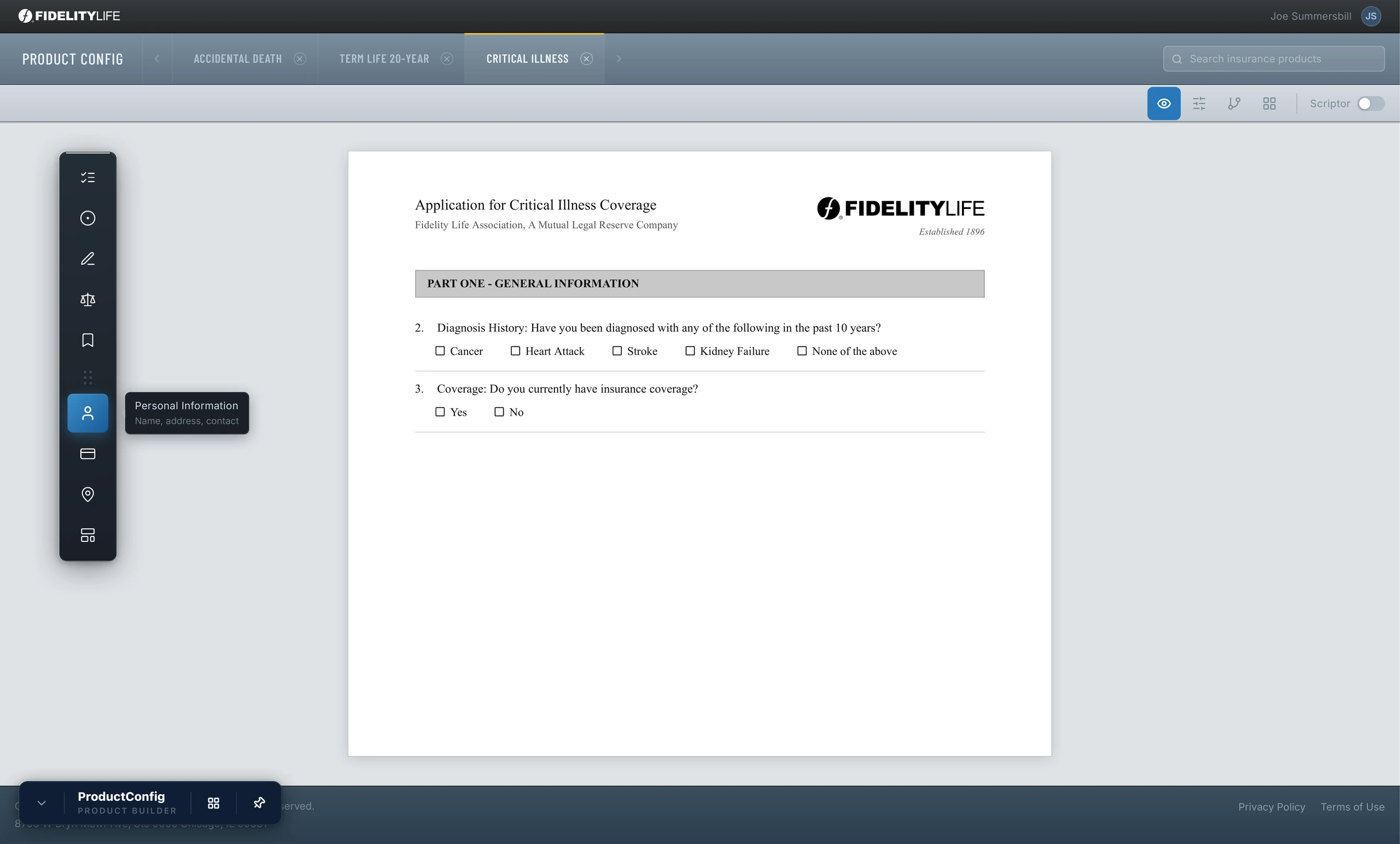
The same pattern applied to reusable field groups. Instead of rebuilding common identity and contact fields across every product, ProductConfig let teams define and insert standard information blocks.
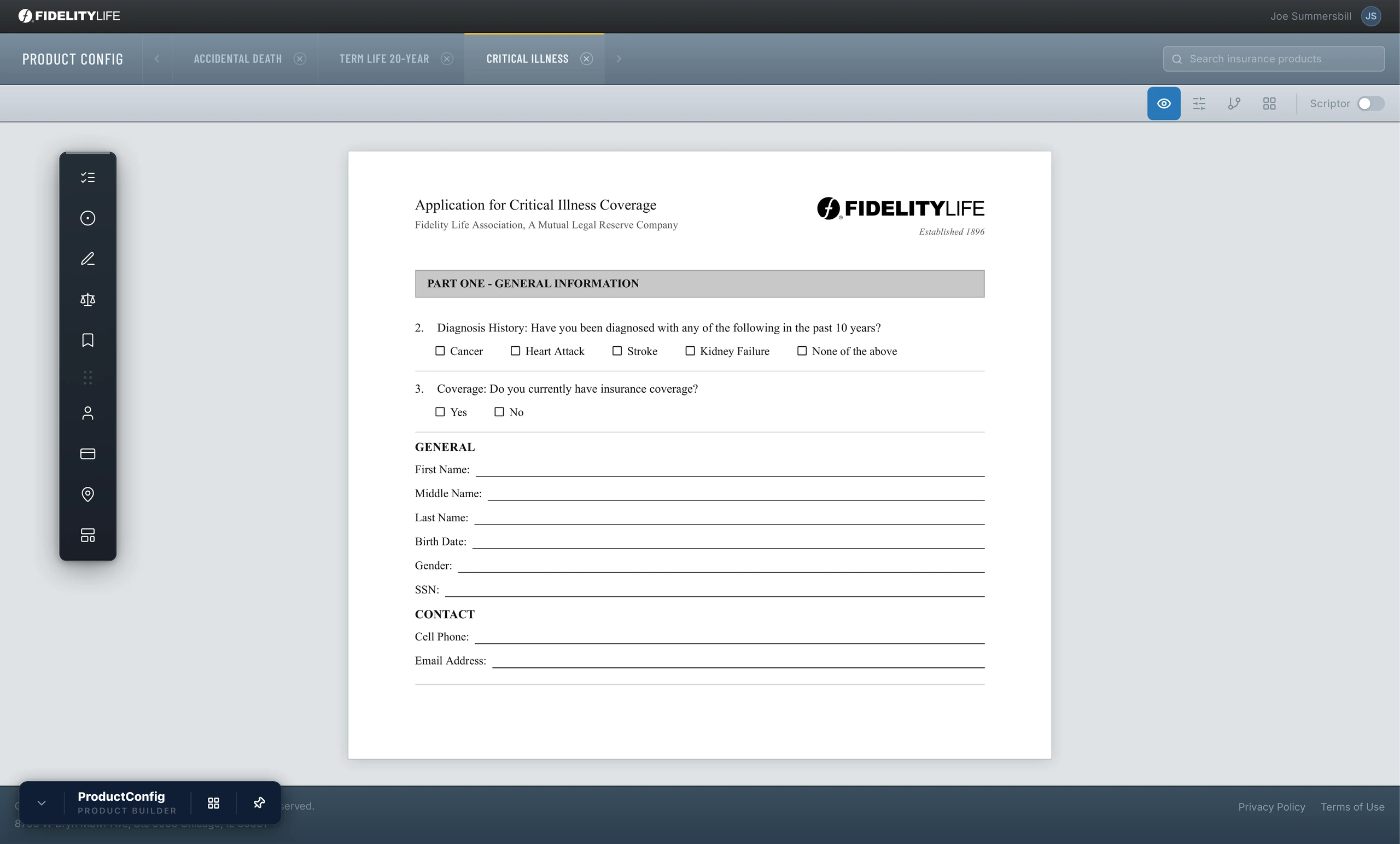
Every Question Type has its required fields, and all of them are fully editable.
Related Projects
Exchange Bidding System
An account management system that clarified user roles, carrier access, and permissions across an...
FinTech
Rapid-App - Insurance Platform
A guided agent platform that made life insurance applications and underwriting faster, clearer, a...
FinTech
Consumer-Direct - Life Insurance
A direct-to-consumer life insurance experience that helped customers quote, qualify, sign, and su...
FinTech