Clients & Ventures

Product/systems design that turns AI tech into business results









Contact Us
Contact form or information will go here.
Project Detail

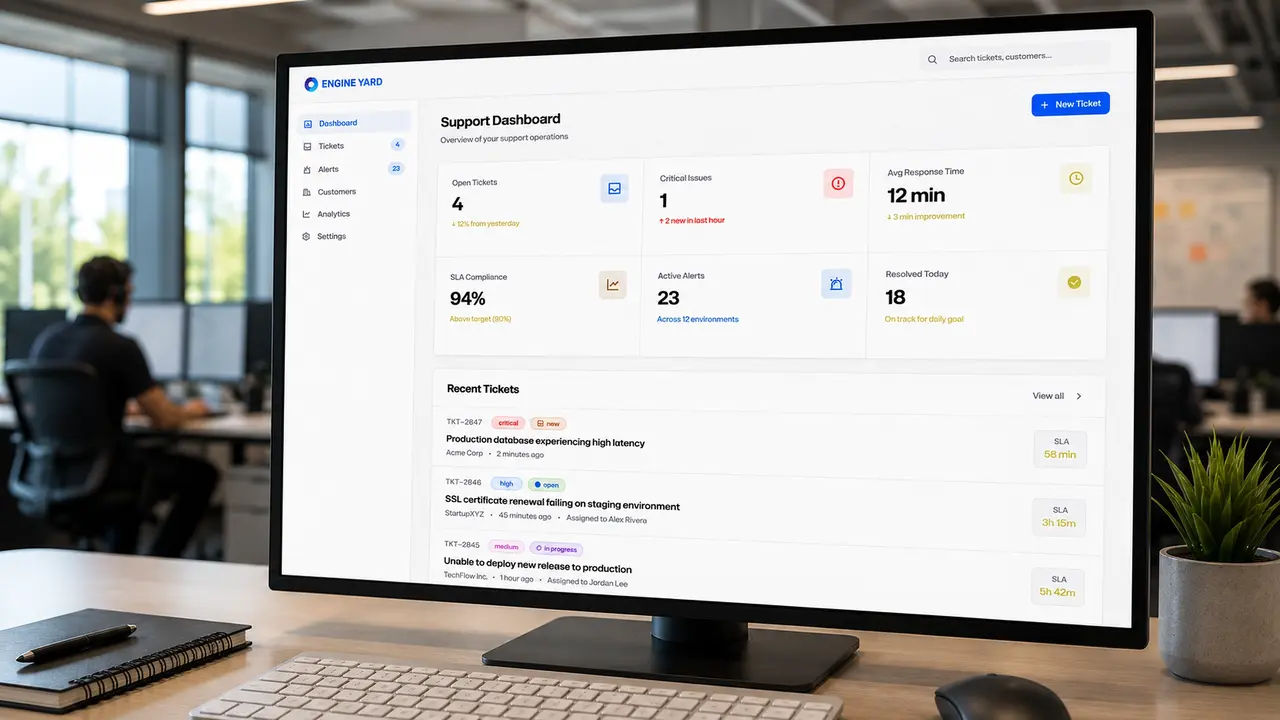

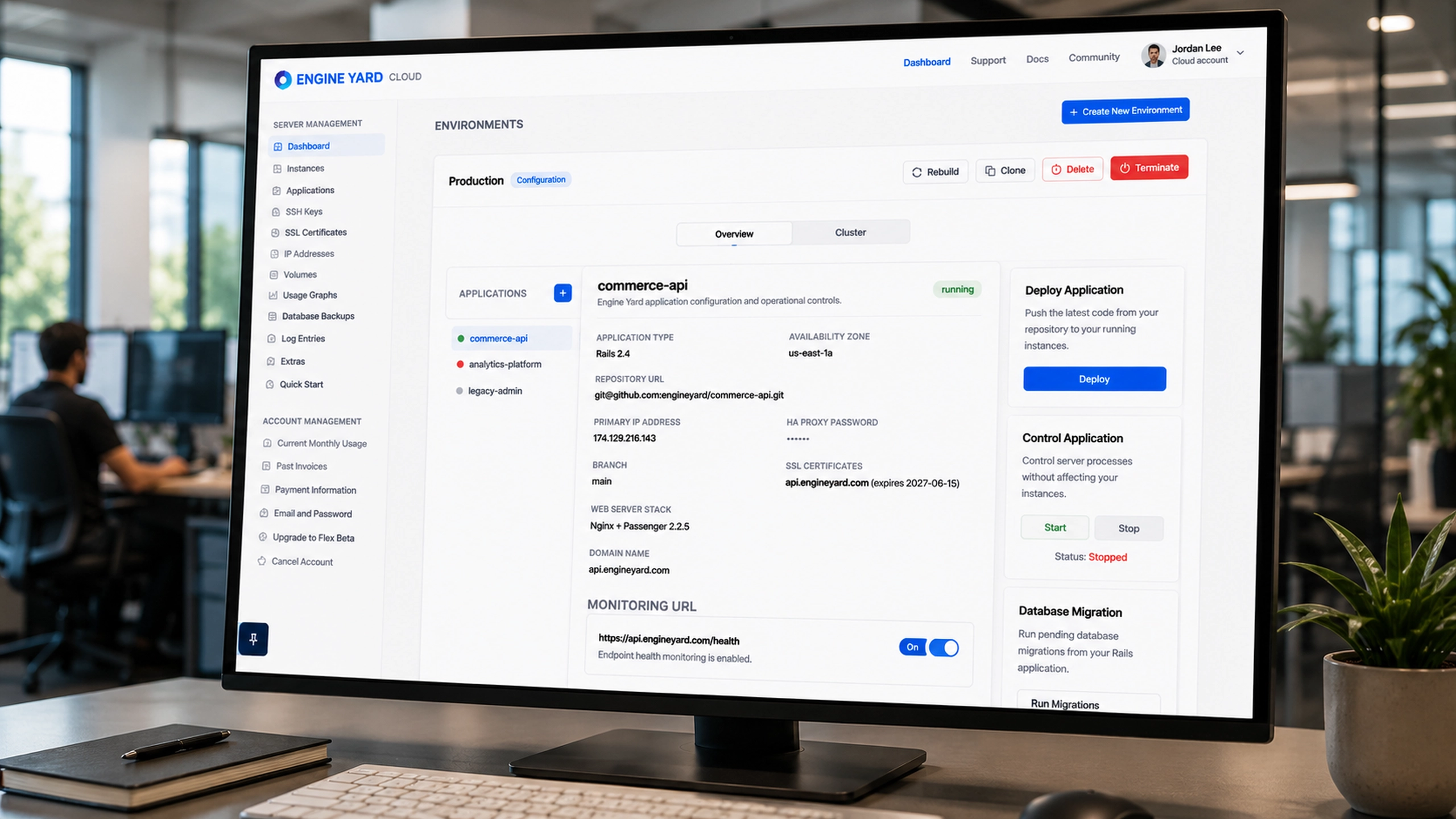
Customer Support Triage System
Summary

An internal triage system that transformed incoming customer support requests into structured operational workflows.
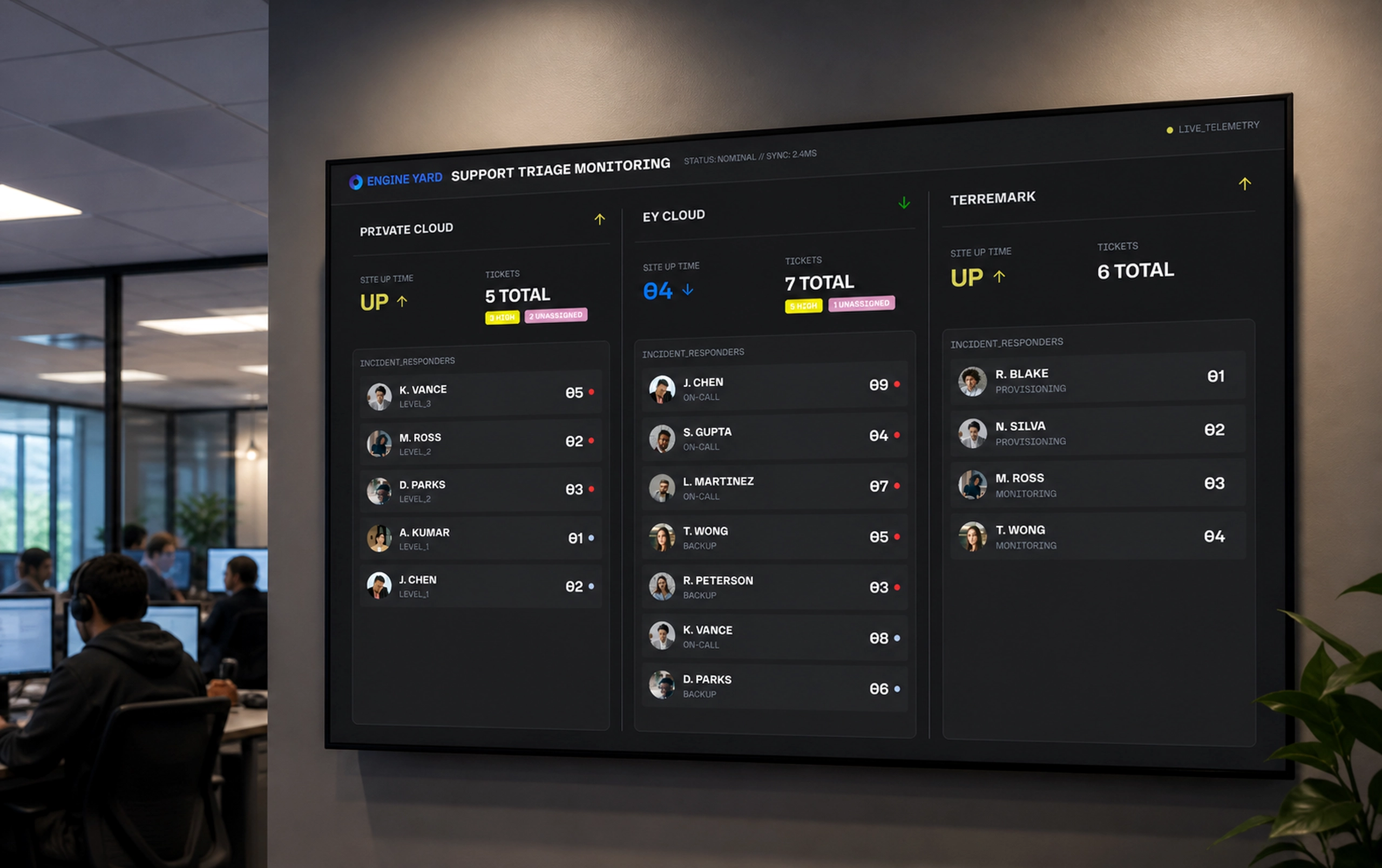
As Engine Yard’s platform grew, customer support teams needed a reliable system to manage incoming support requests submitted through the website. Unstructured emails and submissions made it difficult to prioritize incidents or route issues to the correct teams.
The Support Triage App centralized support intake and introduced structured classification, enabling engineers to assign severity levels, categorize requests, and route issues efficiently across operations teams.
Outcome
The triage system improved the efficiency of support operations and helped reduce delays in incident response.
Impact included:
- Faster routing of customer issues to appropriate teams
- Clear prioritization of high severity incidents
- Improved visibility into incoming support workload
- More consistent operational processes for support engineers
The tool became the entry point of the support workflow for the Engine Yard platform.
The Problem
Support work was spread across tickets, alerts, customers, and infrastructure
Cloud support teams need more than a ticket list. A ticket might represent a customer complaint, an infrastructure alert, an SLA risk, or a symptom of a deeper platform issue. If those signals are separated, support engineers spend too much time reconstructing context before they can act.
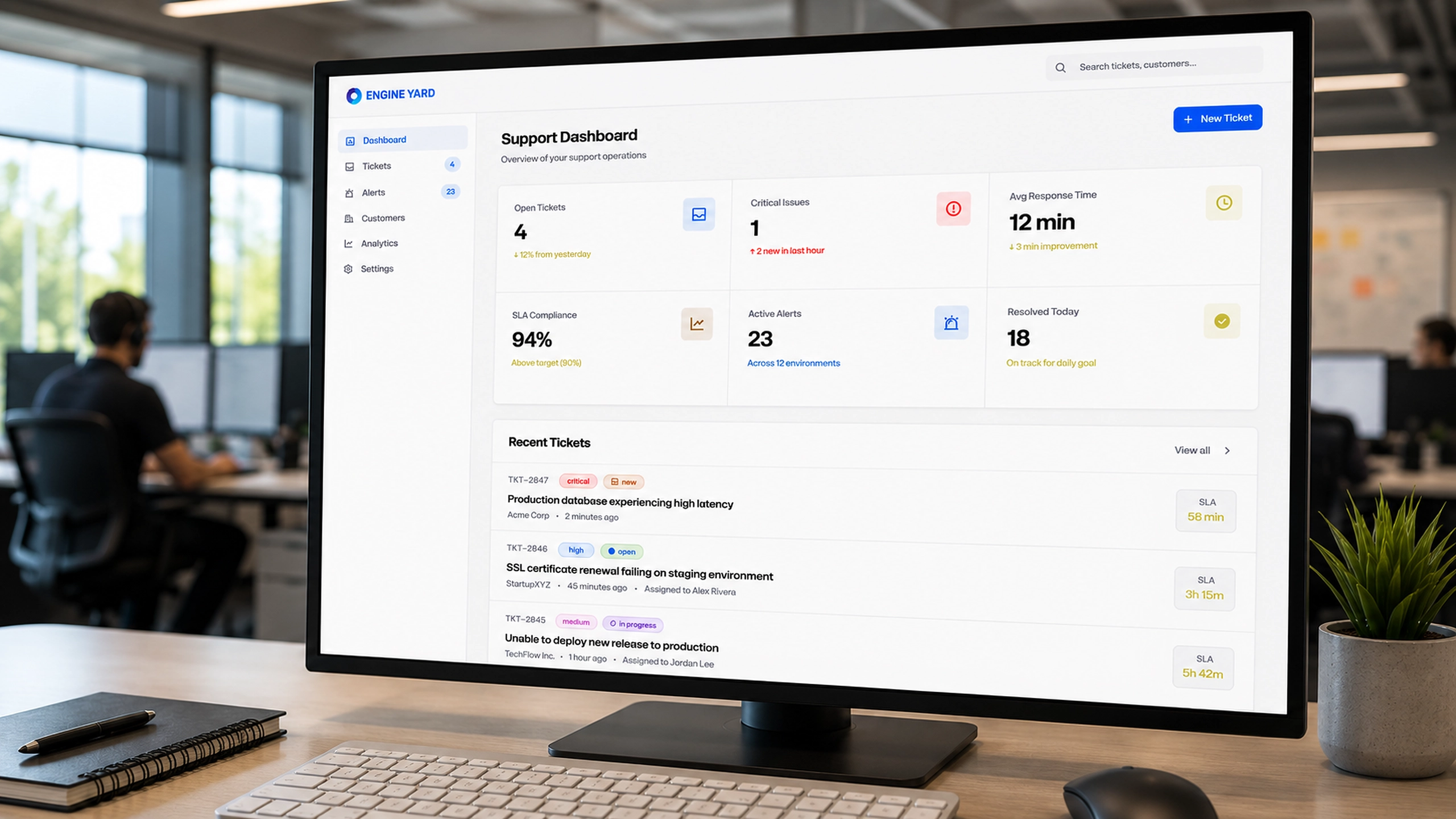
The screenshots show the core complexity clearly: open tickets, critical issues, SLA compliance, active alerts, affected environments, customer accounts, instance counts, team assignments, and analytics all influence prioritization. The challenge was to turn this into a usable workflow without overwhelming the people responsible for triage.
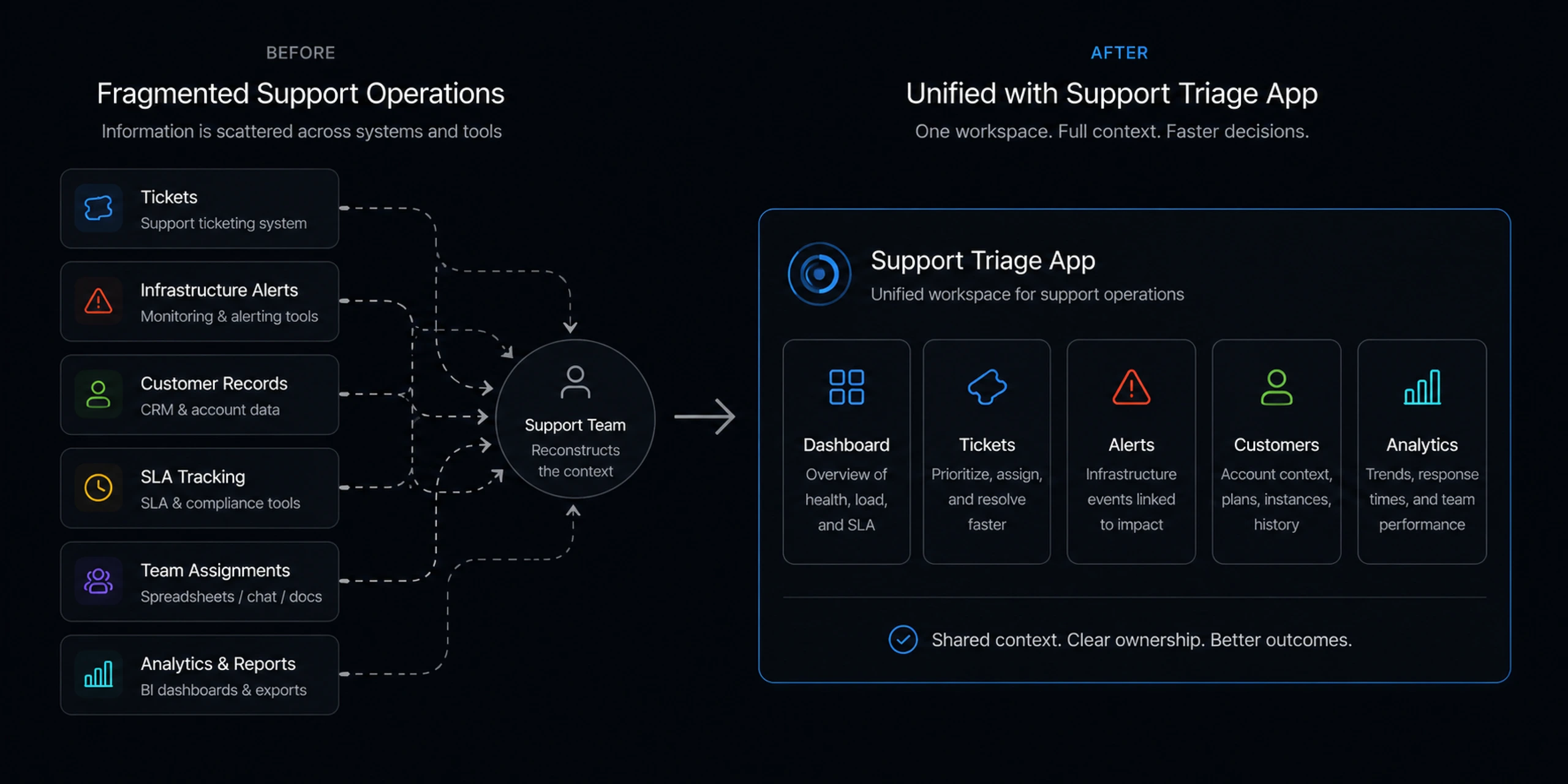
The support team needed to answer several questions quickly:
- Which tickets are urgent?
- Which customers are affected?
- Which infrastructure resources are involved?
- How much SLA time remains?
- Who is assigned?
- Which alerts need action?
- Are we improving or falling behind?
Without a unified view, even a simple ticket could become a coordination problem. Support engineers would need to jump between monitoring tools, ticket queues, customer records, and internal communication channels before making a decision.
The deeper issue was not just speed. It was trust. A support system only works if teams believe the queue reflects reality, the most urgent work rises to the top, and the right context is available when they open a ticket.
Solution
A triage workspace built around urgency, context, and ownership
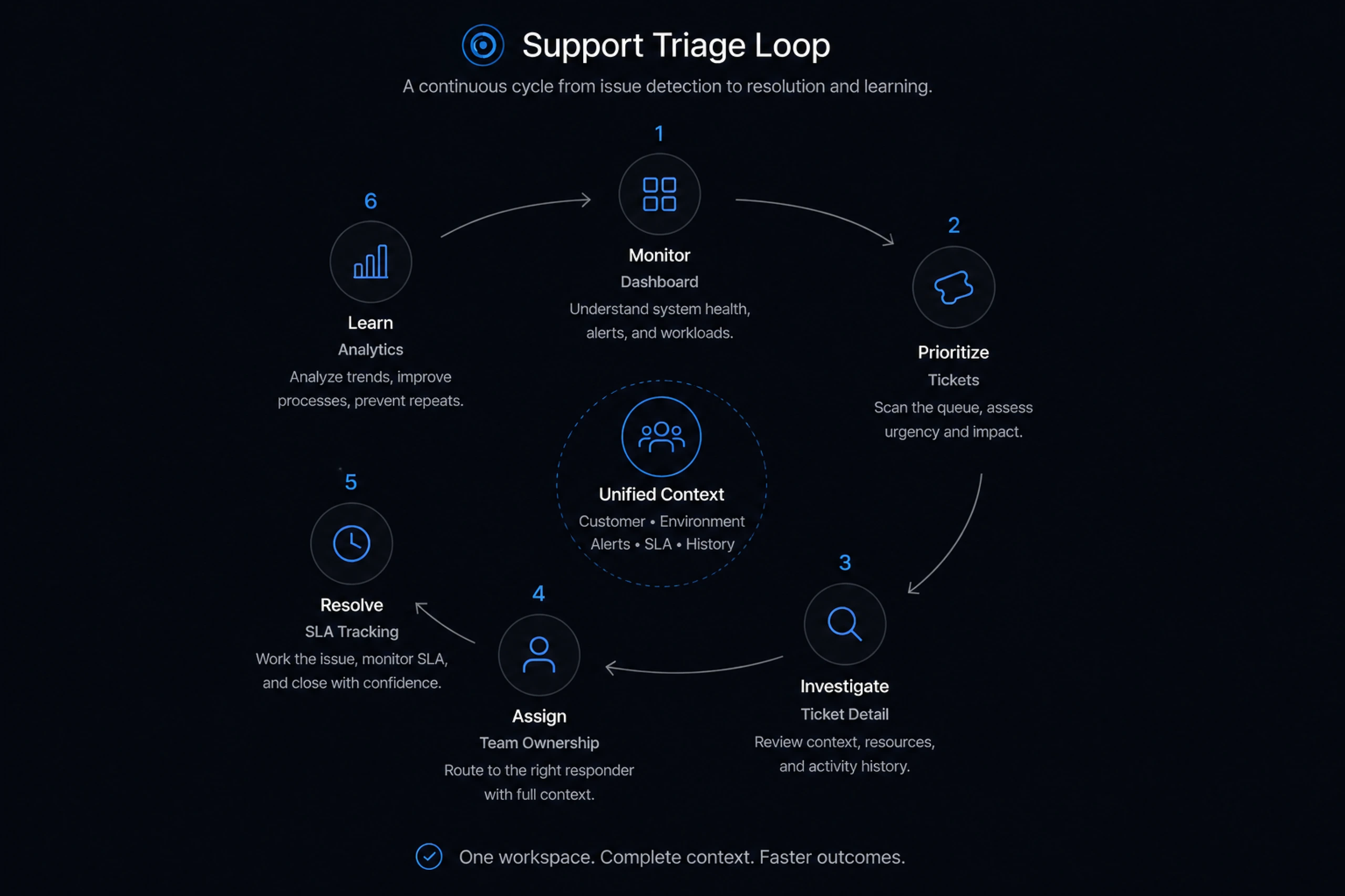
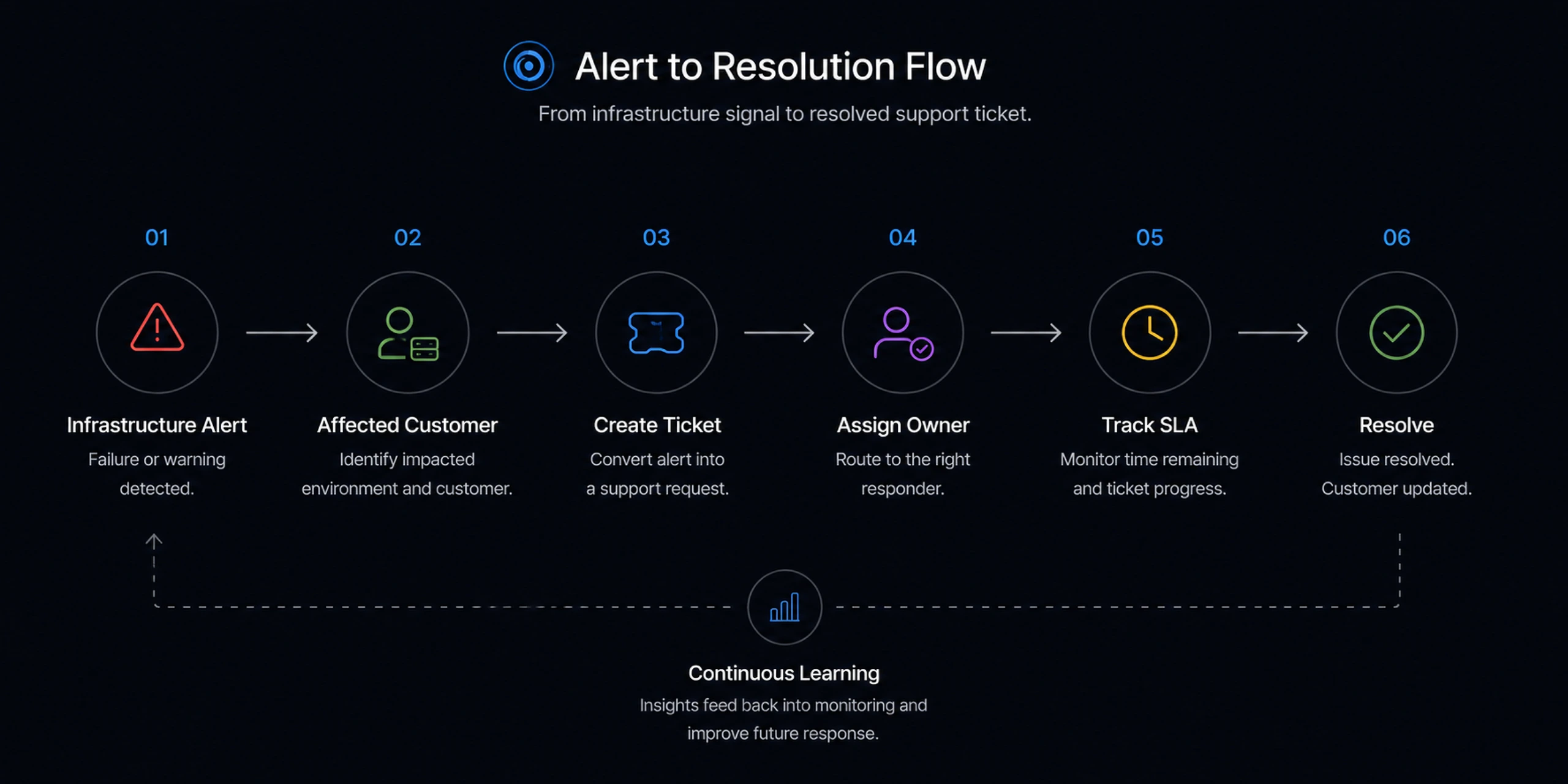
I designed the Support Triage app around the natural rhythm of cloud support work: monitor, prioritize, investigate, assign, resolve, and learn.
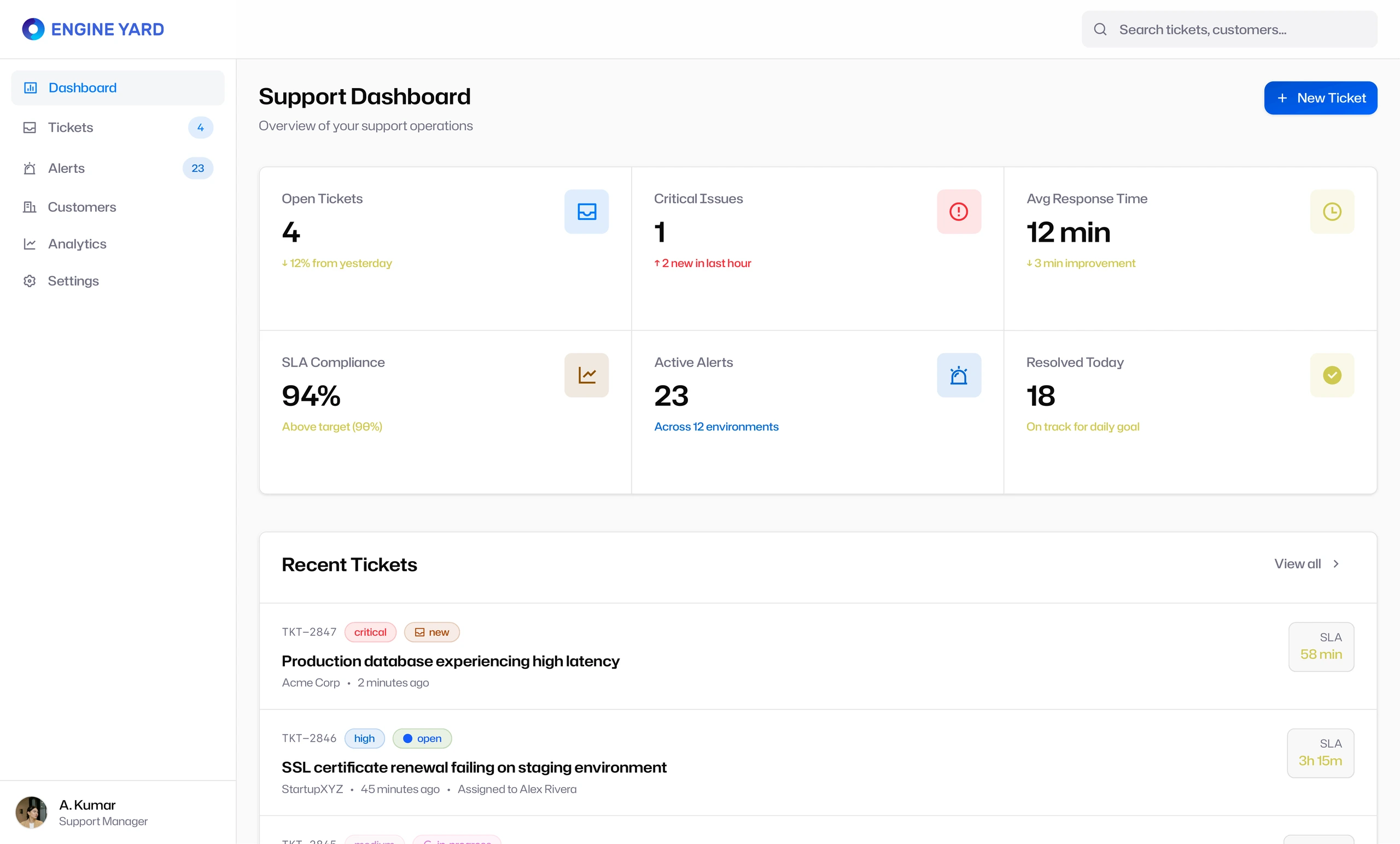
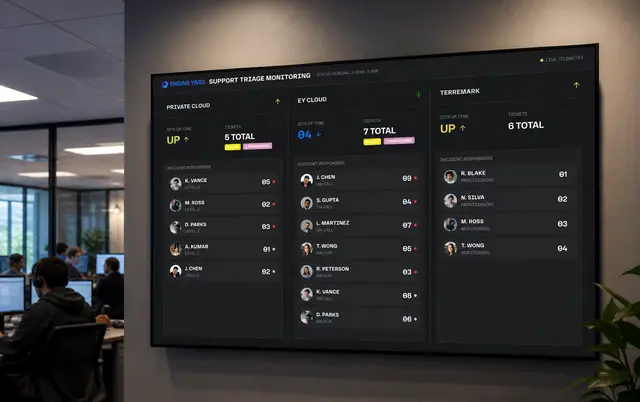
The dashboard provided the operational overview. It surfaced open tickets, critical issues, average response time, SLA compliance, active alerts, and resolved work. This gave support leads a fast way to understand whether the team was stable, overloaded, or drifting into risk.
The ticket list became the main working queue. Each ticket card included the signals needed for prioritization: customer, timestamp, priority, status, affected environment, tags, SLA remaining, and assignment state.
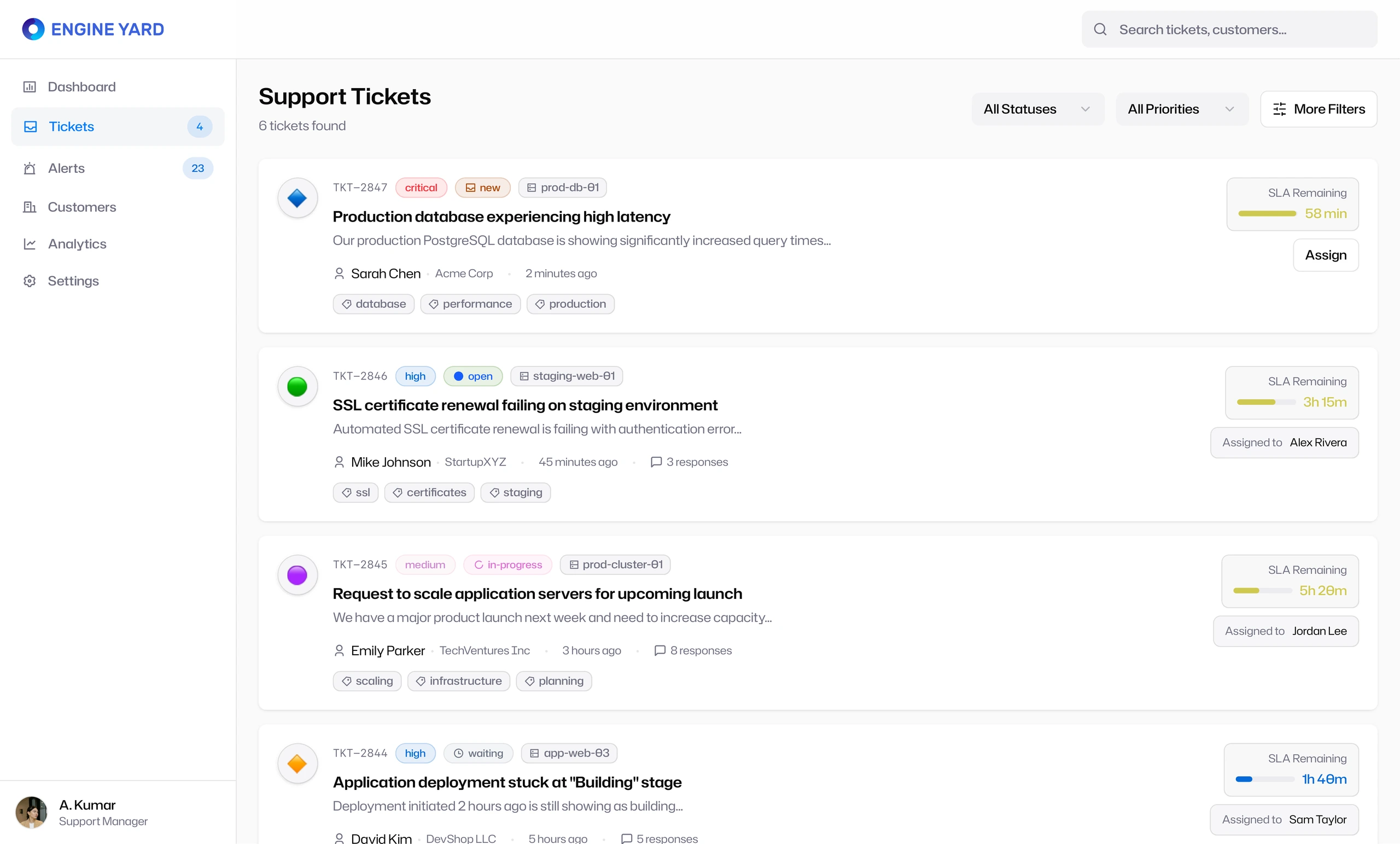
The design avoided hiding urgency inside detail pages. Support teams could scan the queue and make assignment decisions from the list itself.
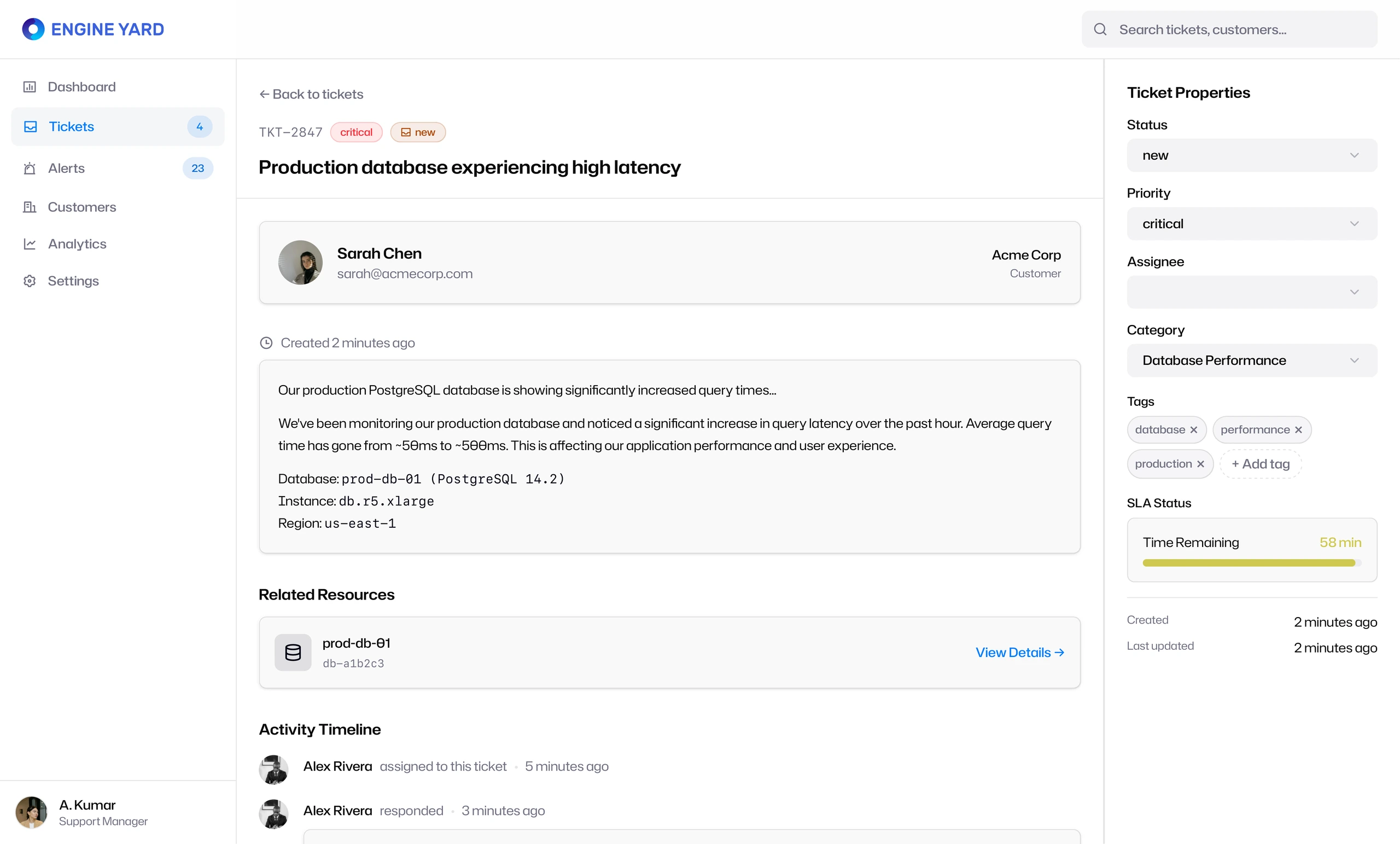
The ticket detail page then turned each issue into an actionable object. Instead of showing only the message, it connected the support request to:
- Customer identity
- Related infrastructure resources
- Ticket properties
- Priority and status
- Tags and category
- SLA time remaining
- Activity timeline
- Assignment state
This structure helped support engineers understand both the human request and the technical context behind it.
Infrastructure alerts became part of the support workflow
The Infrastructure Alerts section connected monitoring events to support action. This was one of the most important product decisions. Alerts were not treated as a separate technical system. They were integrated into the same support workflow, allowing the team to see affected customers, failures, warnings, environments, and assignment status.
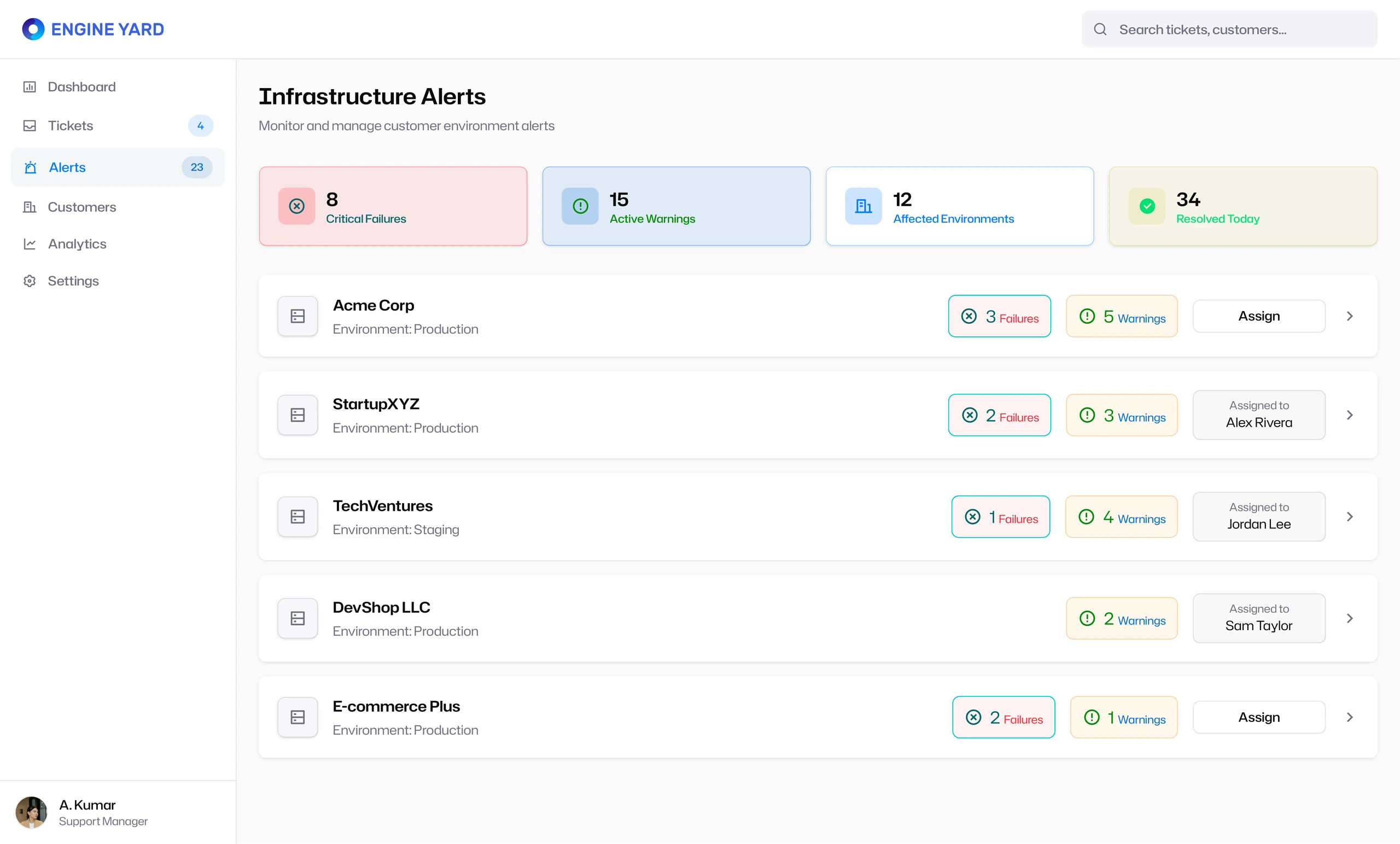
The alert detail page made that connection even clearer. It showed critical failures, active warnings, affected instances, last alert timing, and a table of active alerts with actions to acknowledge or create a ticket.
That flow matters because support work often starts before a customer writes in. The system needed to support proactive triage, not just reactive ticket handling.
Customer context helped teams prioritize support work intelligently
The Customers section gave the support team account-level visibility. Instead of treating every ticket as equal, the app surfaced customer plan, MRR, instance count, open tickets, satisfaction, contact information, and recent activity.
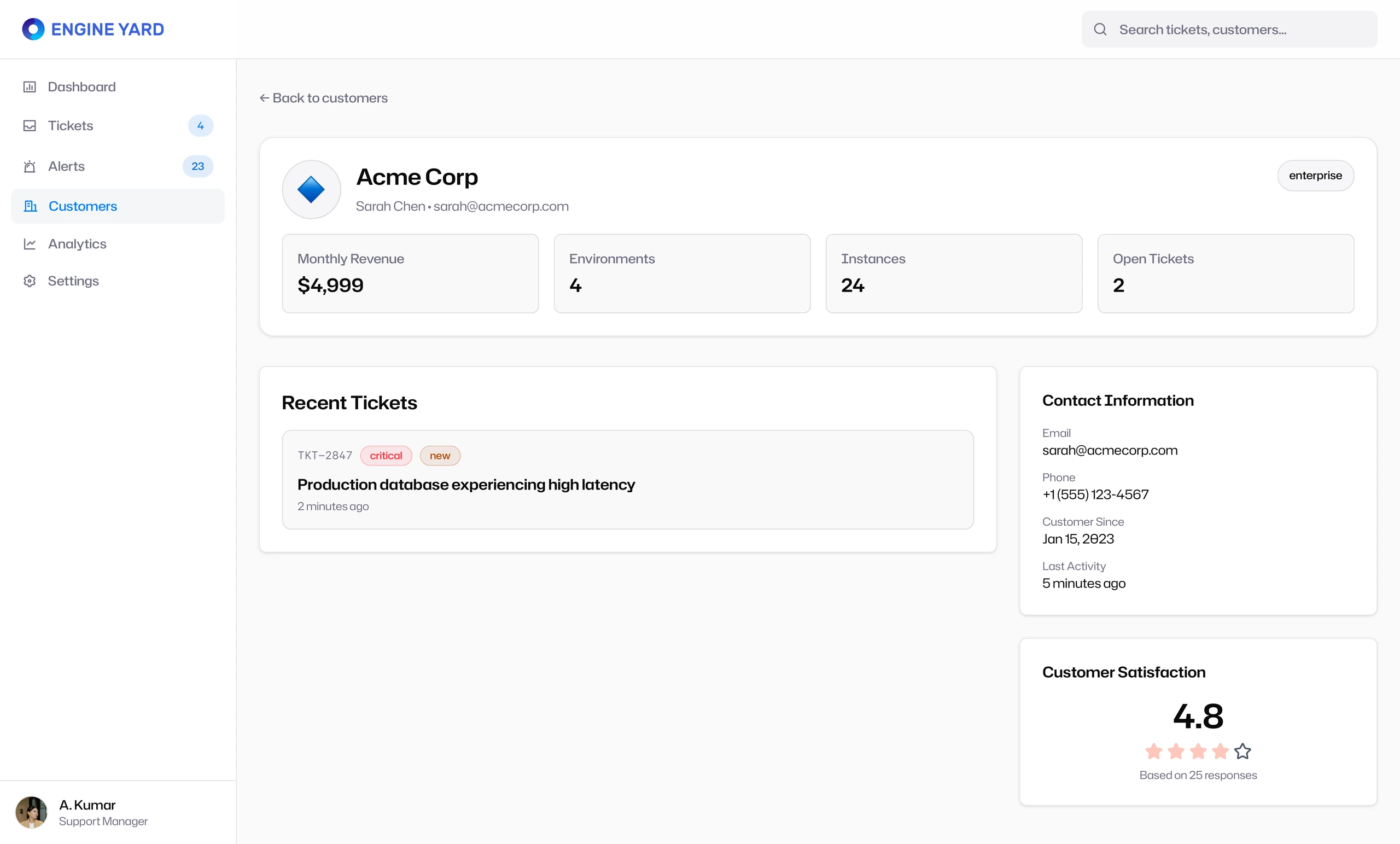
This was important because triage is not purely technical. A production outage for a high-value enterprise customer has a different operational weight than a minor staging issue for a starter account. The design made that context visible without turning the product into a CRM.
Analytics turned support activity into operational learning
The Analytics & Insights section closed the loop. It helped the team understand ticket volume trends, resolution patterns, response time by hour, and operational load over time.
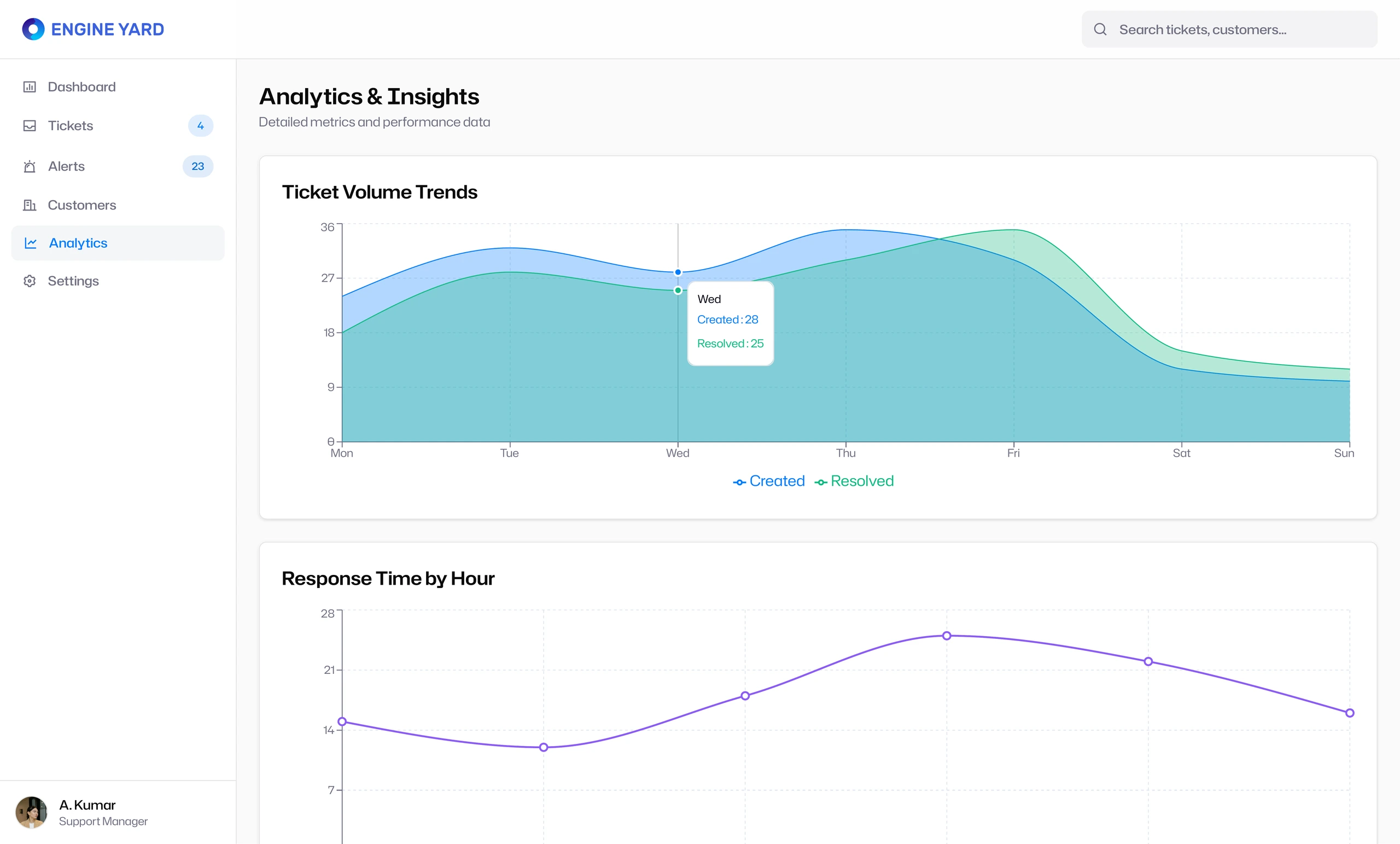
This made the product more than a queue. It became a system for improving support operations. The team could identify spikes, staffing gaps, recurring issues, and response-time patterns.